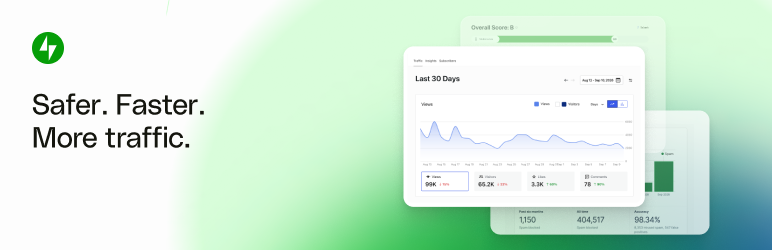

Descripción
Tu sitio de WordPress, ahora en la conversación
Jetpack conecta tu sitio de WordPress con ChatGPT, Claude y los demás agentes de IA que ya utilizas. Pide en lenguaje natural que redacte una entrada, consulte qué páginas han recibido más visitas, compruebe tus copias de seguridad o realice un análisis de seguridad, y tu agente se encargará de hacerlo directamente en tu sitio. No necesitas configurar ni alojar ningún servidor MCP.
Esto funciona porque Jetpack conecta tu sitio a la nube de WordPress.com, la misma infraestructura que gestiona millones de sitios. Las tareas más exigentes se realizan allí, en lugar de en tu servidor de hosting: copias de seguridad almacenadas fuera del servidor con restauración con un solo clic y migración completa del sitio, análisis de malware, protección contra ataques de fuerza bruta, supervisión del tiempo de actividad, análisis del sitio con Jetpack Stats, filtrado de spam, CDN de imágenes y alojamiento de vídeos sin anuncios. Además, incluye un cortafuegos, herramientas SEO, newsletters, opciones para compartir en redes sociales y formularios.
«Después de todos estos años, Jetpack es el iCloud de mi WordPress». Matt Mullenweg, cofundador de WordPress (reseña)
Descubre cómo empezar a usar Jetpack
La instalación es gratuita, rápida y sencilla. Desde tu escritorio de WordPress, añade un nuevo plugin, busca Jetpack e instálalo. Actívalo y conecta tu cuenta de WordPress.com. A continuación, abre Jetpack AI en el menú de Jetpack para conectar tu agente de IA. Desbloquea las copias de seguridad en tiempo real, las soluciones para eliminar malware con un solo clic y las estadísticas avanzadas al pasar a un plan de pago.
¿Necesitas soporte experto?
Contamos con un equipo global de Happiness Engineers dispuestos a darte una ayuda increíble. Haz tus preguntas en el foro de soporte o contacta con nosotros directamente.
Motivos para usar Jetpack en tu sitio
Conecta ChatGPT, Claude y otros agentes de IA
Gestiona tu sitio desde las herramientas de IA que ya utilizas. Conecta ChatGPT o Claude con unos pocos clics y luego pide lo que necesitas en un lenguaje sencillo. Tu agente puede trabajar con algo más que tus entradas y páginas: Jetpack también le proporciona tus estadísticas, copias de seguridad, análisis de seguridad y newsletter, por lo que una conversación cubre todo tu sitio.
- Utiliza las herramientas de IA que prefieras. Jetpack funciona con ChatGPT, Codex, Claude, Claude Code, Cursor, VS Code, Continue y cualquier otro cliente de MCP.
- Pregunta qué entradas han recibido más visitas, comprueba tus copias de seguridad y el registro de actividad, ejecuta un análisis de seguridad, cambia los ajustes de la newsletter o activa la supervisión del tiempo de inactividad.
- Redacta entradas, crea una página a partir de una sola sugerencia, organiza tu biblioteca de medios y optimiza tu sitio.
- Elige lo que tu agente puede leer y lo que puede cambiar, y activa o desactiva las herramientas individuales cuando quieras.
- Tu agente actúa en tu nombre a través de la conexión de tu cuenta de WordPress.com, por lo que no hay nada más que alojar.
Seguridad, copias de seguridad y migración
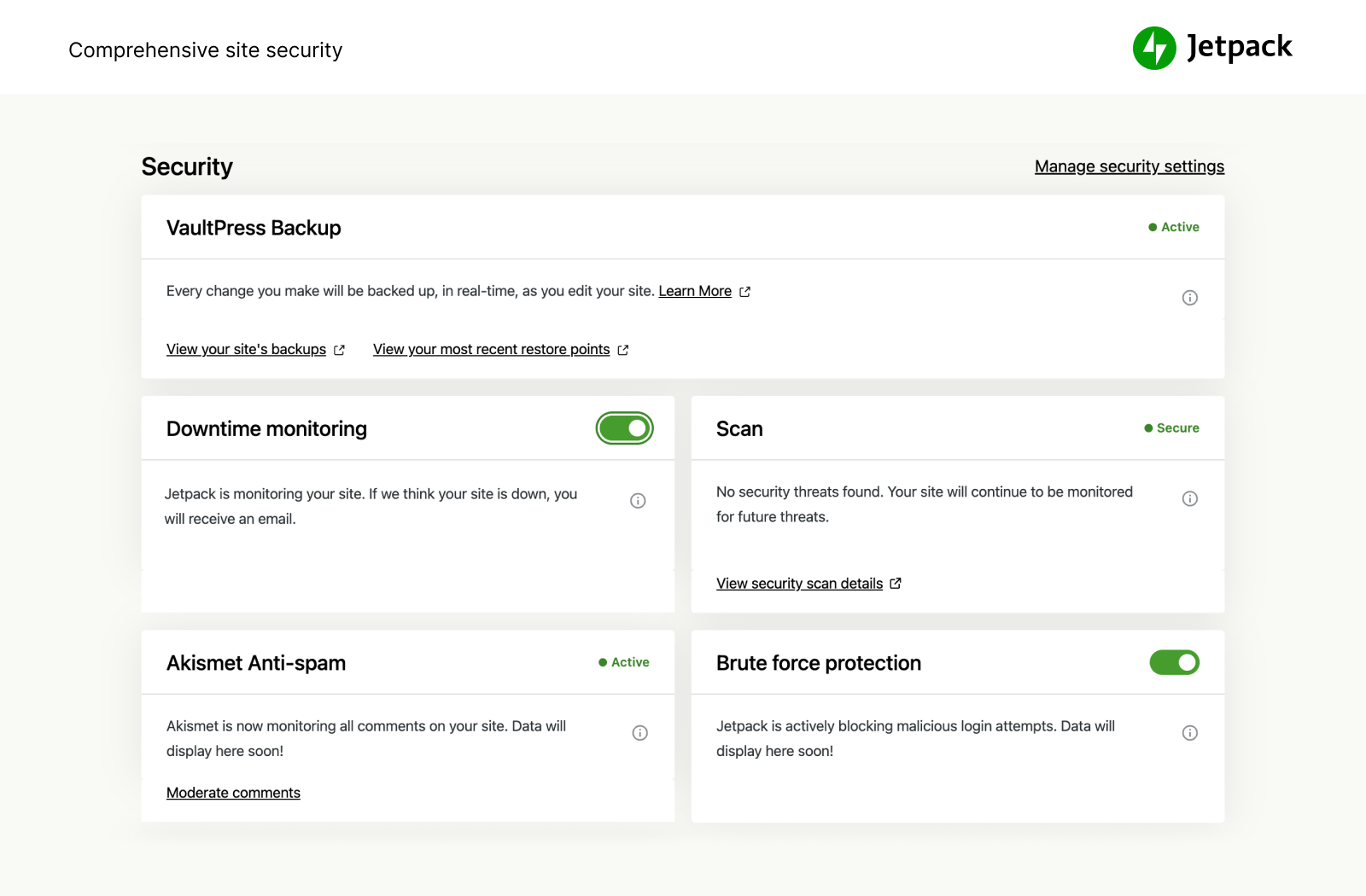
Jetpack Protect vigila tu sitio las 24 horas del día y VaultPress Backup guarda una copia de todo lo que hay fuera del sitio para que puedas deshacer cualquier error. La protección de acceso y la supervisión básica del tiempo de inactividad son gratuitas.
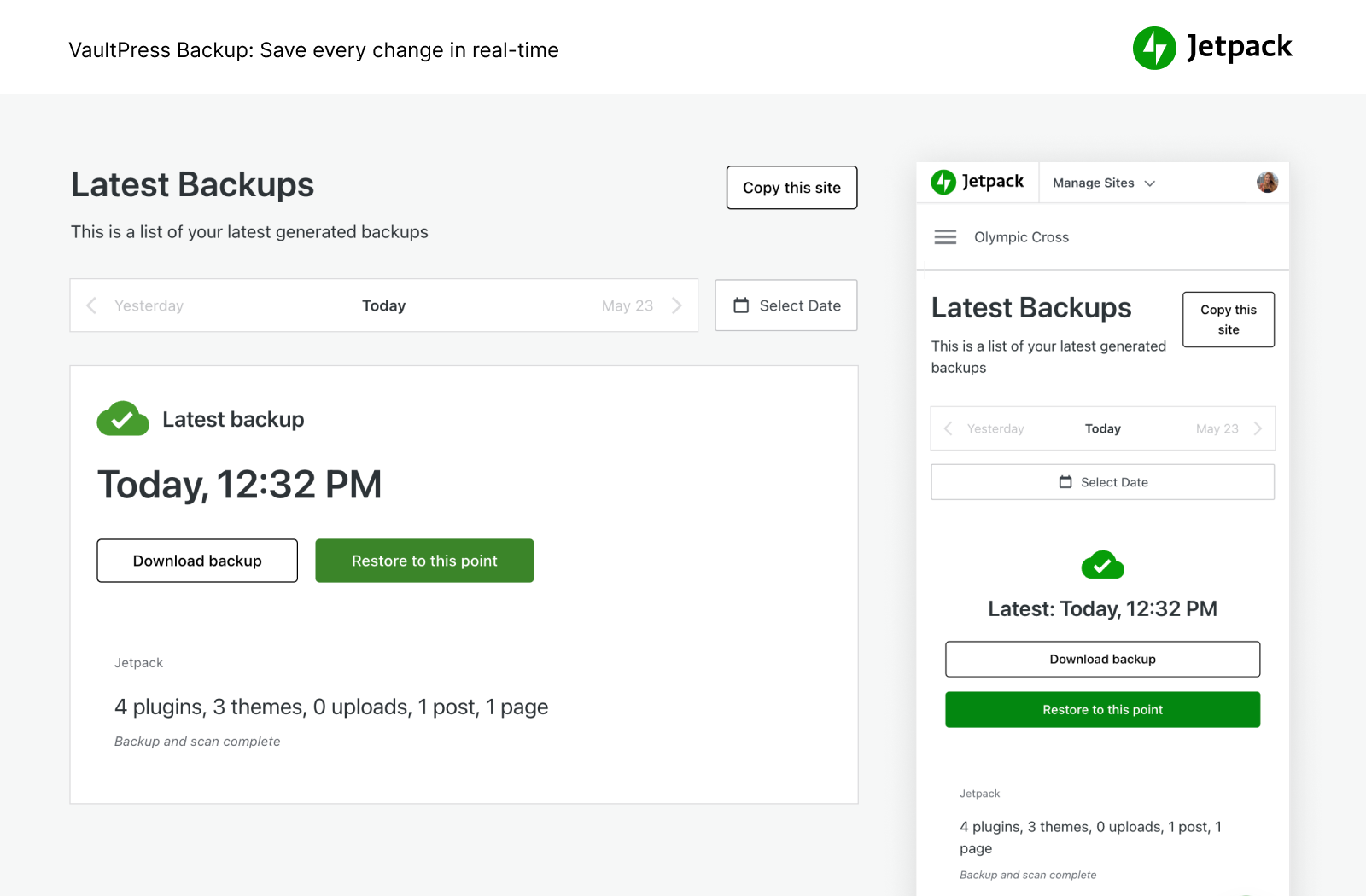
- Haz una copia de seguridad de tu sitio automáticamente en tiempo real y restaura a cualquier punto con un solo clic. El almacenamiento empieza a partir de los 10 GB y hay más disponible si lo necesitas. Ideal para WooCommerce y otras tiendas de comercio electrónico, donde cada pedido cuenta.
- Migra tu sitio a un nuevo host, clónalo o configura un sitio de prueba desde cualquier copia de seguridad.
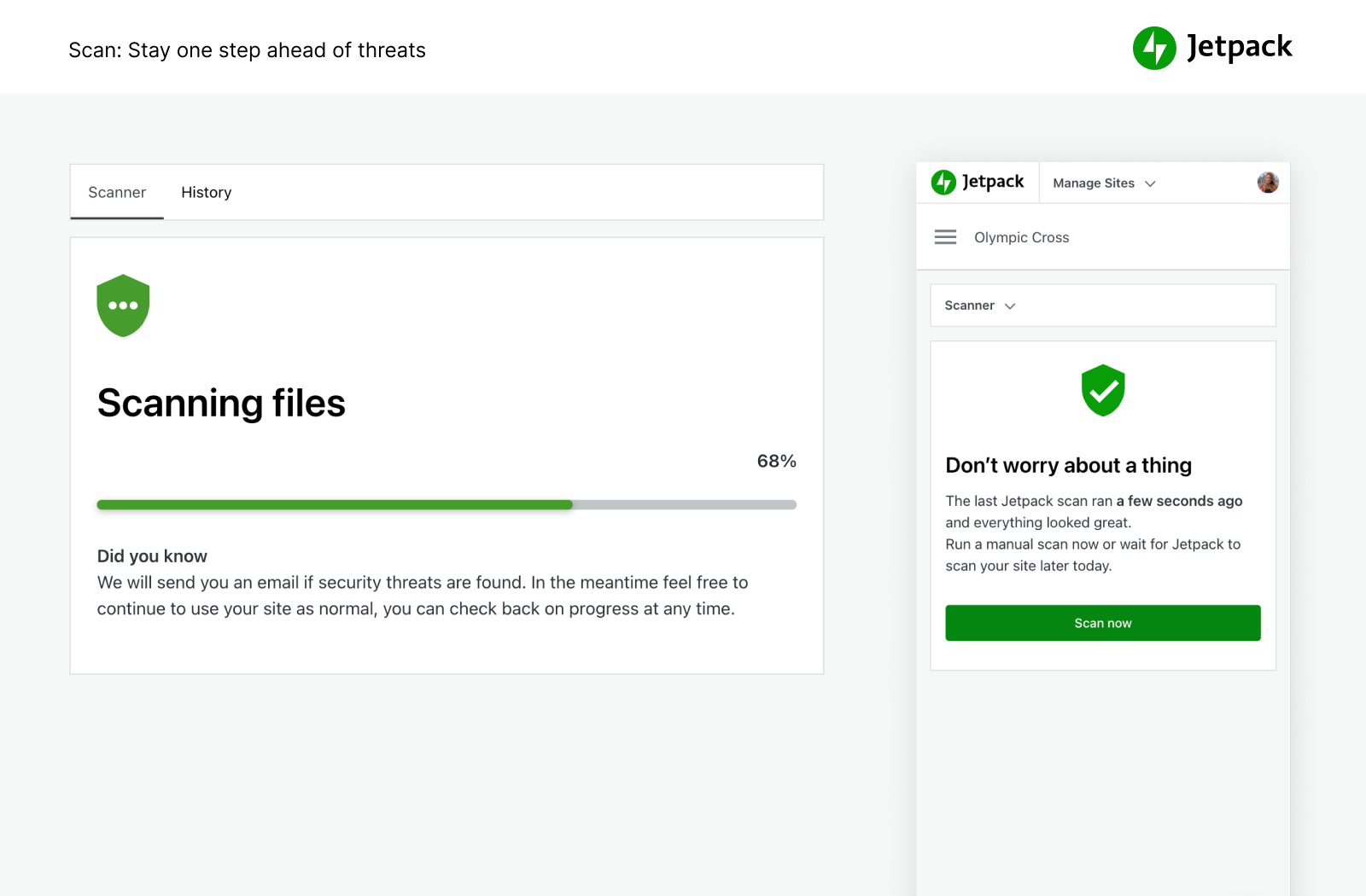
- Explora automáticamente en busca de malware y vulnerabilidades con correcciones en un clic.
- Bloquea el tráfico malicioso con un cortafuegos de aplicaciones web (WAF), especialmente mientras los atacantes explotan los plugins sin parches.
- Detén los ataques de fuerza bruta en tu página de acceso y añade la autenticación de dos factores (2FA) con un acceso seguro a WordPress.com.
- Supervisa el tiempo de actividad de tu sitio y recibe una alerta por correo electrónico en el momento en que se caiga.
- Consulta todos los cambios y quién los ha realizado en el registro de actividad.
- Bloquea los comentarios y las respuestas de formularios no deseados con Akismet Anti-spam.
- Actualiza automáticamente plugins individuales.
Consigue todas las funciones de seguridad de Jetpack Pro o Complete, o compra VaultPress Backup, Scany Akismet Anti-spam por su cuenta.
Análisis del sitio con Jetpack Stats
Obtén estadísticas claras del sitio sin ser un científico de datos.
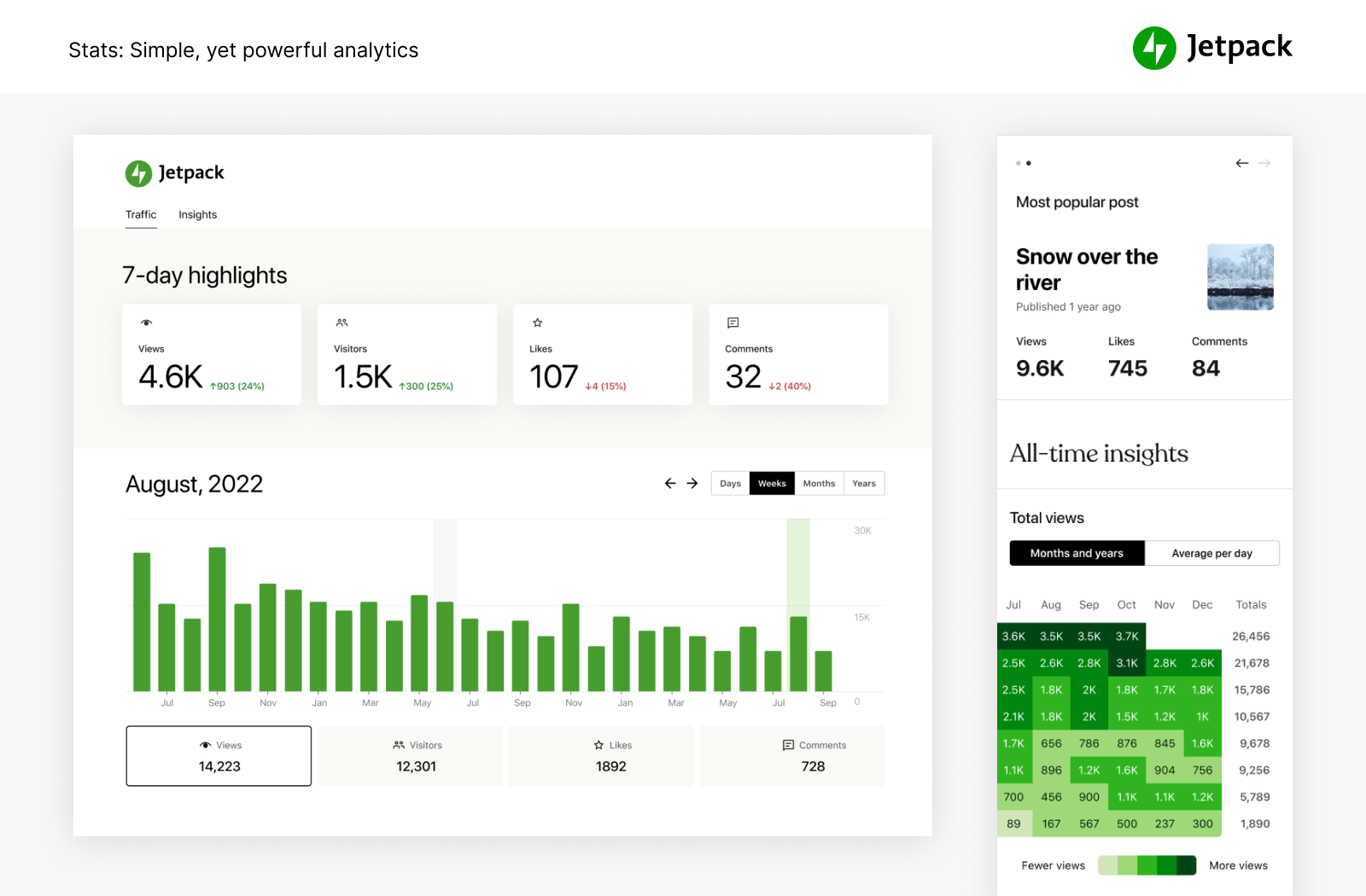
- Mira visitantes, visualizaciones, Me gusta y comentarios en tiempo real.
- Encuentra tus entradas y páginas principales, y los países y referentes que te envían tráfico.
- Mide los clics en enlaces, las reproducciones de vídeos y las descargas de archivos.
- Consulta qué autores de tu equipo escriben el contenido más popular y dónde se comparten tus entradas.
- Detecta tendencias con los resúmenes de los últimos 7 días y el resumen anual.
Amplía tu audiencia
- Convierte tus entradas en una newsletter y ofrece suscripciones de pago.
- Comparte automáticamente tus entradas en Facebook, Instagram, LinkedIn, Threads, Bluesky, Tumblr, Mastodon y Nextdoor.
- Aumenta el tráfico con herramientas SEO para Google, Bing, Facebook y WordPress.com, además de un mapa del sitio XML automático.
- Recibe pagos y donaciones o vende productos, servicios y membresías con Stripe y PayPal.
- Crea formularios de contacto sin código y recibe un correo electrónico con cada respuesta.
- Promociona tus entradas por unos pocos dólares en millones de sitios de la red publicitaria de WordPress.com y Tumblr con Blaze.
- Gana dinero mostrando anuncios de alta calidad en tu sitio.
- Mantén a los visitantes leyendo entradas relacionadas y añade galerías de imágenes y presentaciones.
- Gestiona tu sitio desde cualquier lugar con la aplicación móvil de Jetpack para iOS y Android.
Escribe con Jetpack AI
Jetpack AI funciona en el editor de WordPress. Dale una sugerencia y redacta entradas, páginas, listas y tablas, luego te ayuda a editarlas y traducirlas.
- Escribe un primer borrador de una sugerencia sin salir del editor.
- Cambia el tono, corrige la ortografía y la gramática o acorta o alarga el texto.
- Traduce tu contenido a muchos idiomas.
Velocidad y rendimiento
- Publica imágenes y archivos estáticos como CSS y JavaScript desde tu CDN global en lugar de tu servidor, lo que ahorra ancho de banda y agiliza tu sitio en dispositivos móviles.
- Aloja vídeos sin anuncios ni recomendaciones que saquen a los visitantes de tu sitio.
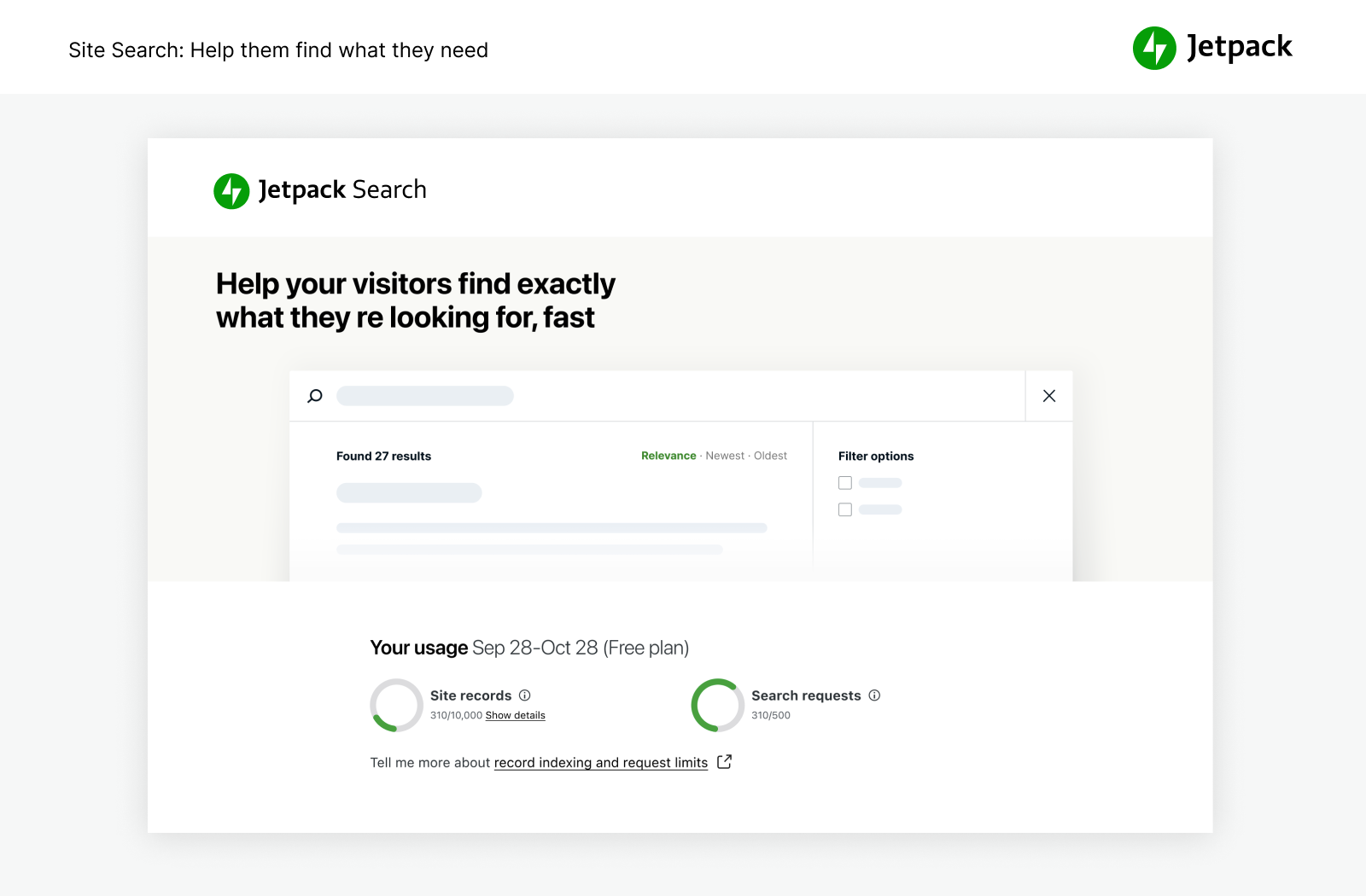
- Ayuda a los visitantes a encontrar lo que necesitan con una búsqueda rápida y personalizable en el sitio, que incluye filtros de productos para tiendas WooCommerce.
- Combina Jetpack con Jetpack Boost para almacenar la página en caché y mejorar las Core Web Vitals.
Integraciones
Jetpack se actualiza mensualmente para que funcione con los plugins y servicios que ya utilizas.
- WooCommerce: Jetpack y WooCommerce están hechos por Automattic, por lo que Backup, Scan, Stats y Anti-spam funcionan con tu tienda lista para usar.
- Compartir en Facebook, Instagram, LinkedIn, Mastodon, Tumblr, Threads, Bluesky y Nextdoor
- Pagos: Stripe y PayPal.
- Marketing por correo electrónico: Mailchimp.
- Protección contra el spam (con tecnología de Akismet) para Jetpack Forms, Contact Form 7, Ninja Forms, Gravity Forms, Formidable Forms y muchos más.
- Caché: funciona con WP Super Cache y Cloudflare.
- Bloques para Calendly, Pinterest, WhatsApp, Eventbrite, OpenTable, podcasts, mapas y GIF.
Planes y productos
- Jetpack Complete: todo lo que ofrece Jetpack: seguridad en tiempo real, el mejor rendimiento y herramientas de crecimiento en un solo plan.
- Jetpack Pro: herramientas de seguridad, rendimiento y crecimiento en un solo plan, que incluye copias de seguridad en tiempo real, análisis de malware y protección contra el spam.
- VaultPress Backup: guarda cada cambio y vuelve a tener tu sitio en línea rápidamente con restauraciones con un solo clic.
- Jetpack Scan: exploración automática de malware y un cortafuegos de aplicaciones web con correcciones en un clic.
- Jetpack AI: escribe, edita y traduce en el editor.
- Jetpack Stats: consulta las visitas, las entradas más populares, los suscriptores de la newsletter y mucho más.
- Jetpack Social: comparte tus entradas en las principales redes sociales desde un mismo lugar.
- Newsletter de Jetpack: convierte las entradas en newsletters y gana dinero con suscripciones de pago.
- Jetpack Search: resultados instantáneos y relevantes para tus visitantes, sin anuncios ni seguimiento.
- Jetpack VideoPress: vídeo sin anuncios, subido directamente desde el editor.
- Jetpack Boost: haz que tu sitio sea más rápido, sin necesidad de desarrolladores.
- Jetpack CRM: gestiona clientes, clientes potenciales y facturas en WordPress.
- Akismet Anti-spam: elimina automáticamente el spam de los comentarios y formularios.
- Blaze: promociona tus entradas en millones de sitios.
- Jetpack Manage: supervisa la seguridad, el rendimiento y el tráfico en todos tus sitios desde un único escritorio.
Instala solo lo que necesitas
Cada uno de ellos también está disponible como su propio plugin:
Capturas


Bloques
Este plugin proporciona 56 bloques.
- Suscribirse Suscríbete a las entradas de este blog como una newsletter.
- Goodreads Muestra libros de las estanterías de tu cuenta de Goodreads.
- Inicio de sesión del suscriptor Muestra enlaces a los suscriptores para iniciar y cerrar sesión, o gestionar sus suscripciones.
- Enviar un mensaje Permite a tus visitantes enviarte mensajes con el toque de un botón.
- Botones de compartir Ofrece a tus lectores la posibilidad de compartir fácilmente tus contenidos con X, Facebook, Tumblr, LinkedIn y otros muchos servicios para ayudar a difundir tu mensaje por la red.
- Pago de Eventbrite Inserta detalles del evento de Eventbrite y el pago de entradas.
- Anuncio Obtén ingresos añadiendo anuncios de alta calidad a tu entrada.
- Historia Añade una historia interactiva.
- De voz a contenido Habla y deja que la IA capte tus palabras para publicarlas.
- Mapa Añade un mapa interactivo que muestre una o más ubicaciones.
- GIF Busca e inserta una imagen animada.
- Receta (beta) Añade imágenes, ingredientes y pasos de cocción para mostrar una receta fácil de leer.
- Sitios de interés Comparte los sitios que sigues con tus usuarios.
- Estadísticas del blog Muestra un contador de estadísticas de tu blog.
- Nextdoor Inserta una entrada de Nextdoor de tus vecinos en tu blog.
- AI Assistant Eleva tu creación de contenidos con nuestro bloque Gutenberg impulsado por IA, que ofrece una personalización y generación fluidas. Ten en cuenta que, siendo una herramienta en evolución, ocasionalmente puede haber imprecisiones.
- Últimas publicaciones de Instagram Muestra una lista que se actualiza automáticamente de las últimas entradas de tu feed de Instagram.
- Tock Reserva una mesa en tu restaurante con Tock.
- Contenido de pago Restringe el acceso a tu contenido para que solo puedan verlo los suscriptores de pago.
- Markdown Añade encabezados, listas o enlaces a texto sin formato con facilidad.
- Google Calendar Incrusta un Google Calendar.
- Mailchimp Permite a los lectores unirse a una audiencia de Mailchimp.
- Google Docs (beta) Insertar un documento de Documentos de Google.
- Consentimiento de cookies Muestra un banner de consentimiento de cookies personalizable. Para mostrar este bloque en todas las páginas de tu sitio web, añádelo dentro de una parte de plantilla que esté presente en todas tus plantillas, como un cabecera o un pie de página.
- Visitante recurrente Controla la visibilidad del bloque en función de la frecuencia con la que un usuario ha visitado la página.
- Entradas relacionadas Muestra una lista de entradas relacionadas.
- Pagos Vende productos y servicios o recibe donaciones en tu web.
- Valoración de estrellas Puntúa películas, libros, canciones, recetas; cualquier cosa a la que puedas poner un número.
- Reproductor de podcast Selecciona y reproduce episodios de un podcast.
- Comparar las imágenes Compara dos imágenes con un carrusel. Funciona mejor con imágenes del mismo tamaño.
- Sugerencia de escritura Todos los días puedes solicitar una sugerencia de escritura que sea nueva e inspiradora.
- Entradas y páginas más vistas Muestra tu contenido más popular.
- OpenTable Haz una reserva con OpenTable.
- Formulario de donaciones Recolecta donaciones únicas, mensuales o anuales recurrentes.
- Información de contacto Añade una dirección de correo electrónico, un número de teléfono y una dirección física con marcado mejorado para unos mejores resultados SEO.
- Galería apilada Muestra varias imágenes en una estructura de cuadrícula elegantemente organizada.
- Botones de pago Vende productos y suscripciones.
- Horas de apertura Muestra las horas de apertura de tu negocio.
- Pinterest Incrusta un pin, tablero o usuario de Pinterest.
- Programador de zoom Incrusta una página de reservas de Zoom Scheduler.
- Búsqueda con IA de Jetpack Proporciona una respuesta resumida a las preguntas, formadas sobre el contenido de los sitios. Con tecnología de IA.
- Presentación Muestra varias imágenes en orden secuencial.
- Me gusta Proporciona a tus lectores la opción de mostrar su agradecimiento en tus entradas.
- Calendly Inserta un calendario para que los clientes programen citas.
- Formulario Crea formularios para recopilar datos de los visitantes del sitio y gestionar sus respuestas.
- Todas las listas de reproducción Todas las listas de reproducción del sitio, paginadas, bajo un encabezado que puedes editar.
- Detalles del canal El identificador del canal, los suscriptores, los vídeos, las playlists, las visualizaciones y la fecha de incorporación.
- Detalles del vídeo El título, las visualizaciones, la descripción y las playlists del vídeo que se está viendo o del vídeo subido más recientemente.
- Playlist de vídeos Lista de vídeos con la tecnología de VideoPress en un único reproductor personalizable. Crea la lista de reproducción a partir de tu biblioteca de VideoPress o de enlaces de vídeo.
- Navegación por episodios Enlaces al vídeo anterior y al siguiente, dentro de la playlist que se está reproduciendo o según el orden de subida.
- Detalles de la playlist La portada, el título, la duración, la descripción y las opciones Reproducir todo y Compartir de la playlist que se está viendo o que selecciones.
- VideoPress Incrusta un video desde tu biblioteca de medios o sube uno nuevo con VideoPress.
- Lista de reproducción de los últimos vídeos Lista impulsada por VideoPress con tus últimos vídeos en un único reproductor personalizable. Las subidas nuevas aparecen automáticamente.
- Botón para compartir Muestra un botón de compartir, permitiendo a tus usuarios compartir tu entrada.
- Muro de pago Limita el acceso al contenido que aparece debajo de este bloque a los suscriptores seleccionados.
- Botón de pago Botón que te permite vender productos y suscripciones.
Instalación
Automated installation
La instalación es gratuita, rápida y sencilla. Desde tu escritorio de WordPress, añade un nuevo plugin, busca Jetpack, instálalo y actívalo. Jetpack te guiará para conectar tu cuenta de WordPress.com.
Manual alternatives
Como alternativa, sube los archivos manualmente a tu servidor y sigue las instrucciones que aparecen en pantalla. Si necesitas más ayuda, consulta nuestras instrucciones detalladas.
FAQ
-
¿Es Jetpack gratis?
-
Sí. Las funciones principales de Jetpack son gratuitas para los sitios no comerciales e incluyen estadísticas del sitio, CDN de imágenes, entradas relacionadas, supervisión del tiempo de actividad, protección contra ataques de fuerza bruta, publicación automática en redes sociales, herramientas SEO y mucho más.
-
¿Puedo conectar ChatGPT, Claude u otro agente de IA a mi sitio?
-
Sí, y no necesitas instalar ni alojar nada adicional. Una vez que hayas conectado tu cuenta de WordPress.com, ve a Jetpack AI en el menú de Jetpack, activa el acceso a MCP y elige tu agente. Jetpack funciona con ChatGPT, Claude, Cursor, VS Code y otros clientes MCP, y la mayoría se conectan en unos pocos clics. A partir de ese momento, tu agente podrá trabajar con tu contenido y con funciones de Jetpack como Estadísticas, Copias de seguridad, Análisis y Newsletter. Tú eliges qué herramientas puede utilizar para leer o modificar tu sitio. También puedes empezar desde ChatGPT o Claude añadiendo allí la aplicación de WordPress.
-
¿Qué es MCP?
-
MCP (Model Context Protocol) es el estándar abierto que utilizan aplicaciones de IA como ChatGPT y Claude para conectarse a otras herramientas. Jetpack proporciona la conexión MCP para tu sitio de WordPress a través de WordPress.com, por lo que no tienes que instalar ni ejecutar un servidor MCP por tu cuenta.
-
¿Es seguro permitir que un agente de IA trabaje en mi sitio?
-
Tú mantienes el control. El acceso a MCP está desactivado hasta que lo actives, y tú eliges qué herramientas puede utilizar tu agente para leer tu sitio y cuáles puede utilizar para realizar cambios. Puedes desactivar herramientas individuales o desactivar por completo el acceso a MCP en cualquier momento. Con VaultPress Backup, también puedes restaurar tu sitio a un estado anterior si un cambio no funciona como esperabas.
-
¿Debería comprar un plan de pago?
-
Depende de tu sitio y del tipo de protección, rendimiento y diseño que necesites. Si obtienes ingresos con tu sitio, la respuesta es «sí». Los servicios de pago de Jetpack incluyen copias de seguridad en tiempo real, análisis de seguridad, filtrado de spam, alojamiento de vídeos, monetización del sitio, búsqueda, asistencia prioritaria y mucho más.
Para obtener más información sobre los servicios esenciales de seguridad y WordPress que ofrecemos y descubrir cómo podemos mejorar tu sitio, visita nuestra página de planes.
-
¿Por qué necesito una cuenta de WordPress.com?
-
Los servicios de Jetpack se ejecutan en la nube de WordPress.com: las copias de seguridad, las estadísticas, la CDN de imágenes, el filtrado de spam y la conexión con tu agente de IA. Una cuenta gratuita de WordPress.com vincula tu sitio a estos servicios.
-
Ya tengo una cuenta de WordPress, pero Jetpack no funciona. ¿Qué está pasando?
-
La cuenta de WordPress.com no es igual que la que utilizas para acceder a tu sitio de WordPress autoalojado. Si puedes acceder a WordPress.com, significa que ya tienes una cuenta de WordPress.com. Si no puedes, podrás crear una gratis al conectar Jetpack.
-
¿Puede Jetpack trasladar mi sitio a un nuevo proveedor de hosting?
-
Sí. VaultPress Backup puede migrar todo tu sitio a un nuevo proveedor de hosting, incluidos el tema, los plugins y la base de datos. También puedes clonar tu sitio, crear una copia de prueba o reparar un sitio que no funciona restaurando una copia de seguridad anterior.
-
¿Jetpack ayuda con el SEO?
-
Sí. Las herramientas SEO de Jetpack te permiten establecer títulos y metadescripciones personalizados, generar automáticamente un mapa del sitio XML, verificar tu sitio con Google, Bing y Pinterest, y previsualizar cómo aparecerán tus entradas en los resultados de búsqueda y en las redes sociales. Jetpack AI también puede sugerir títulos SEO y metadescripciones, y Jetpack Boost ayuda a mejorar las métricas Core Web Vitals.
-
¿Cómo ver mis estadísticas?
-
Una vez que hayas instalado Jetpack, podrás consultar tus estadísticas en el escritorio de Jetpack y a través de la aplicación móvil oficial de WordPress.
-
¿Qué más incluye Jetpack?
-
Jetpack funciona tanto con el editor de bloques como con el editor clásico. También incluye:
- Registro de actividad: consulta todos los cambios realizados en tu sitio y quién los ha realizado.
- Anuncios: obtén ingresos mostrando anuncios de alta calidad en tu sitio.
- Protección de la cuenta: protección adicional para las cuentas de tus usuarios, incluidas comprobaciones de contraseña seguras.
- Beautiful Math: escribe ecuaciones y fórmulas con LaTeX.
- Carrusel: experiencia de visualización de fotografías a pantalla completa con comentarios y datos EXIF.
- CDN: sirve tus imágenes y archivos estáticos, como CSS y JavaScript, desde nuestra red global.
- Comentarios y Me gusta en los comentarios: formulario de comentarios mejorado con inicio de sesión mediante redes sociales y opciones para indicar que te gustan comentarios individuales.
- Formularios de contacto: permite que los lectores se pongan en contacto contigo sin tener que compartir tu dirección de correo electrónico.
- Copiar entrada: duplica cualquier entrada o página con un solo clic.
- Tipos de contenido personalizados: añade portfolios y testimonios a tu sitio.
- Supervisión del tiempo de inactividad: recibe un correo electrónico si tu sitio se cae.
- Cortafuegos: cortafuegos de aplicaciones web (WAF) que bloquea el tráfico malicioso.
- Google Fonts: utiliza Google Fonts en la tipografía de tu sitio.
- Tarjetas emergentes de Gravatar: muestra los perfiles de Gravatar de quienes comentan.
- Scroll infinito: carga las siguientes entradas a medida que los lectores lleguen al fondo de la página.
- API JSON: permite que las aplicaciones y los servicios se conecten de forma segura a tu sitio.
- «Me gusta»: permite que los lectores den «Me gusta» a tus entradas con un solo clic.
- Protección de acceso: bloquea los ataques de fuerza bruta en tu página de acceso.
- Análisis de malware: análisis automáticos con soluciones que se aplican con un solo clic.
- Markdown: escribe entradas y comentarios en Markdown.
- Notificaciones: recibe alertas de nuevos comentarios y «Me gusta» en la barra de administración y en tu teléfono.
- Actualizaciones automáticas de plugins: elige qué plugins se actualizan automáticamente.
- Publicar por correo electrónico: publica entradas desde cualquier cliente de correo electrónico.
- Entradas relacionadas: muestra a los lectores qué pueden leer a continuación.
- Búsqueda: un potente sustituto de la búsqueda de WordPress, basado en Elasticsearch en la nube de WordPress.com.
- Herramientas de SEO, mapas del sitio y verificación del sitio para Google, Bing y Pinterest.
- Botones de compartir y compartir contenido automáticamente en redes sociales con Jetpack Social.
- Inserciones mediante shortcodes: inserta vídeos y contenido multimedia de YouTube y de otros sitios web.
- Copias de seguridad del sitio: copias de seguridad en tiempo real con VaultPress Backup, además de migración, clonación y restauración con un solo clic.
- Estadísticas del sitio: visitas, entradas y páginas más populares, sitios de referencia y mucho más.
- Filtrado de spam: bloquea los comentarios de spam, las reseñas de productos y los envíos de formularios con Akismet.
- Suscripciones: permite que los visitantes se suscriban a tus entradas por correo electrónico.
- Galerías en mosaico: galerías de imágenes en mosaico, cuadradas y circulares.
- Alojamiento de vídeos: vídeos rápidos y sin anuncios con VideoPress.
- Visibilidad de widgets y widgets adicionales.
- Inicio de sesión de WordPress.com: inicio de sesión seguro con autenticación en dos pasos opcional.
- Enlaces cortos de WP.me: enlaces cortos a tu contenido.
-
¿Qué bloques se incluyen en Jetpack?
-
Jetpack añade estos bloques al editor de bloques:
- Escritura e IA: Asistente de IA, Sugerencia de escritura, Markdown, Estadísticas del blog, Entradas y páginas más vistas, Entradas relacionadas, Goodreads
- Medios: Comparar las imágenes, Carrusel, Galería en mosaico, Story, VideoPress, GIF, Últimas publicaciones de Instagram, Pinterest, Reproductor de podcast
- Formularios: Formulario, Formulario de clientes potenciales de Salesforce, Información de contacto, Mailchimp, Cookie
- Pagos y ganancias: Pagos, Botones de pago, Pagar con PayPal, Donaciones, Muro de pago, Contenido de pago, Anuncio
- Suscriptores y redes sociales: Suscribirse, Inicio de sesión del suscriptor, Me gusta, Botones para compartir, Blogroll, Nextdoor, Botón de WhatsApp
- Empresas y reservas: Horario comercial, Calendly, Eventbrite, Google Calendar, Mapa, OpenTable, Tock
- Personalización y reseñas: Visitante recurrente, Valoración de estrellas
Jetpack también añade vistas previas para redes sociales al editor, para que puedas ver cómo aparecerá una entrada en los motores de búsqueda y las redes sociales antes de publicarla.
-
¿Necesito un certificado SSL?
-
No necesitas un certificado SSL para ejecutar Jetpack en tu web WordPress. Sin embargo, se recomienda integrar ambos en tu estrategia general de seguridad de WordPress. Un certificado SSL (certificado de capa de sockets seguros) crea una conexión segura entre tu web y los navegadores de los visitantes de tu sitio. Cifra cualquier dato compartido en tu sitio —como direcciones, correos electrónicos, números de teléfono y datos de tarjetas de crédito— y protege los datos frente a los hackers.
Si no cuentas con un certificado SSL, tu sitio mostrará la advertencia «No seguro» en los navegadores de los usuarios, lo que a su juicio puede reducir tu legitimidad. Los certificados también tienen un impacto positivo en el posicionamiento en los motores de búsqueda.
El proceso de configuración de un certificado SSL dependerá del proveedor de alojamiento. Algunos proveedores de alojamiento incluyen certificados gratuitos, mientras que otros aplican un cargo anual.
-
¿Cómo funciona Jetpack con WP Super Cache?
-
WP Super Cache funciona almacenando en caché tus páginas de WordPress como páginas HTML estáticas, de modo que no es necesario que los scripts PHP de WordPress procesen las solicitudes de página para una página que ya está almacenada en caché. Normalmente, la mayoría de visitantes de tu sitio verán versiones almacenadas en caché de las páginas de WordPress, de modo que tu servidor tendrá más potencia de procesamiento para prestar servicio a un mayor número de usuarios.
Jetpack cuenta con una red de publicación de contenido (CDN) de imágenes que funciona almacenando en caché y publicando tus imágenes de WordPress a nivel global desde sus propios servidores. Estos plugins, mantenidos por Automattic, funcionan conjuntamente para proporcionarte la máxima velocidad en el sitio.
Automattic desarrolla activamente Jetpack Boost para que la velocidad de tu sitio web sea aún mayor con fórmulas más veloces que las de WP Super Cache. Recomendamos usar Jetpack Boost en lugar de WP Super Cache.
-
¿Qué versión de PHP necesito?
-
Los sitios deben basarse en PHP 7.4 o versiones posteriores, aunque Jetpack siempre admite la versión más reciente de PHP.
-
¿Jetpack puede ayudar a mi sitio a cumplir el RGPD?
-
Nuestro banner sobre cookies y consentimiento te puede ayudar a cumplir el RGPD. La Directiva sobre la privacidad y las comunicaciones electrónicas de la Unión Europea (a la que se hace referencia a menudo como la «ley de cookies») y el Reglamento General de Protección de Datos (RGPD) obligan a los propietarios y los operadores de sitios web a proporcionar información acerca de las cookies y obtener el consentimiento para su uso.
-
¿Cómo puedo contribuir a Jetpack?
-
Hay oportunidades para contribuir para desarrolladores a todos los niveles. Aprende cómo contribuir a Jetpack o considera unirte a nuestro programa beta.
Reseñas


Colaboradores y desarrolladores
«Jetpack: agentes de IA y MCP, seguridad, copias de seguridad y análisis» es un software de código abierto. Las siguientes personas han colaborado con este plugin.
Colaboradores-
Automattic
-
Adam Heckler
-
Adi Moldovan
-
Andrew Duthie
-
Alex Kirk
-
Allen Snook
-
alternatekev
-
Andy Skelton
-
Anna McPhee
-
annezazu
-
Andy Peatling
-
arcangelini
-
arsihasi
-
Andrew Ozz
-
Barry
-
Mohammad Jangda
-
Beau Lebens
-
bindlegirl (a11n)
-
biskobe
-
Brad Jorsch
-
Ben Lobaugh (blobaugh)
-
brbrr
-
Briley
-
Michael Cain
-
Cena (a11n)
-
Christopher Finke
-
cgastrell
-
Chase Livingston
-
Michelle Langston
-
clickysteve
-
csonnek
-
Daniel Bachhuber
-
daniloercoli
-
Davor
-
Piotr Delawski
-
Sheri Grey
-
dkmyta
-
Daryl L. L. Houston (dllh)
-
Devin Walker
-
Dan (a11n)
-
Derek Smart
-
Jared
-
dzver
-
Eric Binnion
-
Echo
-
Elio Rivero
-
Enej Bajgorić
-
Eoin Gallagher
-
Stef (a11n)
-
Erick Hitter
-
Foteini Giannaropoulou (a11n)
-
Gregory Cornelius
-
George Stephanis
-
Greg Ichneumon Brown
-
goldsounds
-
hew
-
Hugo Baeta
-
hypertextranch
-
Matt Miklic
-
Ian Dunn
-
Joen Asmussen
-
Jeff Bowen
-
jeffgolenski
-
Jeremy Herve
-
Jenny (a11n)
-
Jenia
-
jessefriedman
-
Greg
-
Joey Kudish
-
Jennifer M. Dodd
-
joanrho
-
John James Jacoby
-
Em Shreve
-
kbrownkd (a11n)
-
keoshi
-
Jorge Bernal
-
Brandon Kraft
-
Lance Willett
-
leogermani
-
Luiz Kowalski
-
Lisa Schuyler
-
James Huff
-
martinremy
-
Matt Mullenweg
-
Matt Wiebe
-
Matias Ventura
-
Jeff Golenski
-
Miguel Fonseca
-
Michael Adams (mdawaffe)
-
Matthew Denton
-
Michael Arestad
-
Miguel Lezama
-
miguelxavierpenha
-
Mikey Arce
-
Marcus Kazmierczak
-
Nancy
-
Nick Momrik
-
njweller
-
nunyvega
-
Konstantin Obenland
-
Osk
-
Gary Pendergast
-
Jesse Friedman
-
rachelsquirrel
-
Rich Collier
-
Renato Augusto Gama dos Santos
-
retrofox
-
Richard Archambault
-
Richard Muscat
-
Rob Pugh
-
Rocco Tripaldi
-
Ryan C.
-
Sam Hotchkiss
-
Sami Falah
-
Stefan Carstocea
-
Scott (@scottsweb)
-
sdixon194
-
Stephen Quirk
-
sermitr
-
Mikael Korpela
-
Stephane Daury (stephdau)
-
Douglas Henri
-
Tim Moore
-
Marin Atanasov
-
Alex Mills
-
Peter Westwood
-
William Viana
-
Karen Attfield
-
Yoav Farhi
-
Igor Zinovyev
«Jetpack: agentes de IA y MCP, seguridad, copias de seguridad y análisis» está traducido en 50 idiomas. Gracias a los traductores por sus contribuciones.
Traduce «Jetpack: agentes de IA y MCP, seguridad, copias de seguridad y análisis» a tu idioma.
¿Interesado en el desarrollo?
Revisa el código , echa un vistazo al repositorio SVN o suscríbete al registro de desarrollo por RSS.
Registro de cambios
16.4 – 2026-11-03
Mejoras
- Account Protection: Stop turning the feature on automatically for new connections and upgrades from versions before 14.5. Sites where it is already on keep it on.
- AI: Add a remote abilities allowlist to the MCP Read and Write views on self-hosted sites.
- AI: Add search and copyable per-tool links to the MCP Read and Write views.
- AI: Keep the MCP Read and Write toolbar pinned while the tool groups scroll.
- AI: Open the Activity log filtered to actions AI agents took, and link Simple sites to the WordPress.com Activity log.
- AI: Send the editor’s and Jetpack Settings’ AI links to the Jetpack AI Hub where it is available, and to jetpack.com for users who cannot manage the site.
- AI: Show the Overview and AI Features views on WordPress VIP sites.
- Backup: Link backups in the Activity Log to that backup in the Backup dashboard, which now opens any backup from a link, not only those on the activity page it shows. Backups that finished with warnings can now be opened and restored there too.
- Backup: On sites hosted on WordPress.com, warn before restoring a backup with known security threats, and mark such backups in the backup list and the Activity Log. «Restore backup» in the Activity Log now opens the restore screen in wp-admin.
- Backup: Show the Backup menu only on sites whose plan includes Backup, or did before it expired, and show in My Jetpack whether the plan runs backups, offering an upgrade when it does not.
- Backup: Switch to the redesigned dashboard, where you can browse each backup’s files, restore or download a backup, and change when backups run and how long they are kept.
- Block editor: Explain why a Jetpack block is unavailable when Jetpack Blocks or a required feature is turned off, or when Jetpack is not connected.
- Blocks: Use WordPress Design System colors in the editor.
- Comments: Replace the Verbum comment form with Jetpack Comments and remove the Color scheme setting.
- Connection: Add a Connected view to the Users page listing users with a linked WordPress.com account.
- Connection: Ask for confirmation before disconnecting your user account, and offer to transfer ownership first when you own the connection.
- Connection: Link the connection owner’s name on the Connectors card to their profile, and update the card without reloading the page when a non-owner disconnects their account.
- Connection: Show a clear message when connecting the site to WordPress.com from the Connectors card fails, instead of WordPress.com’s raw error text.
- Connection: Show connection errors on the Connectors card, and keep showing the connection owner when their account connection breaks.
- Connection: Skip site registration in offline mode, and stop retrying it on every page load after an error that retrying cannot fix.
- Connection: Transfer connection ownership to another administrator without leaving your site.
- Connection: Transfer connection ownership to another connected administrator from the Connectors page.
- Connection: When disconnecting the site from the Connectors card, list the plugins that will stop working and link to help.
- Debugging Center: Add links to troubleshooting guides and clarify the troubleshooting steps.
- Editor: Let writers know when the featured image is also in the post, and hide it on the post where the theme supports that.
- Email design: Follow the Styles panel’s text size for image captions in the editor canvas.
- Firewall: Explain to a visitor blocked by the IP block list what happened and that site managers can log in for more information.
- Forms: Open the Forms dashboard faster by skipping a redirect.
- Jetpack AI: Link self-hosted sites to the Jetpack ChatGPT plugin.
- Jetpack AI: Use the same cards and spacing on AI Features and MCP and Connectors as the other Jetpack settings screens.
- Knowledge: Add storage and REST APIs without requiring the Gutenberg experiment.
- Likes: Show how many more people liked a post at the end of the likes popover, which lists up to 90 people.
- My Jetpack: Add catalog-controlled Pro offers and preserve existing plan management.
- My Jetpack: Connect a WordPress.com account from feature cards that need one. Show feature states through switches or buttons instead of redundant Active or Inactive badges, and show host restrictions below descriptions. Leave features out of Available when their only action is an install you cannot make.
- My Jetpack: Keep a plugin’s switch on the Features tab busy until its card has refreshed after turning the plugin on or off, and show the success message once the card is up to date.
- My Jetpack: Leave the recommendation to install or activate plugins included in a bundle plan out of the Jetpack menu notification badge.
- My Jetpack: Line up notices with the cards below them, and drop the grey background behind the Features grid and list buttons.
- My Jetpack: List VaultPress Backup among the plans that include Activity Log history, simplify the Search paid-plan wording, and show the ad-free, customizable VideoPress player as included in the free plan.
- My Jetpack: Open My Jetpack instead of Settings for administrators on sites in Offline Mode, without connecting to WordPress.com.
- My Jetpack: Open supported Modules links in Features.
- My Jetpack: Open the Jetpack Connection details on the Connectors screen from the header’s Manage connection link.
- My Jetpack: Recognize Jetpack Pro subscriptions and licenses.
- My Jetpack: Refresh Pro availability while preserving existing offers.
- My Jetpack: Remove the Products page and open Features from links to it. Point the footer’s Modules link and Help’s All Jetpack modules link back to the Modules page.
- My Jetpack: Show a connection error on the Overview connection card while your account is still to be connected, instead of only asking you to connect it.
- My Jetpack: Show the avatar and connection status control in the header by default, with access to connection and plan details.
- My Jetpack: Show unavailable features with their reasons and add an Available filter.
- My Jetpack: Speed up page load by removing duplicate product and plan requests.
- Newsletter: Add a Newsletter overview panel to the editor that explains who gets the post by email and who can read it on the site.
- Newsletter: Add an Overview tab with an onboarding checklist that guides you through setting up your newsletter.
- Newsletter: Add a subscribers proxy route for sending a confirmation email to bounced subscribers.
- Newsletter: Describe the post audience, paid tier and email settings in the REST API schema, so AI agents and other API clients know which values to send.
- Newsletter: Download as CSV on the Subscribers screen now exports the subscribers you have filtered or searched for, in the order the table shows them.
- Newsletter: Open the email design screen in the same tab from the email preview, with a way back to the post.
- Newsletter: pick a readable text color to go with the email button background you choose.
- Newsletter: Remove the block inserter and List View from the email design screen, where neither had anything to show.
- Newsletter: Say in the email design Styles panel that text with its own size or font in the post has to be changed there instead.
- Newsletter: Show the «Preview email» and «Send test email» actions even when emails are turned off for a post.
- Newsletter: Space the settings cards 16px apart, matching the other Jetpack settings screens.
- Newsletter: Use the same status icons as the AI launchpad checklist.
- Omnibar: Return the Reader, Notifications, and Launch site nodes from the admin-bar endpoint.
- PayPal Payment Buttons: Call a PayPal payment a payment button everywhere, and payment links and buttons where both are meant. The admin page is now PayPal Payment Buttons.
- PayPal Payment Buttons: Gray the preview button in the Create new form until the link is created.
- PayPal Payment Buttons: List the posts and pages using a payment button on its admin detail view, drafts included, with edit and view links.
- PayPal Payment Buttons: Move the connection panel’s actions into the menus, drop the unused connect Success step, and show Sandbox under Log out for sandbox accounts.
- PayPal Payment Buttons: Show the PayPal logo and a clearer connect message in the block’s placeholder before PayPal is connected.
- PayPal Payment Buttons: Show the style controls under a saved payment link’s details instead of in a Styles tab.
- Podcast: Add a toggle to hide the author in the Podcast Episode block.
- Podcast: Use the same cards, column width, and spacing as the other Jetpack settings screens.
- Premium Analytics: Add a «View in new tab» row action that opens the live post, page or email from the Posts & pages and Emails reports.
- Premium Analytics: Add a line or bar chart type control to the WooCommerce report widgets.
- Premium Analytics: Add All time to the report date menu, covering everything since the site’s stats began.
- Premium Analytics: Add a Mark as spam action, with Undo, to the Referrers report.
- Premium Analytics: Add an upgrade page with a pricing slider to pick a Stats tier.
- Premium Analytics: Add a Settings tab to the dashboard, where site owners can see their plan usage and change the Stats settings, and open it from the «Manage Stats settings» link in Settings › Traffic when Stats v2 is on.
- Premium Analytics: Add column headers naming the rows and the metric to the Insights lists, Top tags & categories, Email breakdown and Top viewed posts.
- Premium Analytics: Add likes, comments and an all-time traffic table to the author detail page, and count an author’s views even when they rank below the top 20 authors.
- Premium Analytics: Add video thumbnails to the VideoPress widget, and link the Videos report thumbnails to the video detail page.
- Premium Analytics: Always offer adding and removing widgets on the dashboard.
- Premium Analytics: Cap the cards on report pages at a centered 1440px column on wide screens, so each row’s label and numbers stay close enough to read together.
- Premium Analytics: Compare the dashboard with the previous period by default.
- Premium Analytics: Draw negative values below zero in ranked bar charts, show the right direction of change when the previous value was negative, and size list bars to the current period when comparing.
- Premium Analytics: Draw tabbed metric charts in the admin color, with the metric paired in the Traffic summary in a darker shade, instead of a different color per metric.
- Premium Analytics: Draw the previous period in the Traffic summary only when it is switched on from the chart legend.
- Premium Analytics: Draw today’s WordAds bucket as not yet counted for Ads Served and Revenue, as for CPM, and say so in the tooltip.
- Premium Analytics: Draw visitors inside the views bar in the Traffic summary’s bar chart, as Jetpack Stats v1 does.
- Premium Analytics: Explain what Tags & categories shows when the plan locks it.
- Premium Analytics: Hide Stats CSV exports on plans that do not include them, and lock a post’s all-time traffic on free plans.
- Premium Analytics: Introduce the WooCommerce tab in the Stats onboarding for store owners.
- Premium Analytics: Keep the reports and post stats pages opened from the Traffic tab within the plan’s dates.
- Premium Analytics: Label WooCommerce visitor counts as Store visitors, so they aren’t confused with Jetpack Stats visitors.
- Premium Analytics: Let free WordPress.com sites resize the Traffic views chart with Customize.
- Premium Analytics: Let shop managers open the dashboard to read the store reports.
- Premium Analytics: Let Store performance pick its metrics in the widget header.
- Premium Analytics: Let Store performance switch between a line and a bar chart in the widget header.
- Premium Analytics: Lighten heatmap colors in cards such as Posting activity and Views over years, while keeping low values distinct from empty cells.
- Premium Analytics: Limit the Traffic tab’s dates and chart grouping to what the site’s plan includes, such as the last 7 days on a free plan.
- Premium Analytics: Link author names in Popular authors and the Authors report to the author’s page.
- Premium Analytics: Link each Top performing products and bookings row to its product.
- Premium Analytics: Link locked Stats features to WordPress.com support pages in the user’s language.
- Premium Analytics: Make the days in Monthly posting activity larger, growing with the card and wrapping the months onto two rows in the default layout.
- Premium Analytics: Mark the Comments Subscribers and File downloads report links as opening in a new tab.
- Premium Analytics: Move a Top tags & categories tile a reader placed on a customized Insights layout to their Traffic layout, once.
- Premium Analytics: Move the Top tags & categories widget to the Traffic tab, where it and its report follow the date picker.
- Premium Analytics: Move the Traffic summary’s grouping control (by days, weeks or months) into the chart itself, which remembers your choice.
- Premium Analytics: Name each metric’s comparison period in line and bar chart legends, such as «Views (Prev. 30 days)».
- Premium Analytics: Name the rows and what the values count above the Traffic tab lists, following the selected view and each drill-down level.
- Premium Analytics: Name the selected chart interval in the dashboard header instead of showing a bar chart icon.
- Premium Analytics: Offer «Mark as spam» from the Top referrers widget rows, as the Referrers report does.
- Premium Analytics: Offer a Create post action in empty Traffic and Popular post widgets when the site has no published posts.
- Premium Analytics: Offer a paid Stats plan to free sites 30 days after their first visit.
- Premium Analytics: Offer a referrer’s site from a «View in new tab» action beside its name in the Top referrers widget, instead of linking the whole row out.
- Premium Analytics: Offer a URL builder when the selected UTM report has no visits.
- Premium Analytics: Offer a yearly interval in the Traffic summary on ranges of three years or longer, and label a first or last month or year that the range cuts by its days.
- Premium Analytics: Offer daily intervals on long date ranges in the Traffic summary line chart.
- Premium Analytics: Offer switching the dashboard off only while the site still has a classic Stats page to return to.
- Premium Analytics: Offer the sales, orders and visitors over time widgets in the WooCommerce tab’s inserter.
- Premium Analytics: Offer the UTM Build URL dialog in the Top UTM card footer and on the UTM report page, so sites with UTM visits can open it too.
- Premium Analytics: Open on the last 7 days, or on the range you last picked in Stats, and remember a range you apply.
- Premium Analytics: Open the dashboard from the admin bar Stats links when it is enabled.
- Premium Analytics: Open the dashboard on the WooCommerce tab when WooCommerce is active.
- Premium Analytics: Open the live post, page or email in a new tab from its row in a Stats widget, beside the title that opens its stats.
- Premium Analytics: Play the video on its stats report.
- Premium Analytics: Rearrange the WooCommerce tab’s default layout, which no longer includes the sales, orders and visitors over time widgets.
- Premium Analytics: Remember your Compare choice, including No comparison, the next time you open Stats.
- Premium Analytics: Remove the region toggle from Store visitors by location, which now lists countries worldwide.
- Premium Analytics: Rename the Store tab to WooCommerce, including its URL.
- Premium Analytics: Rename the Videos, Clicks, Authors and Locations report CSV headers to match the table columns.
- Premium Analytics: Reports: fold the Archives tab like the other drilldown reports, with a chevron on each archive type and every row at one weight.
- Premium Analytics: Say that nothing is recorded yet in eight empty Traffic widgets when the site has no views at all, and in Top tags & categories when no post is published, instead of the text about the selected period.
- Premium Analytics: Say when the site has no subscribers yet in the empty Subscriber summary widget, with a Learn more link.
- Premium Analytics: Show a notice when the site nears or passes its plan’s monthly views limit.
- Premium Analytics: Show an upload link in Top videos when the site has no VideoPress videos.
- Premium Analytics: Show chart tooltips with dark text on a light background.
- Premium Analytics: Show every row on Stats report pages on one page, instead of splitting them into pages of 10.
- Premium Analytics: Show exact figures in single-figure Stats widgets, shortening them only where they would be clipped.
- Premium Analytics: Show highlight metric notes in a styled tooltip that also opens on keyboard focus.
- Premium Analytics: Show hours watched and retention rate on the Videos report, and name the Videos, Clicks, Authors and Locations columns as in Stats.
- Premium Analytics: Show one upgrade prompt in place of Insights, and of Traffic below the chart, on free WordPress.com sites.
- Premium Analytics: Show paid Stats features as locked, with an upgrade link, on plans that do not include them.
- Premium Analytics: Show plan usage on the Settings tab in a taller, brand-colored meter.
- Premium Analytics: Show the Bookings metric of Store performance only on stores running WooCommerce Bookings.
- Premium Analytics: Show the chart groupings the site’s plan locks in the chart interval menu, with an upgrade link.
- Premium Analytics: Show the date once in chart tooltips, read each row as value then metric, and list the comparison period in a second column.
- Premium Analytics: Show the empty-cell color at the start of heatmap legends such as Posting activity.
- Premium Analytics: Show the Jetpack footer at the bottom of every Stats page, like other Jetpack screens.
- Premium Analytics: Show the notice about a failed refresh at the top of the section, instead of inside the sticky header.
- Premium Analytics: Show the Personal plan’s monthly price in the upgrade prompt that replaces a free WordPress.com site’s Insights and Traffic sections.
- Premium Analytics: Show the same search icon in every widget empty state, including the post, email, video and author pages, and reword the empty text of several widgets and the Ads earnings history.
- Premium Analytics: Show the selected section tab in the design system colors instead of the admin theme color.
- Premium Analytics: Show the Stats plan choice on a site that is not connected yet, and connect the site from it.
- Premium Analytics: Show the Top performing products rows before their thumbnails load.
- Premium Analytics: Show the widgets’ View all link and CSV download in the card footer.
- Premium Analytics: Show the WooCommerce tab on sites running WooCommerce.
- Premium Analytics: Show what the values count above Top pages and Latest emails sent, and the unit in the tooltip of an abbreviated value.
- Premium Analytics: Stop the tour from offering period comparison on a free plan, which covers only the last 7 days.
- Premium Analytics: Tell store owners on the WooCommerce tab when the store has no orders yet.
- Premium Analytics: Thank the reader for their Stats purchase when checkout returns to the dashboard.
- Premium Analytics: Upload a first video from the Top videos widget and follow it while it processes.
- Premium Analytics: Use a 2px corner radius on chart bars.
- Premium Analytics: Use the dashboard’s generic empty state in the WooCommerce widgets for a period with no data.
- Protect: Add a Protect page for Scan, Firewall, Login protection and Downtime monitoring, with threat details and fixes, scan history, blocked-request stats, uptime and their settings. It’s on by default for connected sites, except those that also run the Jetpack Protect plugin, and replaces the Security tab in Jetpack > Settings. The admin bar and Jetpack menu show threat counts that link to it.
- Protect: Refuse to save a firewall block list that includes your own IP address.
- Related Posts: Expose the «Show related content after posts» on/off toggle in Settings > Reading by default so users can disable the feature, including on Portfolio custom post type pages.
- Scan: Stop showing threat alerts in the admin menu, admin bar, and My Jetpack on WordPress.com-hosted (Atomic) sites.
- SEO: Add an SEO page under Jetpack that brings search visibility, titles and descriptions, sitemaps, site verification, structured data, and AI crawler settings together in one place.
- Settings: Match the page header, tabs, and cards of the other Jetpack settings screens.
- Sharing: Add a link to configure Like buttons in Jetpack > Settings > Sharing, and on block themes, point the Sharing and Like buttons settings in Jetpack and My Jetpack to Settings > Sharing instead of the Site Editor.
- Sharing: Replace the Settings > Sharing screen with a redesigned version.
- Sharing Buttons: Add a WordPress button so readers can repost a post on their own site, through WordPress.com or by entering their site’s address.
- Sharing Buttons: When the block is added to your templates automatically, start it on X, Facebook and Mastodon, and keep a legacy Press This button as the WordPress button.
- Sharing Buttons block: List the buttons in the block sidebar, with a button to add more, as core does for the Buttons and Social Icons blocks.
- Social: Replace the Overview traffic chart’s date range dropdown with a menu button.
- Social: Tighten the spacing between wrapped legend rows in the Overview traffic chart.
- SSO: When a site requires two-step authentication and your WordPress.com account doesn’t have it, the login screen now names your account and links straight to two-step setup.
- Stats: Invite sites whose cookie banner Stats cannot read yet to finish the Visitor consent setup in the Stats v2 Settings tab.
- Stats: Mark the keyboard-selected bar in stats bar charts with a focus ring that shows on any bar color.
- Stats: Show location map tooltips in Premium Analytics and Podcast stats on the same dark surface, and at the same distance from the cursor, as the other chart tooltips.
- Stats: Stop counting visitors who have not allowed statistics cookies on sites that run the WP Consent API, and add a Visitor consent card to the Stats v2 Settings tab that helps set it up.
- Stats widget: show a skeleton of the widget while it loads, in place of the spinner.
- Subscriptions: Add a filter to customize the format of the subscriber count.
- VideoPress: Add a Channel Details block to channel sites, with the channel’s handle, subscribers, videos, playlists, views and start date.
- VideoPress: Add an Episode Navigation block.
- VideoPress: Add an introductory video to the first-run welcome modal.
- VideoPress: Add a page per playlist on channel sites, with All Playlists cards linking to it and a Video Playlist block option to show the playlist being viewed.
- VideoPress: Add a Playlist Details block.
- VideoPress: Add a Video Details block, and let the VideoPress Video block play the newest upload.
- VideoPress: Add camera recording with selectable filters, animated controls, mirrored preview, and trim-and-cut editing before uploading from the dashboard and VideoPress block.
- VideoPress: Add trim and cut editing to the video block toolbar and clarify the editor tool icons.
- VideoPress: Let channel blocks show authors a call to action while a channel has no videos or playlists.
- VideoPress: Let the Latest Videos Playlist block sort, search, filter by length and paginate, and show view counts.
- VideoPress: Let the Video Playlist block show a playlist published on the site, and let the All Playlists block sort by last update and show each playlist’s last update and length.
- VideoPress: Make the Overview date range picker keyboard-navigable with arrow keys.
- VideoPress: Make the Trim & cut editor available in the video dashboard and block editor.
- VideoPress: Match the card spacing and top margin of the other Jetpack settings screens.
- VideoPress: Open this site’s video pages from a Video Playlist in the same tab, and mark the video being viewed.
Correcciones de fallos
- Account Protection: Update the module description to reflect what the feature does.
- Activity Log: Show an empty date picker on the free plan, instead of a date range it does not apply.
- Admin Bar: Fix a fatal error in the admin bar endpoint when a plugin adds a menu page outside the admin_menu hook.
- Admin menu: Make the top-level Jetpack menu link open My Jetpack instead of Akismet Anti-spam.
- Admin pages: Keep administrators signed in on the Settings and Modules pages when another plugin’s REST authentication filter returns an empty value such as null or false.
- AI Assistant: Keep the Excerpt field in the post editor when the AI excerpt panel cannot be loaded.
- Backup: Keep the dashboard available after a Jetpack Pro plan expires.
- Backup: Show a finished backup in the list without a page reload, even when WordPress.com is slow to list it, and add a «Backup complete» notice that stays until it is dismissed.
- Backup: Show that Backup is unavailable in Offline Mode instead of the dashboard, so a local copy of a site can’t act on the live site’s backups.
- Backup: Stop the Get VaultPress Backup button from staying busy when setup fails.
- Backup: Underline the «Get in touch with us», «Learn more» and «Modify» links, so they stand out from the sentence around them without relying on color.
- Blogroll block: Stop asking to save Blogroll Recommendations when nothing in the block changed.
- Brute Force Protection: Fix correct logins being rejected after the math challenge, and keep the username and login destination when the password must be entered again.
- Brute Force Protection: Let new users set their password from a blocked IP, and stop sending recovery emails to accounts that have not set one yet.
- Carousel: Remove the hidden «Loading Comments…» text from pages when the carousel comments area is turned off.
- Charts: Announce line, area and bar charts correctly to screen readers.
- CLI: Make
wp jetpack protect allowread the current IP allow list, so adding an IP no longer replaces the existing entries. - Comments: Only redirect to safe URLs after a comment is posted.
- Comments: Show the default avatar instead of a broken image on old comments left with an X (Twitter) login.
- Comments API: Hide Fediverse likes, reposts, and quotes from comment lists unless the request asks for a type.
- Connection: Explain why connecting the site failed instead of showing a raw or generic error.
- Connection: Fix the Safe Mode window in My Jetpack opening empty, with no choices.
- Connection: Show connection owner names containing characters like & correctly.
- Connection: Translate the Connectors card’s text on sites that don’t use English.
- Cookie Consent: Apply the block’s Custom CSS to the banner.
- Decode HTML entities in recent post titles on the Overview page.
- Email design: Keep the saved design on screen while resetting it to the defaults.
- Email Design: stop the screen offering the site’s Styles panel, which changed the site’s design rather than the email’s.
- External Media: Prevent a fatal error when the copy endpoint receives a malformed media parameter.
- Forms, Newsletter, SEO: Show the details sidebar at full width on medium-sized screens.
- Forms: Add labels and usage hints to the embed code and shortcode fields in the «add it to a page» dialog.
- Forms: Fix a PHP warning and broken form when a contact form shortcode is nested inside another one.
- Forms: Fix error notices shown after deleting or trashing a form, even though it succeeded.
- Forms: Fix the class attribute on field wrappers that use the inset label layout.
- Forms: Keep brackets in submitted values escaped, so they cannot run shortcodes, on WordPress versions with the new HTML sanitizer.
- Gist: Preserve formatting when embedding a GitHub Gist URL on its own line in post content.
- Google Photos: Show a reconnect prompt when the Google connection is rejected, explain when the Google account has no Google Photos set up, and start a new picker session when the saved one no longer exists.
- Hide the WordPress Agent and its notice on WordPress.com sites that no longer have a plan granting Big Sky.
- Jetpack AI: Show the Jetpack AI box on My Jetpack as turned off, with its switch locked, when the host or custom code has turned AI off.
- Keep hidden Jetpack menu items out of the remote dashboard menu.
- Likes: In the likes popover, link a liker who has no Gravatar profile to their site instead of a Gravatar page that does not exist.
- Likes: Keep Like buttons on custom post types on new sites until you choose where buttons appear.
- Map block: Preserve saved locations when opening or resizing the editor and prevent stale address lookups from overwriting newer edits. Center maps after marker changes, keep deleted markers removed, and show address lookup failures.
- Modules: Fix a fatal error on the Modules screen when the tag filter in the address is not plain text.
- Modules: Fix a fatal error when the module information link in the address is not plain text.
- Monitor: Show each user their own downtime email setting instead of the one another admin saved last.
- My Jetpack, Newsletter, Settings: Fix «Something went wrong!» on WordPress 7.1 when the site …