Descripción
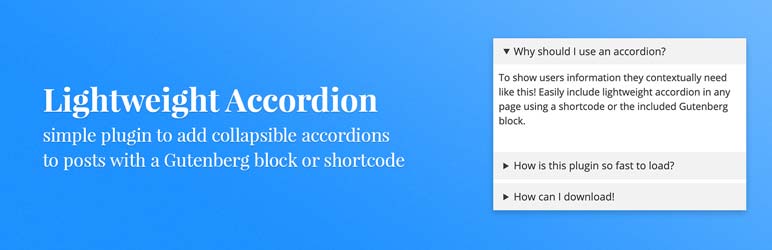
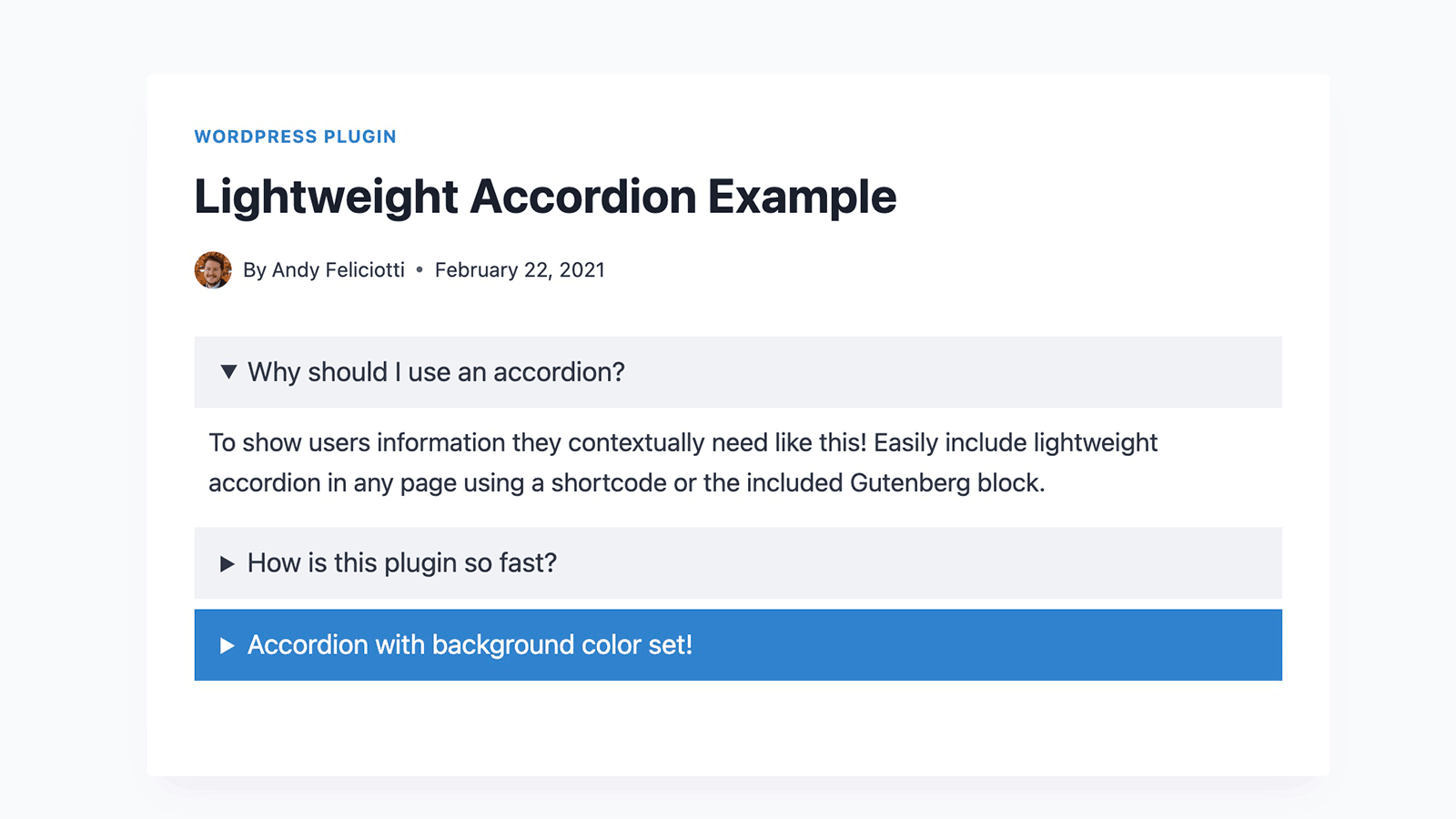
Lightweight Accordion plugin for WordPress allows you to add collapse elements to posts using a Gutenberg block or a shortcode (via classic editor). By using the details HTML tag and a few lines of CSS this allows for a javascript-free accordion for minimum page load.
Extremadamente ligero (<1kb): Sin usar Javascript, el plugin usa la etiqueta HTML nativa ‘details’ y unas pocas líneas de código para tener un impacto mínimo en la vista pública.
Customizable: Options include customizing the HTML tag used for the accordion title, open by default, borders, colors, and accordion grouping (auto-close others when one opens).
Ready-made patterns: Insert an FAQ section (with FAQ schema), an accordion group that keeps one section open at a time, or bordered accordions from the Patterns tab of the block inserter, under Accordions.
Ejemplos de uso del shortcode
Aquí hay algunos ejemplos de uso del plugin de acordeón con shortcodes.
[lightweight-accordion title="My Accordion"]My Content[/lightweight-accordion]
Además, al cargar, puedes mostrar el acordeón abierto con la opción `accordion_open`.
[lightweight-accordion title="My Accordion" accordion_open=true]My Content[/lightweight-accordion]
También puedes cambiar la etiqueta HTML que envuelve el título del acordeón usando la opción `title_tag`.
[lightweight-accordion title="My Accordion" title_tag="h3"]My Content[/lightweight-accordion]
Si quieres incluir el esquema de preguntas frecuentes puedes añadir la opción de esquema y establecerlo como «faq».
[lightweight-accordion title="What is your return policy?" schema="faq"]You have 1 week to return your items[/lightweight-accordion]
Si quieres poner un borde alrededor del contenido del acordeón, puedes utilizar el atributo «bordered».
[lightweight-accordion title="Bordered Content" bordered=true]My Content[/lightweight-accordion]
If you want accordions to auto-close when another opens (exclusive accordion), use the «group» attribute with the same value on each accordion.
[lightweight-accordion title="Question 1" group="faq"]Answer 1[/lightweight-accordion]
[lightweight-accordion title="Question 2" group="faq"]Answer 2[/lightweight-accordion]
[lightweight-accordion title="Question 3" group="faq"]Answer 3[/lightweight-accordion]
If you’d like to swap the default triangle marker for a chevron or plus/minus icon (optionally on the right side of the title) use the «icon» and «icon_position» attributes.
[lightweight-accordion title="My Accordion" icon="chevron" icon_position="right"]My Content[/lightweight-accordion]
Opciones del shortcode
Aquí está la lista completa de opciones del shortcode. Además, todas estas opciones son accesibles cuando se usar el bloque para Gutenberg.
- title (obligatorio por defecto: null) El título de tu acordeón se mostrará en la parte superior para que los usuarios hagan clic. Un buen ejemplo podría ser incluir una pregunta al usuario para que pueda hacer clic en ella para obtener más detalles.
- content (obligatorio por defecto: null). Contenido que va en el elemento de tu acordeón.
- title_tag (por defecto: span) Esto establece la etiqueta HTML que envuelve el título en el resumen del acordeón. Es útil si quieres convertirla en una etiqueta de encabezado para propósitos de SEO.
- accordion_open (Por defecto: «false»). Establece esto en «true» si quieres que tu acordeón esté abierto por defecto.
- bordered (Por defecto: false) Establece este valor en «true» si quieres un borde alrededor del contenido del acordeón.
- title_text_color (Por defecto: false) Establece un valor hexadecimal o un color CSS para cambiar el color del texto del título del acordeón.
- title_background (Por defecto: false) Establece un valor hexadecimal o un color CSS para cambiar el color del texto del título del acordeón.
- schema (Por defecto: false) Establece esto como «faq» si quieres que se incluya el esquema de preguntas frecuentes.
- class (Por defecto: false) Se usa para añadir una clase personalizada al contenedor padre del acordeón.
- anchor (Por defecto: null) Añade el valor como ID al div del acordeón como ancla.
- autop (Default: true) By default the shortcode will wrap text in a ‘p’ tag. Set this to false if you’d like this disabled for the specific accordion.
- group (Default: false) Set this to a group name to make accordions with the same group auto-close when another opens. Uses the native HTML details name attribute for zero JavaScript overhead.
- icon (Default: false) Set this to «chevron», «plus», or «none» to replace the default triangle marker. The chevron rotates and the plus becomes a minus when the accordion opens.
- icon_position (Default: false) Set this to «right» to display the chevron or plus icon on the right side of the accordion title.
Detalles adicionales
Si quieres quitar el archivo «lightweight-accordion.css» de la cola de tu sitio, usa el siguiente filtro. Se recomienda que tu mismo modifiques el estilo del acordeón si usas este filtro.
add_filter('lightweight_accordion_include_frontend_stylesheet', '__return_false' );Si quieres quitar el archivo «lightweight-accordion/editor-styles.css» para que no se cargue en el área de administración de tu sitio, puedes usar el siguiente filtro.
add_filter('lightweight_accordion_include_admin_stylesheet', '__return_false' );
Si quieres eliminar el procesamiento de los shortcodes en el contenido del acordeón, puedes usar este filtro.
add_filter('lightweight_accordion_process_shortcodes', '__return_false' );
If you’d like to use inline Microdata for FAQ schema you can use this filter. (Not recommended)
add_filter('lightweight_accordion_output_microdata', '__return_true' );
If you’d like to force «lightweight-accordion.css» to load on all of your site you can use this filter. By default the CSS only loads on pages that show an accordion (including accordions in widgets and page builders), so this is only needed for accordions added to the page some other way, for example with JavaScript.
add_filter('lightweight_accordion_always_include_frontend_stylesheet', '__return_true' );
When a page contains an accordion a tiny inline script is added to the footer that automatically opens accordions targeted by a URL hash (for example a link to an accordion’s anchor). If you’d like to disable this you can use the filter below.
add_filter('lightweight_accordion_anchor_script', '__return_false' );
Capturas

Bloques
Este plugin proporciona 1 bloque.
- Lightweight Accordion Sencillo y liviano bloque de acordeón desplegable.
Instalación
Para instalar este plugin:
- Descarga el plugin
- Sube el plugin al directorio «/wp-content/plugins/»,
- Ve a «Plugins» en la administración de WordPress y, después, haz clic en «Activar».
- Añade el shortcode donde quieras que aparezca el acordeón. Del mismo modo, en Gutenberg, puedes encontrar el bloque «Acordeón ligero» en la sección «widgets» del selector de bloques.
FAQ
-
The plugin uses the native HTML details element, so a tiny snippet can toggle every accordion on a page. Add a Custom HTML block (anywhere on the page) with the following and adjust the two labels to taste:
<button type="button" id="la-toggle-all">Expand all</button>
<script>
document.getElementById('la-toggle-all').addEventListener('click', function () {
  var open = this.textContent === 'Expand all';
  document.querySelectorAll('.lightweight-accordion details').forEach(function (d) { d.open = open; });
  this.textContent = open ? 'Collapse all' : 'Expand all';
});
</script>
Note that accordions using the «group» option stay exclusive (the browser only allows one open per group).
Reseñas


Colaboradores y desarrolladores
«Lightweight Accordion» es un software de código abierto. Las siguientes personas han colaborado con este plugin.
Colaboradores
«Lightweight Accordion» está traducido en 7 idiomas. Gracias a los traductores por sus contribuciones.
Traduce «Lightweight Accordion» a tu idioma.
¿Interesado en el desarrollo?
Revisa el código , echa un vistazo al repositorio SVN o suscríbete al registro de desarrollo por RSS.
Registro de cambios
1.8.0
- New ready-made block patterns under Accordions in the inserter’s Patterns tab: an FAQ section (with FAQ schema), an accordion group that keeps one section open at a time, and bordered accordions.
- Fixed an accordion nested inside a grouped accordion joining the outer group, which made opening it close its own parent.
- Fixed duplicated or copy-pasted accordion groups (or a pattern inserted twice) closing each other. Each group now gets a unique name on the page.
- Fixed floated images inside an open accordion being cut off at the bottom (or overlapping the next accordion in some browsers).
- Fixed the border settings added in 1.7.0 never appearing. The block now has working border controls (radius, color, width, style) in the Styles panel when the theme supports them.
- Fixed the stylesheet loading on every page on classic themes running WordPress 6.6 to 6.8. It now loads only on pages that show an accordion, in the head for accordions in the post content.
- Fixed shortcode accordions in widgets, page builders and other places outside the post content showing unstyled.
- Fixed
accordion_open="false"andbordered="false"in the shortcode turning those options on. - Fixed the block’s HTML anchor being printed twice on WordPress 7.0 and newer.
- FAQ schema: question names no longer contain HTML entities like
&, each question is listed once even if the theme renders the content twice, and accordions without a title are skipped. - The arrow and icons now match the 18px title text instead of the theme’s base font size, and the block’s font size setting reaches the title even when the theme styles summary text.
- Accordions next to a floated image now sit beside it as one box instead of running underneath it.
- Title colors are now checked to be a single CSS color value, so the color settings can’t be used to add other CSS.
- Removed the Accordion Group block’s HTML anchor field, which never worked.
- Block registration uses the current
editor_script_handlesandeditor_style_handlesarguments.
1.7.1
- Tested up to WordPress 7.1.
- Fixed the accordion block’s settings running together with no spacing in the editor sidebar on WordPress 7.0 and newer.
- The block editor script now loads its dependencies and version from the generated asset file, which includes the React JSX runtime the compiled script relies on.
- Block editor strings are now translatable (text domain added and script translations registered).
- FAQ schema answers no longer include stray whitespace left behind by block markup.
- Added an FAQ entry with a snippet for an «Expand all / Collapse all» button.
- Minimum required WordPress version is now 6.6, which introduced the React JSX runtime used by the block editor script.
1.7.0
- Smooth open/close animation using modern CSS (zero JavaScript, progressive enhancement in supporting browsers, respects reduced motion preference).
- Native block support panels on the accordion block: spacing (margin & padding), typography (font size & line height), and border (radius, color, width).
- WordPress 7.0 compatibility: blocks upgraded to Block API version 3 for the iframed editor, with editor styles now loading inside the editor canvas.
- Deleting the last accordion in a group now removes the empty group instead of leaving a leftover box in the editor.
- Removed a deprecated block attribute (
source: children) flagged by the WordPress plugin checker. - Minimum required WordPress version is now 5.9 (the block editor integration uses APIs introduced there).
- Tested up to WordPress 7.0.
- New icon options: chevron, plus/minus, or none, with optional right alignment. Available in the block settings and via the
iconandicon_positionshortcode attributes. - Accordions now automatically open when targeted by a URL hash, so anchor deep links no longer land on a closed accordion. Disable with the
lightweight_accordion_anchor_scriptfilter.
1.6.0
- New feature: Accordion grouping – only one accordion can be open at a time within a group.
- Added «Add Item» button in block toolbar to easily create grouped accordions.
- Added
groupattribute for shortcodes to enable exclusive accordion behavior. - Added H5 and H6 title tag options.
- Fixed deprecated
wp-editorscript dependency. - Security improvements for class and title tag sanitization.
- Code improvements and bug fixes.
1.5.20
- Tested up to WordPress 6.7.
1.5.19
- Restore content display system to 1.5.16’s version.
1.5.18
- Bug fix for sanatizing titles.
1.5.17
- Tested up to WordPress 6.5.
- Minified CSS files.
- Security fixes to sanitize outputs.
1.5.16
- Tested up to WordPress 6.2.
1.5.15
- Security fixes to sanitize outputs.
1.5.14
- Tested up to WordPress 6.1.
- Tweaked the readme to change «title_background» to «title_background_color».
1.5.13
- Bug fix when using Lightweight Accordion inside a GeneratePress container.
1.5.12
- Small security enhancement.
- New option ‘autop’ when using the shortcode to disable autop from processing your accordion content.
- New ‘lightweight_accordion_always_include_frontend_stylesheet’ filter to force inclusion of Lightweight Accordion CSS file on all pages.
1.5.11
- WordPress 6.0 bug fix when using Lightweight Accordion Block.
1.5.10
- Tested up to WordPress 6.0.
1.5.9
- Bugfix for PHP notice on line 22.
- Added index.php file to directory for added security.
- Added support for nested Lightweight Accordions by adding ‘[lightweight-accordion-nested]’ shortcode that can be used when adding an accordion inside of an accordion (this only affects shortcode users).
1.5.8
- Tested up to WordPress 5.9.
- Added support for WPML translations.
1.5.7
- Tested up to WordPress 5.8.
- Bug fix for __ declaration.
1.5.6
- Bug fix for copy and pasting the accordion title in Safari.
1.5.5
- Anchor support in Gutenberg and shortcode which adds an ID to be used as an anchor (can be found in the advanced tab of Gutenberg or using the ‘anchor’ attribute in the shortcode).
- Fixes bug when enabling microdata using the filter (removes JSON-LD output when using microdata).
1.5.4
- FAQ schema for accordions now output as JSON-LD in the footer instead of as Microdata. If you’d like to continue using Microdata you can set the lightweight_accordion_output_microdata filter to true.
1.5.3
- PHP Warning bug fix for «class» and «className».
1.5.2
- Empty array bug fix.
- Included an example pane in the Gutenberg insert block page.
1.5.1
- Readme update.
- Added block.json to be included in Gutenberg block library.
- Style bugfix in the Gutenberg editor.
1.5.0
- New option to add a border around the accordion content on the front-end.
- Shortcodes are now processed in the content of the accordion.
- New filter to disable shortcode processing.
1.4.1
- Tested up to WordPress 5.7.
1.4
- New option for title and background color for the accordion tab (works with Gutenberg and shortcode).
- New visual border to see what’s inside the accordion while using Gutenberg.
- New ability to append a custom class to the main accordion div.
- No longer runs content clean up processing (wpautop/preg_replace) to tab content when using Gutenberg.
1.3.3
- CSS style compatibility fix for some themes.
1.3.2
- Tested up to WordPress 5.6.
- Bug fix in Gutenberg editor styles.
1.3.1
- Added a slight opacity change animation when opening accordions.
1.3.0
- Ability to add FAQ schema to a collapsible using the new ‘schema’ option in the shortcode or dropdown in the Gutenberg editor.
- Bug fixes for PHP warnings.
1.2.0
- Better Gutenberg editor styles to tell what is inside a collapsible.
- Tested up to WordPress 5.5.
1.1.1
- Bug fix: now runs wpautop() on the entire contents of the accordion (so the first paragraph won’t be missing a p tag now)
1.1.0
-
New filter to denqueue the lightweight accordion CSS from the front-end.
add_filter(‘lightweight_accordion_include_frontend_stylesheet’, ‘__return_false’ );
1.0.0
- Versión inicial.