Descripción
Post/Page specific custom CSS will allow you to add cascade stylesheet to specific posts/pages. It will give you special area in the post/page edit field to attach your CSS. It will also let you decide if this CSS has to be added in multi-page/post view (like archive posts) or only in a single view.
You will see additional meta box below text input area on posts and pages screen. You may add whatever CSS you want. You may choose if you want to add this CSS code on certain single page/post or on pages like archive etc.
Requirements
This plugin requires at least WordPress 5.0 (never forget to update your WP installation!) and PHP 7.0 installed on your server.
Capturas
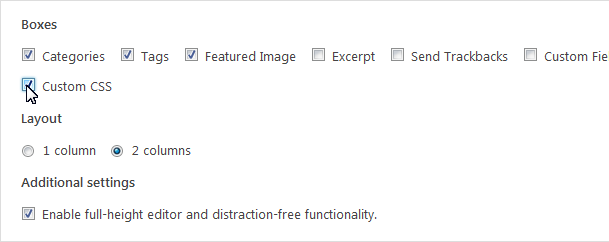
If you can't see CSS panel, check screen options and make sure "Custom CSS" is checked 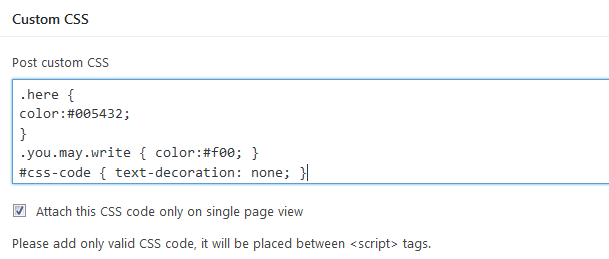
Write your CSS code available only for your post or page. You may force the plugin to add CSS code only on single page view. 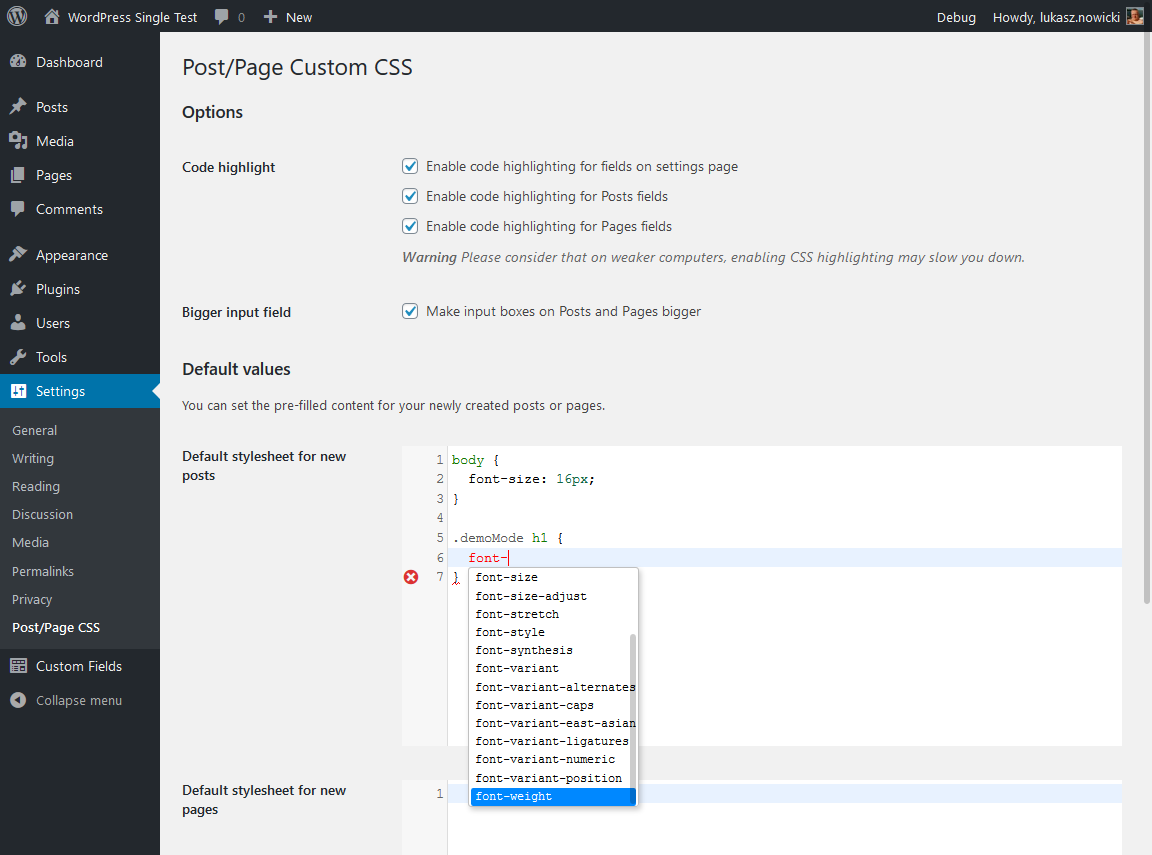
Added settings
Instalación
Automatic installation
Automatic installation is the easiest. Simply log in to your WordPress admin panel, go to the Plugins menu and click Add New.
In the search field type Post/Page specific custom CSS and click Search Plugins. Then you can install it by simply clicking “Install Now” button.
Manual installation
- Upload
post-page-specific-custom-cssdirectory to the/wp-content/plugins/directory - Activate the plugin through the ‘Plugins’ menu in WordPress
- That’s all folks, have fun 🙂
FAQ
-
Is it free?
-
Yes, it is under GPLv2 (and later) licence. However, you can donate me a few dollars if it makes you feel good. I certainly have nothing against it.
Reseñas


Colaboradores y desarrolladores
«Post/Page specific custom CSS» es un software de código abierto. Las siguientes personas han colaborado con este plugin.
Colaboradores
Traduce «Post/Page specific custom CSS» a tu idioma.
¿Interesado en el desarrollo?
Revisa el código , echa un vistazo al repositorio SVN o suscríbete al registro de desarrollo por RSS.
Registro de cambios
0.2.4
- Release date: 2022-01-20
- Fixed default post/page values (it was in reverse, thank you, @olandir, for pointing that out!)
0.2.3
- Release date: 2021-11-29
- Fixed options saving issue
- Fixed text formatting
0.2.2
- Release date: 2020-05-10
- Lot of fixes, to stay up to date with WordPress code rules
- Birthday banner visible only for administrators
- Birthday banner now can be hidden for the next year
- Now it’s possible to let editors edit CSS
0.2.1
- Release date: 2020-04-27
- Custom JavaScript note
- Birthday note
0.2.0
- Release date: 2020-02-25
- Compatibility: 5.3 and previous
- Added options page for plugin
- Added default CSS for post and page
- Added CSS highlighting for posts, page and options (for default CSS)
- Thou it’s a bit bigger by default, you may make input view even bigger
0.1.4
- Release date: 2018-11-21
- Status: Stable
- Compatibility: 5.0 and previous
- Minor code refactoring
0.1.3
- Release date: 2018-05-18
- Status: Stable
- Compatibility: 4.9.6 and previous
0.1.2
- Release date: 2018-05-05
- Status: Stable
- Compatibility: 4.9.5 and previous
- Added screenshots, icons and header image for WordPress repository
0.1.1
- Release date: 2017-08-03
- Status: Stable
- Compatibility: 4.8.1 and previous
- Added screenshots, icons and header image for WordPress repository
0.1.0
- Release date: 2016-12-16
- Status: Stable
- Initial release