Title: SimpleTOC – Table of Contents Block
Author: Marc Tönsing
Published: 14 de abril de 2020
Last modified: 14 de noviembre de 2026
---
Buscar plugins
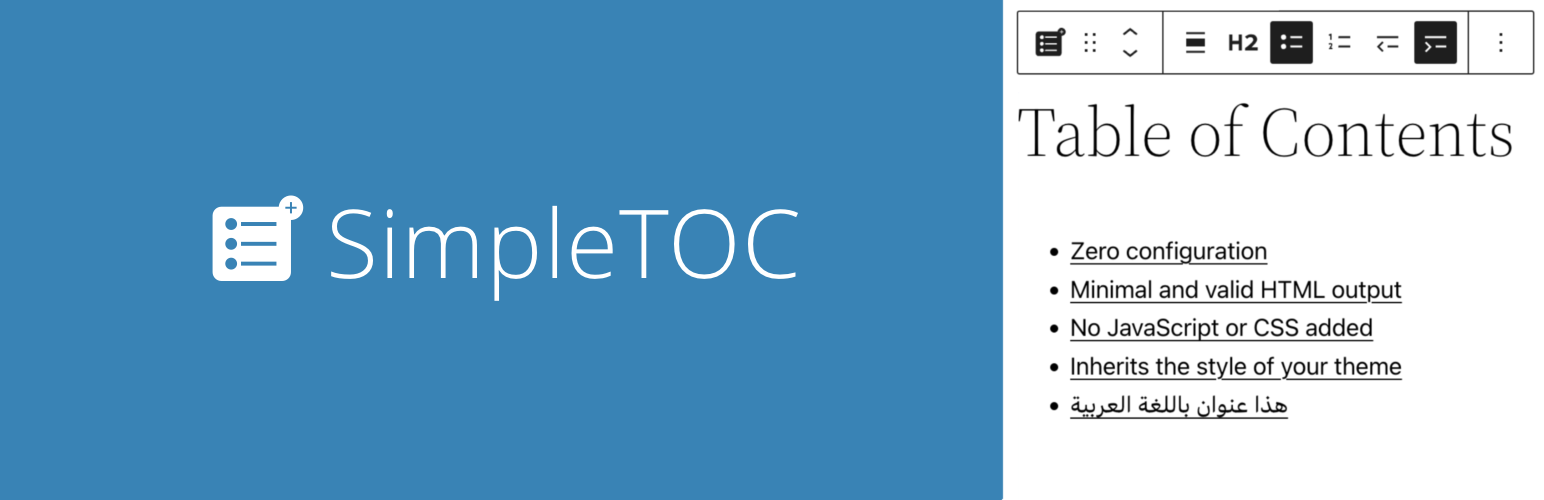

# SimpleTOC – Table of Contents Block
Por [Marc Tönsing](https://profiles.wordpress.org/marcdk/)
[Descargar](https://downloads.wordpress.org/plugin/simpletoc.7.4.3.zip)
* [Detalles](https://es.wordpress.org/plugins/simpletoc/#description)
* [Valoraciones](https://es.wordpress.org/plugins/simpletoc/#reviews)
* [Instalación](https://es.wordpress.org/plugins/simpletoc/#installation)
* [Desarrollo](https://es.wordpress.org/plugins/simpletoc/#developers)
[Soporte](https://wordpress.org/support/plugin/simpletoc/)
## Descripción
Add a Table of Contents block to your posts and pages. The TOC is a nested list
of links to all heading found in the post or page. To use it, simply add a block
and search for «SimpleTOC» or just «TOC».
The maximum depth of the toc can be configured in in the blocks’ sidebar among many
other options. There can hide the headline «Table of Contents» and add your own
by using a normal heading block.
[Cree](https://demo.tastewp.com/simpletoc) una nueva instancia de WordPress con
el plugin SimpleTOC ya instalado.
#### User Feedback
> «It is lightweight, stable, and fully compatible with WordPress Full Site Editing.
> A reliable solution that integrates seamlessly and performs exactly as expected.»
> —
> [@js100 on wordpress.org](https://wordpress.org/support/topic/good-job-1889/)
> «Does the job perfectly, and adds no bloat.»
> — [@clicknathan on wordpress.org](https://wordpress.org/support/topic/does-the-job-perfectly-and-adds-no-bloat/)
> «Simple yet powerful. Great plugin that does exactly what you need.»
> — [@mixey on wordpress.org](https://wordpress.org/support/topic/simple-yet-powerful-106/)
#### In the press
SimpleTOC ranked #1 in WP Collections’ October 2026 comparison of seven free WordPress
table of contents plugins.
> «On the block editor, use SimpleTOC, the lightest table of contents we measured.»
> —
> [WP Collections](https://wp-collections.com/best-free-table-of-contents-plugins-wordpress/)
#### Accesibilidad
This plugin is designed & developed for WCAG 2.2 level AA conformance. The plugin
is tested with assistive technology and intended to be accessible, however some
third party plugins or themes may affect the individual accessibility on a given
website. If you find an accessibility issue, please [let us know](https://github.com/mtoensing/simpletoc/issues)
and we’ll try to address it promptly.
Hidden TOCs use native `` and `<
summary>` semantics without extra ARIA references that require custom IDs.
#### Características
* Diseñado para Gutenberg.
* Zero configuration: Add the SimpleTOC block to your post and that’s it.
* Salida HTML mínima y válida.
* Utiliza la etiqueta nativa «details» del navegador para ofrecer una interfaz
plegable.
* No JavaScript or CSS by default. Optional features such as the accordion menu,
smooth scrolling, or box style add minimal assets only when enabled.
* Optional Box style in Gutenberg’s Styles tab with a default gray background.
* Native text, link, background, spacing, and typography controls.
* Global block styling through theme.json.
* Hereda el estilo de tu tema.
* Smooth scrolling effect using CSS.
* Accesibilidad integrada siguiendo los estándares web.
* Standard Gutenberg block wrapper with navigation role and ARIA label attributes.
* Traducido a [múltiples idiomas](https://translate.wordpress.org/projects/wp-plugins/simpletoc/),
incluidos alemán, japonés, chino (Taiwán), neerlandés, portugués de Brasil, francés,
español y letón.
* Ideal para crear una sección de preguntas frecuentes en su sitio web.
#### Personalización
* Administrators can utilize global settings to supersede the individual block
settings.
* Set text, link, and background colors in Gutenberg’s Styles tab.
* Compatibilidad nativa de bloque para ancho amplio y ancho completo.
* Set vertical margins and padding with native spacing controls.
* Control the maximum depth of the headings.
* Choose between an ordered, bullet HTML list. Or indent the list.
* Select the Box style directly in Gutenberg’s Styles tab.
* Select a heading level or turn it into a paragraph.
* Disable the h2 heading of the TOC block and add your own.
#### Compatibilidad
* Compatibilidad con GeneratePress y Rank Math.
* Funciona con los principales plugins AMP.
#### How to contribute
SimpleTOC is open-source and developed on [GitHub Pages](https://github.com/mtoensing/SimpleTOC).
If you find a bug or have an idea for a feature please feel free to contribute and
create a pull request.
### Créditos
Muchas gracias a [Tom J Nowell](https://tomjn.com) y a Sally CJ, quienes me ayudaron
enormemente con mis preguntas en wordpress.stackexchange.com.
And many more thanks to all the [developers on GitHub](https://github.com/mtoensing/simpletoc/graphs/contributors)
who helped me making SimpleTOC what it is today!
Gracias a Quintus Valerius Soranus por inventar la tabla de contenidos alrededor
del año 100 a. C.
## Capturas
[⌊Bloque de SimpleTOC en el editor Gutenberg.⌉⌊Bloque de SimpleTOC en el editor
Gutenberg.⌉[
Bloque de SimpleTOC en el editor Gutenberg.
[⌊SimpleTOC en la entrada.⌉⌊SimpleTOC en la entrada.⌉[
SimpleTOC en la entrada.
[⌊Simple but powerful. Customize each TOC as you like.⌉⌊Simple but powerful. Customize
each TOC as you like.⌉[
Simple but powerful. Customize each TOC as you like.
[⌊Control the maximum depth of the headings.⌉⌊Control the maximum depth of the headings
.⌉[
Control the maximum depth of the headings.
[⌊SimpleTOC con estilos nativos de grupos de Gutenberg.⌉⌊SimpleTOC con estilos nativos
de grupos de Gutenberg.⌉[
SimpleTOC con estilos nativos de grupos de Gutenberg.
[⌊SimpleTOC Advanced Características⌉⌊SimpleTOC Advanced Características⌉[
SimpleTOC Advanced Características
[⌊Bloque de encabezado de Gutenberg: Establecer un ancla personalizada⌉⌊Bloque de
encabezado de Gutenberg: Establecer un ancla personalizada⌉[
Bloque de encabezado de Gutenberg: Establecer un ancla personalizada
[⌊SimpleTOC oculto en el menú acordeón.⌉⌊SimpleTOC oculto en el menú acordeón.⌉[
SimpleTOC oculto en el menú acordeón.
[⌊Ajustes globales de SimpleTOC.⌉⌊Ajustes globales de SimpleTOC.⌉[
Ajustes globales de SimpleTOC.
## Bloques
Este plugin proporciona 1 bloque.
* SimpleTOC Añade un tabla de contenidos.
## Instalación
SimpleTOC se puede encontrar e instalar a través del menú «Plugins» dentro de la
administración de WordPress (Plugins -> Añadir nuevo). Como alternativa, se puede
descargar desde WordPress.org e instalarlo manualmente…
En Gutenberg, añade un bloque y busca «SimpleTOC» o simplemente «TOC». Por favor,
guarda tu contenido antes de que uses el bloque.
## FAQ
### Configuración de ajustes globales en SimpleTOC
SimpleTOC allows you to configure global settings for your WordPress website. These
settings can be enforced globally, overriding any block-level configurations that
may exist. To access these settings, navigate to the SimpleTOC section of the WordPress
Settings.
### How do I add colors or the Box style to SimpleTOC?
Select the SimpleTOC block and open Gutenberg’s Styles tab. Choose the Box style
or use the native color controls to set text, link, and background colors. Native
spacing controls are available for vertical margins and padding.
### ¿Cómo excluir un único encabezado de la tabla de contenidos?
If you really want to hide a single heading from the table of contents, then add
the CSS class «simpletoc-hidden» to a heading block. You can find this field in
the same place as the HTML anchor field: In the Block > Advanced sidebar. But first,
think about the reason you would like to hide a specific heading. Maybe you would
like to remove all headings of a specific depth level. Then there is an option for
that in the blocks options in Gutenberg. If you think this heading should not be
part of the toc perhaps it is not needed in the post itself?
### I would like to save my SimpleTOC settings as default. Is that possible?
You can convert your configured SimpleTOC block into a reusable block in Gutenberg.
It will keep its settings. This way, you can use your desired settings for each
new post by adding the reusable block.
### How can I style SimpleTOC through theme.json?
Add styles for the `simpletoc/toc` block to your theme.json. SimpleTOC uses the
standard Gutenberg block wrapper and supports native colors, vertical margins, padding,
font size, and line height settings.
The following example sets default colors, spacing, and typography for every SimpleTOC
block:
```
{
"$schema": "https://schemas.wp.org/trunk/theme.json",
"version": 3,
"styles": {
"blocks": {
"simpletoc/toc": {
"color": {
"background": "#f5f5f5",
"text": "#1e1e1e"
},
"elements": {
"link": {
"color": {
"text": "#0057b8"
}
}
},
"spacing": {
"margin": {
"top": "1.5rem",
"bottom": "1.5rem"
},
"padding": {
"top": "1rem",
"right": "1rem",
"bottom": "1rem",
"left": "1rem"
}
},
"typography": {
"fontSize": "1rem",
"lineHeight": "1.6"
}
}
}
}
}
```
Replace the example values with your theme’s values or preset variables. Selecting
the Box style adds the standard `is-style-boxed` class.
### ¿Cómo permitir que los desarrolladores excluyan encabezados de forma programática?
Query Loop blocks (core/query, generateblocks/query-loop, generateblocks/query)
are always excluded, because their headings repeat for every post. Use the ‘simpletoc_excluded_blocks’
filter to exclude more blocks. For example, this code will exclude heading blocks
that are inside a column block.
Ejemplo:
```
add_filter( 'simpletoc_excluded_blocks', function ( array $blocks ) {
$blocks[] = 'core/column';
return $blocks;
} );
```
### ¿Cómo puedo cambiar el color del menú acordeón?
The heavy plus character I used can not be colored with css without hacks. But you
can change the icon to something else and change the color of the new icon.
```
.simpletoc-collapsible::after {
content: "✖";
color: #e94c89;
}
```
### ¿Cómo añadir SimpleTOC automáticamente a todos los artículos?
No veo una solución sencilla por el momento. SimpleTOC es únicamente un bloque que
se puede añadir manualmente a cada entrada. Si existiera un plugin que añadiera
bloques automáticamente a todas las entradas, esa sería la solución. Considero que
esto debería ser un plugin independiente para mantener el código de SimpleTOC limpio
y, en fin, simple.
## Reseñas

### [Works almost out of the box](https://wordpress.org/support/topic/works-almost-out-of-the-box/)
[Lovro Hrust](https://profiles.wordpress.org/lovor/) 21 de agosto de 2026 1 respuesta
I just wished this block would follow good practices for developing blocks. I was
wondering why I can't style it through theme.json and discovered that it hasn't
standard block wrapper. After inspecting block code, I found that it uses get_block_wrapper_attributes()
function, but optionally. After finding that option digged under advanced block
settings, I was able to style it like I do other blocks. Otherwise, this is a great
block plugin.

### [Excellent and great Support](https://wordpress.org/support/topic/excellent-and-great-support-11/)
[Hans-Gerd Gerhards](https://profiles.wordpress.org/hage/) 24 de mayo de 2026
The plugin works brilliantly. The support is fantastic. A conflict with another
plugin (Noted) was resolved in just 1–2 hours. Thanks

### [Does what it says on the tin](https://wordpress.org/support/topic/does-what-it-says-on-the-tin-632/)
[3tianne](https://profiles.wordpress.org/3tianne/) 7 de enero de 2026 1 respuesta
Does the job with no fuss. I feel that the option to include a basic show/hide button(
no animations or other bloat necessary) would add a great deal of polish for very
little impact. But, the plugin advertises itself as something that is minimalist,
no CSS, no JS, and that is what it is. The links also follow the CSS rules from
the site theme which is strangely not the case for other TOC plugins. Well done
this dev.

### [This one will stay in my sites](https://wordpress.org/support/topic/this-one-will-stay-in-my-sites/)
[Zetona](https://profiles.wordpress.org/zetona/) 26 de diciembre de 2025
Thank you Marc, your plugin just works as expected!

### [Good job!](https://wordpress.org/support/topic/good-job-1889/)
[js100](https://profiles.wordpress.org/js100/) 29 de noviembre de 2025 1 respuesta
The plugin works exceptionally well. It is lightweight, stable, and fully compatible
with WordPress Full Site Editing. A reliable solution that integrates seamlessly
and performs exactly as expected.

### [Does the job perfectly, and adds no bloat](https://wordpress.org/support/topic/does-the-job-perfectly-and-adds-no-bloat/)
[Clicknathan](https://profiles.wordpress.org/clicknathan/) 13 de mayo de 2025 1
respuesta
Comparing this to the "Table Of Contents Block" by WPDeveloper, I prefer this one
because: It just works automatically. It has less options, but just enough to do
what you need. It adds nothing to the frontend to cause bloat. No CSS, no JS. At
least not right out of the box. Additional settings can be enabled that will add
these, but it's nice that we have the option! This is an example of what a well-
written plugin should be.
[ Leer todas las 77 reseñas ](https://wordpress.org/support/plugin/simpletoc/reviews/)
## Colaboradores y desarrolladores
«SimpleTOC – Table of Contents Block» es un software de código abierto. Las siguientes
personas han colaborado con este plugin.
Colaboradores
* [ Marc Tönsing ](https://profiles.wordpress.org/marcdk/)
«SimpleTOC – Table of Contents Block» está traducido en 19 idiomas. Gracias a [los traductores](https://translate.wordpress.org/projects/wp-plugins/simpletoc/contributors)
por sus contribuciones.
[Traduce «SimpleTOC – Table of Contents Block» a tu idioma.](https://translate.wordpress.org/projects/wp-plugins/simpletoc)
### ¿Interesado en el desarrollo?
[Revisa el código](https://plugins.trac.wordpress.org/browser/simpletoc/) , echa
un vistazo al [repositorio SVN](https://plugins.svn.wordpress.org/simpletoc/) o
suscríbete al [registro de desarrollo](https://plugins.trac.wordpress.org/log/simpletoc/)
por [RSS](https://plugins.trac.wordpress.org/log/simpletoc/?limit=100&mode=stop_on_copy&format=rss).
## Registro de cambios
#### 7.4.3
* Fixed: Navigation landmarks use the custom table of contents title as their accessible
label. Fixes issue #93.
* Fixed: Core Accordion Heading blocks are included in the table of contents with
working anchors, excluding decorative icons. Fixes issue #91.
## Meta
* Versión **7.4.3**
* Última actualización **hace 4 días**
* Instalaciones activas **10.000+**
* Versión de WordPress ** 6.2 o superior **
* Probado hasta **7.1.4**
* Versión de PHP ** 7.3 o superior **
* Idiomas
* [Chinese (Taiwan)](https://tw.wordpress.org/plugins/simpletoc/), [Czech](https://cs.wordpress.org/plugins/simpletoc/),
[Danish](https://da.wordpress.org/plugins/simpletoc/), [Dutch](https://nl.wordpress.org/plugins/simpletoc/),
[Dutch (Belgium)](https://nl-be.wordpress.org/plugins/simpletoc/), [English (US)](https://wordpress.org/plugins/simpletoc/),
[French (France)](https://fr.wordpress.org/plugins/simpletoc/), [German](https://de.wordpress.org/plugins/simpletoc/),
[Greek](https://el.wordpress.org/plugins/simpletoc/), [Italian](https://it.wordpress.org/plugins/simpletoc/),
[Japanese](https://ja.wordpress.org/plugins/simpletoc/), [Latvian](https://lv.wordpress.org/plugins/simpletoc/),
[Polish](https://pl.wordpress.org/plugins/simpletoc/), [Portuguese (Brazil)](https://br.wordpress.org/plugins/simpletoc/),
[Spanish (Chile)](https://cl.wordpress.org/plugins/simpletoc/), [Spanish (Colombia)](https://es-co.wordpress.org/plugins/simpletoc/),
[Spanish (Ecuador)](https://es-ec.wordpress.org/plugins/simpletoc/), [Spanish (Mexico)](https://es-mx.wordpress.org/plugins/simpletoc/),
[Spanish (Spain)](https://es.wordpress.org/plugins/simpletoc/) y [Spanish (Venezuela)](https://ve.wordpress.org/plugins/simpletoc/).
* [Traducir a tu idioma](https://translate.wordpress.org/projects/wp-plugins/simpletoc)
* Etiquetas:
* [accessibility](https://es.wordpress.org/plugins/tags/accessibility/)[block](https://es.wordpress.org/plugins/tags/block/)
[table](https://es.wordpress.org/plugins/tags/table/)[table of contents](https://es.wordpress.org/plugins/tags/table-of-contents/)
[toc](https://es.wordpress.org/plugins/tags/toc/)
* [Vista avanzada](https://es.wordpress.org/plugins/simpletoc/advanced/)
## Valoraciones
4.9 de 5 estrellas.
* [ 73 valoraciones de 5 estrellas ](https://wordpress.org/support/plugin/simpletoc/reviews/?filter=5)
* [ 4 valoraciones de 4 estrellas ](https://wordpress.org/support/plugin/simpletoc/reviews/?filter=4)
* [ 0 valoraciones de 3 estrellas ](https://wordpress.org/support/plugin/simpletoc/reviews/?filter=3)
* [ 0 valoraciones de 2 estrellas ](https://wordpress.org/support/plugin/simpletoc/reviews/?filter=2)
* [ 0 valoraciones de 1 estrellas ](https://wordpress.org/support/plugin/simpletoc/reviews/?filter=1)
[Tu valoración](https://wordpress.org/support/plugin/simpletoc/reviews/#new-post)
[Ver todas las reseñas](https://wordpress.org/support/plugin/simpletoc/reviews/)
## Colaboradores
* [ Marc Tönsing ](https://profiles.wordpress.org/marcdk/)
## Soporte
Problemas resueltos en los últimos dos meses:
2 de 2
[Ver el foro de soporte](https://wordpress.org/support/plugin/simpletoc/)
## Donar
¿Te gustaría apoyar el progreso de este plugin?
[ Dona a este plugin ](https://marc.tv/out/donate)