
Descripción
Elementor users, elevate your web design experience with Unlimited Elements for Elementor. An all in one plugin that instantly gives you the most advanced widgets and tools to make better Elementor websites faster. Take your WordPress website to the next level.
View Elementor Widgets Demos
Browse our extensive collection of free widgets or upgrade to our pro version for access to over 200 additional unique drag and drop widgets for Elementor. Each widget provides a wide range of options to easily control every aspect. If you can’t find what you need, our Widget Creator Framework empowers you to create any widget you can imagine.
Plugin Features
-
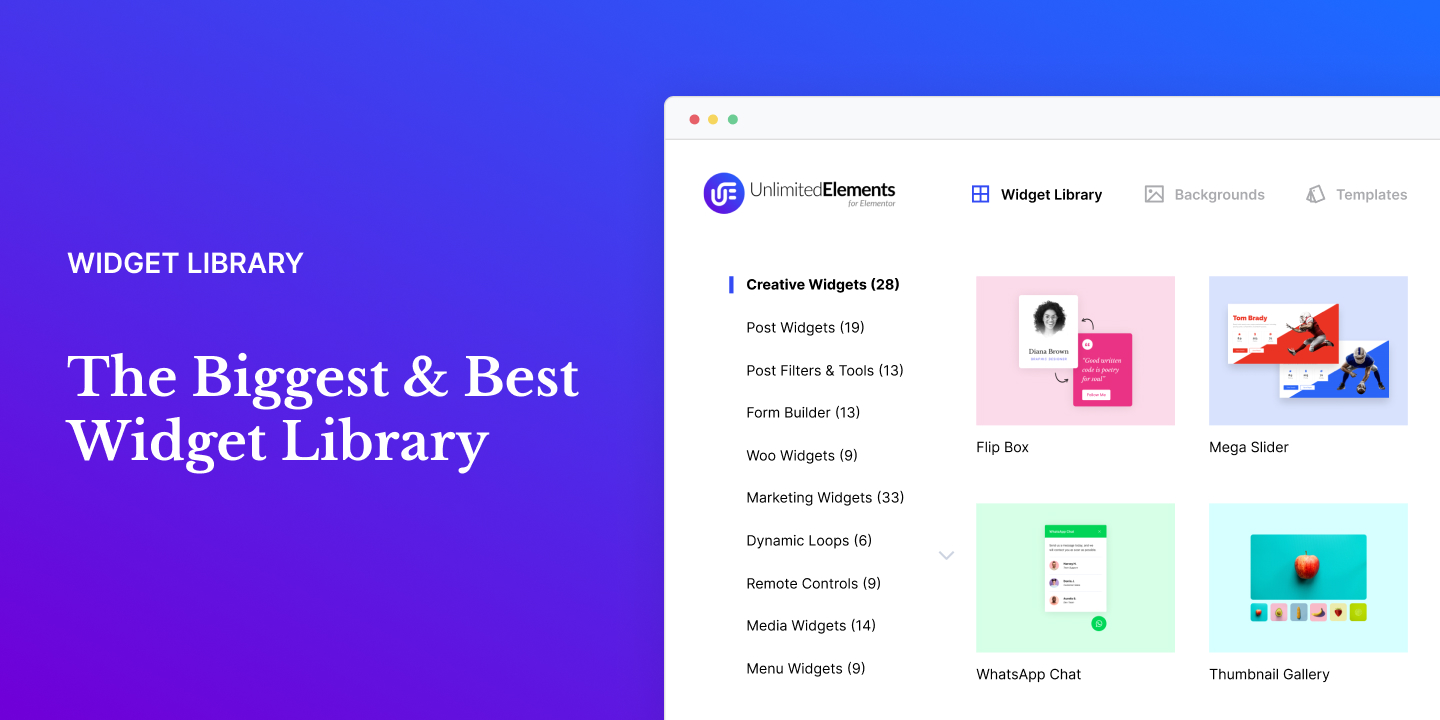
Widget Library – Enhance the popular Elementor page builder with our user-friendly and innovative widget library. Simplify your website by finding everything you need in one place, without the need for multiple plugins.
-
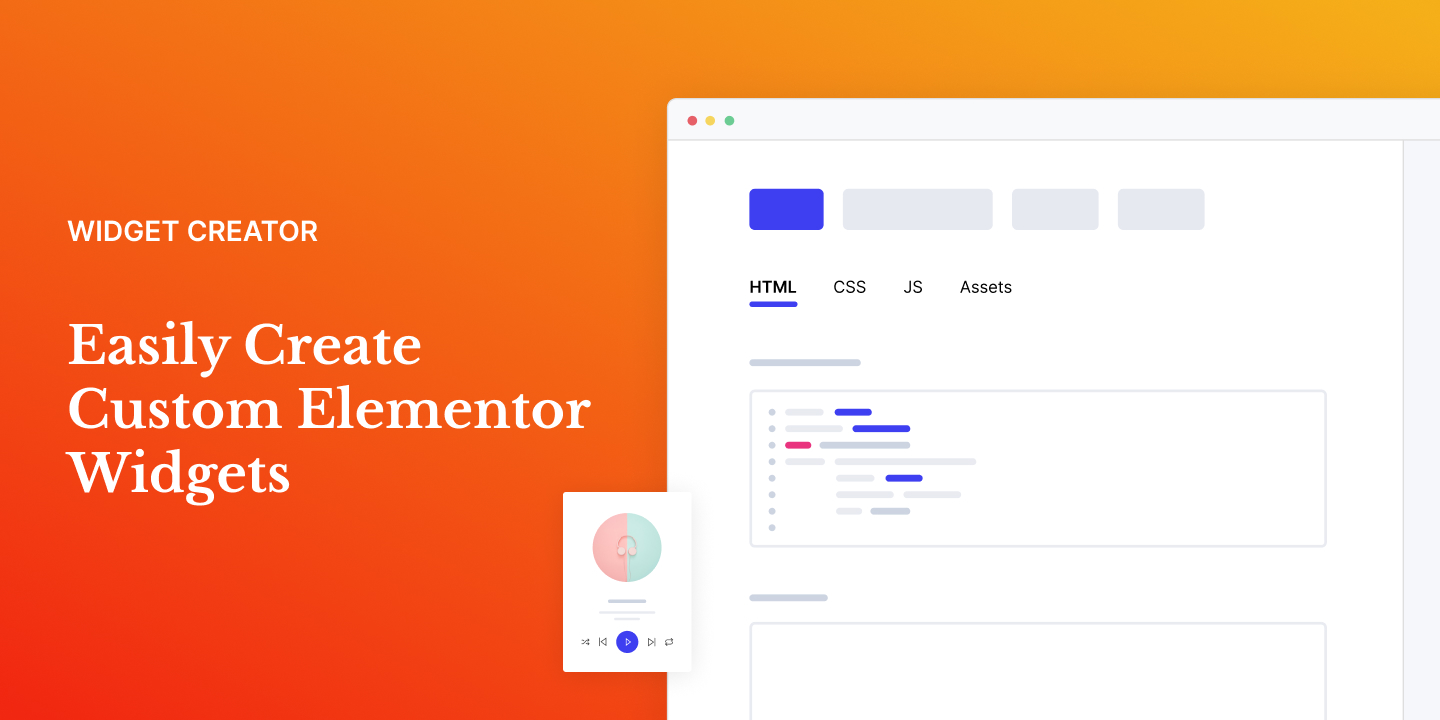
Widget Creator – Save valuable time by eliminating the need to search for numerous plugins and add-ons. Instead, create customized, professional widgets that perfectly align with your website requirements.
-
Elementor Templates – Effortlessly kickstart your web project with pre-designed templates. Say goodbye to endless searches for inspiration or starting from scratch. Get your project up and running in seconds with our collection of template kits.
-
Elementor Templates – Effortlessly kickstart your web project with pre-designed templates. Say goodbye to endless searches for inspiration or starting from scratch. Get your project up and running in seconds with our collection of template kits.
-
Loop Builder – Easily create dynamic Loop Items within the Elementor Theme Builder by utilizing any loop widget layout of your preference. Effortlessly populate the chosen widget with dynamic content to craft versatile and engaging Loop Items.
-
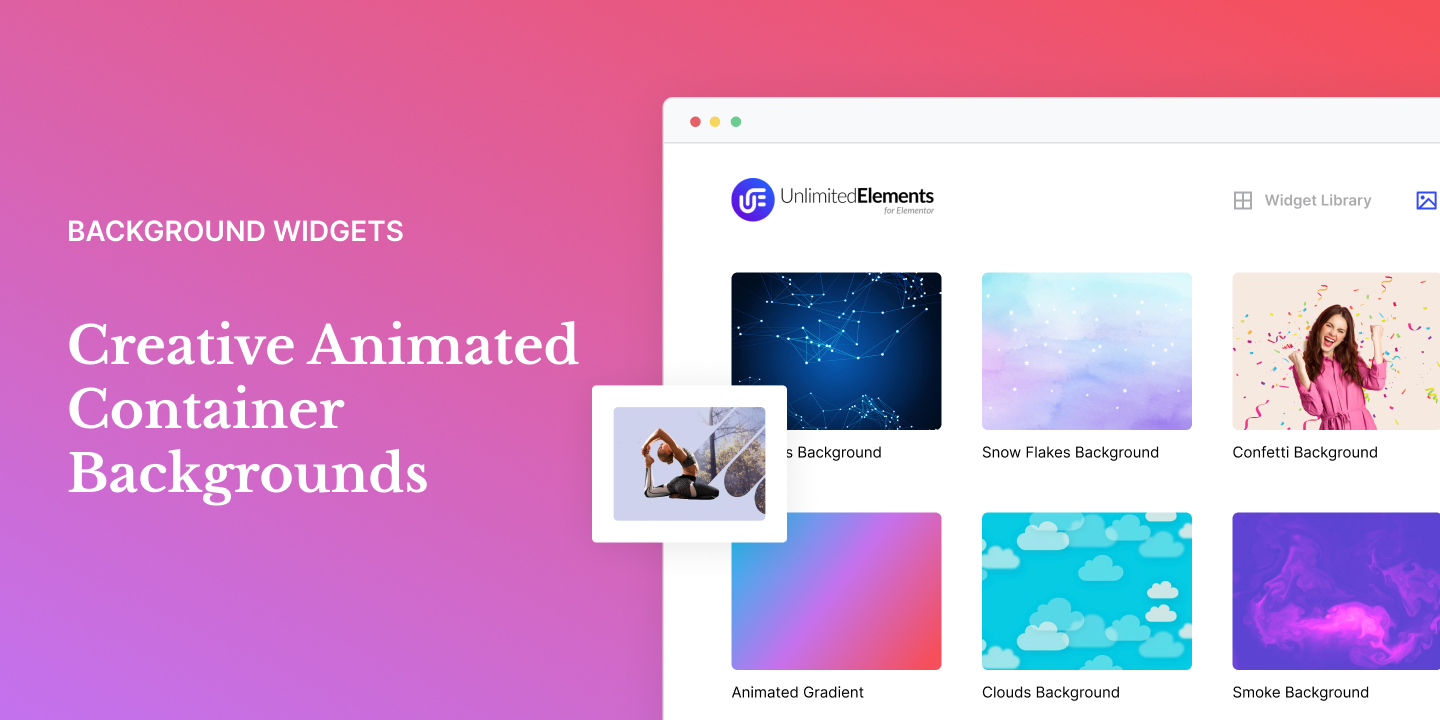
Background Widgets – Elevate your web designs instantly with our user-friendly animated backgrounds available in our extensive widget library. Experience seamless integration and unleash your creativity like never before.
-
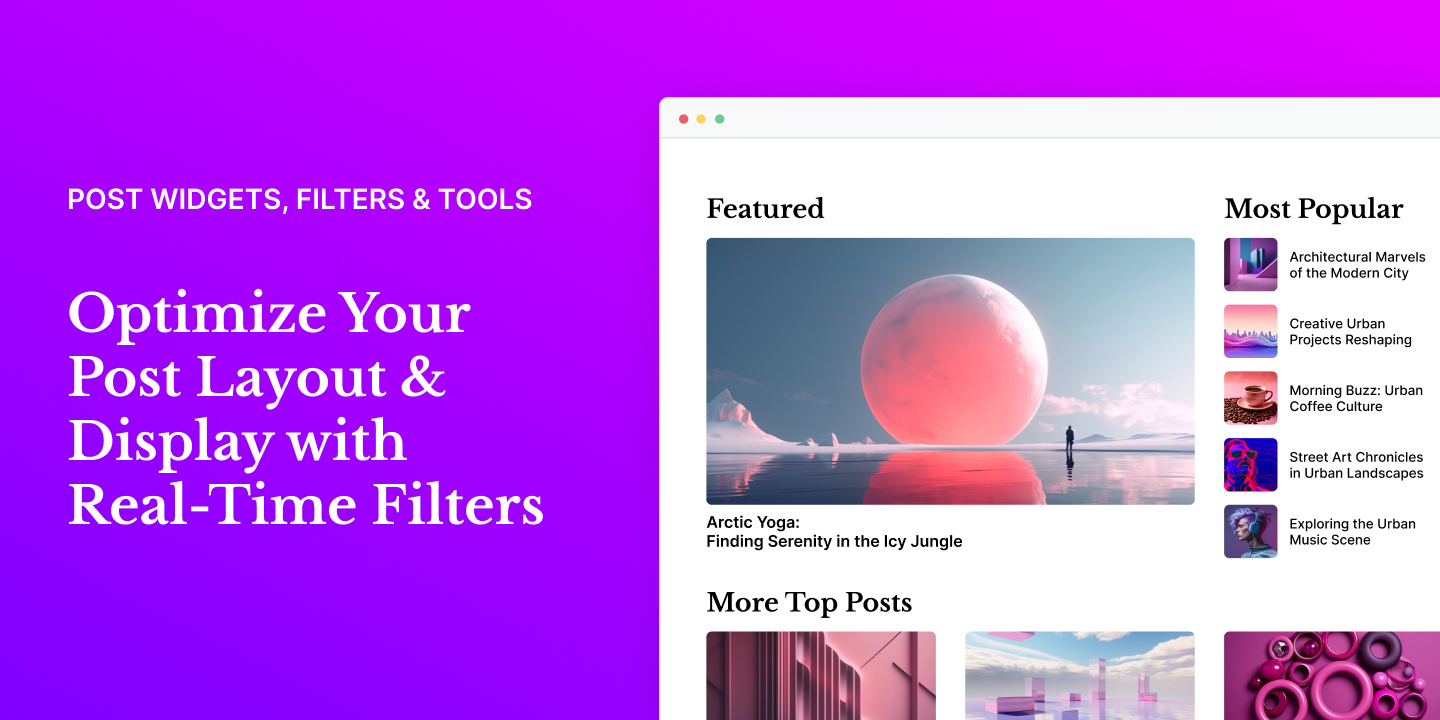
Post Widgets & Filters – Easily create stunning post layouts with real-time filters. Improve the browsing experience for website visitors by helping them find the content they’re looking for. Effortlessly display posts using advanced criteria on your entire website.
-
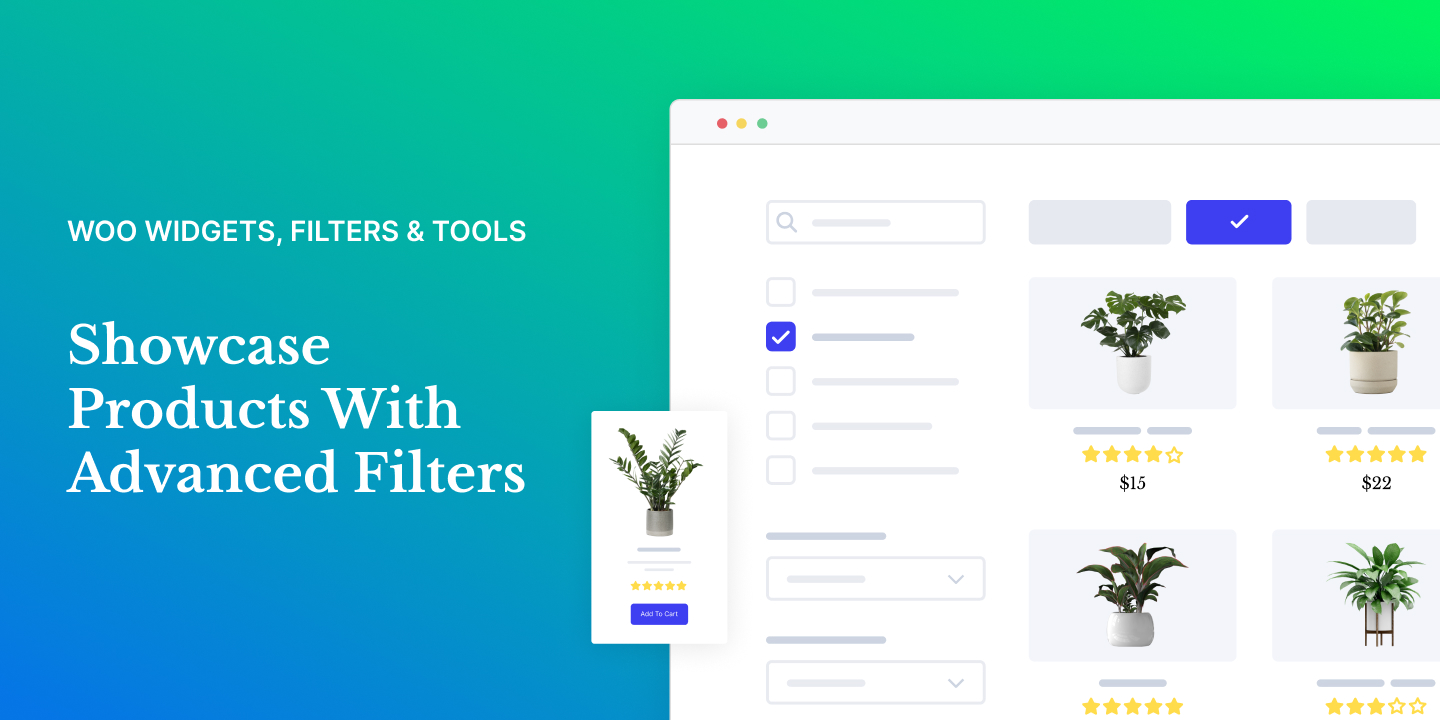
WooCommerce Widgets & Filters – Create stunning product layouts with dynamic real-time filters. Showcase your products and categories in a wide array of interactive formats, such as grids, carousels, sliders, and more.
-
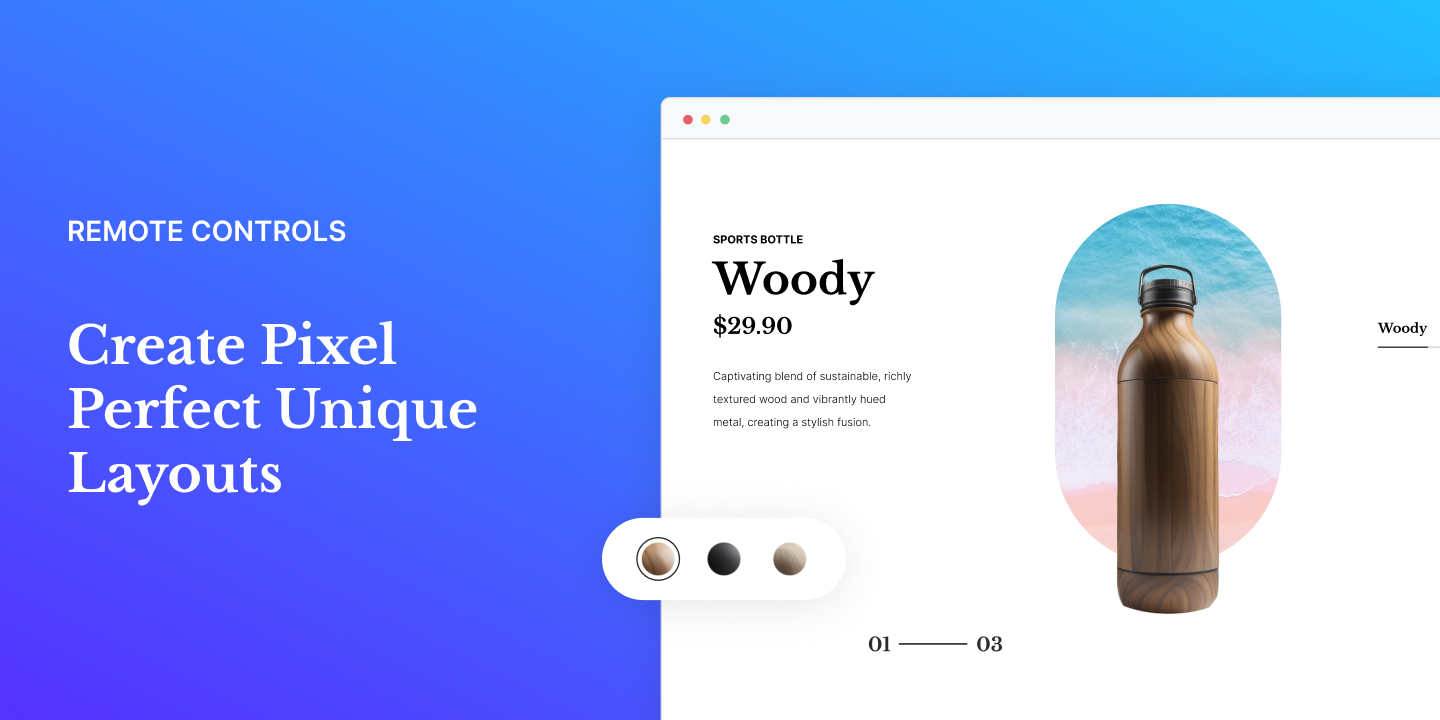
Woo Widgets & Filters – Unleash your creativity with advanced and customizable layouts. Take full control of your designs and make them truly unique using the remote controls. Stand out from the crowd with layouts that are both eye-catching and distinctive.
-
Sync Between Widgets – Elevate your web designs to new heights by seamlessly synchronizing multiple item-based widgets. This powerful feature empowers you to effortlessly create intricate and personalized layouts, taking your designs to the next level of sophistication.
-
Multi-Source Galleries – Empower your gallery showcase by effortlessly featuring Woo products, WordPress posts, Instagram feeds, and a variety of other sources, including various API integrations.
-
Live Copy Paste – Copy and paste fully designed sections from the Unlimited Elements website directly to your website, saving you time and ensuring you can finish your web project as soon as possible.
-
Mega Menu Builder – Easily craft a distinctive Mega Menu for your website navigation by incorporating images, icons, links, and various Elementor widgets into unique menu layouts.
-
Mega Slider Builder – Easily turn any Elementor sections into slider slides. Now you can amaze your website visitors with jaw-dropping slider designs that look amazing on any device.
-
Multi-Source Widgets – Add content dynamically to item-based widgets effortlessly with support for ACF repeaters, JSON/CSV files, Woo Products, WordPress posts, users, menus, and a range of API integrations.
-
Dynamic Popup Builder – Dynamically create a popup to add a quick view of the post without leaving the page. Use an Elementor single post template to create the layout of the dynamic popup.
-
Elementor Form Builder – Build advanced forms effortlessly using the drag-and-drop form builder. Whether it’s a simple or complex form, our straightforward form widgets make it quick and easy to create forms, improving your workflow.
-
Calculator Builder – Easily design professional calculators for any type of industry. Whether you need a loan calculator, mortgage calculator or business calculator, our powerful and intuitive drag and drop builder makes it easy to create complex calculators with ease.
-
Elementor Filter Widgets – Unlock the potential of the AJAX-based faceted filter system, seamlessly empowering you to craft diverse layouts with ease. Take control by applying multiple filters, ensuring a super-fast and dynamic filtering experience tailored to your website needs.
Widget Library
Find everything you need in one convenient package and supercharge your Elementor website.
Widgets creativos para Elementor
-
Flip Box Widget for Elementor (Free) Attract attention from website visitors with the Flip Box widget for Elementor pages. It adds a playful hover effect to your website content, keeping users engaged and increasing interaction.
-
SVG Animation Widget for Elementor (Free) The SVG animation widget for Elementor simplifies the process of creating stunning SVG animations for your website. You don’t need any coding skills – simply copy and paste your SVG code, and your animated icon is good to go.
-
Animated Hamburger Icon Widget for Elementor (Free) Enhance your Elementor Pro popups effortlessly by using the animated hamburger icon widget. Take it a step further by incorporating a menu within a popup, creating a captivating full-screen menu experience.
-
Lordicon: Animated Icons Widget for Elementor (Free) Discover the power of Lordicons, an extensive animated icon library featuring over 1500 free and premium Lottie animations. Effortlessly download icons as Lottie JSON files or simply copy the CDN link. Unleash the potential of your designs with Lordicons!
-
Timeline Bullets Widget for Elementor (Free) Showcase your features or services using bullet points for easy readability of important information. Customize the settings of the Timeline Bullets widget to achieve your desired appearance and functionality.
-
Blob Shapes Widget for Elementor (Free) Transform images into captivating and dynamic blob shapes with mesmerizing morphing effects using this incredible Elementor widget. Unleash your creativity with random, distinctive, and natural-looking blobs that will add a touch of uniqueness to your designs.
-
Number Box Widget for Elementor (Free) Enhance your designs with eye-catching number blocks in various styles. The Number Box widget for Elementor allows you to display content for easy-to-follow diagrams and clear instructions.
-
Icon Bullets Widget for Elementor (Free) Elevate your feature lists with the Icon Bullets widget. Showcase distinct icons and styles for each item, personalize icon titles and accompanying text. Effortlessly emphasize key features on your Elementor website using the Bullets widget.
-
Image Zoom Magnifier Widget for Elementor (Pro) The Image Zoom Magnifier is an Elementor widget that creates a direction-aware magnifying glass effect. It offers inner zoom functionality for any image, allowing you to easily enlarge images with a touch, click, or mouseover. Enhance your image viewing experience with this incredible tool!
-
Icon Box Accordion Widget for Elementor (Pro) The Icon Box Accordion widget creates a visually appealing layout of icon boxes with an interactive accordion effect. When hovered upon, the icon boxes expand and display additional information.
-
Morph Slider Widget for Elementor (Pro) The Morph Slider allows you to easily create stunning image slideshows for your Elementor website. It utilizes a WebGL-based Image slider effect with advanced transitions such as noise, displacement, blend, and color mix to design one-of-a-kind visuals.
-
Scroll Image Reveal Widget for Elementor (Pro) Enhance your Elementor website design with the Scroll Image Reveal widget. This impressive feature creates an engaging reveal effect on your images as users scroll to them.
-
Image Accordion Widget for Elementor (Pro) The Image Accordion widget enables you to present a collection of images in a compact and interactive manner. Additionally, it offers the flexibility to reveal more details or showcase a larger view of each image.
-
Image Shapes Widget for Elementor (Pro) Enhance your image design effortlessly with the Image Shapes Elementor widget. Easily create captivating images using pre-defined clipping masks, unlocking endless possibilities for your element layouts. Explore a variety of shapes to add a touch of creativity to your designs.
-
Particle Image Widget for Elementor (Pro) Enhance your images with a captivating dispersion interactive distortion effect using the Particle Image widget for Elementor. Transform any image into a mesmerizing visual experience.
-
Icon Tabs Widget for Elementor (Pro) The Icon Tab widget for Elementor allows you to effortlessly display your text on your page, neatly organized into horizontal or vertical tabs. With the option to customize your tabs using icons, you can create an interactive and enjoyable reading experience for your website visitors.
-
Background Switcher Widget for Elementor (Pro) The Background Switcher widget lets you create stylish content boxes. When you hover over a content box, it dynamically changes the background for the entire section. Impress your audience with smooth and seamless background transitions as they interact with your website.
-
Icon Accordion Widget for Elementor (Pro) The Icon Accordion widget for Elementor page builder offers a wide selection of styles to create interactive collapsible content with different layouts on your page. Each accordion item can be accompanied by an icon for enhanced visual representation.
-
Before After Widget for Elementor (Pro) Effortlessly compare changes using the Before After widget. Experience the transformation at a glance, whether it’s photos, designs, or anything else. Elevate your visual storytelling with ease!
-
Shape Bullets Widget for Elementor (Pro) The Shape Bullets Widget for Elementor simplifies the creation of a well-structured bulleted list. Each item can have its own unique icon, enclosed in visually appealing shapes. This enhances visual appeal and improves organization and readability.
-
Flip Box Carousel Widget for Elementor (Pro) Enhance your Elementor page with the captivating Flip Box Carousel effect. Add a dynamic touch to showcase your content engagingly and interactively. Each item in the carousel acts as a flip box, revealing compelling additional content.
-
Scroll Sequence Widget for Elementor (Pro) Elevate your website with the Scroll Sequence Widget. Convert collections of images into captivating web experiences. Engage your audience with seamless animations of image sequences, all triggered by scrolling.
-
Rhombus Grid Widget for Elementor (Pro) Use the Rhombus Grid widget for Elementor to create a unique and creative layout style for your content. Let your creativity shine and engage your audience with a visually striking design that will make a lasting impact.
-
Christmas Icons Widget for Elementor (Pro) The Christmas Icons widget provides 25 specially designed icons for the festive season. Each icon comes with 3 unique styles, adding a delightful touch to your holiday designs.
Herramientas para Elementor
-
Animated Mouse Scroll Icon Widget for Elementor (Free) The Animated Mouse Scroll Icon is a captivating animation that prompts users to explore further content by scrolling down the page.
-
Contact Form 7 Widget for Elementor (Free) The Contact Form 7 widget is a valuable tool that makes customizing the appearance of your contact forms in the Elementor page builder easier. With this widget, you can enhance the visual appeal of your contact forms directly from the page builder interface.
-
Notification Widget for Elementor (Free) The Notification widget allows you to easily display an eye-catching alert box and draw attention to important messages on your Elementor website.
-
Event Box Widget for Elementor (Free) Enhance your website with the Event Box widget. It’s designed to showcase events and special occasions in a stunning display. Present your events in a user-friendly format, complete with a call-to-action button for seamless ticket purchase or event enrollment.
-
Image Tooltip Widget for Elementor (Free) The Image Tooltip widget provides a simple way to add tooltips to images on a webpage, allowing for additional information or call-to-action text. It also supports linking the image to another page.
-
360° Product Viewer Widget for Elementor (Pro) Present your product from all perspectives using the immersive 360° Product Viewer widget for Elementor. This powerful tool allows customers to interact with and examine every intricate detail, giving them a complete understanding of your product.
-
Currency Converter Widget for Elementor (Pro) Easily convert currencies with our intuitive Currency Converter widget. Stay updated on real-time exchange rates and effortlessly calculate conversions on your website.
-
Image Scroll Widget for Elementor (Pro) Elevate your image display effortlessly with the Image Scroll Widget. This feature enables a seamless vertical scroll, smoothly moving images from top to bottom as users hover over them.
-
Job Listing Widget for Elementor (Pro) Effortlessly post detailed job listings using the Job Listing widget for Elementor. Attract potential candidates and simplify the recruitment process by showcasing a wide range of positions, breaking through geographical barriers, and emphasizing the required qualifications and skills for each role.
-
Event List Widget for Elementor (Pro) The Event List Widget makes it easy to display upcoming events and special occasions on your Elementor websites. You can populate the widget with dynamic data using posts and connect it to advanced filters and tools for added functionality.
-
Hotspots Widget for Elementor (Pro) Improve your images with interactive hotspots featuring tooltips and the choice of a built-in popup. Each hotspot popup can include an image and descriptive text, creating an engaging user experience.
-
360 Panorama Virtual Tour Widget for Elementor (Pro) Create captivating 360 tours on your Elementor website. Allow visitors to remotely explore your place and stay engaged. With a virtual tour, they can navigate through your location in a 360 panoramic view, getting a realistic feel of its appearance.
-
QR Code Widget for Elementor (Pro) The QR Code widget for Elementor simplifies the process of creating and integrating QR codes into your WordPress website. Generate QR codes for text, phone numbers, links, or email addresses with ease, enhancing user engagement and interaction.
-
Layers Widget for Elementor (Pro) Effortlessly layer images, text, shapes, and icons on your Elementor pages with the Image Layers widget, a straightforward solution for precise positioning and design flexibility.
Widgets de entradas para Elementor
-
Post Tabs Widget for Elementor (Free) Create engaging tab designs for showcasing your WordPress posts using the Post Tabs widget. Organize your top blog pieces by tags or categories in an interactive layout.
-
Post Accordion Widget for Elementor (Free) The Post Accordion Widget in WordPress lets you display posts, pages, products, or custom post types in a distinctive and interactive accordion layout. It condenses information, saving space. Visitors can quickly scan titles and expand relevant items to read more, catering to their specific needs and interests.
-
Post Carousel Lite Widget for Elementor (Free) The Post Carousel Lite widget allows you to choose a collection of posts, pages, products, or any custom post type. You can filter them by category, tags, or author. These selected items are then presented in a visually appealing and interactive …
Capturas
Instalación
Nota: Este plugin funciona con Elementor. Asegúrate de tener Elementor instalado.
- Upload the plugin folder to the
/wp-content/plugins/directory, or install the plugin through the WordPress plugins screen directly. - Activate the plugin through the ‘Plugins’ screen in WordPress
- Navigate to Unlimited Elements in the WordPress side menu and install the widget you want by hovering over it and clicking install.
FAQ
-
Can I use the plugin without Elementor?
-
No. No puedes utilizar el plugin sin Elementor, ya que es una extensión para Elementor.
-
Does the plugin work with any theme?
-
Por supuesto. El plugin funcionará con cualquier tema en el que funcione Elementor.
-
Your existing elements/content will work with the premium version. So you won’t lose your any of your hard work.
-
¿Puedo recibir un reembolso?
-
Si en algún momento no estás satisfecho con tu compra, ponte en contacto con nosotros y te devolveremos el 100% de tu dinero sin hacer preguntas.
-
Do you offer a renewals discount?
-
Yes, you get 25% discount for all annual plan automatic renewals. The renewal price will never be increased so long as the subscription is not cancelled.
-
How do I install and activate the ‘Unlimited Elements for Elementor’ plugin on WordPress?
-
To install the ‘Unlimited Elements’ plugin on your WordPress site, access your WordPress Dashboard and go to Plugins -> Add New. In the search box, enter ‘Unlimited Elements.’ Locate the plugin in the search results and click on the ‘Install Now’ button. Once the installation is finished, click on the ‘Activate’ button, and ‘Unlimited Elements for Elementor’ will be successfully activated on your WordPress site.
-
Do I need to know code to use Unlimited Elements?
-
No, you do not need to know code to leverage the widgets and other tools provided by the Unlimited Elements plugin. It is designed to be user-friendly, allowing you to enhance your Elementor experience without any coding expertise. However, for users familiar with code, the plugin offers the added advantage of a widget creator, enabling the creation of custom Elementor widgets for a more tailored and advanced design experience.
-
Is my site secure with Unlimited Elements?
-
Yes, Unlimited Elements is a secure plugin. The plugin is regularly updated to adhere to common security standards, ensuring a secure environment for your website.
-
What types of filters does Unlimited Elements provide?
-
Unlimited Elements offers a variety of filter types, including search filters, dropdowns, tabs filters, checkboxes filters, and WooCommerce-related filters, providing a diverse range of options for dynamic and versatile website filtering.
-
Are the filters compatible with any post type or WooCommerce products?
-
Yes, all the filters provided by Unlimited Elements are live Ajax filters, ensuring dynamic and seamless filtering experiences. They are compatible with any post type, including custom post types, and WooCommerce products, offering versatile functionality for a wide range of content on your website. Utilize specific WooCommerce filters to enhance the shopping experience for your customers, such as the price range slider filter and color swatches filter for products with different colors.
-
Can I use Unlimited Elements to display custom post types in my widgets?
-
Yes, Unlimited Elements supports showcasing custom post types with advanced query selection and seamless connection to any filter from the UE library. This allows for tailored and dynamic content presentation on your website using the plugin’s versatile features.
-
What are multi-source widgets in Unlimited Elements?
-
Multi-source widgets in Unlimited Elements enable the population of item-based widgets with various dynamic source types. These widgets can be populated using sources like ACF repeater fields, WooCommerce products, custom post types, Instagram feeds, and various API integrations. This versatility allows for the seamless integration of diverse content into widgets, enhancing the flexibility and functionality of your website elements.
-
Should I use Remote Control Widgets or the Sync Widgets function in Unlimited Elements?
-
The choice depends on your design preferences. If you want complete control, go for Remote Control Widgets. For synchronized layouts, choose Sync Widgets. They can also be used together for even more powerful customization options in Unlimited Elements.
Reseñas


Colaboradores y desarrolladores
«Unlimited Elements For Elementor (Free Widgets, Addons, Templates)» es un software de código abierto. Las siguientes personas han colaborado con este plugin.
Colaboradores


«Unlimited Elements For Elementor (Free Widgets, Addons, Templates)» está traducido en 5 idiomas. Gracias a los traductores por sus contribuciones.
Traduce «Unlimited Elements For Elementor (Free Widgets, Addons, Templates)» a tu idioma.
¿Interesado en el desarrollo?
Revisa el código , echa un vistazo al repositorio SVN o suscríbete al registro de desarrollo por RSS.
Registro de cambios
version 1.5.103: 2024-04-16
Plugin Changes:
- Feature: added option to add additional url attributes to post links
- Feature: improved woo category thumbnail image gether
- Feature: added option to unite gallery – strip_speed
- Fix: fixed some widgets editor enable visibility bug
- Fix: fixed entrance animation run if inside a viewport window
- Fix: fixed some security issues – escaping some fields output
Widgets Changes:
- Feature: Overlay Carousel (Pro) – Implemented ‘Show Dots’ option. This new functionality allows users to toggle the visibility of dots within the widget, providing greater control over navigation indicators.
- Feature: Checkbox Field (Pro) – Implemented ‘Checkbox Custom Icon’ option. This new functionality allows users to customize the appearance of checkboxes by providing custom icons, enhancing the visual presentation of checkboxes within the widget.
- Feature: Video Playlist (Pro) – Implemented ‘Strip Navigation Speed’ option. This new functionality allows users to adjust the speed of navigation within the strip, providing finer control over the scrolling behavior.
- Feature: Expanding Content Cards (Pro) – Implemented ‘Background Image Align’ option. This new functionality allows users to specify the alignment of the background image, providing greater control over its positioning within the element.
- Feature: Post Magazine Grid (Pro) – Implemented ‘Meta Date Date Format’ option. This new functionality allows users to specify the date format for meta date display, providing customization options for date presentation.
- Feature: Justified Image Carousel (Pro) – Implemented ‘Show Item Title in Lightbox’ option. This new functionality allows users to toggle the display of item titles within the lightbox, providing control over the visibility of titles for a better user experience.
- Feature: Search Filter (Pro) – Implemented ‘Custom Links Ending’ option. This new functionality allows users to change links in the connected grid to highlight the search phrase.
- Feature: Load More / Infinite Scroll (Pro) – Implemented ‘Connect To Grids Group’ option. This new functionality allows users to connect the filter widget to a particular grid widget.
- Feature: Post Pagination (Free) – Implemented ‘Connect To Grids Group’ option. This new functionality allows users to connect the filter widget to a particular grid widget.
- Feature: Content Switcher (Pro) – Introduced option to fire a resize event on tab click, ensuring proper functionality of other widgets inside tab Content Switcher for a smoother and more seamless user experience.
- Feature: Submit Button (Free) – Implemented ‘Show Field Name In Empty Field Error Message’ option. This new functionality allows users to include the field name in the empty field error message, providing clearer feedback to users when a required field is left blank.
- Feature: Side Menu (Pro) – Implemented ‘Templates Width’ and ‘Templates Horizontal Align’ options.
- Change: Unlimited Grid (Pro) – Changed ‘Title Spacing’ option to ‘Title Margin’. This change allows users to add margin in all directions to the title, providing more granular control over its positioning within the widget.
- Fix: Content Box Hover Text Reveal (Free) – Resolved issue where Overlay Opacity option wasn’t working on mobile devices. This fix ensures that the Overlay Opacity option functions correctly across all devices, providing consistent behavior and appearance.
- Fix: Multi Step Form (Pro) – Fixed Multi Step Error Message not showing when empty and required field was present on active step.
- Fix: Submit Button (Free) – Fixed Submit Button verification issue when fields with 0 value were parsed as empty.
- Fix: Slider Field (Pro) – Resolved issue where border radius for focus state differed from regular state. This fix ensures that the border radius remains consistent across different states.
- Fix: Icon Bullets (Free) – Fixed issue related to Hover Colors not being revealed after item hover.
- Fix: Team Member Sliding Effect (Pro) – Resolved issue related to global colors usage. This fix ensures that global colors are properly utilized throughout the widget, maintaining consistency and accuracy in color rendering.
- Fix: Post Magazine Grid (Pro) – Optimized widget HTML. This optimization improves the efficiency and performance of the widget by streamlining the HTML structure and reducing unnecessary code.
- Fix: Form Fields Widgets: Resolved vulnerability where scripts could be injected under certain widget attributes. This fix ensures that scripts are properly sanitized and prevented from being inserted into widget attributes, mitigating potential security risks.
version 1.5.101: 2024-04-03
Plugin Changes:
- Feature – added «date time» attribute to items attributes list
- Feature – made some integration for «relevanssi» plugin
- Feature – added woo rating stars to multisource fields
- Feature – added visual text that showing the form fields conditions
- Fix – fixed filters mode init mode
- Fix – fixed various filters related bugs
- Fix – fixed ucpage parameter fetch for pagination in archive page
- Fix – fixed gallery from meta field item source texts
- Fix – fixed some number field processing
- Fix – fixed multisep form with template submit
Widgets Changes:
- Feature: Radio Button Field (Pro) – Implemented ‘Set First Item Selected’ option. This new functionality allows users to automatically select the first item in the widget.
- Feature: Fullscreen Menu (Free) – Implemented ‘Open Current Submenu On Page Load’ option. This new functionality allows users to automatically expand the current submenu on page load, providing immediate access to relevant content.
- Feature: Background Slider (Pro) – Introduced ‘Add SEO Tags’ option, allowing users to include alt and title attributes for images for improved search engine optimization of the widget content.
- Feature: Floating Chat Buttons (Pro) – Introduced «Close Message Box After Send» option, allowing automatic closure of the message box after clicking the send button for improved user experience and convenience.
- Feature: Floating Chat Buttons (Pro) – Introduced «Close Button After Click» option, enabling automatic closure of the buttons after clicking any button, eliminating the need for manual closure for enhanced user convenience and interaction.
- Feature: Content Grid (Pro) – Implemented ‘Description’ option. This new functionality allows users to add a description to the widget, providing additional context or instructions.
- Feature: SVG Animation (Free) – Optimized widget for Elementor Popup compatibility. This update ensures seamless integration and improved performance when using the widget within Elementor Popups.
- Feature: Animated Ripples (Pro) – Introduced ‘Ripple Scale’ option, enabling users to control the size of the ripples for enhanced visual customization and effect.
- Feature: Interactive Circle Infographic (Pro) – Implemented ‘Item Trigger type’ for Segment Layout type. This new functionality allows segments to be opened by hovering on them, providing users with an alternative interaction method.
- Feature: Line Text Divider (Free) – Added styling options including Line Thickness, Line Border Radius, Line Shadow, Text Typography, Background Color, Padding, Border, Border Radius, and Box Shadow for enhanced customization. Additionally, existing styling options have been improved for better optimization and user experience.
- Feature: Price Range Filter (Pro) – Implemented Grow Effect on Thumb Hover option. This new functionality allows users to enable the grow effect on thumbnail hover.
- Feature: Price Range Filter (Pro) – Implemented Hide Default Arrows option. This new functionality allows users to hide default arrows, providing enhanced customization of the widget’s appearance and behavior.
- Feature: Post Grid (Pro) – Implemented ‘Show Time Ago’ option. This new functionality allows users to display the time elapsed since a publish event, providing context and improving user engagement.
- Feature: Dropdown Field (Pro) – Implemented ‘Required’ option. This new functionality allows users to mark a field as required, ensuring that users must fill it out before submitting the form.
- Feature: Submit Button (Free) – Implemented ‘Empty Field Error Text’ option. This new functionality allows users to customize the error message displayed when a required field is left empty.
- Feature: Icon Bullets (Free) – Implemented ‘Title Color Hover’ and ‘Text Color Hover’ options. These new functionalities allow users to customize the color of titles and text when hovered over, providing enhanced interactivity and visual feedback.
- Feature: Unlimited Charts (Pro) – Implemented ‘Font Family’ option for Label X Axis and Y Axis. This new functionality allows users to customize the font family for labels displayed on the X and Y axes, providing enhanced typography control.
- Feature: Overlay Carousel (Pro) – Implemented ‘Show Arrows’ option and updated Arrows styling options. This new functionality allows users to control the visibility of arrows and customize their styling, providing more flexibility in widget design and navigation.
- Feature: Post Timeline (Pro) – Implemented ‘Empty Message’ option. This new functionality allows users to display a custom message when no posts are found, providing better user feedback and enhancing the user experience.
- Feature: Checkbox Field (Pro) – Implemented ‘Required’ option. This new functionality allows users to mark a field as required, ensuring that users must fill it out before submitting the form.
- Feature: Radio Button Field (Pro) – Implemented ‘Required’ option. This new functionality allows users to mark a field as required, ensuring that users must fill it out before submitting the form.
- Change: Checkboxes Filter (Pro) – Added ‘aria-label’ attribute to links. This new functionality enhances accessibility by providing descriptive labels for elements.
- Change: Post Carousel (Pro) – Added ‘alt’ and ‘title’ attributes to the image for improved SEO optimization and accessibility.
- Change: Flip Box Carousel (Pro) – Changed some selectors in CSS to avoid empty items appearing on live page.
- Change: Underline Animated Button (Free) – Changed
<
section> tag to
<
div>. This update improves the semantic structure of the widget, ensuring better compatibility with various screen readers and accessibility standards.
* Change: Unlimited Charts (Pro) – Updated the animation option to trigger animation when the chart comes into view instead of upon initial load, improving user experience and visual appeal.
* Change: Submit Button (Free) – Changed the position of Empty Field Errors to be grouped after the submit button. This update enhances the layout and organization of error messages, providing users with a clearer indication of missing information before submission.
* Change: Post Blocks (Free) – Changed CSS selector for Typography option for better accessibility. This update improves the accessibility of the Typography option by using a more descriptive and accessible CSS selector.
* Change: List Marquee (Pro) – Increased speed limit to 1000. This update enhances the speed capabilities of the widget, allowing for faster performance and smoother animations.
* Change: Checkbox Field (Pro) – Increased accessibility by adding IDs to input elements and «for» attributes to label elements. This update improves accessibility by associating labels with their corresponding form controls, making it easier for screen readers and other assistive technologies to interpret and navigate the form.
* Change: Masonry Gallery (Pro) – Implemented ‘Autoplay Video In Lightbox’ option. This new functionality allows users to enable autoplay for videos displayed within the lightbox, providing a more dynamic and engaging viewing experience.
* Change: WhatsApp Chat (Pro) – Added ‘aria-label’ attribute to links. This new functionality enhances accessibility by providing descriptive labels for elements.
* Fix: Number Field (Pro) – Implemented CSS protection from the max-width CSS property. This new functionality safeguards against unintended styling conflicts or overrides caused by the max-width property.
* Fix: Fullscreen Menu (Free) – Addressed issue where the fullscreen menu was not displayed correctly in Safari browser.
* Fix: Image Scroll (Pro) – Resolved 404 error appearing every time Overlay element was added on the page. This fix ensures that the Overlay element is loaded correctly without triggering a 404 error.
version 1.5.100: 2024-03-17
Plugin Changes:
- Feature: added option to connect the filters to some specific grid group
- Fix: fixed js run for background output not always happend
- Fix: filters was shown only related to grid taxonomies after changing to «all»
- Fix: returned some tiles gallery images that was missing
Widgets Changes:
- Feature: List (Free) – Implemented ‘Open Link in New Tab’ option. This new functionality allows users to specify whether links should open in a new tab, providing flexibility in link behavior.
- Feature: Compact Gallery (Free) – Implemented ‘Hide Thumbnail Panel Under Width’ option. This new functionality allows users to hide the thumbnail panel when the viewport width is below a specified threshold, optimizing the display for smaller screens.
- Feature: Select Dropdown Filter (Pro) – Implemented ‘Connect To Grids Group’ option. This new functionality allows users to connect the filter widget to a particular grid widget.
- Feature: Checkboxes Filter (Pro) – Implemented ‘Connect To Grids Group’ option. This new functionality allows users to connect the filter widget to a particular grid widget.
- Feature: Tabs Filter (Pro) – Implemented ‘Connect To Grids Group’ option. This new functionality allows users to connect the filter widget to a particular grid widget.
- Feature: Scroll Sequence (Pro) – Added ‘Image Horizontal Shift’ option, allowing users to adjust the horizontal position of the image for enhanced customization and layout control.
version 1.5.99: 2024-03-11
- Fix – updated multisource image fields
- Fix – fixed some small php bug with strtobool function
version 1.5.98: 2024-03-05
- Fix Some small gutenberg related bug fix
version 1.5.97: 2024-03-04
Plugin Updates:
- Fix: allow showing authors name translated
- Change: updated font awesome version to 6
- Fix: done some link attribute security fix
Widgets Updates:
- Feature: Accordion Menu (Pro) – Implemented ‘Active State Color’ options for Sub Menu items. This new functionality allows users to customize the color of sub-menu items when they are in the active state, providing enhanced visual feedback.
- Feature: Content Slider (Pro) – Made ‘Slide Margin’ option available for Full Slider Type and Offset Slider Type. This update expands the usability of the margin customization, allowing users to set margins between slides in both Full Slider and Offset Slider configurations.
- Feature: Icon Tabs (Pro) – Made ‘Start Collapsed’ option responsive. This update ensures that the ‘Start Collapsed’ behavior adjusts responsively, providing a consistent and user-friendly experience across various devices and screen sizes.
- Feature: Post Accordion (Free) – Introduced ‘Expand All Accordion’ functionality, enabling users to expand all accordion items with a single click for improved content accessibility.
- Feature: Fullscreen Menu (Free) – Introduced option to customize the thickness of the animated hamburger icon bars, providing users with greater control over the visual appearance of the icon.
- Change: Coverflow Carousel (Pro) – Updated ‘Button Link’ option: if empty, no link will be applied. This modification ensures that if the ‘Button Link’ option is left empty, no link will be associated with the button within the widget.
- Fix: Product Carousel (Pro) – Optimized widget HTML code. This update enhances performance and efficiency by streamlining the HTML structure of the widget.
- Fix: Content Tabs (Free) – Improved widget interaction within an Elementor’s popup. This update ensures a more seamless and optimized experience when utilizing the widget within a popup setting.
version 1.5.96: 2024-02-26
Plugin Updates:
- Feature: added option for time_ago_short in timelines that will show shorter version of minutes and hours text
- Feature: added defaults for weather widget
- Fix: fixed hourly weather fields
- Fix: fixed the import with images functionality
- Fix: set default timeout to remote requests
- Fix: fixed the image duplicate when importing templates
Widgets Updates:
- Feature: Side Menu (Pro) – Implemented ‘Menu Padding’ option. This new functionality allows users to set padding for the menu, providing control over the spacing and layout within the widget.
- Feature: Post Grid (Pro) – Introduced a new value for ‘Meta Data Position’ option called ‘Before Title’. This new functionality allows users to position meta data before the title, providing additional flexibility in content layout.
- Feature: Loop Carousel (Pro) – Implemented ‘Stage Padding’ option. This new functionality allows users to set stage padding, displaying a part of the previous and next carousel items for a more visually appealing and dynamic presentation.
- Feature: Interactive Circle Infographic (Pro) – Implemented ‘Selected Item Number’ option. This new functionality allows users to select a specific item by default, enhancing user experience by highlighting a predetermined item upon initialization.
- Feature: Unlimited Timeline (Free) – Introduced option to display the image on the opposite side of the content for enhanced layout flexibility and customization.
- Feature: Thumbnail Slider (Pro) – Introduced ‘Multi Source’ option, enabling users to select gallery items from various sources for enhanced flexibility and content integration.
- Feature: Timer Countdown Banner (Pro) – Added ‘Direction’ option to support RTL (Right-to-Left) layout websites.
- Feature: Post Horizontal Timeline (Pro) – Introduced Background Color and Icon Color options for Navigation Arrows in disabled mode. This new functionality allows users to customize the appearance of navigation arrows when they are disabled, providing enhanced visual control.
- Feature: Post Timeline (Pro) – Implemented ‘Time Ago Type’ option. This new functionality allows users to choose the type of time ago representation, providing flexibility in how time is displayed within the widget.
- Feature: Post Grid (Pro) – Implemented ‘Text Custom Field’ option. This new functionality allows users to add a custom field under the main Posts Text, providing additional customization for displaying content.
- Feature: Post Timeline (Pro) – Implemented ‘Link Type’ option for all link elements in the widget. This new functionality allows users to choose the type of link for various elements within the widget, enhancing control over linking behavior.
- Feature: Remote Link (Pro) – Introduced active state for the link. This new functionality allows users to customize the appearance of the link when it is in an active state, providing enhanced visual feedback.
- Feature: Dynamic Post Popup (Pro) – Implemented ‘Hide Vertical Scrollbar in Popup’ option. This new functionality allows users to hide the vertical scrollbar within the popup, providing a cleaner and more focused appearance.
- Feature: Icon Carousel (Pro) – Introduced ‘Autoplay Pause on Hover’ option, allowing users to pause autoplay functionality when hovering over the carousel for improved control and interaction.
- Feature: Dynamic Post Popup (Pro) – Introduced Entrance Animation functionality for the popup. This new feature allows users to apply entrance animations, enhancing the visual appeal and engagement when the popup appears.
- Feature: Unlimited Timeline (Free) – Implemented ‘Content Box Link’ option. This new functionality allows users to link the entire content box, providing a convenient way to associate a link with the entire widget item.
- Feature: Text Field (Free) – Added ‘Read Only’ option, allowing users to set the field as read-only for preventing user input while retaining visibility of the text.
- Feature: Unlimited Charts (Pro) – Introduced ‘Radar Range’ option for Radar chart, allowing users to set the minimum range value for improved data visualization.
- Feature: Testimonial Carousel (Pro) – Added ‘Rating’ field to the Source option. This new functionality allows users to incorporate a rating field as a source for the widget, expanding the available data sources for enhanced content display.
- Feature: Multi Step Form (Pro) – Introduced ‘Direction’ option. This new functionality is useful for RTL (Right-to-Left) websites, allowing users to set the direction of the widget layout accordingly.
- Feature: Unlimited Timeline (Free) – Introduced option for users to customize the text of each item’s button, providing greater flexibility.
- Feature: Post List (Free) – Implemented ‘Space Between Categories’ option. This new functionality allows users to set spacing between categories, providing control over the layout and visual presentation of category elements.
- Feature: Memory Game (Pro) – Introduced ‘Add Completion Time to Form Field’ option, enabling users to automatically append the time taken to complete the memory game to a designated form field.
- Feature: Post Timeline (Pro) – Implemented ‘Add Link For The Whole Item’ option. This new functionality allows users to add a link to the entire widget item, enhancing the interactive capabilities and providing a clickable area for the entire item.
- Feature: Post Carousel (Pro) – Implemented ‘Text Padding’ and ‘Title Padding’ options. This new functionality allows users to set padding for text and title elements, providing enhanced control over spacing and layout within the widget.
- Feature: Post Grid (Pro) – Introduced ‘Date Modified’ options. This new functionality allows users to display the date when a post was last modified, providing additional information and transparency in content presentation.
- Feature: Unlimited Google Maps (Pro) – Introduced options to customize Maps Controls icons’ color and background color. This new functionality allows users to personalize the appearance of map controls, enhancing visual customization.
- Feature: Unlimited Google Maps (Pro) – Implemented ‘Disable Map Interaction On Mobile’ option. This new functionality allows users to disable map interaction specifically on mobile devices, providing control over the user experience on smaller screens.
- Change: Content Tabs (Free) – Modified behavior of ‘Start Collapsed’ option when used with ‘Set Hash’. If the URL has a hash, the first opened tab will be determined by the hash, providing a more dynamic and user-friendly experience.
- Change: Dropdown Button (Pro) – Removed Text Decoration CSS property from dropdown items. This update enhances the visual presentation by eliminating unnecessary text decoration.
- Change: Woo Mini Cart (Pro) – Added separate border options for ‘View Cart’ and ‘Checkout’ buttons, providing users with more customization flexibility for button styling.
- Change: Swipe Carousel (Pro) – Modified ‘Enable Link’ option. Now, the entire item serves as a link, providing a more intuitive and consistent approach to linking within the widget.
- Fix: Submit Button (Free) – Corrected default values in email 2 that were leading to validation errors.
- Fix: Post Carousel Lite (Free) – Addressed issue where the carousel was not displaying on mobile devices.
- Fix: Icon Tabs (Pro) – Resolved issue with the ‘Start Collapsed’ option. The fix ensures that the ‘Start Collapsed’ option now functions correctly, delivering the intended collapsed behavior upon initialization.
- Fix: Post Grid (Pro) – Optimized widget item HTML code. This update enhances performance and efficiency by streamlining the HTML structure of widget items.
- Fix: Unlimited Timeline (Free) – Optimized item HTML code. This update improves performance and efficiency by refining the HTML structure of individual items within the widget.
- Fix: Unlimited Timeline (Free) – Optimized CSS code. This update improves performance and reduces the overall footprint of the stylesheet, enhancing efficiency and loading times.
- Fix: Remote Link (Pro) – Resolved issue where the Text Shadow option was erroneously interpreted as Box Shadow. The fix ensures that the Text Shadow option now functions correctly, providing the intended text shadow effect.
- Fix: Scroll Sequence (Pro) – Revised and improved descriptions of the widget fields for better clarity.
- Fix: Post Magazine Grid (Pro) – Added ‘raw’ tag to category names to fix the display issue where the ‘&’ symbol in category names was not displaying correctly.
- Fix: Before After (Pro) – Improved widget interaction with Elementor’s Popups. This update ensures seamless integration and optimal performance when using the widget within Elementor’s Popup functionality.
- Fix: Grid Gallery (Pro) – Resolved an issue where the widget was not extending to full width within Elementor Container.
- Fix: Particle Image (Pro) – Added protection from lazy load. This update ensures compatibility and proper functionality, mitigating potential issues related to lazy loading on various platforms.
version 1.5.95: 2024-02-12:
- Feature: Ensure that the blog displayed on the «Home» page of the plugin is always up-to-date.
- Feature: Implemented support for tags in the widget catalog.
- Feature: Added an option for galleries to play videos in muted mode.
- Feature: Integrated weather forecast data preparation for the widget.
- Fix: Addressed some minor potential security risks associated with the import templates functionality.
- Fix: Rectified email validation for Form Email2.
- Fix: Resolved some issues with the price range filter.
- Fix: fixed the problem where dynamic template styles disappeared after updating Elementor Pro.
Widgets Updates:
- Feature: Image Zoom Content Box (Free) – Implemented ‘Title Tag’ option. This new functionality allows users to specify the HTML tag for titles within the widget, providing flexibility and control over the semantic structure of the content.
- Feature: Post Accordion (Free) – Implemented ‘Disable Link in Image’ option. This new functionality allows users to disable the link associated with an image, providing more control over the interactive behavior of images within the widget.
- Feature: Slider Gallery (Free) – Implemented ‘Mute Video’ option. This new functionality allows to play videos muted by default. Volume can be adjusted in video players on live page.
- Feature: Unlimited Charts (Pro) – Implemented ‘Item Bar Width’ option. This new functionality allows users to customize the width of individual bars, providing greater control over the visual representation of items.
- Feature: Remote Item Navigation (Pro) – Introduced ‘Border Override Color’ options for Regular and Active states. This new functionality allows users to customize border colors separately for both Regular and Active states, enhancing visual styling in the widget.
- Feature: Post Grid (Pro) – Implemented ‘Title Min Height’ option. This new functionality allows users to set a minimum height for the title, offering more control over the visual presentation and consistency in the widget.
- Feature: Checkbox Field (Pro) – Introduced ‘Show Link’ option. This new functionality enables users to show or hide links and customize their styling within the widget, offering more control over the interactive elements.
- Feature: Counter (Free) – Implemented ‘Add Link To Widget Container’ option. This new functionality allows users to include a link, enhancing the interactive capabilities of the element by enabling navigation to another page or resource.
- Feature: Icon Box Accordion (Pro) – Introduced ‘Icon + Text’ option for Graphic Element. This new value expands customization by allowing users to display both an icon and text within the Graphic Element for richer visual representation.
- Feature: Before After (Pro) – Added support for the widget inside Elementor’s Tabs widget. This enhancement ensures seamless integration and compatibility, allowing users to utilize the widget effectively within Elementor’s Tabs.
- Feature: Justified Image Carousel (Pro) – Implemented ‘Hide Inactive Arrow’ option. This new functionality allows users to hide inactive arrows, providing a cleaner and more focused appearance in the widget interface.
- Feature: Layers (Pro) – Added shadow for icon type layers.
- Feature: Icon Pointer Button (Pro) – Introduced ‘Direction’ option. This new functionality allows users to specify the direction for RTL (Right-to-Left) or LTR (Left-to-Right) websites, ensuring proper layout alignment based on language direction.
- Feature: Loop Carousel (Pro) – Implemented ‘Auto Height’ option. This new functionality adjusts the height of the slider dynamically based on the height of the current slide, providing a more adaptive and seamless user experience.
- Feature: Justified Image Carousel (Pro) – Option to fix the broken layout (resulting in a duplicate carousel) caused by delayed image loading, this solution verifies that the images are loaded before initializing the carousel.
- Feature: Remote Tabs (Pro) – Introduced styling options for Border Radius, Border, and Shadow for the image of the active tab.
- Feature: Layers (Pro) – Added background color, padding and radius for text fields.
- Feature: WhatsApp Chat (Pro) – z-index option for Popup, allowing users to customize the stacking order of the Popup for better control over its visibility in relation to other elements.
- Feature: WhatsApp Chat (Pro) – Introduced option to customize the Popup Title, along with styling options for enhanced visual control and personalization.
- Feature: Swipe Carousel (Pro) – Introduced ‘Additional Title’ options. This new functionality expands customization by providing additional settings for titles, allowing users to further enhance the visual presentation of titles within the widget.
- Feature: Content Grid (Pro) – Introduced ‘Image Scale’ option. This new functionality allows users to scale the images, providing enhanced control over the visual presentation within the widget.
- Feature: Fullscreen Menu (Free) – Implemented feature – automatically opens menu item if it matches the current page URL.
- Feature: Post Grid (Pro) – Added Option to show post tags, providing users with the ability to showcase tags associated with each post.
- Feature: Post Magazine Grid (Pro) – Introduced ‘Image Scale’ and ‘CSS Filters’ options along with the hover transition duration for enhanced image customization.
- Feature: Card Carousel (Free) – Implemented ‘Image Position’ option. This new functionality allows users to customize the position of image within the widget, providing enhanced control over the visual layout.
- Feature: Layers (Pro) – Added mouse parallax effect, adds a captivating and interactive dimension to the user interface.
- Feature: Swipe Carousel (Pro) – Introduced additional styling options. This new set of functionalities allows users to further customize and refine the visual appearance of the widget, providing enhanced styling possibilities.
- Feature: Mega Menu (Pro) – Implemented ‘Close Transition Speed’ option. This new functionality enables users to set the speed of close animations for the dropdown, enhancing visual transitions and customization.
- Feature: Unlimited Carousel (Pro) – Added ‘Image Position’ option, allowing users to customize the position of the image above or below the content for enhanced layout flexibility.
- Feature: Layers (Pro) – Implemented motion effects—now elements can bounce up and down and move left to right for a livelier interface.
- Feature: Unlimited Google Maps (Pro) – Implemented ‘Center Info Window’ option. This new functionality allows users to center the info window on the map, providing enhanced visibility and focus on the selected location.
- Feature: Unlimited Google Maps (Pro) – Implemented ‘Close After Outside Info Window Click’ option. This new functionality allows users to close the info window after clicking outside of it on the map, enhancing user interaction and control.
- Feature: Layers (Pro) – Implemented responsive settings for individual layers, allowing users to toggle each layer on or off based on the specific device requirements.
- Feature: Image Accordion (Pro) – Added ‘Title HTML Tag’ option, providing users with better SEO control by allowing customization of HTML tags for widget titles.
- Feature: Content Tabs (Free) – Introduced option to fire a resize event on tab click, ensuring proper functionality of other widgets inside tab content for a smoother and more seamless user experience.
- Feature: Event List (Pro) …