
Descripción
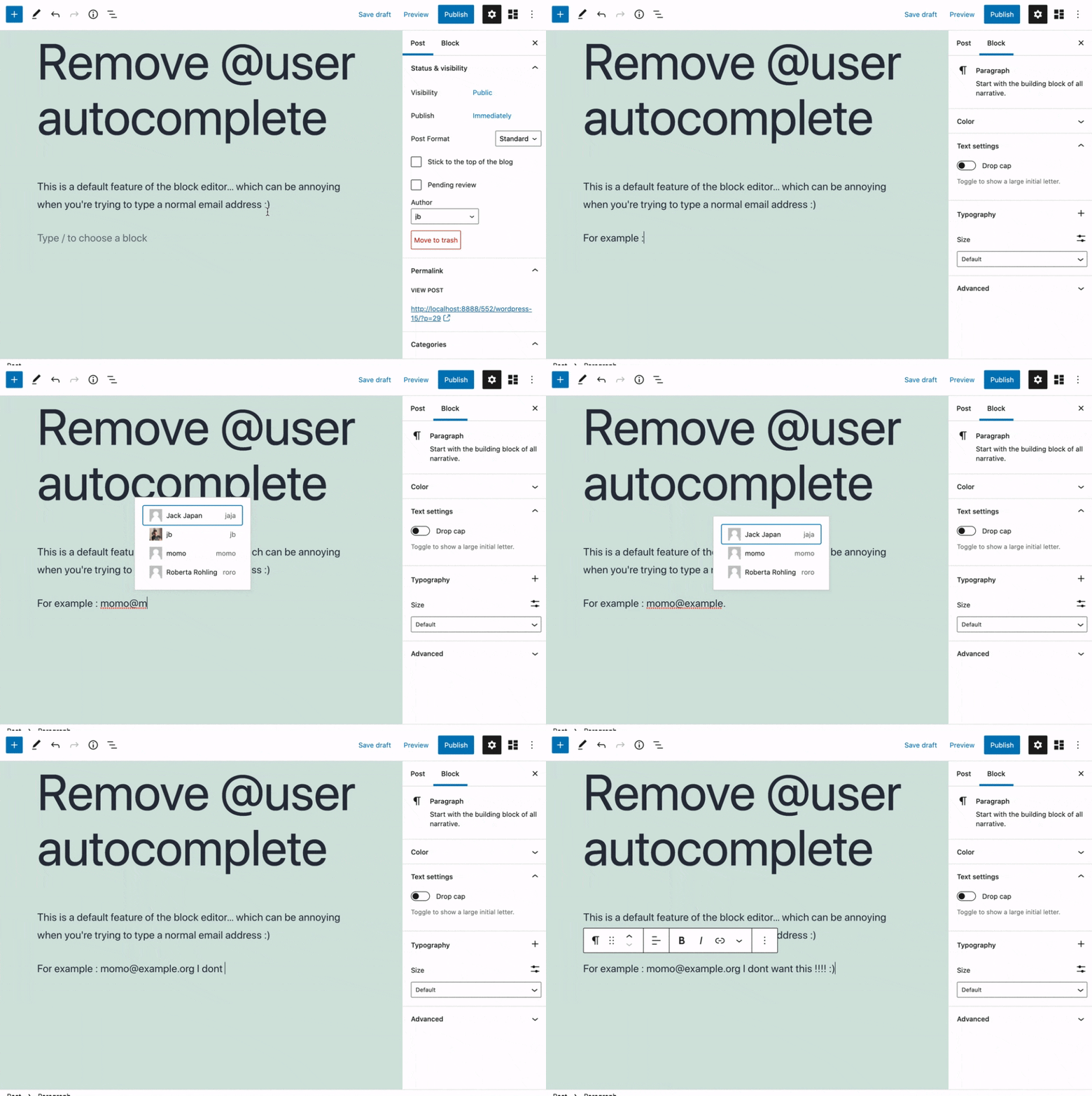
Removes the @user autocomplete feature from the block editor. By default on Gutenberg, when you type @, the block editor performs a search through the users of your WordPress install to suggest you to «@-mention» them (see animated screenshot below for a demo of the default feature). It can be annoying when you are writing email addresses in the editor. This plugin removes the feature from the editor.
Capturas
Instalación
- Install the plugin and activate it in your WordPress Admin.
- That’s all! No settings needed.
Reseñas


Colaboradores y desarrolladores
«Remove @User Autocomplete from Block Editor» es un software de código abierto. Las siguientes personas han colaborado con este plugin.
Colaboradores
«Remove @User Autocomplete from Block Editor» está traducido en 1 idioma. Gracias a los traductores por sus contribuciones.
Traduce «Remove @User Autocomplete from Block Editor» a tu idioma.
¿Interesado en el desarrollo?
Revisa el código , echa un vistazo al repositorio SVN o suscríbete al registro de desarrollo por RSS.
Registro de cambios
0.1
- Plugin initial release. Works fine 🙂