
Descripción
Opens post links inside a target window of one of the following types: an internal embedded iframe, an external popup window, a separate browser window/tab. The type of window to be opened is mapped to the file extensions in the links via the plugin settings. By default, links to images and PDF files open in the internal embedded window, while all others open in an external popup or browser window (except for «technical» links to ZIP files and similar assets, which are downloaded within the current window).
Exceptions are provided for these rules in certain cases. For instance, to prevent the plugin from handling frontend UI elements within the post container (such as edit buttons), you can add their URL fragments to a dedicated exclusion list. Additionally, you can specify websites that block their pages from being loaded inside iframes due to security policies (the plugin will automatically open these in a separate browser window instead).
The plugin processes links from both the main «post_content» field and custom fields (including in Multisite mode). It scans links exclusively inside the post container and ignores standard UI components (menus, widgets, pagination, etc.).
Out of the box, target window assignment is configured only for links with a user-defined target=»_blank» attribute. It is assumed that authors decide which links should open externally, while the plugin simply manages the appearance of these windows. However, you can change this setting to apply the plugin’s logic to all links within a post.
Capturas
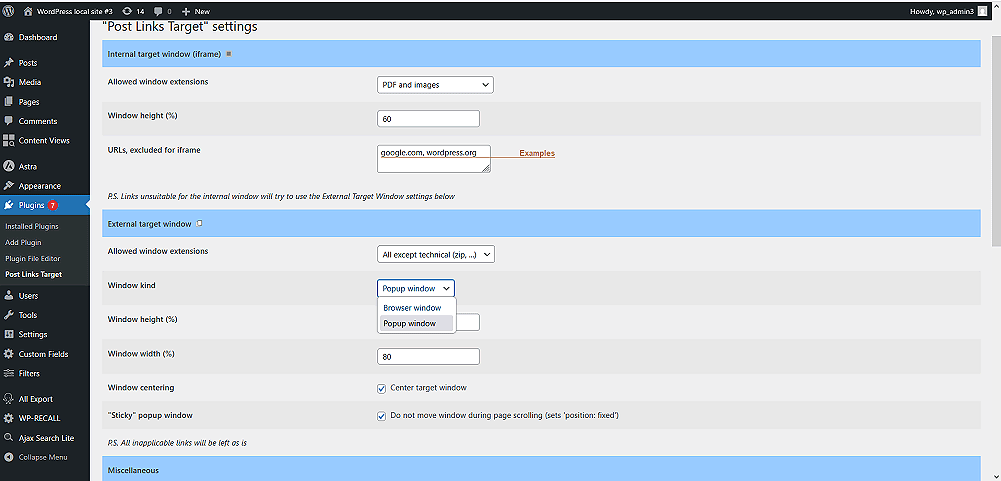
Ajustes principales (opciones de la ventana de destino).
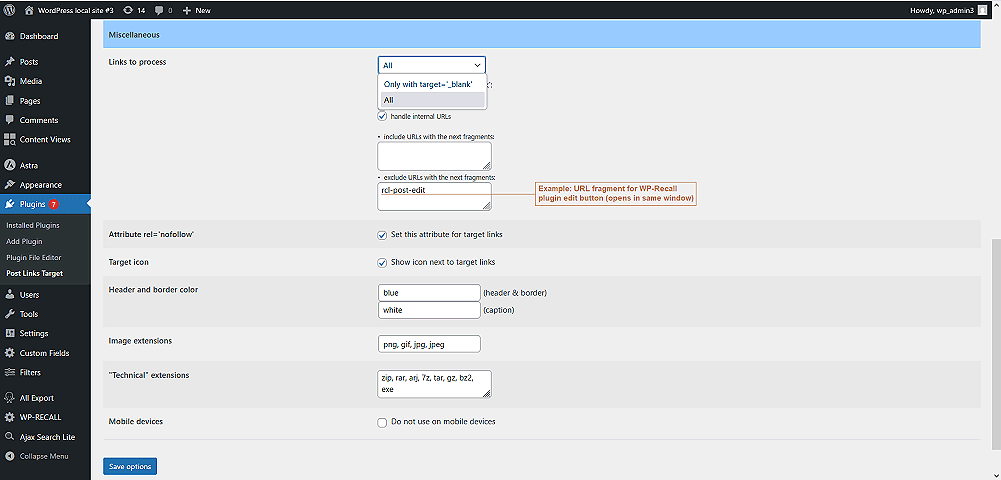
Ajustes varios.
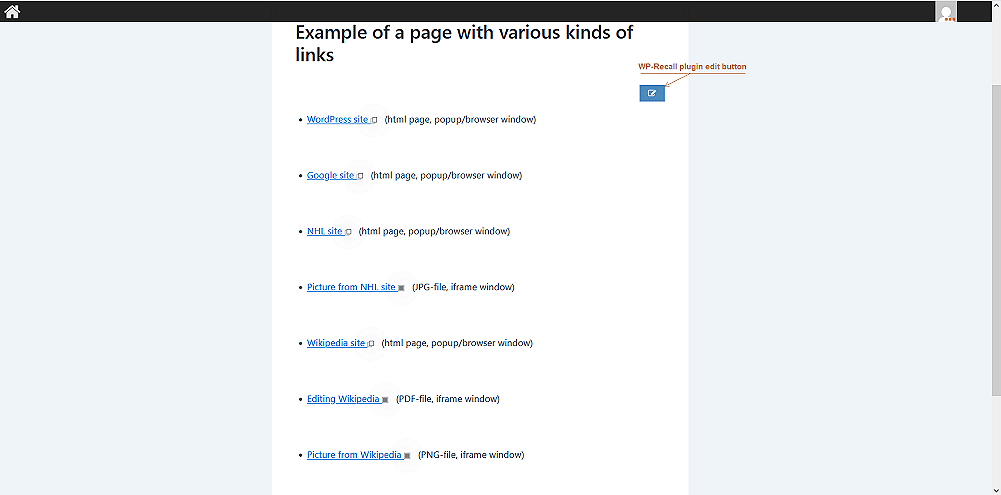
Página de ejemplo que muestra enlaces para diferentes tipos de ventanas de destino.
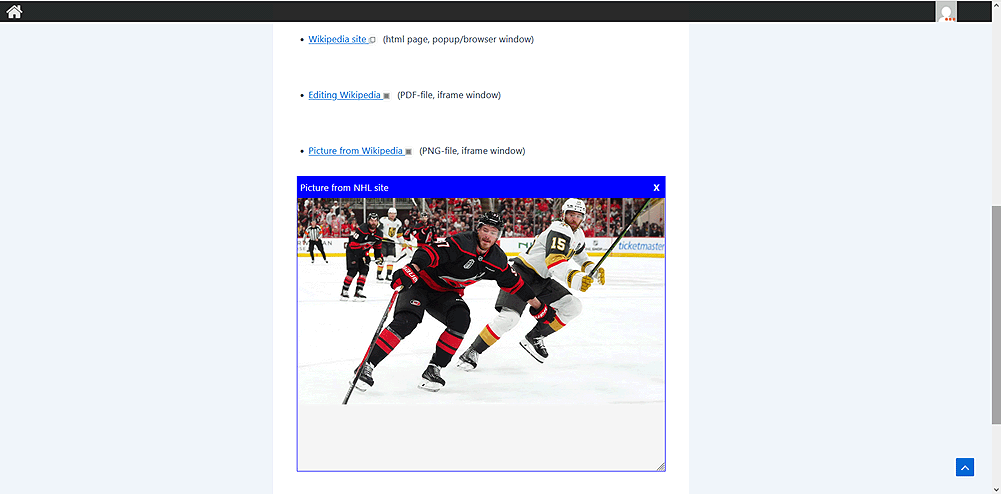
Ejemplo de un enlace que se abre en una ventana de iframe incrustado.
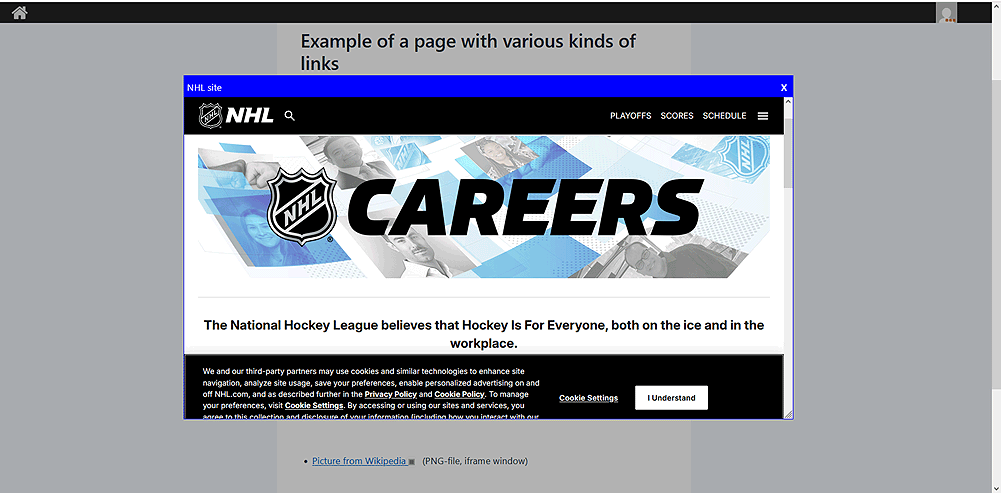
Ejemplo de un enlace que se abre en una ventana emergente externa.
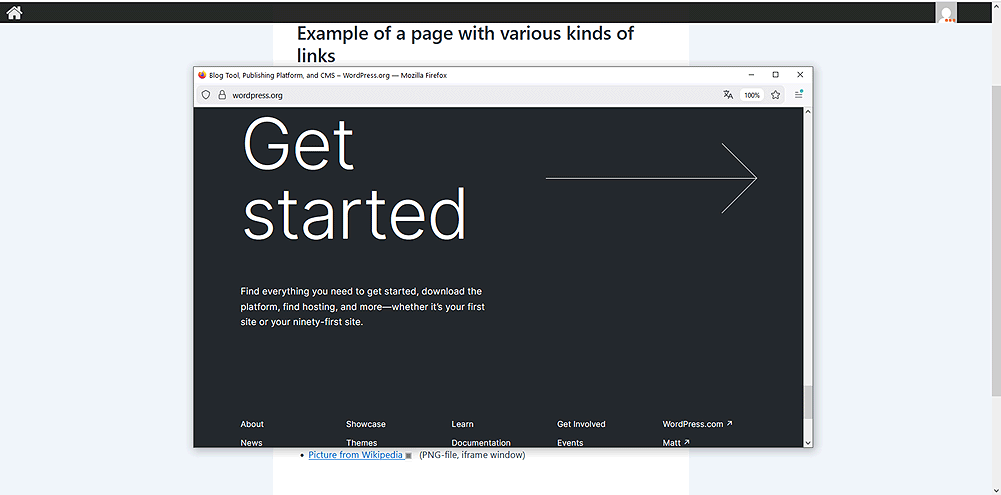
Ejemplo de un enlace que se abre en una ventana de navegador independiente.
FAQ
When attempting to open a link in a popup window, the browser displays an error message similar to: «To protect your security, website will not allow your browser to display the page if another site has embedded it». Is there any way to avoid this?
Algunos sitios web prohíben abrir sus páginas dentro de iframes incrustados por razones de seguridad. Dado que las ventanas emergentes también incrustan iframes de forma interna, esta restricción también se aplica a ellas.
To avoid such issues, these websites should be added to the «URLs excluded for iframe» list in the plugin settings (this forces their pages to open in a separate browser window/tab). If there are many such links, it is recommended to use only browser windows as target containers.
Para solucionarlo, tienes que indicar los fragmentos de URL específicos asociados a los elementos de la interfaz que se han ignorado en el campo «Excluir URLs con los siguientes fragmentos» dentro de la configuración del plugin. Por ejemplo, el botón de edición del plugin WP-Recall contiene la variable GET «rcl-post-edit», que deberías añadir a esta lista.
The Simple Lightbox plugin automatically opens image links inside its own popup window, even if they are meant to load inside your plugin’s embedded iframe or external popup window. How can I prevent this?
Algunos plugins, como Simple Lightbox, interceptan automáticamente todos los enlaces a imágenes. Para evitarlo, recomendamos no asignar ventanas de destino a este tipo de enlaces o bien utilizar plugins alternativos (como Meow Lightbox).
¿Es compatible el plugin con WordPress multisitio?
Sí, es totalmente compatible con WordPress multisitio.
Reseñas
No hay valoraciones para este plugin.
Colaboradores y desarrolladores
«PLTarget (Post Links Target)» es un software de código abierto. Las siguientes personas han colaborado con este plugin.
Colaboradores
«PLTarget (Post Links Target)» está traducido en 1 idioma. Gracias a los traductores por sus contribuciones.
Traduce «PLTarget (Post Links Target)» a tu idioma.
¿Interesado en el desarrollo?
Revisa el código , echa un vistazo al repositorio SVN o suscríbete al registro de desarrollo por RSS.
Registro de cambios
1.0.1
- Added minified versions of JS scripts
1.0.0
- Versión inicial