

Descripción
[cite_start]Auto Download Buttons is a feature-rich and highly customizable WordPress plugin that allows you to easily embed stylish download buttons with a crucial feature: a delayed auto-download timer[cite: 2]. [cite_start]This is the perfect solution for protecting content, ensuring users view necessary information before accessing a file, and providing a clean, polished user experience for digital downloads[cite: 3].
Key Features:
- [cite_start]Deep Styling Controls: Customize button background colors for Ready, Hover, and Waiting states, along with text color and border radius[cite: 4].
- [cite_start]Custom Countdown Logic: Set a mandatory countdown and define the exact waiting message (using the
{seconds}placeholder)[cite: 5]. - [cite_start]File Information Flashcard: Dynamic element automatically detects the file extension (e.g., XLSX, PDF) and displays it with a custom background and text color[cite: 6].
- [cite_start]Shortcode Integration: Simple shortcode
[auto-download-button]that can be embedded anywhere[cite: 7]. - [cite_start]Download Filename Customization: Use the
download_nameattribute to override the original server filename[cite: 8]. - [cite_start]Global Settings: Easy-to-use Admin Settings panel for setting defaults which can be overridden by shortcode attributes[cite: 9].
- NEW: Media Library Integration: Easily find and copy your direct button download URLs directly from the WordPress Media Library.
- NEW: Button Layout Control: Select the number of buttons to display or configure layout options directly from the plugin dashboard.
Capturas

[cite_start]Screenshot-1: Customize button colors for the Ready, Hover, and Waiting states, along with border radius and default button text[cite: 23]. 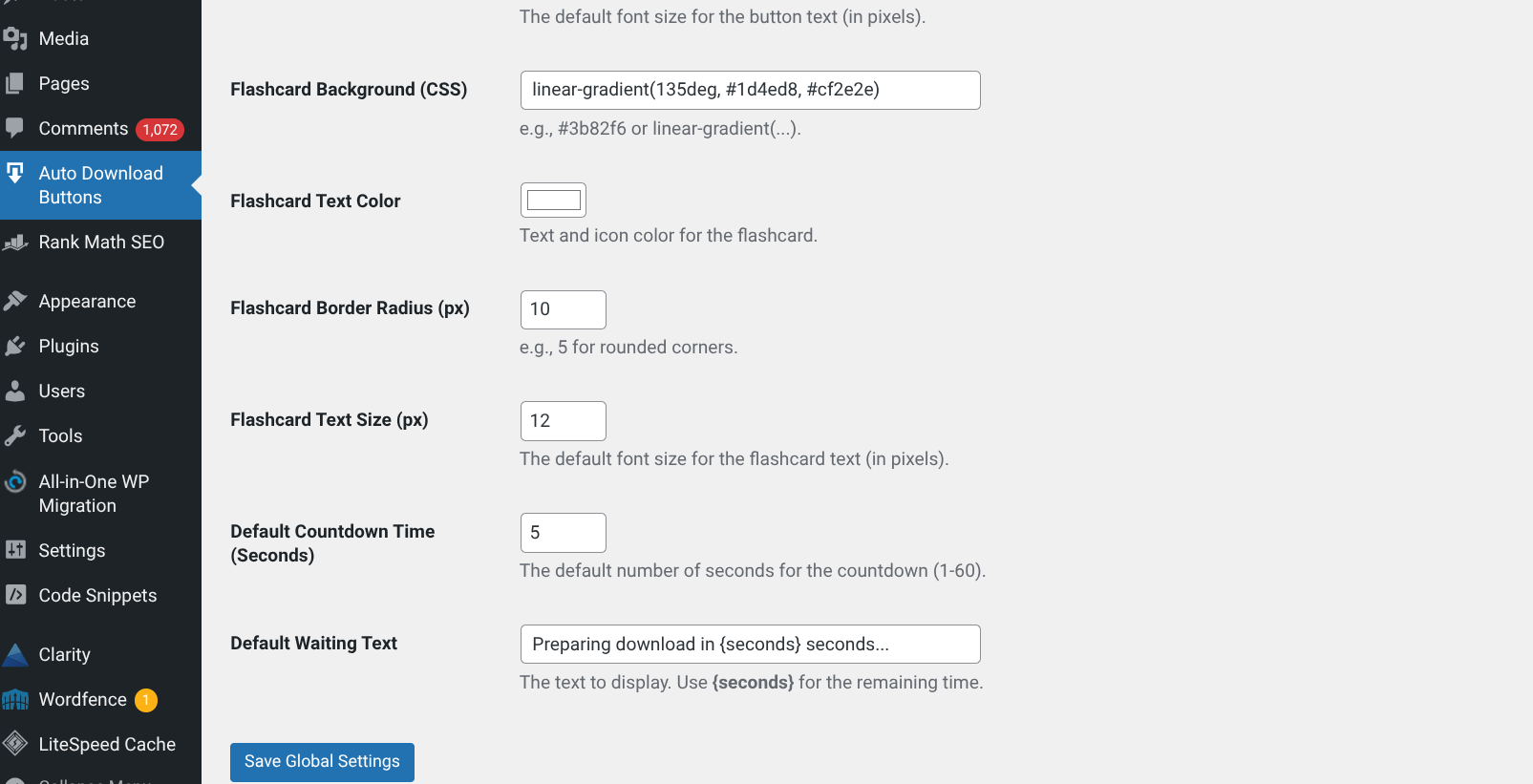
[cite_start]Screnshot-2: Configure the file flashcard’s background, text color, radius, and set the default countdown time and waiting message[cite: 24]. 
[cite_start]Screenshot-3: Example of the highly stylized Auto Download Buttons showing the dynamic file extension flashcard (XLSX)[cite: 25]. 
Screenshot-4: New Dashboard options to set the number of buttons and manage layout settings.
Instalación
1. Simple Installation
- [cite_start]Go to your WordPress Dashboard, navigate to Plugins -> Add New[cite: 10].
- [cite_start]Search for «Auto Download Buttons»[cite: 11].
- [cite_start]Click Install Now and then Activate[cite: 11].
2. Usage
- [cite_start]Configure your default style, behavior settings, and the number of buttons under Auto Download Buttons in your WordPress admin menu[cite: 12].
- Visit the Media Library to find the specific Download URL section for your files.
- [cite_start]Use the shortcode in any post, page, or widget where you want to display the button[cite: 13]:
[cite_start][auto-download-button url="[Your File URL]" time="10" download_name="My-Custom-File.xlsx"] [cite: 13]
Shortcode Attributes
Attribute
Description
Required?
Example
url
[cite_start]The direct link to your downloadable file[cite: 14, 15].
Yes
url="https://domain.com/files/sheet.xlsx"
time
The countdown delay in seconds. [cite_start]Overrides the global setting[cite: 15, 16].
No
time="5"
download_name
[cite_start]The custom name the downloaded file will have on the user’s computer[cite: 17].
No
download_name="Budget-Template.xlsx"
FAQ
-
[cite_start]A: All global defaults, including styling and countdown messages, can be customized under the dedicated Auto Download Buttons menu in your WordPress admin dashboard[cite: 18]. (See Screenshots 1 & 2) [cite_start][cite: 19].
-
Q: Where do I find the file URL?
-
A: You can now find the specific Download URL in the Media Library details section for each uploaded file.
-
Q: What is the «Flashcard»?
-
[cite_start]A: The Flashcard is the small, stylized element above the button text (like the XLSX badge you see in Screenshot 3)[cite: 19, 20]. [cite_start]You can customize its color, text size, and border radius in the plugin settings[cite: 20].
-
Q: How do I make the countdown work?
-
[cite_start]A: Set the Default Countdown Time (Seconds) and Default Waiting Text in the settings[cite: 21, 22]. [cite_start]Ensure your waiting text includes the
{seconds}placeholder to display the live countdown[cite: 22].
Reseñas
No hay valoraciones para este plugin.
Colaboradores y desarrolladores
«Auto Download Buttons» es un software de código abierto. Las siguientes personas han colaborado con este plugin.
Colaboradores
Traduce «Auto Download Buttons» a tu idioma.
¿Interesado en el desarrollo?
Revisa el código , echa un vistazo al repositorio SVN o suscríbete al registro de desarrollo por RSS.
Registro de cambios
1.0.2
- Added «Number of Buttons» option to the plugin dashboard.
- Integrated Download URL section into the Media Library for easier link management.
- General performance improvements and code optimization.
1.0.1
- [cite_start]Initial release of the Auto Download Buttons plugin[cite: 26].
- [cite_start]Added shortcode functionality:
[auto-download-button][cite: 26]. - [cite_start]Implemented delayed download timer logic[cite: 27].
- [cite_start]Included comprehensive style controls for button states, radius, and colors[cite: 27].
- [cite_start]Added dynamic file information flashcard with styling options[cite: 28].