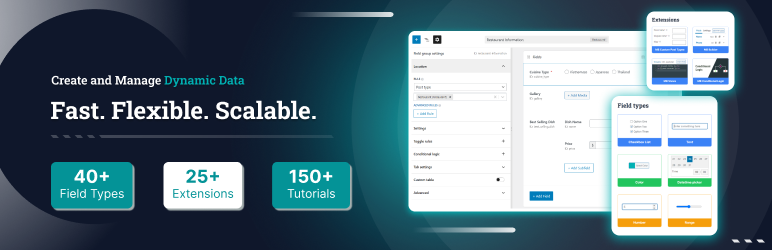

Descripción
Quieres añadir eventos, miembros del equipo, testimonios o listados a tu sitio WordPress. Pero el editor estándar solo maneja entradas y páginas. Necesitas algo más, pero no quieres complicar demasiado las cosas ni ralentizar tu sitio.
Meta Box te ofrece todo lo que necesitas para crear sitios WordPress dinámicos, con más de 40 tipos de campo para añadir campos personalizados a entradas, páginas, tipos de contenido personalizados, taxonomías, páginas de ajustes, usuarios y comentarios. Es ligero (sin excesos), flexible (funciona con cualquier tema o plugin) y rápido (utiliza el almacenamiento nativo de WordPress). Sin bloqueos ni sobrecarga adicional.
Cualquier tipo de campos personalizados, en cualquier lugar
Añade campos personalizados a cualquier parte de WordPress:
- Entradas y páginas: añade campos adicionales al contenido normal
- Tipos de contenido personalizados: úsalos con nuestro plugin gratuito CPT UI para crear tipos de contenido y taxonomías personalizadas
- Taxonomías: categorías, etiquetas y taxonomías personalizadas a través de MB Term Meta
- Páginas de ajustes: opciones de temas/plugins a través de MB Settings Page
- Usuarios: campos de perfil a través de MB User Meta
- Comentarios: campos de comentarios a través de MB Comment Meta
Más de 40 tipos de campo (y puedes añadir los tuyos)
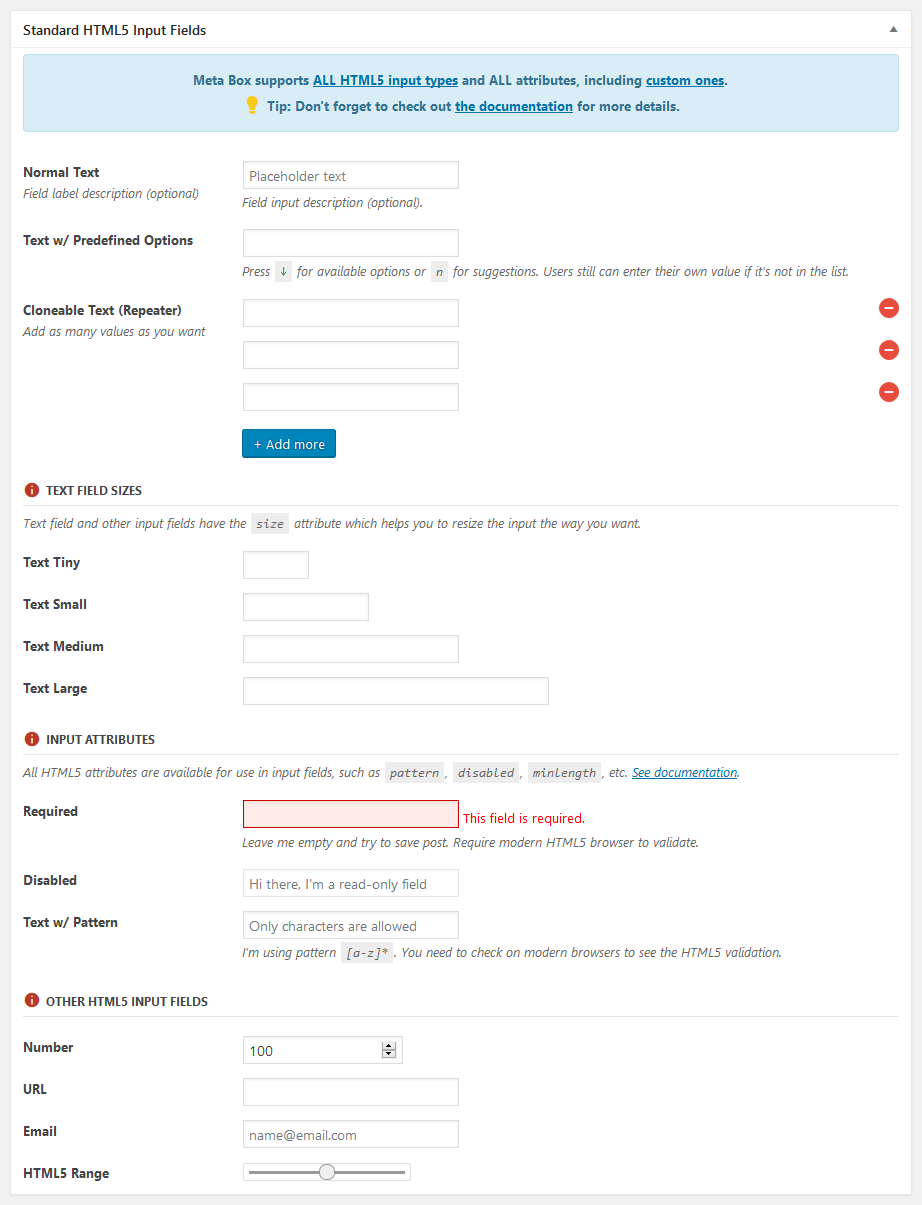
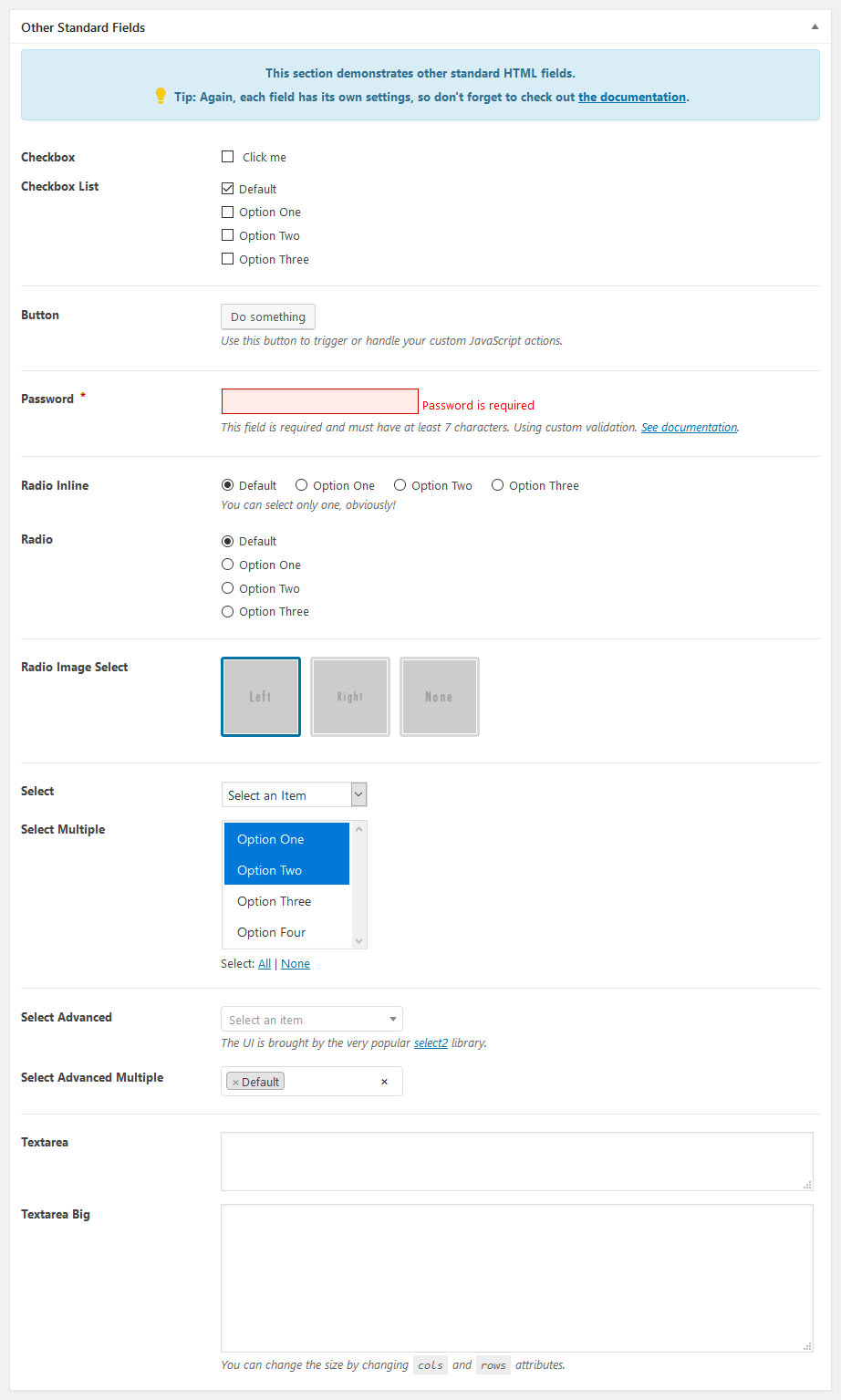
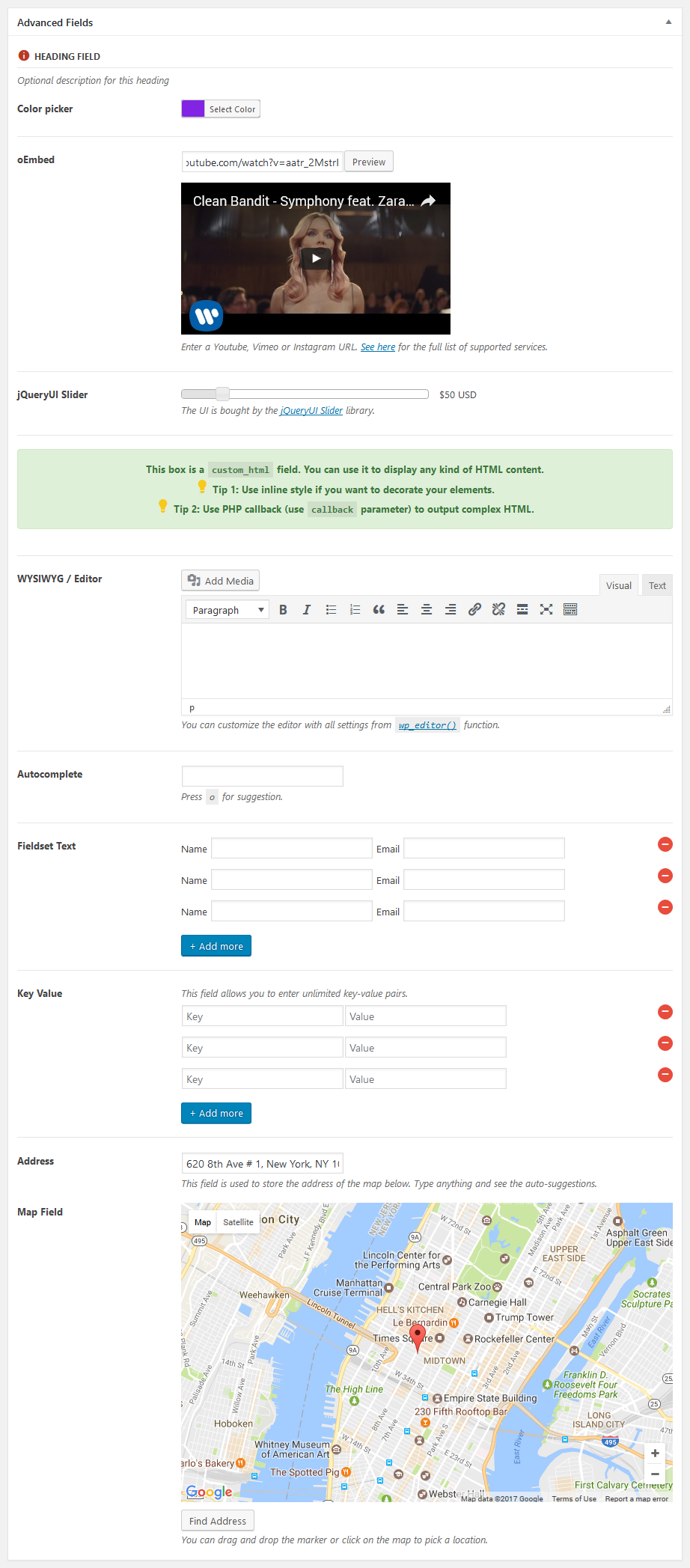
Meta Box incluye más de 40 tipos de campo integrados: texto, área de texto, WYSIWYG, imagen, subida de archivos, selección de entrada, casilla de verificación, botón de opción, selector de fecha/hora, taxonomía, usuario, oEmbed y más. También puedes crear tipos de campo personalizados. La mayoría de los campos admiten clonación y grupos repetibles.
Diseñado pensando en los desarrolladores
- API ligera: no sobrecargará tu sitio
- Modular: añade solo lo que necesitas
- Almacenamiento nativo: usa las tablas meta de WordPress por defecto para velocidad y compatibilidad, y se puede extender a tablas personalizadas para configuraciones avanzadas
- Soporte para Composer: se integra con flujos de trabajo PHP modernos
- Hooks: acciones y filtros extensos para personalización
- Listo para integrar: funciona con cualquier tema o plugin
Obtén más con Meta Box
Meta Box Lite es la versión con interfaz de Meta Box que te ayuda a gestionarlo todo visualmente (campos personalizados, tipos de contenido, taxonomías y más) sin tocar código.
Meta Box AIO es un plugin todo en uno que incluye todas las extensiones gratuitas y premium, ofreciéndote todo, desde lógica condicional hasta envíos desde el frontend, tablas personalizadas y bloques Gutenberg, todo en un solo paquete.
Documentación
La documentación completa y los tutoriales están disponibles para que empieces:
- Introducción
- Tipos de contenido personalizados
- Campos personalizados
- Ajustes de campos
- Mostrar campos
También te puede interesar
Si te gusta este plugin, también te pueden gustar nuestros otros productos para WordPress:
- Slim SEO: un plugin SEO rápido, ligero y completo para WordPress con una configuración mínima.
- Falcon: un compañero ligero para hacer WordPress más rápido, limpio y seguro.
- GretaThemes: temas de WordPress gratuitos y premium, limpios, simples y que simplemente funcionan.
- Auto Listings: un plugin de venta de coches y concesionarios para WordPress.
Capturas


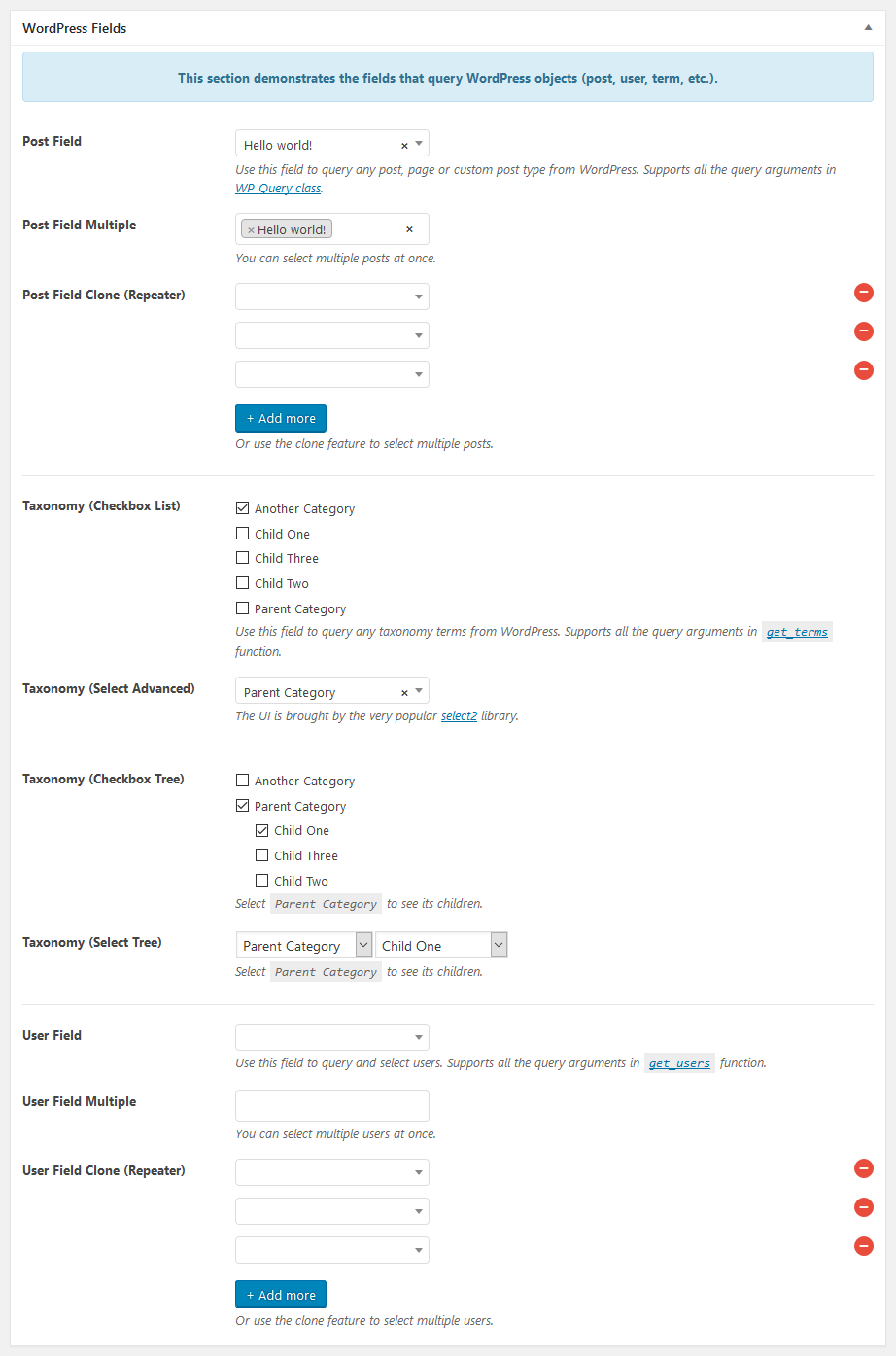
Instalación
Para instalar Meta Box:
- Ve a Plugins > Añadir nuevo en tu Escritorio de WordPress
- Busca Meta Box
- Haz clic en el botón Instalar ahora para instalar el plugin
- Haz clic en el botón Activar para activar el plugin
FAQ
-
¿Dónde puedo informar de errores de seguridad encontrados en este plugin?
-
Por favor, informa de los errores de seguridad encontrados en el código fuente del plugin Meta Box – WordPress Custom Fields Framework a través del Programa de divulgación de vulnerabilidades de Patchstack. El equipo de Patchstack te ayudará con la verificación, la asignación de CVE y notificará a los desarrolladores de este plugin.
-
¿Modifica Meta Box las recomendaciones de plugins en WordPress?
-
Meta Box elimina Secure Custom Fields (SCF) de las listas de plugins destacados y recomendados que se muestran en el instalador de plugins de WordPress. Esto refleja nuestra posición con respecto a la redistribución de plugins comerciales de WordPress y no impide que los usuarios busquen, instalen o usen SCF directamente.
Para desactivar esto, usa el filtro
rwmb_modify_plugin_recommendations:`add_filter( ‘rwmb_modify_plugin_recommendations’, ‘__return_false’ );
`
Reseñas


Colaboradores y desarrolladores
«Meta Box» es un software de código abierto. Las siguientes personas han colaborado con este plugin.
Colaboradores


«Meta Box» está traducido en 22 idiomas. Gracias a los traductores por sus contribuciones.
Traduce «Meta Box» a tu idioma.
¿Interesado en el desarrollo?
Revisa el código , echa un vistazo al repositorio SVN o suscríbete al registro de desarrollo por RSS.
Registro de cambios
5.14.0 – 2026-07-30
Highlights:
This release introduces Block Bindings for Meta Box fields, allowing you to bind field values directly to blocks in the WordPress editor. Meta Box fields now appear as a source in the block bindings panel, making it easy to use custom field data inside blocks without shortcodes or PHP.
See our blog post for an overview or the documentation for usage details.
Other changes:
- Update select2 library to fix missing placeholder
5.13.1 – 2026-07-14
- Fix missing authorization check in
ajax_delete_filefor enhanced security - Allow HTML in switch on/off and button group labels (e.g., Dashicons)
5.13.0 – 2026-07-06
Highlights:
This release introduces Abilities, enabling you to manage custom post types and taxonomies, as well as create, retrieve, update, and delete posts and terms.
See our blog post for an overview or the documentation for usage details.
Other changes:
- Fix unable to scroll in full screen mode for the
block_editorfield (#1689) - Use
WP_Query‘ssearch_columnsinstead of customsearch_by_titlefilter - Fix autocomplete dropdown z-index in map/osm field inside MB Blocks
5.12.1 – 2026-06-10
- Update style to match WordPress 7
- Fix wp_style_add_data issue for OSM field
- Fix: prevent invalid JSON in media field data attributes
- Fix: escape $object->label with esc_html() in input-list walker
5.12.0 – 2026-04-22
- New field type
linkthat allows you to add a link with native WordPress experience (similar to ACF) - Auto add child blocks for allowed blocks for the
block_editorfield
5.11.4 – 2026-03-30
- Add an internal hook for enqueuing custom blocks’ assets for
block_editorfield
5.11.3 – 2026-03-24
- Add
toolbar_positionoption for the block editor field, which accepts valuetop(default) orcontextual. This option is for where to display editing toolbar for blocks. - Fix saving an empty paragraph in the block editor field
- Fix validation error persisting after removing duplicate blocks
- Fix extra empty clone saved when calling
set_post_data()during validation
5.11.2 – 2026-03-05
Improvements for the block editor field:
- Add breadcrumbs
- Fix compatibility with Block Visibility plugin
- Fix not loading 3rd-party blocks
- Improve the CSS
Other changes:
- Fix save time format for the datetime field
- Fix icon field dropdown broken display when SVG contains double quotes
- Fix path traversal in
ajax_delete_filefor security - Fix timestamp should not be set for the time picker field
5.11.1 – 2026-02-02
Improvements for the block editor field:
- Add block inspector sidebar
- Add structure panel to show the list view of blocks
- Add fullscreen mode
- Add
heightsettings (default is300px) and allow resizing the editor
Fixes for the block editor field:
- Fix cannot upload images for the image block
- Fix blank site editor when using the block editor field
- Fix custom rich text formats not working
- Fix conflicts with
image_advancedandfile_advancedfields
Other changes:
- Fix cannot create new terms with required date/time fields
5.11.0 – 2026-01-15
- Add new field type:
block_editor. See more details on our blog post and documentation.
5.10.19 – 2025-11-24
- Fix the
usestatement with non-compound name has no effect
5.10.18 – 2025-11-24
- Fix deprecation message for
datetimefield
5.10.17 – 2025-11-07
- WPML integration: fix error when filtering value for helper functions when no fields are found.
5.10.16 – 2025-11-05
- WPML integration: filter helper functions to get the translated IDs for
postfield - Fix cloning
postfield not clearing the value
5.10.15 – 2025-10-06
- Add
marker_draggableoption formap/osmfields to disable changing the pin on the map.
5.10.14 – 2025-09-15
- Update dependencies
5.10.13 – 2025-08-14
- Fix
get_current_screen()error for term meta
5.10.12 – 2025-08-13
- Fix Open Street Maps field not showing (sometimes) with conditional logic
- Enqueue assets for the iframed editor, to make all fields are rendered properly in the iframed editor
5.10.11 – 2025-07-15
Fix validation for blocks
5.10.10 – 2025-05-21
- Fix datetime field returns null
- Fix single image field not working with Polylang Pro
- Fix reveal password icon not working
5.10.9 – 2025-05-08
- Add button to toggle password (#1630)
- Add gesture handling support for OSM field (#1631)
- Datetime & select2: use user’s locale instead of site’s locale
5.10.8 – 2025-03-14
- Redesign the dashboard
5.10.7 – 2025-02-25
- Fix: max clone with clone empty start
5.10.6 – 2025-01-11
- Fix validation for dash ids
- Fix datetime fields not showing inline picker inside groups
- Fix
label_descriptionnot working forfieldset_text - Fix field label div still show when no field name but with
label_description - Remove
image_selectfield’s JS, styling with CSS only - Add gap for key value inputs
5.10.5 – 2024-12-16
- Make validation for add new terms work
- Improve styling of meta boxes on the sidebar in the block editor
- Improve style of input with prepend and append
- Fix maps/osm fields and geolocation not working with subfields in groups
- Fix select advanced becomes normal select with cloneable setting
- Fix validation
5.10.4 – 2024-11-20
- OSM/Map fields: add support for select field type
- Add
$urltorwmb_oembed_not_available_stringfilter - Small CSS improvements for file input, background & button group
- Fix not returning value for helper functions for images saving in a custom folder and using a custom table
5.10.3 – 2024-10-30
- fix: std after saving
- fix: field set text save empty values
- fix: subfield’s id
5.10.2 – 2024-09-26
- Fix issue with conditional logic
- Fix error when removing default taxonomy meta box in the front end or with the block editor
- Fix missing .hidden on the front end for
checkbox_tree - Fix required attribute for
select_tree
5.10.1 – 2024-09-07
- Fix issue with
clone_empty_start(validation, now showing data for the 1st clone, brokentext_listfield, etc.)