
Descripción
Backuply es un plugin de copias de seguridad para WordPress que te ayuda a hacer copias de seguridad de tu sitio web, protegiéndote de la pérdida de datos debido a caídas del servidor, hackeos, actualizaciones dudosas o plugins malos.
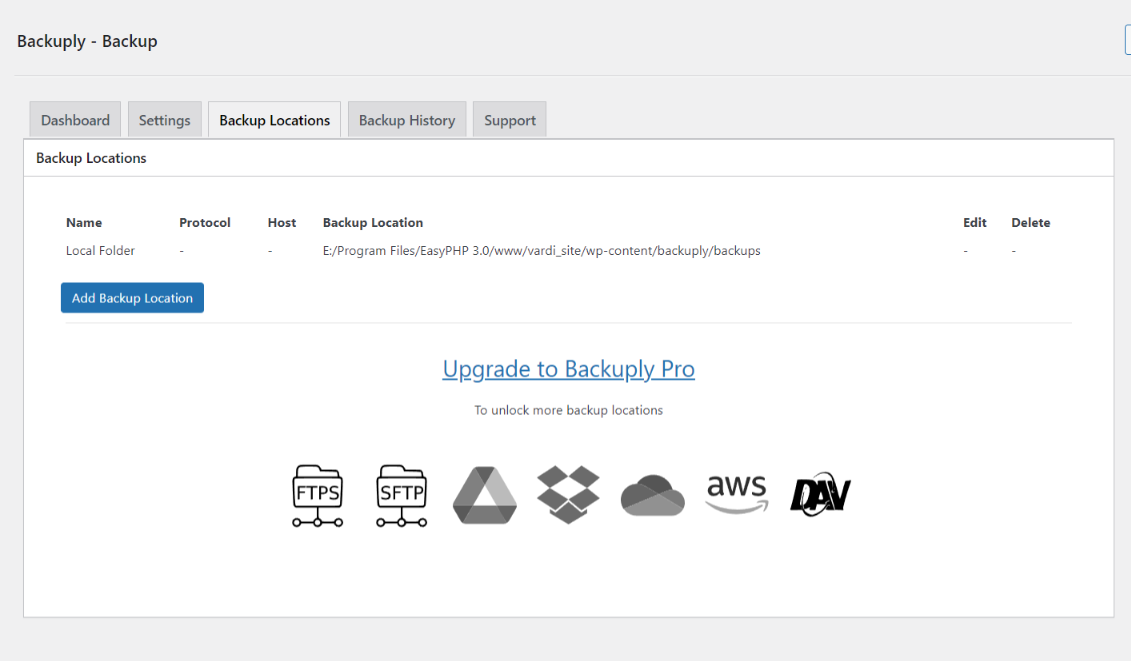
Backuply incluye copias de seguridad locales y copias de seguridad en la nube seguras con integraciones sencillas con FTP, FTPS, SFTP, WebDAV, Google Drive, Microsoft OneDrive, Dropbox, Amazon S3 y una fácil restauración con un clic.
Tu sitio web es tu activo y necesita estar protegido constantemente contra diversos problemas de seguridad, problemas del servidor, hackeos, etc. Aunque tomes todas las medidas preventivas para proteger tu sitio web, las copias de seguridad son la mejor forma de seguridad. Con Backuply, puedes tener la confianza de que tus datos están protegidos y siempre disponibles para restaurarlos en caso de cualquier desastre. Backuply crea copias de seguridad completas de tu sitio web y puedes restaurarlas en el mismo sitio o en uno nuevo de WordPress con solo hacer clic en un botón.
Nuestra tecnología de copias de seguridad y clonación de sitios web lleva más de una década en uso y ahora la hemos trasladado a WordPress.
Puedes encontrar nuestra documentación oficial en https://backuply.com/docs. También estamos activos en nuestros foros de soporte comunitario en wordpress.org si eres uno de nuestros usuarios gratuitos. Nuestro sistema de tickets de soporte Premium está en https://softaculous.deskuss.com/open.php?topicId=17
Página de inicio | Soporte | Documentos
Funciones
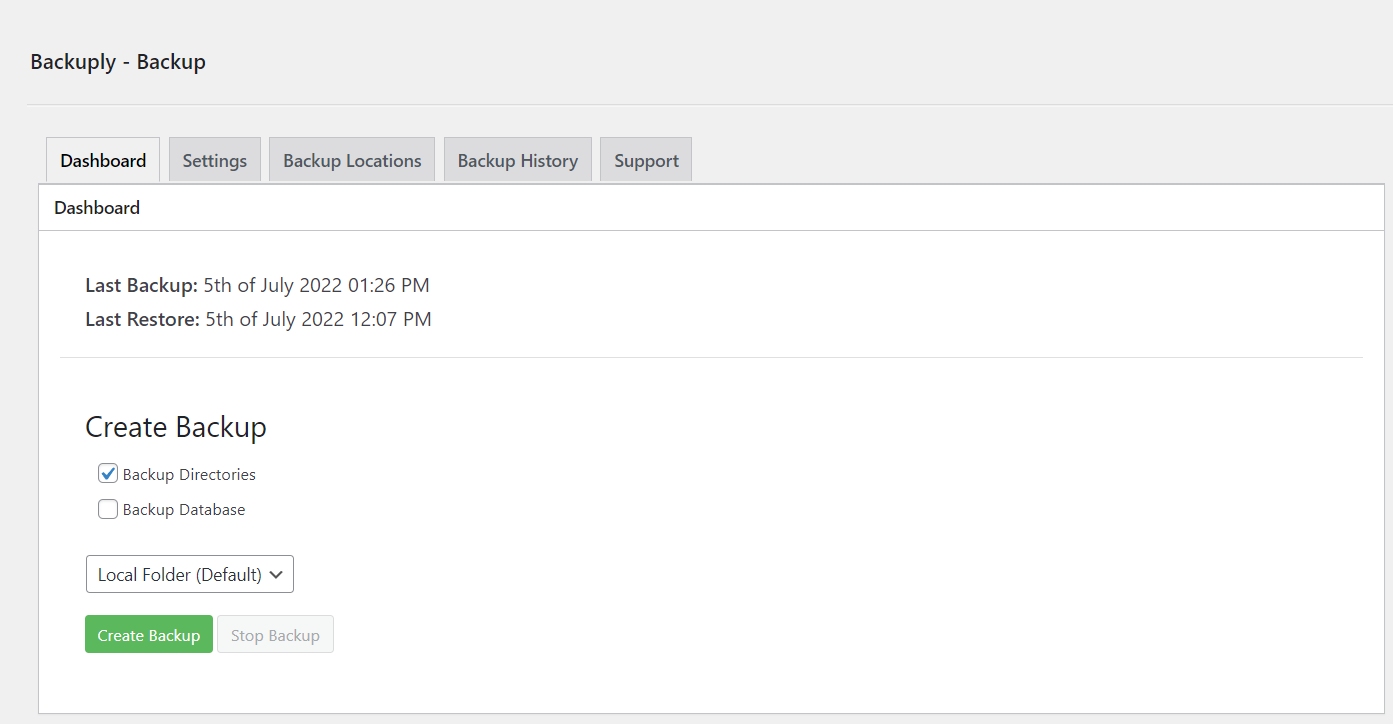
- Copias de seguridad locales: haz una copia de seguridad completa de tu sitio web localmente en tu servidor con solo un clic.
- FTP: haz y restaura copias de seguridad fácilmente usando FTP.
- Copia de seguridad en Google Drive
- Restauración con un clic: restaura los archivos y bases de datos de tu sitio web con una restauración con un clic.
- Migración: migración sin estrés a cualquier dominio o alojamiento.
- Copias de seguridad de la base de datos: haz una copia de seguridad solo de la base de datos de tu sitio web.
Funciones Premium
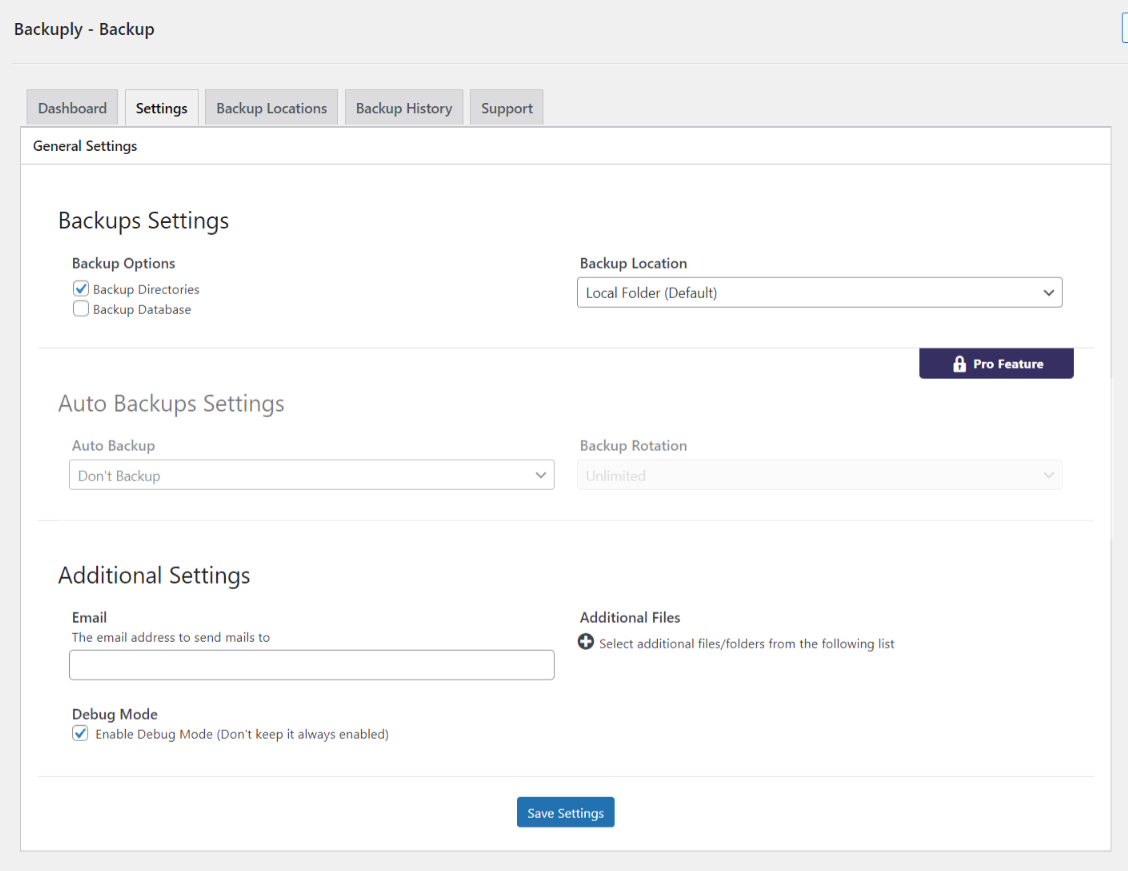
- Copias de seguridad automáticas: elige hacer una copia de seguridad de tu sitio web a intervalos regulares, como diario, semanal o mensual. También puedes personalizar el intervalo.
- Restauración con un clic: con Backuply, restaurar tu sitio web es sencillo. Solo tienes que hacer clic en el botón de restaurar junto a la copia de seguridad que quieras restaurar. Se descargará toda la copia de seguridad y se aplicarán los cambios al sitio web.
- Copia de seguridad selectiva: tienes la opción de elegir si se deben realizar copias de seguridad solo de archivos, solo de la base de datos o completas.
- Migración de sitios web: puedes migrar fácilmente tu sitio web restaurando desde una de las opciones de copia de seguridad en la nube en el nuevo sitio web.
- Clonación de sitios web: si quieres clonar tu sitio web para cualquier propósito, Backuply puede hacerlo por ti. Backuply restaurará los datos pero reemplazará las URL y la información según el sitio web existente. De esta manera, puedes crear múltiples clones.
- Copia de seguridad en FTPS: puedes hacer una copia de seguridad de tu sitio en FTPS, es decir, FTP sobre SSL/TLS.
- Copia de seguridad en SFTP: admite el protocolo SFTP.
- Copia de seguridad en Dropbox
- Copia de seguridad en Microsoft OneDrive
- Copia de seguridad en Amazon S3
- Copia de seguridad en WebDAV
- Backup to pCloud
- Copia de seguridad en almacenamientos compatibles con S3: se ha añadido soporte para DigitalOcean Spaces, Linode Object Storage, Vultr Object Storage y Cloudflare R2.
- Soporte para WP-CLI: puedes usar Backuply a través de WP-CLI
- Soporte profesional: obtén soporte profesional y más funciones para hacer copias de seguridad de tu sitio web con Backuply
Copias de seguridad
Una copia de seguridad es una forma de copiar tus datos o archivos a un lugar seguro, que se puede usar para restaurar tu sitio web en caso de pérdida de datos. Las copias de seguridad son vitales para proteger los datos que has publicado o escrito. Las copias de seguridad con Backuply son fáciles y seguras, con soporte para múltiples opciones de almacenamiento, como almacenamiento local mediante FTP o el uso de servicios de terceros como Google Drive, Dropbox, Microsoft OneDrive, AWS S3 y WebDAV.
Para hacerlo aún más fácil, ofrecemos copias de seguridad automáticas con un programa de copias de seguridad personalizable.
Restauraciones
La restauración es solo un proceso de un clic usando Backuply. Si la copia de seguridad seleccionada está disponible, Backuply restaurará tus copias de seguridad de forma segura. Restaurar una copia de seguridad devolverá tu sitio exactamente al mismo estado en el que se encontraba cuando se creó la copia de seguridad.
Migración
Backuply crea un archivo tar de toda tu instalación de WordPress junto con la base de datos, para que puedas migrar tu sitio a cualquier alojamiento o ubicación donde se pueda instalar WordPress. Todo lo que necesitas hacer es crear una copia de seguridad de tu instalación de WordPress en una ubicación remota, y ya está. Se puede sincronizar en cualquier instalación de WordPress con facilidad, así que solo necesitas restaurar la copia de seguridad sincronizada en la nueva ubicación para que se realice la migración.
Cómo instalar Backuply
Ve a tu instalación de WordPress -> Plugins -> botón Añadir nuevo -> en el cuadro de búsqueda busca Backuply -> haz clic en Instalar.
Capturas
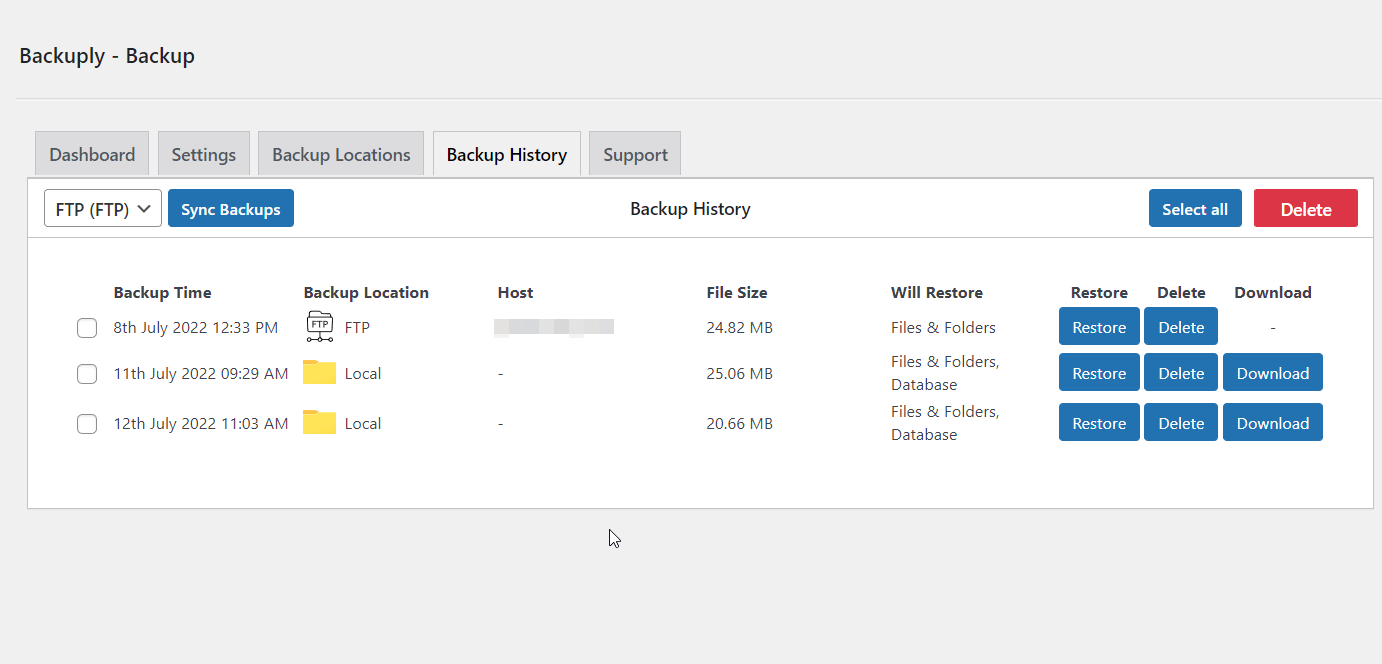

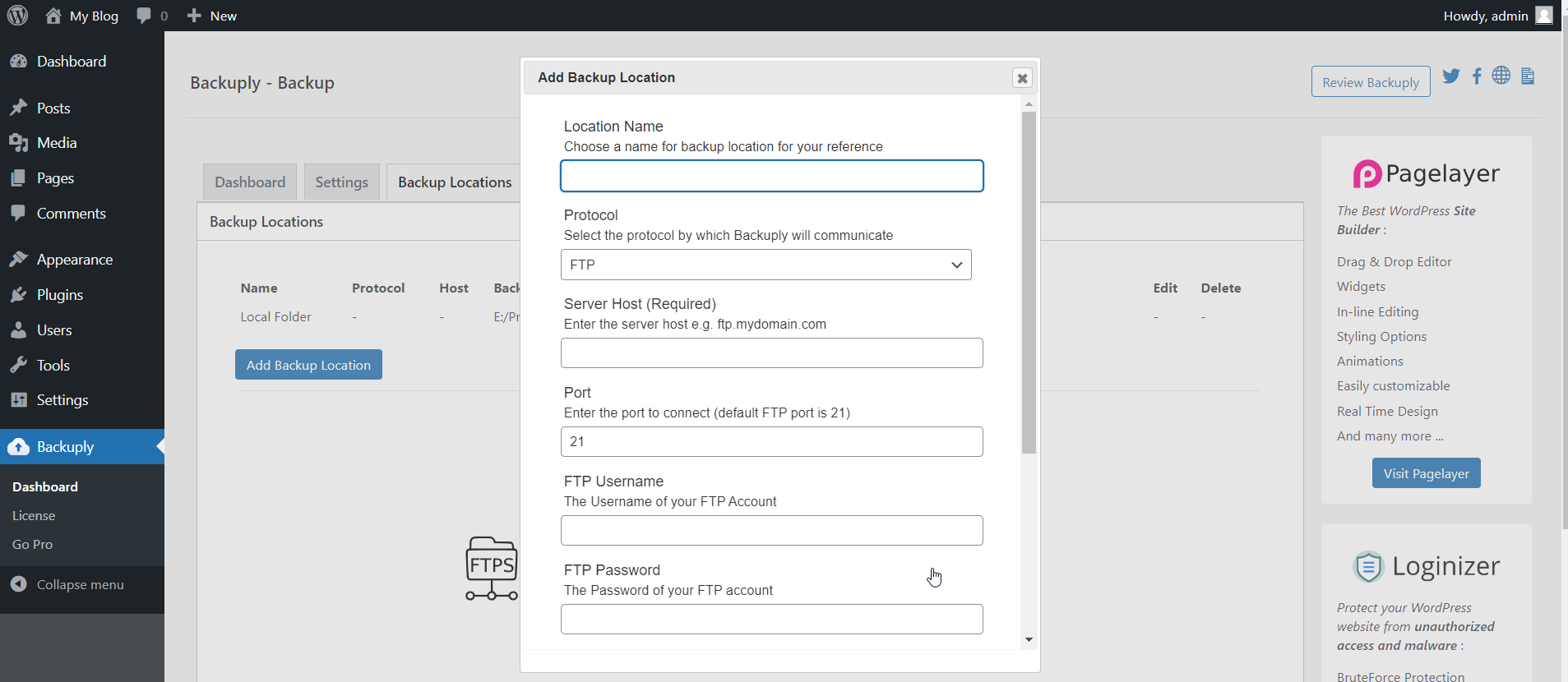
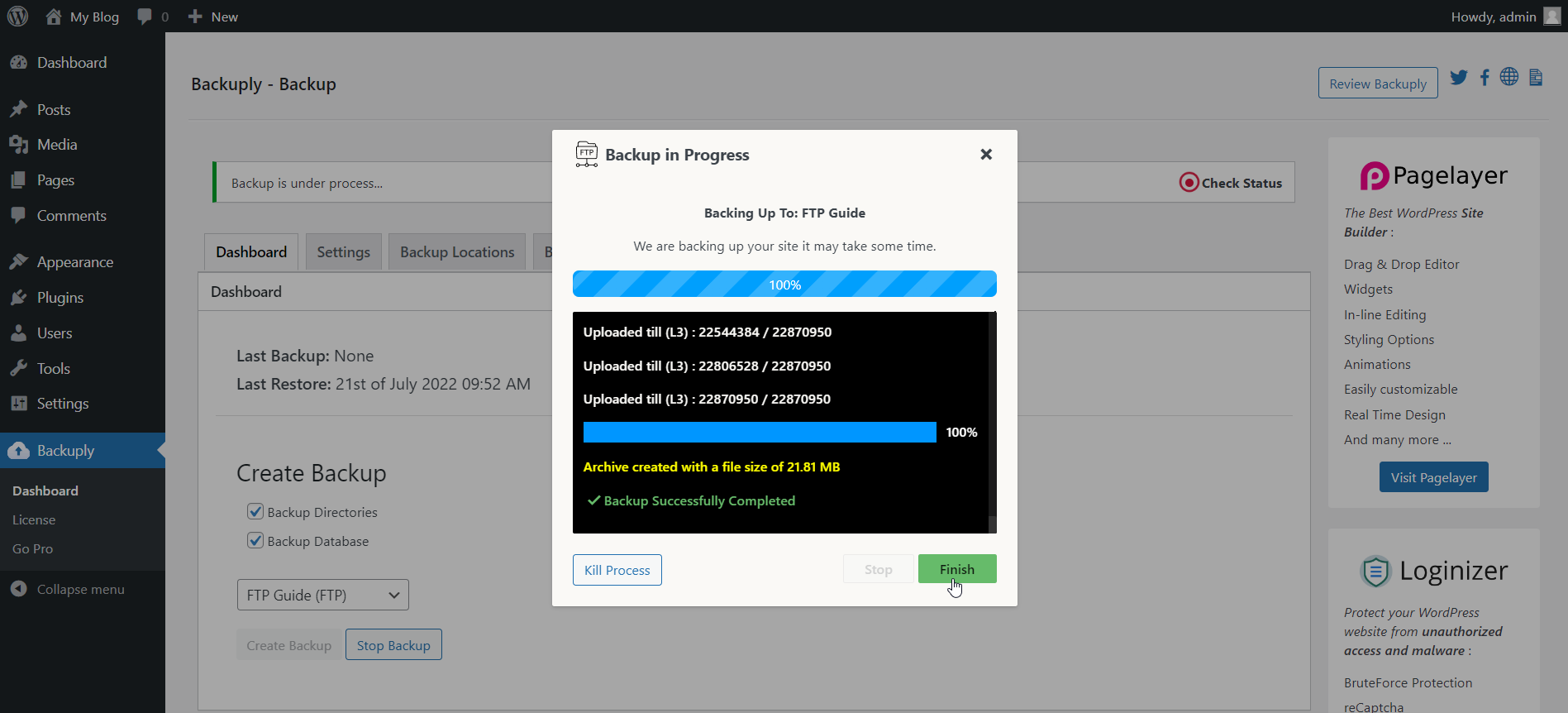
FAQ
¿Tienes preguntas relacionadas con Backuply? Usa los siguientes enlaces:
Reseñas


Colaboradores y desarrolladores
«Backuply – Backup, Restore, Migrate and Clone» es un software de código abierto. Las siguientes personas han colaborado con este plugin.
Colaboradores

«Backuply – Backup, Restore, Migrate and Clone» está traducido en 7 idiomas. Gracias a los traductores por sus contribuciones.
Traduce «Backuply – Backup, Restore, Migrate and Clone» a tu idioma.
¿Interesado en el desarrollo?
Revisa el código , echa un vistazo al repositorio SVN o suscríbete al registro de desarrollo por RSS.
Registro de cambios
1.5.8 (23rd September 2026)
- [Improvement Pro] Added Code Signing: Every update now verifies the code signature to ensure secure updates.
1.5.7 (2nd September 2026)
- [Bug-Fix] All cookies were not being passed in a backup request, that has been handled now.
- [Bug-Fix] Restore was showing to have failed security check, this has been fixed.
- [Bug-Fix] On migration the maintenance mode was not getting started because of wrong path, fixed now.
- [Bug-Fix] In certain cases, when attempting to make a final call after import of DB in restoration process the database connection would not respond, this has been handled.
1.5.6
- [Bug-Fix] There was an issue related to Windows path that has been fixed, reported by «Youssef EL MSIYAH»
1.5.5
- [Feature Pro] pCloud Backup location support added.
- [Improvement] noabort rule for LiteSpeed cache was added earlier if litespeed PHP extension was present, now it adds based on PHP SAPI or SERVER_SOFTWARE.
- [Improvement] Option to scan and add LiteSpeed noabort rule added to Backuply support tab.
- [Bug-Fix] There was a Google Drive access token cache issue, that has been fixed.
1.5.4 (21st July 2026)
- [Feature Pro] Option to trigger Backup when updating WordPress Core.
- [Improvement] Added Self Diagnosis, help knowing if some firewall is blocking Backuply’s requests, and quick access to Backuply debug logs.
- [Bug-Fix] There was an issue with the quota updating, if 2 locations of same Cloud location type were added.
- [Bug-Fix] Minor UI fixes caused because of incompatibility with the new WordPress 7.0.
- [Task] backup-migration and backup folders inside wp-content won’t be backed up.
1.5.3 (27th May 2026)
- [Improvement] Added option to use custom Backup rotation.
- [Bug-Fix Pro] When AWS and AWS compatible locations were edited they were changing the base backup path, this has been fixed.
- [Bug-Fix] There was an issue when activating of the Backuply plugin on Multi Site, this has been fixed.
- [Task] Tested with WordPress 7.0.
1.5.2 (26th February 2026)
- [Improvement] Backup history is now sorted based on time, with recent backups at the top.
- [Improvement] Backup history now includes pagination, displaying 20 backups per page.
- [Bug-Fix] On backup database connection was not closing after usage, which cause issue for a user, this has been fixed.
- [Task] .htaccess file has been excluded from restoration, it causes issue if environment of the server changes.
- [Task] Adding Cache burst in case where backup requests were hitting Cloudflare cache.
1.5.1 (14th November 2025)
- [Bug-Fix] Backups could get stuck when certain special characters were present in file names.
- [Bug-Fix] An issue with uploading backups to Backuply Cloud and AWS has been resolved.
- [Bug-Fix] On some servers, the status logs stopped updating during backups because the server flagged the update requests as a loop. This issue has been addressed.
1.5.0 (30th September 2025)
- [Bug-Fix Pro] Custom cron key was getting updated on every update which was breaking Auto Backups for the users who were using Custom cron, this has been fixed.
- [Bug-Fix] There was an issue with restore from custom locations, this has been fixed.
1.4.9 (17th September 2025)
- [Improvement Pro] Now you can use any S3 Compatible storage with Backuply.
- [Bug Fix] Improved variable sanitization.
1.4.8 (2nd September 2025)
- [Bug-Fix] There was an issue with migration, when WP_HOME and WP_SITEURL constants were set in the wp-config.php of the backup.
- [Task] All .log files will be excluded form backups.
- [Task] Minor refactor of the code.
1.4.7 (23rd July 2025)
- [Bug-Fix Pro] For some cases, upload to OneDrive was getting stuck because OneDrive’s servers were either breaking the request abruptly or not responding. This has been fixed.
- [Bug-Fix] In certain cases, the info file and version file were not getting added to the backup; this has been fixed.
- [Bug-Fix] Size of a file uploaded through FTP was showing wrong when the backup size was more than 2GB; this has been fixed.
- [Task] Backuply now handles UTC-based time zones as well. Earlier, it used to handle just the city-based based timezones of WordPress General settings.
1.4.6 (17th June 2025)
- [Bug-Fix] There was issue with restore on sites where Cyrillic characters were getting used, this has been fixed.
- [Bug-Fix] In some specific case, backups were getting corrupt, due to some files were getting updated while the backup was happening so some default exclusions have been added.
- [Task] Backuply will add LiteSpeed noabort rule in the htaccess file on install. LiteSpeed’s default config was causing issue with backups for some users.
1.4.5 (April 30th 2025)
- [Task] Tested with WordPress 6.8.
- [Task] Added Environment info in the support tab for easier debugging.
- [Task] Cleanup of WP Cron after uninstall.
1.4.4 (April 7th 2025)
- [Improvement] Backup upload speed has been improved, so now uploads will be faster.
- [Improvement] Cleanup after restore has been made better.
- [Security Improvements] Made some files at restore more random.
- [Bug-Fix] On restore failure, email notification was not getting sent, this has been fixed.
- [Bug-Fix] If the backup file tar.gz was not there on the remote storage and a attempt to restore was made then the restore was stuck in download loop, this has been fixed.
1.4.3 (February 10th 2025)
- [Bug-Fix] There was an issue which was causing downloaded file to be of size 0, this has been fixed.
1.4.2 (January 17th 2025)
- [Bug-Fix] For some users the download file was returning different file name, this has been fixed.
- [Improvement] Restore was getting blocked in case where htaccess rules had some blocking rule, this has been handled.
1.4.1 (November 29th 2024)
- [Improvement] The backup logs were overwhelming the browsers of some users, we have improved that by just logging the required info which reduces the backup logs.
1.4.0 (November 19th 2024)
- [Task] Made some internal code changes.
1.3.9 (November 18th 2024)
- [Task] Improved some internal codes and tested the same.
1.3.8 (November 4th 2024)
- [Task] Tested with WordPress 6.7
- [Bug-Fix] Settings page was getting killed when some data was not integer.
- [Bug-Fix] functions.php was loading later than few of the registered hooks, which was causing issue to some users this has been fixed.
1.3.7 (October 21th 2024)
- [Improvement] Added retries in Backuply cloud upload.
1.3.6 (September 24th 2024)
- [Improvement] Error reporting has been improved.
- [Task] Improved license handling.
1.3.5 (September 13th 2024)
- [Security-Fix] A security issue reported by bart[WordFence], has been fixed.
- [Improvement] Serialization fix has been improved, its now atleast 100 times faster now.
1.3.4 (September 6th 2024)
- [Improvement] Restores are now faster.
- [Bug-Fix] There was an issue with serialization fix, that has been fixed.
- [Bug-Fix] On some servers backup request was getting blocked as WordPress’s default User Agent add url too in it which some servers and firewalls sees to be suspicious, this has been fixed.
1.3.3 (July 27th 2024)
- [Improvement] Restore timeouts have been improved to handle restores easily on the slow servers.
- [Improvement] Downloads of local backpup will be handled directly by the browser now.
- [Task] Tested with WordPress 6.6.
- [Bug-Fix] There was an issue adding Backuply Cloud, if the user has reached quota limit, that has been fixed.
1.3.2 (June 19th 2024)
- [Improvement] Restores work better now, will go in maintenance mode when restoring database to prevent noise from WordPress or plugin functionalities, which could break the restore sometimes.
- [Improvement] We have refactored Google Drive lib and it will improve the speed of download when restoring by around 10%.
- [Improvement] Backups will sync just after they are uploaded, using Backuply’s upload module.
- [Bug-Fix] PHP warnings on backup_ins.php has been fixed.
- [Bug-Fix] PHP warnings when deletion of backups has been fixed.
1.3.1 (May 09th 2024)
- [Bug-Fix] There was a issue with restore for some user, where Backuply was unable to unzip, that has been fixed.
- [Bug-Fix] There was an issue with migration in case when the wp-config.php file was not writable, that has been fixed.
- [Bug-Fix] sanitize_file_name function was adding a _ in the file names which was preventing downloads for some domains, which has been fixed.
- [Bug-Fix] Some PHP warnings has been fixed.
1.3.0 (April 16th 2024)
- [Bug-Fix] There was issue downloading Backups for some users that has been fixed.
- [Bug-Fix] There was an issue connecting to Database when the database was being served over a socket, that has been fixed.
- [Bug-Fix] There was issue in using Custom Cron for Bcloud users that has been fixed.
- [Bug-Fix] For some of the OneDrive users there was a error when trying to add the Backup location, that has been fixed.
1.2.9 (March 26th 2024)
- [Bug-Fix] There was an issue with download for some user because of their WordPress not supporting tar or gz mime types, this has been fixed.
- [Bug-Fix] There was an issue when syncing a backup uploaded manually which originally belonged to backup location other than Local Folder, would not show in the Backup History, that has been fixed.
- [Task] Tested with WordPress 6.5.
1.2.8 (March 13 2024)
- [Improvement] We have made improvements to make Backup Downloads better.
1.2.7 (February 16 2024)
- [Bug-Fix] Version 1.2.5 got included in the plugin package, this release is to fix that.
1.2.6 (February 08 2024)
- [Security-Fix] In some cases it was possible to fill up the logs and has been fixed. Reported by Villu Orav (WordFence)
- [Bug-Fix] There was issue while restoring which has been fixed.
- [Bug-Fix] There was an issue uploading backup file, in which in the name of uploaded backup a _(underscore) was getting added due to a WordPress sanitization function which have been fixed.
1.2.5 (February 01 2024)
- [Bug-Fix] There was an issue uploading backup on Safari Browser that has been fixed.
1.2.4 (January 25 2024)
- [Feature] Option to upload backup files to the user server, directly form the plugin.
- [Improvement] A suggestion made by Bence Szalai to add limit on admin access on Exclude list folder.
- [Improvement] Made the settings of Custom Auto Backups simpler.
- [Bug-Fix] There was an issue with deletion in Backup rotation which has been fixed.
1.2.3 (January 18 2024)
- [Feature] Option to add notes to every manual backups.
- [Bug-Fix] The /backuply/backups folder was getting filled with tmp files or the backup files in case of faliure, which has been fixed, by adding a daily Cron to clean it.
- [Bug-Fix] Backuply Cloud storage was not getting updated on deletion or Creation of backups, it has been fixed.
- [Bug-Fix] cPgaurd was blocking restores, this has been fixed.
- [Bug-Fix] There was an issue while auto backup where security check was failing which has been fixed.
- [Tweak] Backup Rotation was happening before creation of Backup, which is risky, this has been changed to delete after successful backup.
1.2.2 (December 15 2023)
- [Security-fix] There was a privilege check failure which has been fixed.
1.2.1 (December 07 2023)
- [Structural Change] We have made some structural changes, now Backuply Free will be required for the Pro version to work.
- [Improvement] Now you can check quota of backup locations like OneDrive, Dropbox, and Google Drive.
- [Bug-Fix] There was issue with updation of Backuply Cloud quota which has been fixed.
- [Bug-Fix] There was issue while restoring using SFTP and FTPS which has been fixed.
- [Bug-Fix] There were some warnings on the settings page which has been fixed.
- [Bug-Fix] There was an issue related to deletion of Backuply Cloud backups when storage limt reached, which has been fixed.
1.2.0 (November 06 2023)
- [Improvement] While restoring the permission of the root folder wont be updated.
- [Improvement] Logs have been improved to, while restoring all fatal error will be logged in Backuply logs.
- [Bug-Fix] There was a conflict with a few SMTP plugins, which has been fixed.
- [Bug-Fix] There was issue unsetting Email notification field which has been fixed.
- [Bug-Fix] On some servers the restore was failing as it was not able to create files, that has been fixed.
- [Task] Tested with WordPress 6.4.
1.1.9 (October 05 2023)
- [Tweak] Now the timezone of the Backup will be the timezone of the WordPress.
- [Tweak] Memory limit fatal error will be logged in Backuply backup progress.
- [Bug-Fix] There was a function incompatibility issue when creating Backup to FTP.
- [Bug-Fix] There was a issue in FTPS when uploading the file, which has been fixed.
- [Bug-Fix] There was an issue with migration of website when migrating from / to /example, which has been fixed.
1.1.8 (August 24 2023)
- [Bug-Fix] There was issue while restoring, some users were getting error of unable to unzip, that has been fixed.
- [Tweak] Nag timings where updated.
- [Tweak] Database backups created after version 1.1.7 will delete old tables progressively while restoring, instead of deleting them all at once. This is to reduce the chance of breaking the site if something goes wrong during the restore process..
1.1.7 (July, 25 2023)
- [Feature] Option to download Backuply Cloud backups.
- [Bug-Fix] There was an issue for some users while restoring, with a fatal error of duplicate entry in database restore, which has been fixed.
- [Tweak] The chunk size of Google Drive while restore has been increased to improve the speed of download.
1.1.6 (July, 05 2023)
- [Bug-Fix] There was an issue while restoring of backup not able to unzip that has been fixed.
- [Bug-Fix] There was an issue while downloading backup through Backuply while restoring, that has been fixed.
1.1.5 (June, 29 2023)
- [Bug-Fix] There was issue with Auto Backups for Trial users that has been fixed.
- [Bug-Fix] There was an issue while connecting to Backuply through the trial promo.
1.1.4 (June, 24 2023)
- [Feature] Backuply Cloud now provides 10GB of default space which was set as 1 GB previously.
- [Bug-Fix] The quota of Backuply Cloud was not showing properly.
- [Bug-Fix] On restore a info file was not getting delete after completion of restore that has been fixed.
1.1.3 (June, 13 2023)
- [Feature] Now use Backuply Cloud as your Backup location to keep your website safe.
- [Bug-Fix] There was an issue with Gdrive, backup was getting stuck.
- [Bug-Fix] A user faced a fatal error while listing backups that has been fixed.
1.1.2 (April, 3 2023)
- [Bug-Fix] For some user backup was completing but not creating backup of all directories when backup of Database and Directories was selected that has been fixed.
- [Bug-Fix] Backup was failing at 100% when creating backup to Google Drive that has been fixed.
- [Bug-Fix] There was an issue while deleting local backups thats has been fixed.
1.1.1 (March, 31 2023)
- [Bug-Fix] There was an issue with Backup and restore on sites with broken SSL that has been fixed.
- [Task] Tested with WordPress 6.2.
1.1.0 (February, 13 2023)
- [Feature] Added Support for Wasabi S3 Compatible Object Storage.
- [Feature] Local backups created in Backuply version 1.1.0 and above can be synced.
- [Tweak] To initiate backup we were dependent on WP CRON, which was causing issue for some of our users, as WP Cron was getting stuck. So now manual backup dosen’t uses WP CRON, WP CRON in backuply is only used by Automatic Backups.
1.0.9 (December, 24 2022)
- [Security-Improvement] Removed all app keys.
- [Security-Improvement] Made restore logs even more secure with more randomness
1.0.8 (December, 22 2022)
- [Security-Fix] Added index.html file and web.config to improve the protection of the backup folder.
- [Security-Fix] Made the backup folder have random strings to make the name be unpredictible.
- [Bug-Fix] There was an issue while creating database backup for some users that has been fixed.
- [Bug-Fix] There was issue loading last logs for some uses, that has been fixed.
- [Bug-Fix] For some user while downloading the Local Backup the progress bar was not updating that has been fixed.
- [Removed] Installing Backuply Pro from the Free version as per the WordPress guidelines.
1.0.7 (December, 19 2022)
- [Security-Fix] The Google Drive App Secret key of Backuply was committed in the code. This is fixed. We have issued a new secret as well !
1.0.6 (December, 12 2022)
- [Bug-Fix] There was an issue while saving the additional file in settings page that has been fixed.
- [Bug-Fix] Issues related to PHP 8.1 and 8.0 compatibility have been fixed.
- [Bug-Fix] There was an issue while creating backuply config for some users that has been fixed.
- [Bug-Fix] When selecting check all files in Additional file option, all databases were getting selected to in exclude database, that has been fixed.
- [Bug-Fix] When selecting auto backup time the auto backup options weren’t visible for some users that has been fixed.
- [Bug-Fix] For some users the backup was getting stuck at 17% sometimes that has been fixed.
1.0.5 (November 15, 2022)
- [Feature] Added support for WP-CLI, you can perform backup, restore, and sync right from your terminal.
- [Task] We have improved the promotion nags, so it doesn’t cause inconvenience to our users.
- [Bug-Fix] There was a PHP warning being shown while syncing or downloading from Dropbox that has been fixed.
- [Bug-Fix] There was an issue while deleting GDrive backups that has been fixed.
1.0.4 (October 14, 2022)
- [Feature] Added support for S3 Compatible backup locations like DigitalOcean Spaces, Linode Object Storage, Vultr Object Storage, and Cloudflare R2.
- [Feature] Added support for Server Side Encryption for AWS.
- [Task] Google Drive is now available for all users.
- [Bug-Fix] Part Number while downloading for restore in AWS had an issue. That has been fixed.
- [Bug-Fix] For some user restore was getting stuck at repairing database status, that has been fixed.
1.0.3 (September 20, 2022)
- [Improvement] Added Backup Download progress
- [Task] The Backuply nag will now appear after 7 days instead of 1 day.
- [Bug-Fix] The last backup time was shown from 1970 when no backup was created. This has been fixed.
- [Bug-Fix] Backup on Google was failing for some users. This has been fixed.
- [Bug-Fix] On failure, in some cases the partial backup file was not cleaned. This has been fixed.
- [Bug-Fix] At times, the backup nag was not getting dismissed. This has been fixed.
1.0.2 (August 18, 2022)
- Exclude Files, Directories or Database tables from a backup
- Logs for every backup
- Minor bug fixes
1.0.1 (July 22, 2022)
- Added Last Logs of Backups and Restore
1.0.0 (July 21, 2022)
- Released Plugin