
Descripción
Do you sell on Bol.com as well as in your own WooCommerce shop? Then you are probably working in two systems at once: copying orders by hand, tracking stock separately, and switching back and forth between your Bol seller account and your own dashboard.
This plugin is a Bol.com integration for WooCommerce: every five minutes it syncs your open Bol.com orders and imports them as real WooCommerce orders. From that moment on you handle them exactly like your own: the same order list, the same packing slips, the same reports. No separate connector or subscription service needed — the plugin talks directly to the Bol.com Retailer API.
What the plugin does
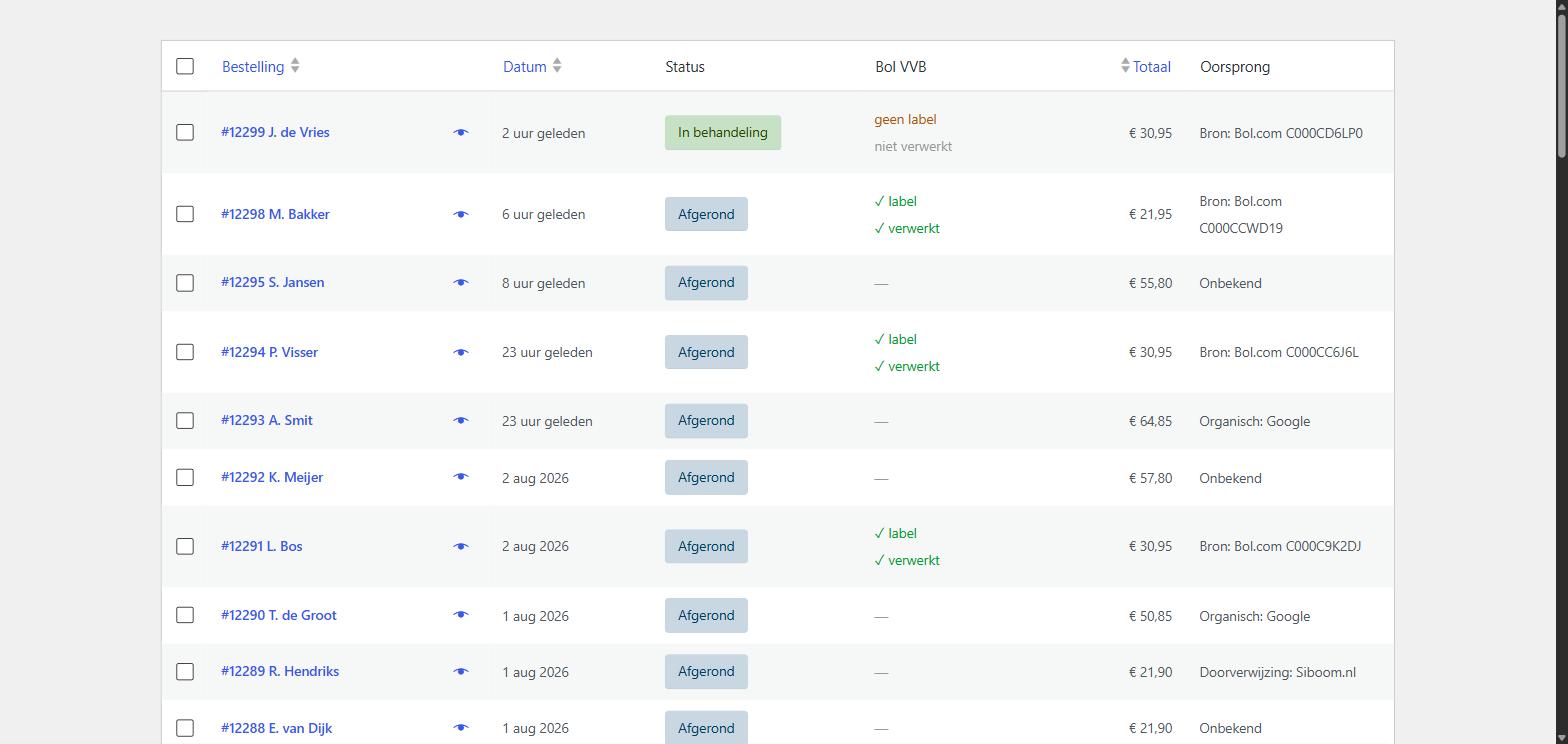
- Fetches orders. Every five minutes the plugin checks whether new open orders are waiting at Bol.com. New orders are created as WooCommerce orders with the status «Processing».
- Matches products. Order lines are matched to your own products by EAN, so your WooCommerce stock follows along. For variable products the correct variation is selected.
- Complete customer details. Name, shipping address and billing address are included, along with the VAT number for business orders.
- Visible origin. Your order list shows which orders came from Bol.com, including the Bol order number.
- No duplicate orders. Every Bol order is imported only once, even if you previously used a different Bol connector.
- No unwanted emails. By default WooCommerce sends no order confirmation for Bol orders, because Bol.com already informs those customers.
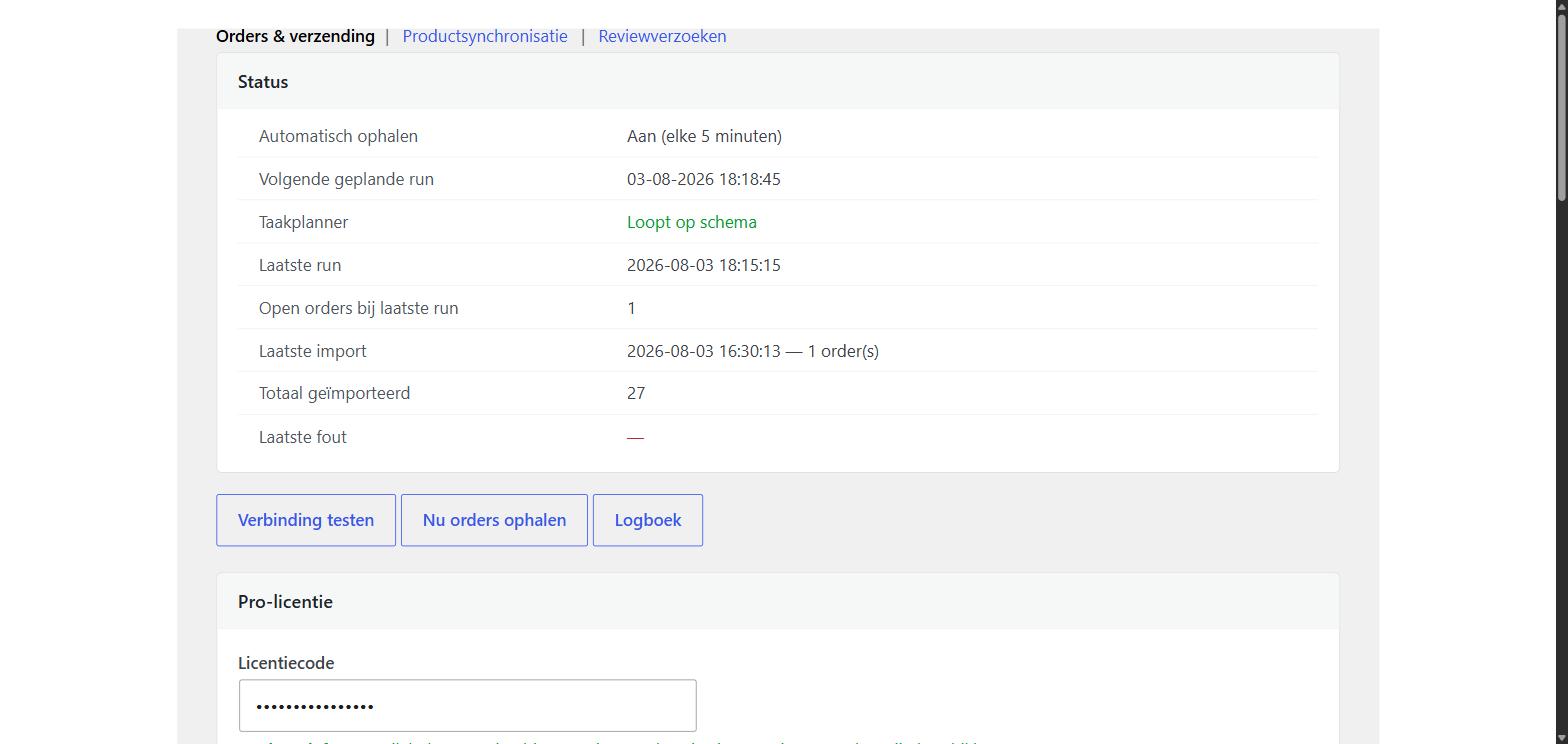
- Insight when something goes wrong. A log shows what was fetched and what failed, including the literal message from Bol.com.
What you need
A Bol.com seller account and an API key. You create that yourself at partner.bol.com under Settings, API. Enter the Client ID and Client Secret in the plugin and click «Test connection».
External service
This plugin communicates with the Bol.com Retailer API (api.bol.com) to fetch your orders. This happens only with the API key you enter yourself, and only to retrieve your own order data. No data is sent to any other party and nothing about your website is collected.
Authentication runs through login.bol.com, which issues the access token needed for each request.
- Bol.com Retailer API documentation: https://api.bol.com/retailer/public/redoc/v10/retailer.html
- Bol.com terms of use: https://www.bol.com/nl/nl/tc/gebruikersvoorwaarden-zakelijke-verkopen-via-bol-com/
Extension
A separate Pro extension is available with shipping labels, automatic shipment reporting, product synchronisation and review requests. It is not required to use this plugin: everything described above works without limits and without restrictions.
Capturas
Instalación
- Install and activate the plugin.
- Go to WooCommerce, Settings, Bol.com.
- Enter your Client ID and Client Secret. You create these at partner.bol.com under Settings, API.
- Click «Test connection». You will see how many open orders are waiting.
- Click «Fetch orders now» to start immediately, or wait for the plugin to do it by itself.
Make sure your WooCommerce products have an EAN (in the SKU field or the GTIN field), otherwise order lines cannot be matched to a product.
FAQ
-
Are there any costs or limits to this plugin?
-
No. This plugin fetches an unlimited number of orders and keeps doing so. There is a separate Pro extension with extra features, but it is not needed to fetch orders.
-
How often are orders fetched?
-
Every five minutes. WordPress only runs scheduled tasks when visitors come to your site, so with little traffic it may be later. The plugin warns you when this happens structurally and explains how to solve it.
-
Does the plugin work with High-Performance Order Storage (HPOS)?
-
Yes. The plugin is compatible with the new WooCommerce order tables as well as with the classic storage.
-
My products are not matched to the order lines. Why not?
-
Matching is done by EAN. Make sure the EAN of 8 to 14 digits is in the SKU field or the GTIN field of the product. For variable products the EAN belongs on the variation, not on the parent product.
-
Do my customers receive an order confirmation from WooCommerce?
-
Not by default, because Bol.com already sends one. You can enable it in the settings if you want it anyway.
-
What happens to orders I imported earlier?
-
They are not created again. The plugin recognises orders by their Bol order number, even if they were imported earlier with a different connector.
-
In which languages is the plugin available?
-
English and Dutch. The plugin is fully translatable with Loco Translate or WPML.
Reseñas
No hay valoraciones para este plugin.
Colaboradores y desarrolladores
«Findit Order Sync for Bol.com» es un software de código abierto. Las siguientes personas han colaborado con este plugin.
Colaboradores
Traduce «Findit Order Sync for Bol.com» a tu idioma.
¿Interesado en el desarrollo?
Revisa el código , echa un vistazo al repositorio SVN o suscríbete al registro de desarrollo por RSS.
Registro de cambios
2.3.5
- Admin styles and the notice-dismiss script are now enqueued via wp_enqueue_style/wp_enqueue_script instead of printed inline.
- Removed bundled translation files; translations come from translate.wordpress.org.
2.3.4
- Renamed to Findit Order Sync for Bol.com.
- Output escaping and translator comments brought in line with the WordPress coding standards.
- Readme rewritten in English.
- Translations are now loaded by WordPress itself.
2.3.3
- Nonce values are now unslashed and sanitized, in line with the WordPress coding standards.
2.3.2
- The copy button for the system information did not work because of a quote in the code.
2.3.1
- Alignment of the upgrade banner matched to the settings cards.
2.3.0
- Pricing information on the Pro page inside the plugin.
- Fully translatable (English and Dutch included).
- Split: all paid features moved to a separate extension. This plugin no longer has any limits.
- Settings screen rearranged and given a support section with system information.
- Cleanup on uninstall: settings and data are no longer left behind.
- Warning when the WordPress task scheduler is falling behind, including how to fix it.
1.0.0
- First release: fetching orders from Bol.com and creating them as WooCommerce orders.