

Descripción
Replace your plugin stack with one lightweight toolkit
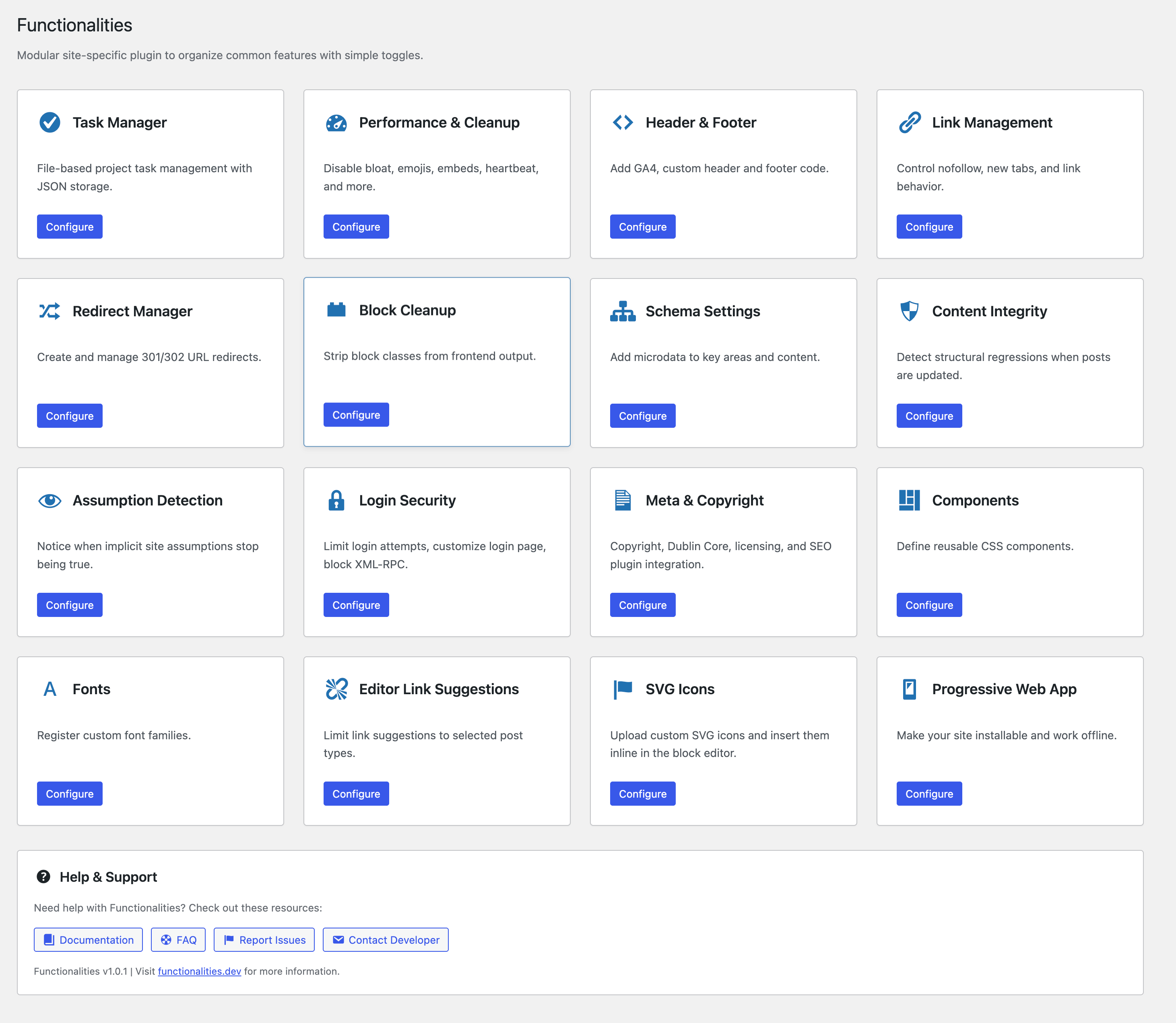
Dynamic Functionalities replaces the stack of single-purpose plugins most WordPress sites depend on. Instead of installing separate plugins for performance cleanup, redirect management, login security, schema markup, external link control, and code snippets, you get 16 purpose-built modules in one package that loads less code than most individual plugins.
Every module is independent. Enable what you need, disable what you don’t. Disabled modules load zero code.
Why Not Just Use Separate Plugins?
A typical WordPress site runs 5-10 utility plugins that each load their own CSS, JS, options, and database queries on every page load. Dynamic Functionalities consolidates these into a single plugin with shared infrastructure:
- One autoloader instead of 16 separate plugin bootstraps
- Shared options caching across all modules (static properties, not repeated DB calls)
- Zero frontend assets unless a module explicitly requires them
- Single admin menu instead of scattered settings pages
What It Replaces
Here’s what you can deactivate after installing Dynamic Functionalities:
- Redirection / Safe Redirect Manager / 301 Redirects — The Redirect Manager module handles 301, 302, 307, and 308 redirects with file-based storage (no database bloat)
- Limit Login Attempts Reloaded / WP Limit Login / Login LockDown — Login Security module covers login attempt limiting, lockout durations, XML-RPC blocking, and login error hiding
- External Links / WP External Links — Link Management module automates nofollow, new tab behavior, and exception lists with JSON preset support
- Schema Pro / Schema & Structured Data — Schema Settings module adds microdata with itemscope/itemtype support and BreadcrumbList JSON-LD
- Insert Headers and Footers / WPCode — Header & Footer Snippets module handles GA4 integration and custom code injection
- Asset CleanUp / Perfmatters — Performance & Cleanup module disables emojis, embeds, REST API links, XML-RPC, feeds, Gravatars, heartbeat, and more
- SVG Support / Safe SVG — SVG Icons module lets you upload and insert SVG icons inline in the block editor
- Use Any Font / Custom Fonts — Fonts module registers custom font families with @font-face, WOFF2/WOFF, variable font support, and Bricks Builder integration
- PWA for WP / Super Progressive Web Apps — Progressive Web App module makes your site installable with service worker support
Modules That Don’t Have Alternatives
Some modules solve problems no other free plugin addresses:
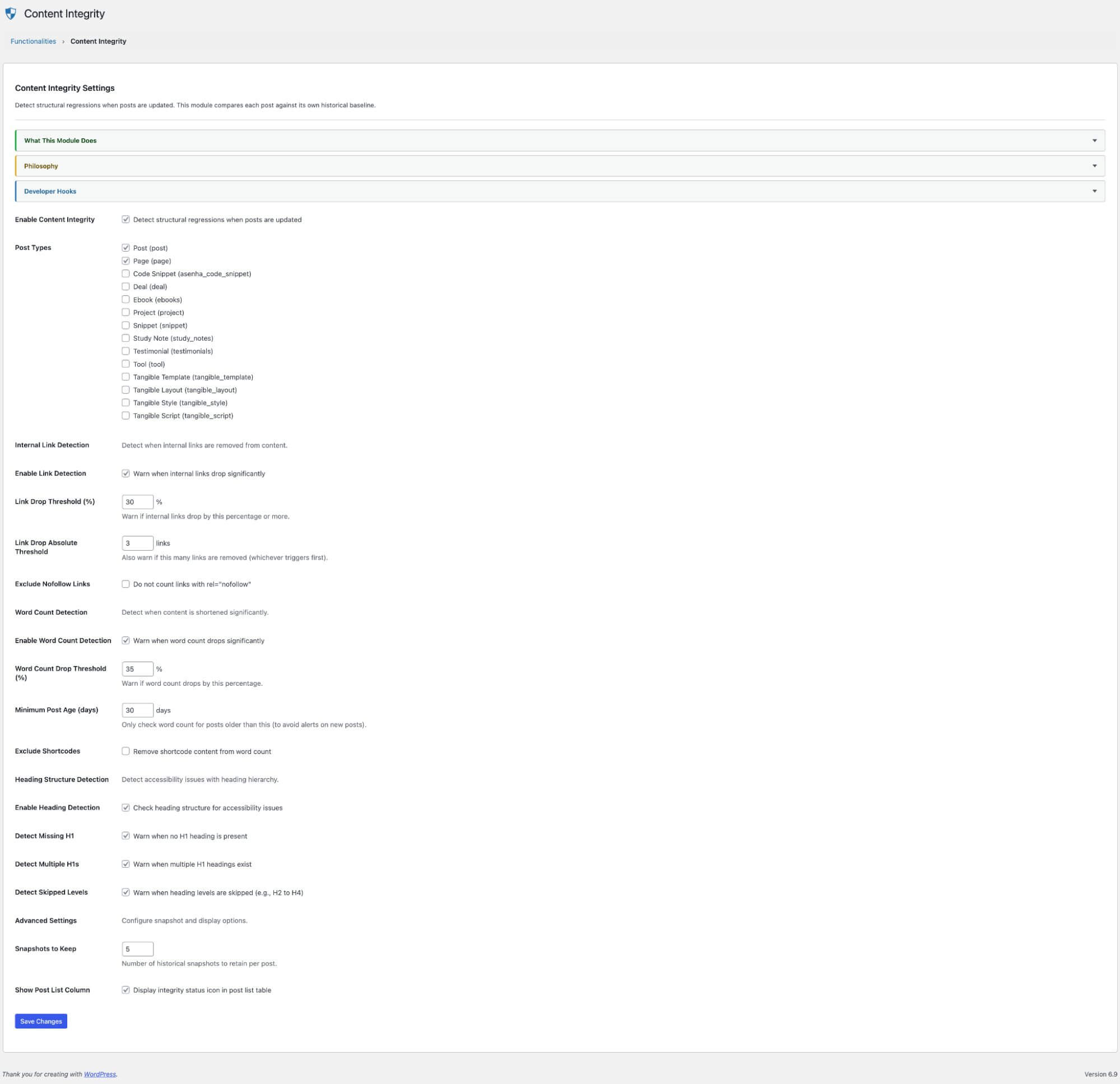
- Content Integrity — Monitors posts for structural regressions on update: dropped internal links, word count drops, heading structure changes. Catches accidental content loss before it goes live.
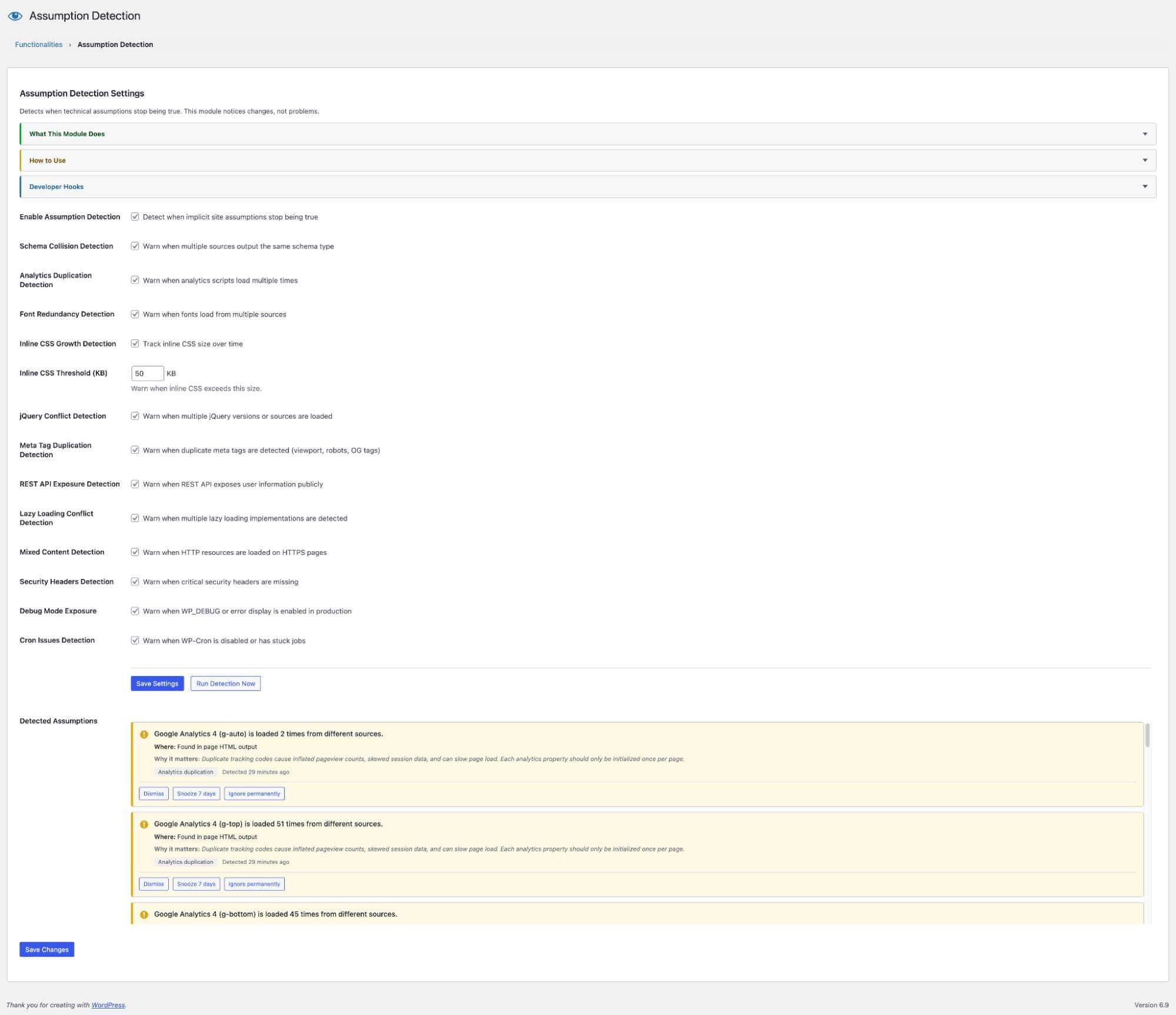
- Assumption Detection — Watches for technical assumptions that silently break: schema collisions from conflicting plugins, duplicate analytics tags, redundant font loading, missing expected elements.
- Components — Define reusable CSS components as selector + rules pairs. Auto-enqueued site-wide without a page builder or theme dependency.
- Task Manager — File-based project management inside WordPress admin. No external service, no database tables, no SaaS subscription.
- Block Cleanup — Strips wp-block classes from frontend HTML for sites that don’t need them. Cleaner markup, smaller DOM.
- Editor Link Suggestions — Limits the block editor link autocomplete to specific post types. Stops irrelevant suggestions from cluttering the link picker.
Performance First
- Modular & lazy loaded — Only active modules run code
- Static property caching — Options are read once per request, not on every hook
- Fast-exit content filters — strpos() checks before any regex or DOM parsing
- Transient caching — Heavy operations (JSON parsing, file I/O) are cached
- No frontend bloat — No CSS or JS loaded unless a module explicitly needs it
Developer Friendly
- Clean namespaced codebase:
Functionalities\Features\*,Functionalities\Admin\* - All hooks prefixed with
functionalities_for safe filtering - Every module exposes filters for customization
- PSR-4-like autoloader with zero dependencies
- GPL-2.0-or-later — fork it, extend it, contribute back
Documentation & Support
- Training — Step-by-step module walkthroughs
- GitHub Issues — Bug reports and feature requests
- WordPress.org Support — Community support forum
Capturas
Bloques
Este plugin proporciona 1 bloque.
- Svg Icon Block
Instalación
- Upload the
functionalitiesfolder to/wp-content/plugins/ - Activate through Plugins > Installed Plugins
- Go to Functionalities in the admin sidebar
- Enable the modules you need from the dashboard
Each module card shows what it does. Click Configure to access its settings. Modules you don’t enable load no code at all.
FAQ
-
Does this plugin slow down my site?
-
No. Dynamic Functionalities uses lazy-loading, static caching, and fast-exit checks across all modules. Most modules add zero frontend assets. The entire plugin loads less code than many single-purpose alternatives.
-
Can I use only specific modules?
-
Yes. Every module is independent. Enable only what you need. Disabled modules don’t register any hooks, load any files, or run any code.
-
Will this conflict with my existing plugins?
-
Most modules work alongside other plugins. If you already have a redirect plugin or login limiter, disable that module in Dynamic Functionalities to avoid overlap. The Assumption Detection module actually helps you find these conflicts.
-
Does it work with caching plugins?
-
Yes. Tested with WP Super Cache, W3 Total Cache, LiteSpeed Cache, and FlyingPress. No special configuration needed.
-
Does it work with page builders and block themes?
-
Yes. All modules work with classic themes, block themes, Elementor, Bricks Builder, GenerateBlocks, and other page builders. The Fonts module has native Bricks Builder integration — custom fonts appear in the Bricks typography picker and load inside the builder canvas.
-
Is the plugin compatible with Rank Math, Yoast, or other SEO plugins?
-
Yes. The Meta & Copyright module detects active SEO plugins and adjusts its behavior to avoid duplicate meta tags. Schema Settings works alongside SEO plugin schemas without conflicts.
-
How are redirects stored?
-
File-based JSON storage, not database tables. This means redirects load faster and don’t bloat your wp_options or create custom tables that survive uninstallation.
-
Can I migrate redirects from another plugin?
-
The Redirect Manager supports manual entry of 301, 302, 307, and 308 redirects. For bulk migration, export your existing redirects as CSV and add them through the interface.
-
What happens if I deactivate the plugin?
-
All settings are preserved in the database. Reactivate anytime and everything is restored.
-
How do I completely remove all plugin data?
-
Before uninstalling, go to the Functionalities dashboard and check «Delete all plugin data when uninstalling» under Data Management. This removes all options, post metadata, transients, and files created by the plugin. Without this checkbox, only the generated CSS file is removed — your settings are preserved in case you reinstall.
Reseñas
No hay valoraciones para este plugin.
Colaboradores y desarrolladores
«Dynamic Functionalities» es un software de código abierto. Las siguientes personas han colaborado con este plugin.
Colaboradores
Traduce «Dynamic Functionalities» a tu idioma.
¿Interesado en el desarrollo?
Revisa el código , echa un vistazo al repositorio SVN o suscríbete al registro de desarrollo por RSS.
Registro de cambios
1.4.7
- Added: When «Assign fonts to body text and headings» is enabled, the block editor canvas now receives explicit
.editor-styles-wrapperfont-family rules (the assigned family plus a system-font fallback) for body and headings, so the editor matches the front end even when the theme.json typography assignment doesn’t reach the iframe. - Fixed: Custom fonts now render inside the block editor canvas. The editor is an iframe (WP 6.3+/7.x) that ignores src-less inline styles, so
@font-faceis now injected through the editorstylessetting — the same channel the Font Library andadd_editor_style()use. - Fixed: Variable-font weight ranges with an out-of-spec low bound (e.g.
1 900) are normalized to100 900. WordPress was silently dropping these faces — and their entry in the editor font picker — when validating theme.json. - Fixed: Components module CSS now reaches the block editor canvas reliably via the editor
stylessetting. The previous inline fallback could not cross into the WP 7 iframe when the generated CSS file was unavailable. - Changed: Removed the redundant
admin_headfont print. It reached only the parent admin document, never the editor iframe, and is superseded by the editorstyleschannel. - Housekeeping: Documented a single source-of-truth matrix for the font-loading paths and removed stale per-file
@versiondocblocks that had drifted from the plugin version.
1.4.6
- Added: Character range (
unicode-range) support per font in the Fonts module — limit which characters trigger a font download for faster page loads - Added: Quick-pick presets in the admin UI for common subsets (Latin, Latin Extended, Greek, Cyrillic, Vietnamese, Punctuation/Symbols)
- Added:
unicode-rangeis also emitted into the theme.jsonfontFacedata layer so it propagates to the block editor - Security: Login Security no longer trusts
X-Forwarded-For/Client-IPheaders by default — these were spoofable on direct connections, allowing IP-based lockouts to be evaded or weaponized. Sites behind a trusted reverse proxy or CDN can opt in via the new «Trust Proxy Headers» setting. - Security: Login Security now validates client IPs through
FILTER_VALIDATE_IPwhen proxy headers are in use, dropping malformed values rather than hashing them into transient keys. - Fixed: Block Cleanup XPath query now safely escapes class names via a proper XPath 1.0 string-literal builder (
addcslasheswas the wrong escape function and silently failed on classes containing quotes). - Fixed: Snippets
kses_with_styles()placeholder collision —<style>extraction now uses a per-call random token so a snippet body containing the literal placeholder string can no longer corrupt the output. - Fixed: Fonts module admin badge now reflects the Style field (free-text input) instead of looking for a
<select>that doesn’t exist. - Fixed: Fonts module options static cache is invalidated automatically on
update_option_functionalities_fonts, preventing stale font lists when the option is updated mid-request. - Fixed: Task Manager AJAX handlers (Export, Delete, etc.) now register whenever in admin, so existing projects remain manageable even when the module is toggled off.
- Fixed: Task Manager card layout — widget badge now sits above the action row, so Open/Export/Delete align consistently across cards.
- Fixed: Help & Support buttons now have higher CSS specificity to defeat WP 7.0’s button reset.
1.4.5
- Added: WOFF and WOFF2 font file uploads now supported in the WordPress media library
- Security: Font uploads validated via binary magic-byte signatures to prevent malicious file uploads
1.4.4
- Fixed: Schema module
filter_article()now skips content with Vue/Alpine.js directives — prevents DOMDocument from corrupting JS framework templates - Fixed: Block Cleanup module
filter_content_cleanup()now skips content with JS framework directives - Refactored: Extracted Vue-safe DOMDocument guard into shared
Has_Dom_Parsertrait used by Link Management, Schema, and Block Cleanup - All three
the_contentfilters that use DOMDocument (priorities 12, 14, 999) are now protected against JS framework corruption
1.4.3
- Fixed: Link Management
process_content()now skips HTML containing Vue.js directives (v-cloak,v-if,v-show,:class,@click,{{ }}) - Fixed: DOMDocument re-parsing was corrupting Vue/React template syntax in themes like MyListing, causing explore pages to flash and disappear
- Improved: Early-exit check prevents unnecessary DOM parsing on content with JavaScript framework directives
1.4.2
- Fixed:
wp_ksesnow preservesdata-*attributes on<script>,<style>, and<link>tags in Header & Footer snippets - Fixed:
async,defer,nomodule,id,nonce,crossorigin, andasattributes no longer stripped from snippet tags for non-admin users - Fixed: Unified allowed-tags list between snippet output and save sanitization to prevent attribute drift
- Fixed: README.md version was outdated (still showed 1.4.0)
1.4.1
- Added: Opt-in «Delete all plugin data when uninstalling» checkbox on the dashboard — removes all options, post metadata, transients, and files on uninstall
- Fixed: Replaced all direct file_put_contents calls with WP_Filesystem API across Task Manager, Redirect Manager, and JSON file creation
- Fixed: Extracted duplicate CSS sanitization into a shared trait used by Components and Fonts modules
- Fixed: Removed sslverify => false from loopback HTTP requests in Assumption Detection
- Fixed: Disabled debug console logging in SVG Icons editor script
- Fixed: Removed dead code in admin UI script
1.4.0
- Added: Bricks Builder font integration — custom fonts appear in Bricks typography picker and load inside the builder canvas
- Added: PWA module prefills app name, short name, description, and icons from WordPress Settings and Site Icon
- Improved: Task Manager UI redesign — external CSS, card-based project grid, improved modals, hover task actions, polished column view
- Improved: Task Manager consistent spacing across all sections
1.3.3
- Improved: Snippets UI — collapsible cards, type badges (CSS/JS/Meta), inline label editing, icon buttons
- Fixed: Template index replacement no longer corrupts textarea attributes
- Fixed: kses_with_styles handles empty style tags and regex failures gracefully
1.3.2
- Added: Snippets repeater — multiple independently-toggleable code snippets per location (header, body open, footer)
- Fixed: CSS inside
<style>tags no longer stripped bywp_kses()for non-admin users - Removed: Legacy GT Nofollow Manager references and
gtnf_*filter hooks from Link Management - Improved: Auto-migration from single-string snippet format to repeater arrays
1.3.1
- Added: Public
Link_Management::process_content()helper for applying nofollow/new-tab rules to ACF fields, shortcode output, and custom templates - Fixed: Redirect Manager now strips query strings before matching, so
/old-page?utm=xcorrectly matches/old-page - Improved: Redirect Manager passes original query string through to destination URL
- Improved: Redirect Manager uses O(1) indexed lookup for exact matches instead of linear scan
- Improved: Redirect Manager defers hit counter writes to shutdown for faster redirects
- Added: Redirect loop detection at both creation time and runtime
- Fixed: Removed filler text from readme plugin alternatives list
1.3.0
- Added: WordPress 7 editor iframe compatibility for Fonts, SVG Icons, Content Regression, and Components modules
- Added:
enqueue_block_assetshandlers so editor CSS loads inside the WP 7 iframed block editor - Fixed: Query string stripping (
remove_query_strings) no longer strips version tags from admin/editor assets - Tested up to WordPress 7.0
1.2.0
- Changed: All 16 modules now require explicit activation — no module runs code until enabled
- Added: Enable/disable toggle to every module settings page
- Added: Toggle forms for Task Manager, Redirect Manager, and SVG Icons custom pages
- Fixed: Redirect Manager and Task Manager file paths now set before enabled gate to prevent empty-path errors in admin
1.1.1
- Fixed: PHPCS escaping compliance for all output variables
- Fixed: WordPress.org SVN tag version mismatch
- Fixed: Short description truncation (now under 150 chars)
- Fixed: Excluded landing-page.html and LICENSE from distribution
1.1.0
- Renamed to Dynamic Functionalities for WordPress.org
- Removed: FluentCart licensing module
- Removed: Premium barriers from all modules
- All features are now free and open source
- Added: WordPress.org plugin deploy workflow
- Added: Progressive Web App module
1.0.0
- Initial release with 15+ modules
- Updated: Modern dashboard UI with improved module cards
0.15.5
- Fixed: PHPCS compliance – added proper escaping, wp_unslash(), nonce verification comments, and translators comments across all modules
- Removed: GitHub Updates module (not permitted on WordPress.org)
- Added: readme.txt for WordPress.org submission
0.15.4
- Fixed: PHPCS compliance improvements
0.15.3
- Removed: Transient cache from Link Management JSON preset loader for realtime exception updates
0.15.2
- Removed: The Debugger module, as it is no longer necessary following the transition to a more stable shortcode-based icon system
0.15.1
- Fixed: Removed automatic conversion of icon tags to shortcodes on save
0.15.0
- Changed: SVG Icons now use the [func_icon name=»slug»] shortcode workaround for better stability
- Improved: Updated block editor to insert shortcodes directly into content
- Fixed: Render logic now gracefully handles unclosed icon tags on the frontend
0.14.0
- Fonts Module UI Overhaul: Completely rebuilt with modern card-based design
- Dynamic add/remove functionality for unlimited custom fonts
- WordPress Media Uploader integration for font uploads
0.13.0
- Added new features to Performance & Cleanup module
- Added wp_body_open support to Snippets module
- Added BreadcrumbList JSON-LD support to Schema module
- Added font preloading option to Fonts module
0.12.0
- Performance: Implemented custom autoloader for lazy-loading
- Performance: Added static property caching for options
- Performance: Optimized Schema module with regex instead of DOMDocument
- Performance: Added strpos fast-exit checks to all content filters
0.11.0
- Added: SVG Icons module with block and inline support
0.10.0
- Added: Redirect Manager module
- Added: Login Security module
0.9.9
- Added: Task Manager module
0.9.0
- Added: Content Regression Detection module
- Added: Assumption Detection module