

Descripción
kaddora-ai-chatbot helps website owners add an AI-powered chatbot to a WordPress website.
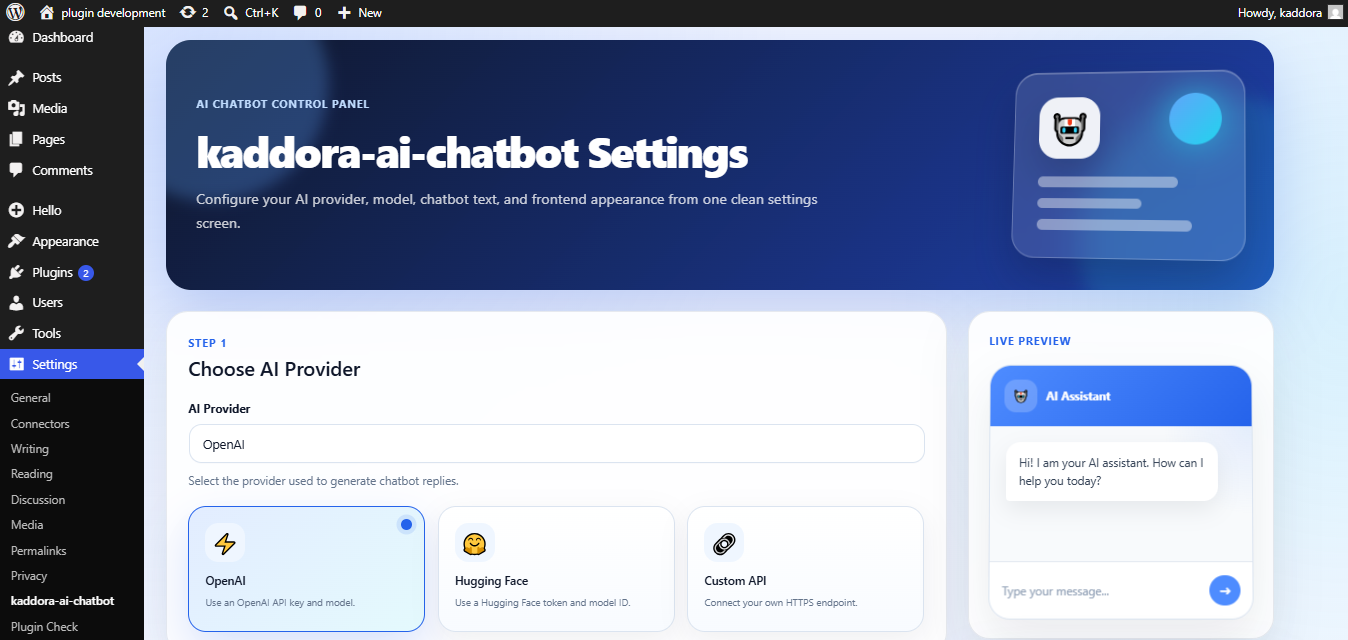
The plugin supports OpenAI, Hugging Face, and custom HTTPS API endpoints. Visitors can interact with the chatbot through a responsive floating chat widget or by using a shortcode on selected pages.
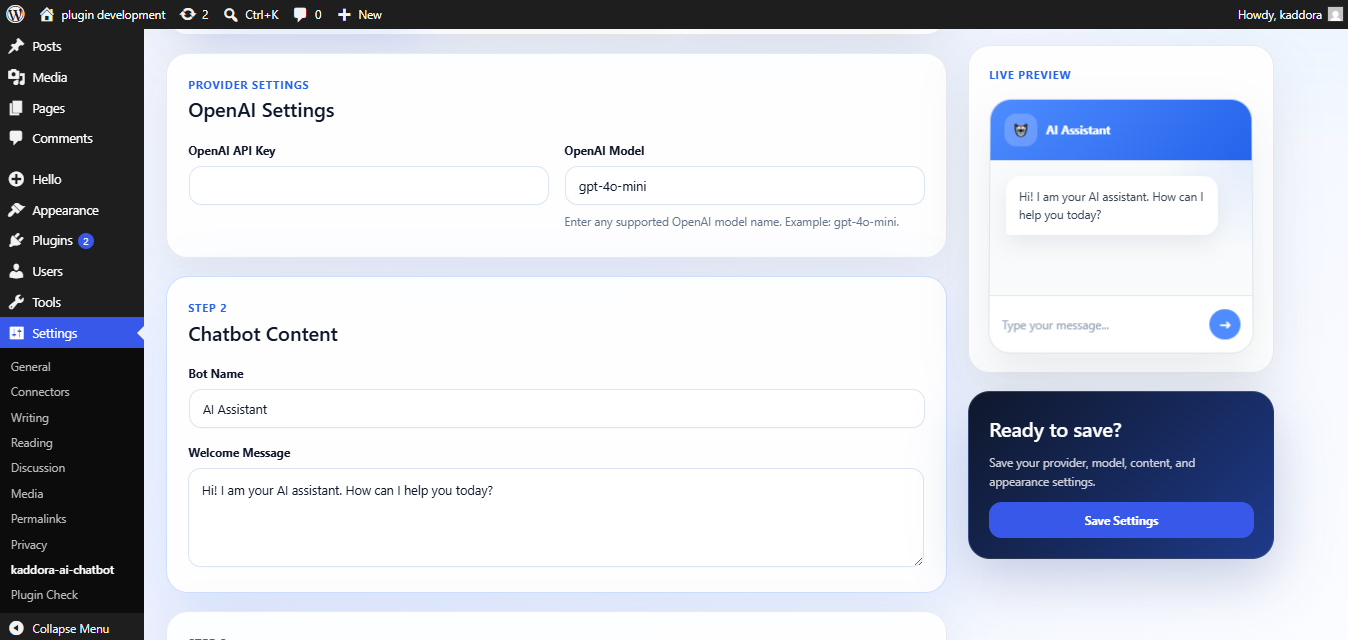
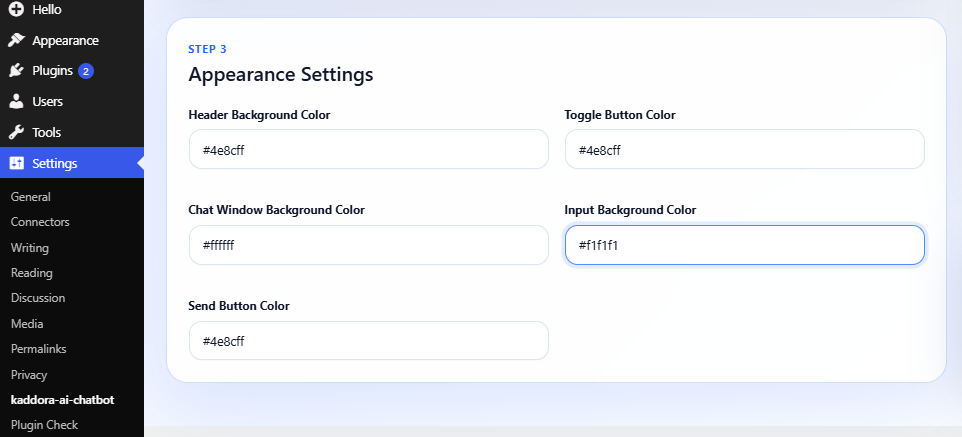
The plugin includes a settings page where the site administrator can select an AI provider, enter API credentials, configure the model name, customize the chatbot text, and adjust appearance settings.
Features
- OpenAI integration.
- Hugging Face integration.
- Custom HTTPS API endpoint support.
- Floating chatbot widget.
- Shortcode support.
- Responsive mobile-friendly interface.
- Custom welcome message.
- Custom chatbot title.
- Custom color settings.
- AJAX-powered messaging.
- WordPress nonce security.
- Translation-ready structure.
- Multisite compatible.
- Lightweight frontend assets.
Supported Providers
- OpenAI.
- Hugging Face.
- Custom HTTPS API endpoints.
Shortcode
Display the chatbot anywhere using this shortcode:
[kaddora_ai_chatbot]
External services
This plugin can connect to third-party AI services when the site administrator selects and configures an AI provider in the plugin settings.
The plugin does not send data to OpenAI, Hugging Face, or a custom endpoint unless the administrator enters the related API credentials and selects that provider.
Visitor chatbot messages are sent only when a visitor submits a message through the chatbot interface.
OpenAI
This plugin connects to the OpenAI API to generate chatbot replies when OpenAI is selected as the active provider.
Data sent to OpenAI:
- The visitor’s chatbot message.
- The configured OpenAI model name.
- The API request required to generate a chatbot response.
When data is sent:
- Data is sent only when a visitor submits a chatbot message and OpenAI is selected as the active provider.
Service provider:
OpenAI, L.L.C.
Terms:
https://openai.com/policies/services-agreement/
Privacy Policy:
https://openai.com/policies/privacy-policy/
OpenAI policies:
https://openai.com/policies/
Hugging Face
This plugin connects to the Hugging Face Inference API to generate chatbot replies when Hugging Face is selected as the active provider.
Data sent to Hugging Face:
- The visitor’s chatbot message.
- The configured Hugging Face model name.
- The API request required to generate a chatbot response.
When data is sent:
- Data is sent only when a visitor submits a chatbot message and Hugging Face is selected as the active provider.
Service provider:
Hugging Face, Inc.
Terms of Service:
https://huggingface.co/terms-of-service
Privacy Policy:
https://huggingface.co/privacy
Custom Provider
This plugin allows the site administrator to connect a custom HTTPS API endpoint.
Data sent to the custom endpoint:
- The visitor’s chatbot message.
- The configured model name, if provided.
- The API request required to generate a chatbot response.
When data is sent:
- Data is sent only when a visitor submits a chatbot message and Custom Provider is selected as the active provider.
Important:
The site administrator is responsible for ensuring that the custom API endpoint complies with applicable privacy, security, and data protection requirements.
Capturas
Instalación
- Upload the plugin files to the
/wp-content/plugins/kaddora-ai-chatbotdirectory, or install the plugin through the WordPress Plugins screen. - Activate the plugin through the «Plugins» screen in WordPress.
- Open
kaddora-ai-chatbotfrom the WordPress admin menu. - Select the preferred AI provider.
- Enter the required API credentials.
- Enter the model name supported by the selected provider.
- Save the settings.
- Use the floating chatbot widget or place the shortcode on any page.
FAQ
-
Does this plugin require an API key?
-
Yes. OpenAI and Hugging Face require their own API keys. Custom APIs may or may not require authentication depending on the endpoint configuration.
-
Does the plugin send data to external services?
-
Yes, but only when an AI provider is configured and selected by the site administrator. Visitor chatbot messages are sent to the selected provider to generate AI responses.
-
Can I use my own API endpoint?
-
Yes. Select the Custom Provider option and enter your custom HTTPS API endpoint and optional authorization token.
-
Can I enter the latest AI model manually?
-
Yes. The administrator can enter the model name supported by the selected provider.
-
Does the plugin work on mobile devices?
-
Yes. The chatbot interface is responsive and works on mobile, tablet, and desktop devices.
-
Can I place the chatbot on specific pages only?
-
Yes. Use the shortcode:
[kaddora_ai_chatbot]
-
Is this plugin multisite compatible?
-
Yes. The plugin supports WordPress Multisite installations.
Reseñas
No hay valoraciones para este plugin.
Colaboradores y desarrolladores
«kaddora-ai-chatbot» es un software de código abierto. Las siguientes personas han colaborado con este plugin.
Colaboradores
Traduce «kaddora-ai-chatbot» a tu idioma.
¿Interesado en el desarrollo?
Revisa el código , echa un vistazo al repositorio SVN o suscríbete al registro de desarrollo por RSS.
Registro de cambios
1.0.0
- Initial release.
- Added OpenAI integration.
- Added Hugging Face integration.
- Added custom HTTPS API support.
- Added floating chatbot widget.
- Added shortcode support.
- Added color customization settings.
- Added responsive design.
- Added AJAX-powered messaging.
- Added translation-ready structure.