
Descripción
Kirki es un constructor visual de formato libre para WordPress y un personalizador de temas avanzado que te permite diseñar y construir sitios web completos visualmente, sin programar.
A diferencia de los constructores de páginas tradicionales, Kirki utiliza un lienzo de formato libre infinito, lo que te da plena libertad creativa sin cuadrículas rígidas ni restricciones de diseño.
Construye páginas de destino, sitios web de negocios, blogs y sitios web completos con controles adaptables, contenido dinámico y potentes herramientas de diseño, todo dentro de WordPress.
Ver Kirki en acción:
🔥 ¿Por qué elegir Kirki?
Kirki combina un constructor visual moderno con el potente sistema de personalización de WordPress, para que puedas diseñar libremente sin sacrificar flexibilidad.
✔ Lienzo de formato libre: sin diseños ni restricciones rígidas
✔ Editor visual de arrastrar y soltar con control preciso
✔ Edición adaptable para escritorio, tableta y móvil
✔ Herramientas integradas (formularios, ventanas emergentes, contenido dinámico)
✔ Salida limpia y centrada en el rendimiento
✔ Funciona con cualquier tema de WordPress
✔ Diseñado para diseñadores, desarrolladores y equipos
🧱 Funciones principales
Constructor de sitios web visual
Diseña tu sitio web visualmente con control total.
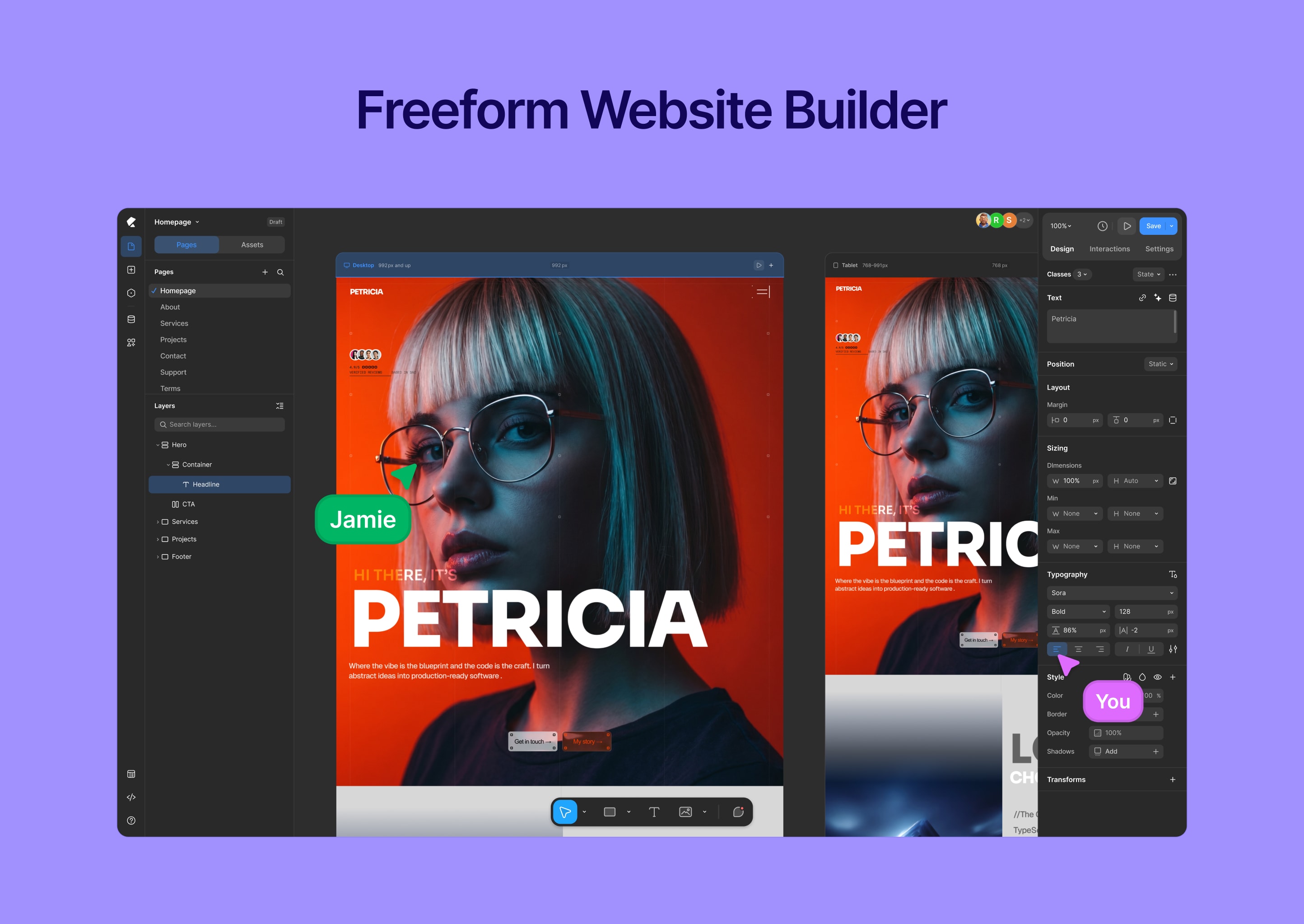
- Editor de arrastrar y soltar de formato libre
- Lienzo infinito: sin restricciones de cuadrícula o columnas
- Edición adaptable en tiempo real (escritorio, tableta, móvil)
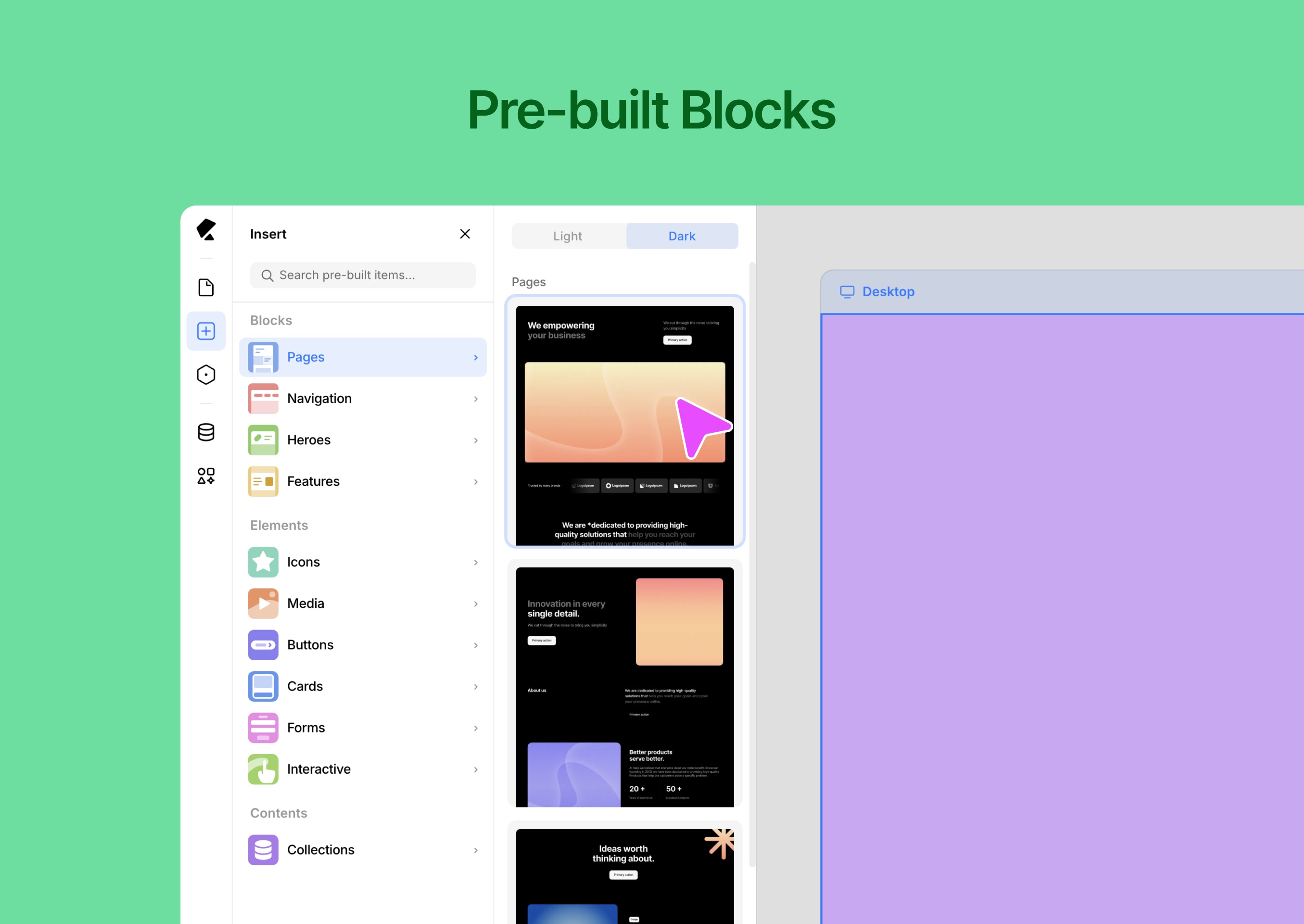
- Componentes prediseñados y bloques de diseño
- Estilos globales (colores, fuentes, espaciado)
- Historial de versiones y reversión
- Gestor de medios para recursos
- Interfaz de modo claro y oscuro
⚡ Contenido dinámico y funciones inteligentes
Construye sitios web escalables y basados en datos.
- Sistema de contenido dinámico (colecciones y plantillas)
- Controles de visibilidad condicional
- Atributos personalizados para control avanzado
- Extensibilidad fácil para desarrolladores
- Sistemas de diseño y componentes reutilizables
🎨 Plantillas y recursos de diseño
Empieza rápido y personaliza todo.
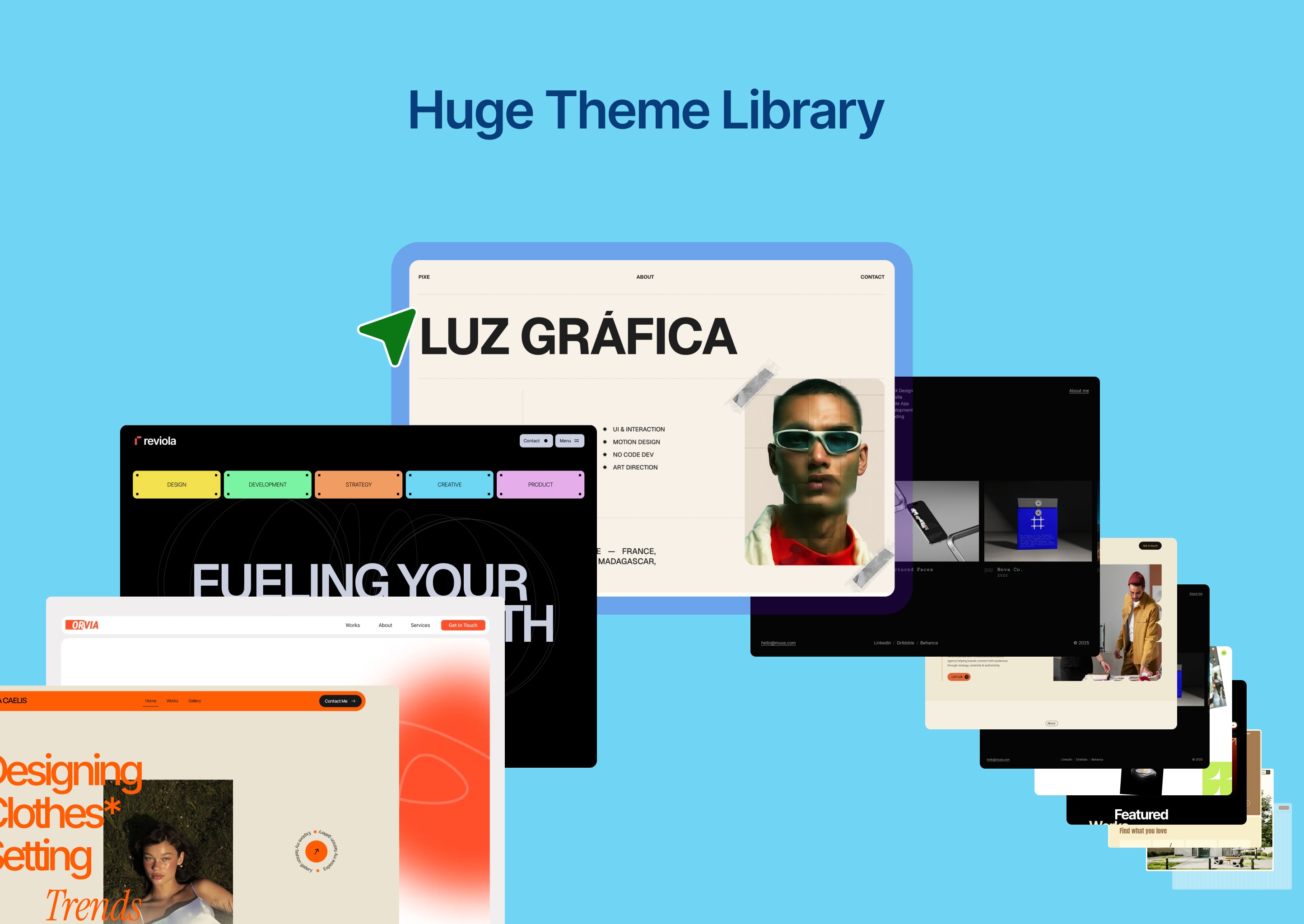
- Plantillas de sitios web listas para usar
- Secciones prediseñadas y bloques de diseño
- Recursos de diseño reutilizables
- Importa y exporta proyectos fácilmente
🧩 Herramientas integradas
Todo lo que necesitas, sin plugins adicionales.
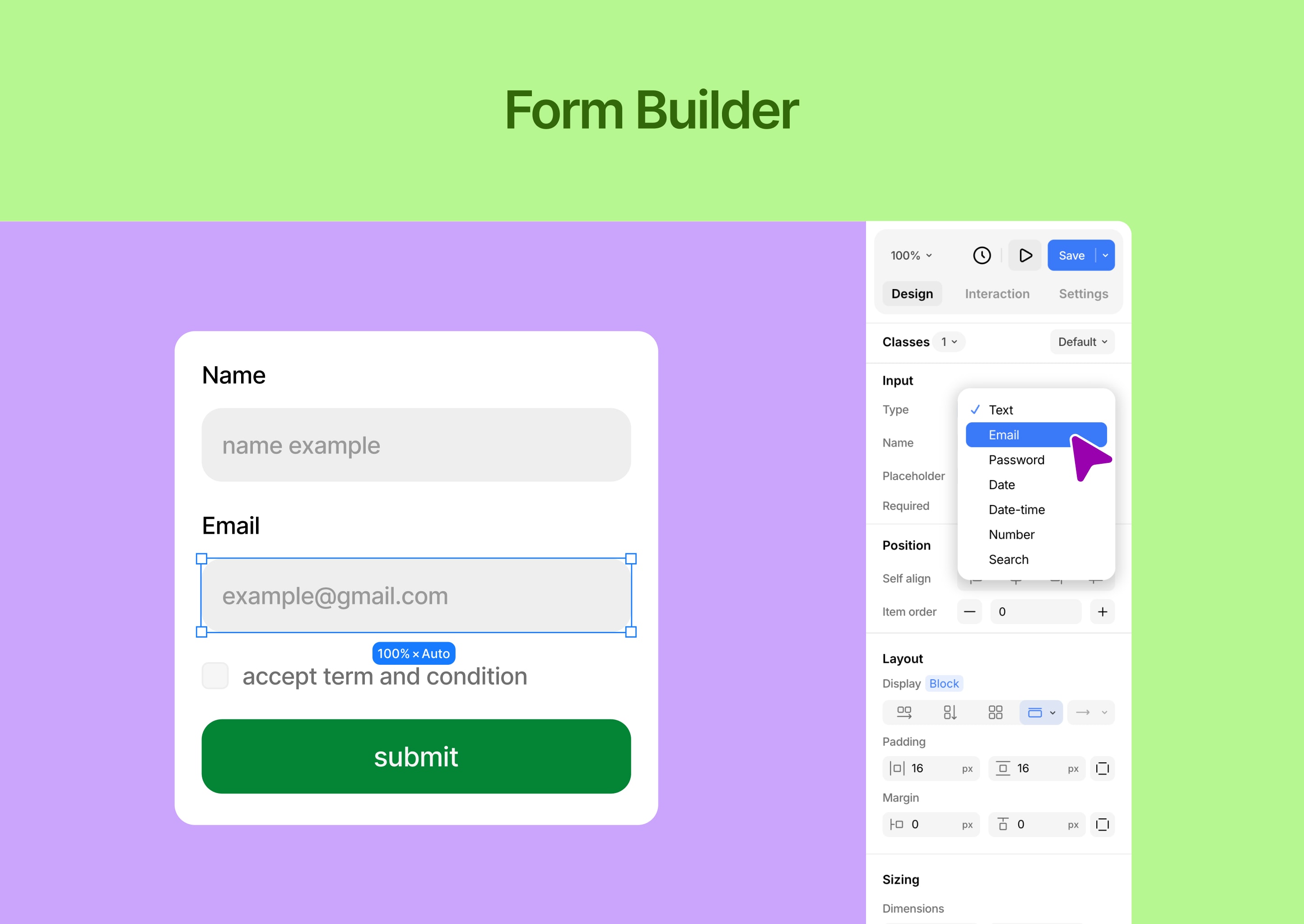
- Constructor de formularios con gestión de envíos
- Constructor de ventanas emergentes con controles visuales
- Constructor de interacciones y animaciones
- Biblioteca de iconos y herramientas de medios
🎬 Interacciones y animaciones
Crea experiencias modernas y atractivas.
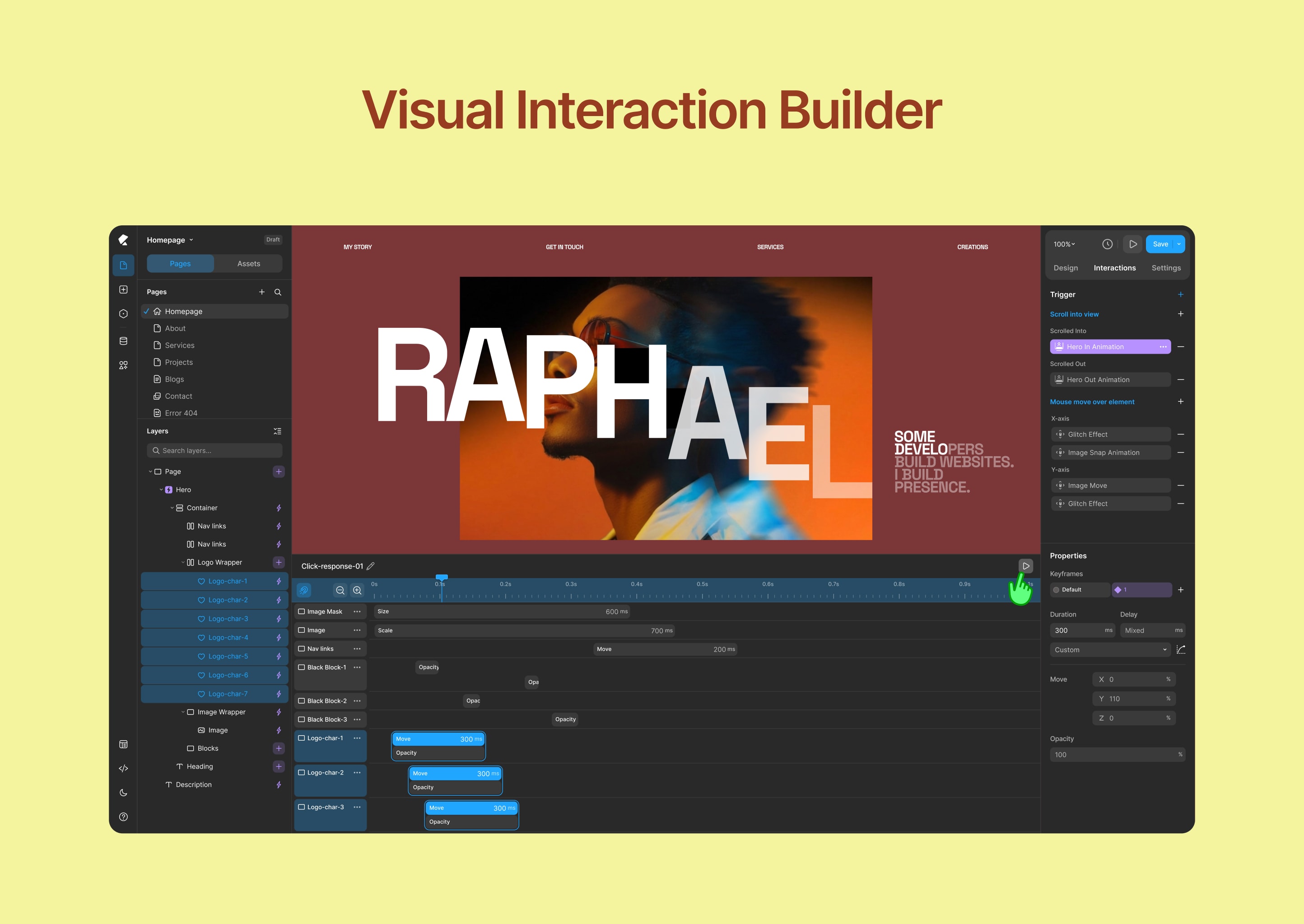
- Constructor de animaciones visual
- Editor de línea de tiempo de interacciones
- Transiciones y efectos personalizados
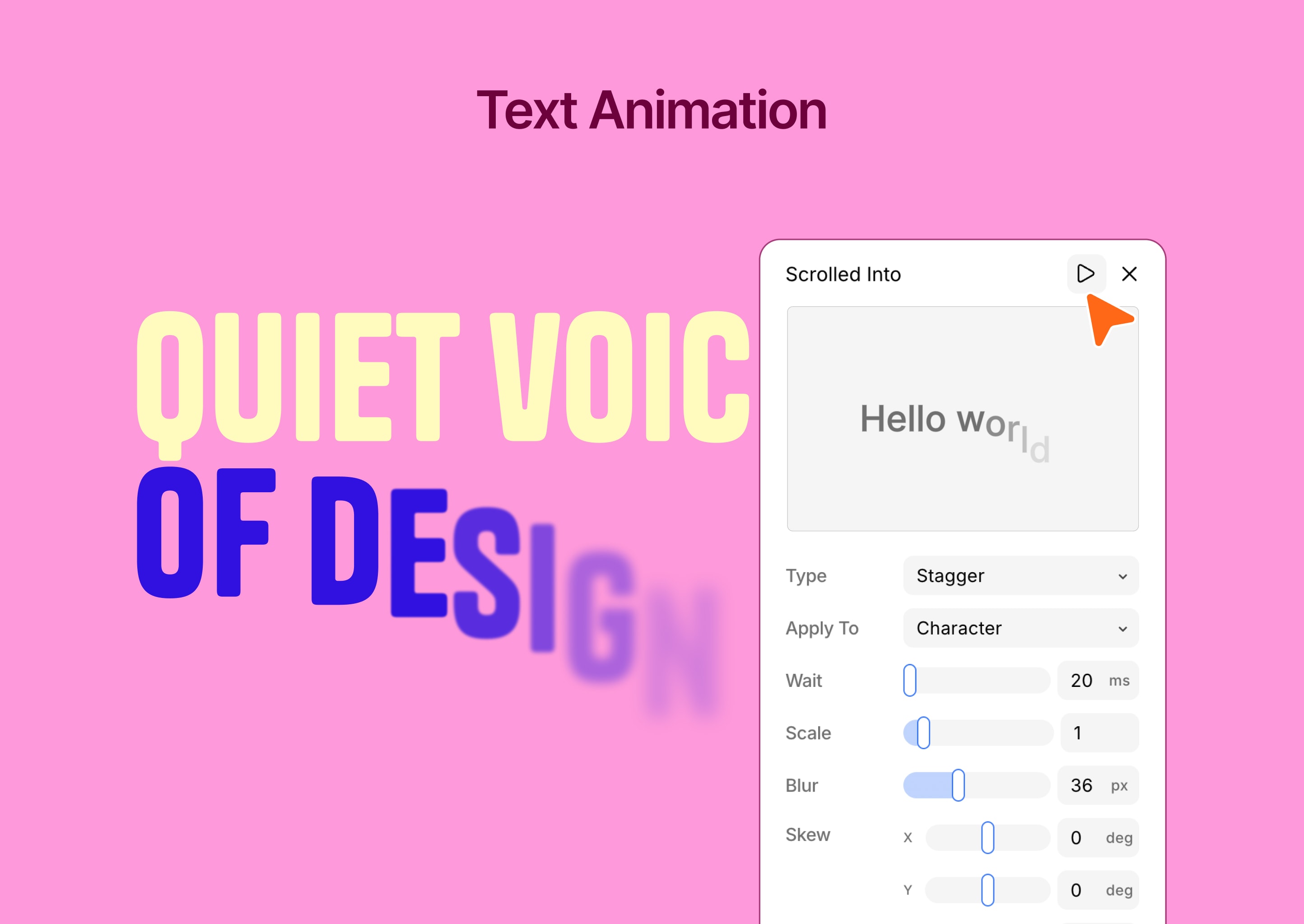
- Herramientas de animación de texto
⚙️ Personalizador avanzado de WordPress
Amplía la personalización de WordPress con potentes controles.
- Más de 35 controles del Personalizador
- Vista previa en tiempo real
- Generación automática de CSS
- Soporte de lógica condicional
- API fácil para desarrolladores
- Optimizado para el rendimiento
👥 ¿Para quién es Kirki?
- Diseñadores que quieren plena libertad creativa
- Autónomos que crean sitios web para clientes
- Agencias que gestionan múltiples proyectos
- Desarrolladores que amplían la funcionalidad de WordPress
- Cualquier persona que busque un constructor visual sin código para WordPress
🚀 ¿Qué hace diferente a Kirki?
Kirki no es solo otro constructor de páginas.
En lugar de forzar los diseños en filas y columnas, Kirki te ofrece una experiencia de diseño de formato libre, similar a las herramientas de diseño modernas, mientras mantiene toda la potencia de WordPress.
Diseña libremente. Construye con WordPress.
Soporte
- Soporte comunitario: https://facebook.com/groups/kirkicommunity
- Documentación: https://kirki.com/docs
- Sitio web: https://kirki.com
Capturas
Instalación
- Ve a Plugins Añadir nuevo
- Busca Kirki
- Haz clic en Instalar ahora y en Activar
O manualmente:
- Sube el plugin a
/wp-content/plugins/kirki/ - Activa a través del Escritorio de WordPress
- Abre Kirki y empieza a construir
FAQ
-
¿Es gratuito Kirki?
-
Sí, Kirki es gratuito. Hay funciones avanzadas adicionales disponibles en Kirki Pro.
-
¿Qué incluye la versión gratuita?
-
La versión gratuita incluye el framework completo del Personalizador con más de 35 controles y el constructor visual principal. Kirki Pro desbloquea capacidades avanzadas, como contenido dinámico, la línea de tiempo de interacción completa, el constructor de ventanas emergentes y plantillas premium.
-
¿Necesito conocimientos de programación?
-
No. Kirki está diseñado para la creación de sitios web visual y sin código.
-
¿Puedo usar Kirki con cualquier tema?
-
Sí, Kirki funciona con cualquier tema de WordPress.
-
¿Es Kirki adaptable?
-
Sí. Puedes diseñar para escritorio, tableta y móvil.
-
¿Puedo exportar mis diseños?
-
Sí, las funciones de importación y exportación están disponibles.
-
¿Admite Kirki contenido dinámico?
-
Sí, puedes crear plantillas dinámicas y diseños basados en datos.
-
¿Dónde puedo obtener soporte?
-
Los usuarios gratuitos pueden obtener ayuda de la comunidad de Kirki en Facebook: https://facebook.com/groups/kirkicommunity — miles de diseñadores y desarrolladores listos para ayudar. El soporte prioritario por tickets está disponible para usuarios de los planes Pro y Agency en https://kirki.com/support
-
Estaba usando Kirki como framework del Personalizador. ¿Ha cambiado algo?
-
Nada. Todos los controles del Personalizador existentes se conservan por completo. Tu configuración actual no se verá afectada por la actualización. El constructor visual es simplemente una nueva adición sobre el framework que ya usas.
Reseñas


Colaboradores y desarrolladores
«Kirki – Freeform Page Builder, Website Builder & Customizer» es un software de código abierto. Las siguientes personas han colaborado con este plugin.
Colaboradores
«Kirki – Freeform Page Builder, Website Builder & Customizer» está traducido en 24 idiomas. Gracias a los traductores por sus contribuciones.
Traduce «Kirki – Freeform Page Builder, Website Builder & Customizer» a tu idioma.
¿Interesado en el desarrollo?
Revisa el código , echa un vistazo al repositorio SVN o suscríbete al registro de desarrollo por RSS.
Registro de cambios
6.3.2
- New: Added an accessibility contrast ratio option to the color picker.
- New: Added multiselect interaction support.
- Update: Remember the last selected font family and use it as the default font for newly dropped text elements on the canvas.
- Update: Reset width and height to auto when changing position with ratio lock enabled.
- Update: Implemented symbol root transition handling for wrapping and unwrapping elements.
- Update: Adjusted range input thumb styles for improved consistency.
- Update: Removed the Role Manager from the Settings panel and updated the API so that Role Manager functionality now depends on WordPress capabilities.
- Update: Remove the Street View option from the OpenStreetMap map element and remove the deprecated styles from the map settings.
- Fix: Fixed an issue where form data input values of 0 were not rendered.
- Fix: Fixed nested symbol export/import issues.
- Fix: Fixed preview scripts not running for cloned elements when infinite slider mode is enabled.
- Fix: Resolved multiselect context menu open issue from canvas.
- Fix: Addressed security issues related to comments and Lookback IP handling.
- Fix: Resolved collaboration mouse tracker hide issue while dragging an element.
- Fix: Fixed flex-reverse drag-and-drop line issues on the canvas.
- Fix: Addressed security issues related to shortcodes and sensitive metadata.
6.3.1
- New: Added dynamic content support to ComponentInstanceFields.
- New: Added SVG selection color preview for updating SVG fill and stroke colors.
- New: Pusher broadcasting configuration for faster, real-time updates.
- Update: Variable search now supports searching by value.
- Update: Pasting copied strings or elements is now supported across multiple selected elements.
- Update: Improved drag-and-drop snapping by adjusting coordinates when the closest vertical and horizontal snap points are detected.
- Update: Resizing elements while holding Shift now maintains the aspect ratio in all drag directions.
- Update: Added blend mode support for multiple selected elements.
- Update: Preserved the component edit canvas size across create and save actions.
- Update: The component editing canvas now automatically adapts to the content size.
- Fix: Fixed a viewport-wise CSS inheritance issue affecting text styles.
- Fix: Resolved an issue with form data export.
- Fix: Fixed an issue where transparent or PNG images could get a black background when pasted.
6.3.0
- New: Master Components, nested component support, and Custom Component Fields.
- New: Freeform Positioning across breakpoints for absolutely and fixed-positioned elements.
- Update: Copy/paste interactions now understand the element structure and hierarchy, enabling more accurate operations.
- Update: Media selection experience improved for background image, cms, and other media fields.
- Update: Optimizing canvas drag and drop element outline indicators.
- Fix: Fixed the bulk update functionality to change the post_status of Content Manager items to Draft.
- Fix: Keyboard shortcuts now work seamlessly with French and other international keyboard layouts.
- Fix: Resolved collection rendering issue with view-only tokens.
- Fix: Addressed all known security vulnerabilities.
6.2.5
- Update: Redesigned the Island toolbar with updated icons, layout, and functionality.
- Update: Moved the editor’s dark/light mode controls to the Island.
- Update: Updated SVG element settings.
- Update: Improved responsive device resizing based on minimum and maximum device width ranges.
- Update: Updated Form reCAPTCHA element settings and functionality.
- Update: Refreshed the empty placeholder design for Image, Video, Lottie, and Lightbox elements.
- Fix: Resolved an issue causing DynamicTextBox to glitch when focused.
6.2.4
- Update: Verify font files before parsing OpenType features.
- Update: Show the text clamp value when a font-size clamp is configured.
- Fix: Resolve an issue with the Dashboard page list API when deleting a page.
- Fix: Address security vulnerabilities related to XSS through attacker-injected object keys.
- Fix: Fully disable unauthorized POST API calls.
6.2.3
- New: Copy-and-paste interactions now also support the interaction library.
- Update: Updated the default styles for headings, buttons, images, and tabs.
- Fix: Fixed an issue with font family OpenType feature data parsing.
- Fix: Prevented font upload issues when changing file extensions.
- Fix: Reset typography-related CSS when applying a text style.
- Fix: Removed ZIP file upload functionality from custom font uploads.
6.2.2
- New: Added Element Multiselect for selecting and editing multiple elements at once.
- New: Added vertical resizing for the custom interaction timeline editor.
- Update: Advanced typography panel functionality updated for open type feature text.
- Update: Text animations now play only when the element enters the viewport.
- Update: Improved the Layer Panel and Canvas drag preview opacity for better visibility.
- Update: Removed the File element from the Form Builder.
- Fix: Resolved specificity issues in text style and variable CSS generation.
- Fix: Fixed custom animation timeline previews so transform animations replay chronologically instead of collapsing by property.
6.2.1
- New: Added a Flex Child option to the Sizing panel for finer control over flex layouts.
- Update: Automatically removes matching styles from an element when a text style is applied.
- Update: Improved rich text selection handling with better root selection context management.
- Update: Enhanced external text paste behavior, preserving formatting and eliminating trailing whitespace issues.
- Update: Enhanced the Color Picker to support mixed color values.
- Update: Videos now automatically pause when they move out of the viewport.
- Update: Improved CSS generation for text styles and variables to ensure better specificity.
- Fix: Addressed multiple security vulnerabilities, including XSS, arbitrary shortcode execution, path traversal, SSRF, and email relay issues.
- Fix: Resolved text overflow and ellipsis issues in Input Number, Tabs, and Select controls.
- Fix: Resolved dropdown target visibility issues when controlled by dropdown state settings.
6.2.0
- New: Introduced the Interaction Library.
- New: Introduced predefined design presets for new dynamic template pages.
- New: Added current state design support for Tabs and Slider elements.
- Update: Redesigned Connect to Field and Connect to CMS.
- Update: Improved the Add New Page experience.
- Update: Added a sticky, scrollable Layers panel.
- Update: Added contextual icons to the Layers panel for visibility conditions, interactions, and more.
- Update: Improved WordPress post slug validation.
- Update: Improved Symbols save and delete operations.
- Update: Added an image alt text popover to the Image element.
- Update: Refined the Typography Font Options popover.
- Update: Added support for combining search queries with collection filters using AND conditions.
- Fix: Changed canvas multi-select from Cmd + Click to Shift + Click.
- Fix: Fixed the preview URL on the Collection Details page.
- Fix: Resolved a deprecated warning in the form submission class.
- Fix: Resolved legacy style block merging issues.
- Fix: Fixed the page rename issue.
- Fix: Fixed the SVG element class generation issue.
6.1.1
- Fix: Resolved php 7.4 compatibility issue.
6.1.0
- New: Introduced a centralized Class Manager.
- New: Added Mix Blend Mode support to the Style Panel.
- Fix: Fixed filter and backdrop-filter properties being removed when deleting styles.
- Fix: Applied !important to the Liquid Glass backdrop filter for proper rendering.
- Fix: Fixed video audio playback for hover and autoplay when the audio toggle is enabled.
- Fix: Fixed an issue where color changes from the Selection Color Panel affected multiple elements.
- Fix: Resolved a double-click issue with legacy Rich Text content.
- Fix: Fixed cloned elements not syncing newly created style blocks with the server.
- Fix: Improved API security by validating editor preview tokens.
- Fix: Added validation for ZIP file uploads.
- Fix: Fixed frontend REST API validation for password-protected posts.
- Update: A curated set of Google Fonts now loads by default. A Google API key is needed to access the full library.
- Update: Redesigned range sliders to numerical input fields, so values can be set by dragging.
- Update: Updated the App Settings route middleware for preview tokens.
- Update: Implemented paginated loading for Kirki editor comments.
6.0.14
- Fix: Fixed CSRF vulnerability in admin POST AJAX requests (kirki_wp_admin_post_apis).
- Fix: Sanitized redirect URLs and replaced wp_redirect with wp_safe_redirect in TemplateRedirection utility pages.
- Fix: Improved file path protection to prevent unauthorized access.
- Fix: Fixed datetime handling in the comment resource after Carbon removal.
- Fix: Fixed double-quote handling in font family variables.
- Fix: Fixed text style tag application for non-text elements.
- Update: Enhanced permission checks for AJAX endpoints and enabled SSL certificate verification for ZIP downloads.
- Update: Improved collaboration performance by running collaboration tasks in a separate thread.
6.0.13
- New: Added support for dragging and dropping local media files directly into Grid cells.
- Update: Refactored the REST API backend for improved stability and maintainability.
- Fix: Implemented security improvements and resolved known security issues.
- Fix: Resolved device-specific interaction preview issues in the canvas.
- Fix: Added support for dynamic video fields from the Content Manager in the Video element.
6.0.12
- Update: Added real-time canvas controls when focusing on Padding, Margin, and Gap inputs.
- Update: Improved Grid Controller functionality.
- Update: Automatically open the Element Settings panel when dropping Image, Icon, Video, Lottie, or SVG elements.
- Update: Context menu functionality improvements.
- Fix: Unauthenticated arbitrary comment modification and moderation bypass.
- Fix: Unauthenticated Server-Side Request Forgery vulnerability.
- Fix: Resolved the reset password email body issue by implementing hash validation.
- Fix: Addressed multiple random issues to improve overall stability.
6.0.11
- New: Added multi-select support in the canvas
- Update: Improved grid controller functionality
- Update: Design enhancements
- Update: Hide non-active outlines while dragging controllers
- Update: Refined component edit top bar
- Update: Support wrapping elements across different parents
- Update: Improved sibling element outline behavior
- Update: Fixed Safari copy-paste issues when importing from Figma or copying elements within Kirki
6.0.10
- New: Added timeline scrubbing support for previewing custom animations.
- New: Added variable support for Padding and Margin controls.
- New: Introduced breakpoint virtualization for better performance and scalability.
- Update: Improved Collection API call performance and optimizations.
- Update: Collection reference and multi-reference search functionality improvements.
- Update: Improved background color shade generation during color selection.
- Update: Added variable support for conic gradient color stops.
- Update: Improved variables, font-family support, and HTML generation for the Figma to Kirki plugin.
- Fix: Fixed permission and rewrite rule issues affecting Utility Pages.
- Fix: Figma to Kirki variable, font-family, image paste issue.
- Fix: Resolved pinch-to-zoom and zoom-out issues affecting Safari browsers.
6.0.9
- New: Added support for custom timing editing in slider animations.
- Update: Updated the custom interaction timeline behavior for smoother editing and playback.
- Update: Improved color picker performance and responsiveness.
- Update: Improved comment behavior and shortcut handling.
- Update: Updated the Kirki Apps settings design.
- Fix: Fixed drawing issues caused by excessively large canvas sizes.
- Fix: Fixed inconsistencies with dragging cursor and controller interactions.
- Fix: Fixed device selection behavior when clicking outside elements.
- Fix: Fixed fill and gradient controller positioning issues.
- Fix: Fixed layer panel icon reset and undo behavior issues.
- Fix: Fixed nested rich text editing and selection behavior.
- Fix: Fixed symbol editing freeze issues after style synchronization.
- Fix: Fixed issues caused by deleting elements during active color picking.
- Fix: Fixed textarea height styling issues in form blocks.
6.0.8
- Fix: Resolved css variable enqueue issue on the custom template pages.
- Fix: Fixed collection pagination issue for filtered data.
- Fix: Solved random issues.
6.0.7
- Update: Centralized symbol edit canvas positioning across all symbols.
- Update: Added viewport-aware symbol editing for tablet and mobile.
- Update: Improved typography controls and CSS unit handling.
- Update: Added support for special max-width values and clamp() parsing.
- Update: Added CSS variable duplication support.
- Update: Refactored SVG rendering with dedicated InlineSvg handling.
- Update: Improved Liquid Glass rendering and viewport isolation.
- Fix: Unauthenticated Limited Arbitrary File Read and Deletion via downloadZIP
- Fix: Missing Authorization to Authenticated (Subscriber+) Sensitive Form Submission Data Exposure via ‘kirki_wp_admin_get_apis’ Action Description
- Fix: Unauthenticated Privilege Escalation via ‘handle_forgot_password’
- Fix: Fixed auto-scroll for unmounted selected elements in the Layers panel.
- Fix: Rich text editing no longer blocks canvas zoom and scroll across viewports.
- Fix: Improved overlay behavior during typing and dragging interactions.
- Fix: Prevented tall symbol content from being clipped in symbol edit mode.
- Fix: Resolved forgot password content and reset URL issues.
- Fix: Corrected margin and padding value normalization.
- Fix: Improved border width and mixed unit handling.
- Fix: Fixed viewport activation and device delete flow issues.
- Fix: Improved Form submission data array serialization and multiple select handling.
- Fix: Interaction ScrollHeight and ScrollWidth property set issue.
6.0.6
- Update: Enhanced the inline text editing and styling experience.
- Update: Added support for variable mode selection in components.
- Fix: Fixed a security vulnerability in media search.
- Fix: Improved code preview and code editor functionality.
6.0.5
- Update: Improved element comment coordinate positioning
- Update: Enhanced island toolbar functionality
- Update: Improved grid inline control area settings and track unit selection
- Update: Improved navigation element functionality
- Update: Enhanced code element functionality
- Update: Improved variable and text addition workflow
- Update: Collection item post_data and modified_data are not updating correctly for scheduled posts
- Fix: Fixed handling of multi-select values when styleBlockId is missing
- Fix: Resolved component name overflow in component list items
- Fix: Fixed canvas repositioning issue during component editing
- Fix: Fixed collaboration endpoint unauthorized access
- Fix: Fixed grid x,y alignment property update issue
6.0.4
- Fix: Resolved an Uncaught SyntaxError in webfontloader.min.js
- Fix: Broken woocommerce catalog product title
- Update: Updated frontend script enqueue handling for Kirki-based designs.
- Improvement: Enhanced text element tag selection; now supports span, p, and h1–h6
6.0.3
- Fix: WebFontLoader JavaScript file not found issue resolved.
- Fix: WebFont is not defined error fixed in the Konte theme.
- Fix: Added backward compatibility for all Kirki modules (CSS, Tooltips, Postmessage, Field_Dependencies, Selective_Refresh, Preset, Webfonts, Editor_Styles) to prevent fatal errors.
- Fix: Added class alias existence checks to prevent redeclaration warnings when themes/plugins have bundled Kirki.
- Fix: Added type safety check in Field constructor to handle legacy argument formats.
- Fix: Added missing property declarations ($name, $data_tags, $dynamic) to prevent PHP 8.2+ dynamic property deprecation warnings.
- Improvement: Stability improvements.
- Improvement: Fixed DesiIcons alignment issue.
6.0.2
- Fix: Resolved a fatal error that occurred when the wp_insert_post hook was triggered after the plugin finished loading.
6.0.1
- Update: Theme header and footer display logic updated.
6.0.0
- New: Kirki is now a fully freeform visual website builder — design on an infinite canvas with no layout restrictions.
- New: Rebranded from Droip to Kirki — the Customizer framework and the visual builder are now unified under one product.
- New: Atomic design approach — compose from primitives, no pre-decided widgets, no component ceilings.
- New: Responsive editing, full interaction timeline, form builder, popup builder, and dynamic CMS — all built in.
- New: Real-time collaboration — design together on the same canvas simultaneously.
- New: Staging mode, publish history, and rollback.
- New: Figma to Kirki importer — import designs directly into the canvas.
- New: Dev mode — full CSS visibility and clean markup for developer handoff.
- New: 100+ premium template kits for faster launches.
- New: White label support for agencies.
- Update: Unified builder and Customizer experience.
- Note: All existing Customizer controls are fully preserved. No changes to your current setup.
5.2.2
- Fix: Color palette not displaying in the Customizer in certain cases.
- Fix: Select field inside Repeater control not retaining the selected value.
5.2.1
- Fix: Fixed an issue where the file path was used incorrectly.
5.2.0
- Update: Performance optimizations across the platform.
- Update: Added compatibility with WordPress 6.9.
5.1.0
- Fix: Resolved the issue with fonts not loading properly.
- Fix: Addressed deprecated errors to boost compatibility.
- Update: Compatibility with WordPress 6.4 and PHP 8.2.
5.0.0
- Update: Free and Pro merged.