

Descripción
Re Gallery is a fast, SEO-friendly WordPress photo gallery plugin with a built-in AI that automatically generates image titles, descriptions, alt text, and captions — for free.
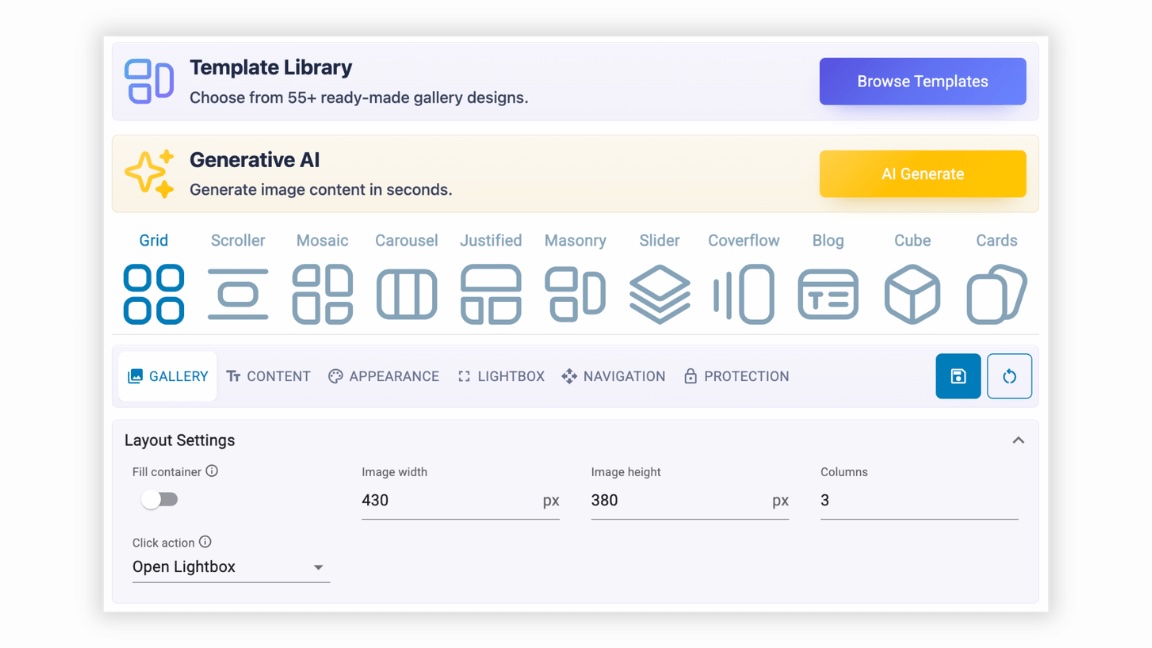
Create stunning, responsive image galleries using 11 gallery layouts like Mosaic, Masonry, Grid, Slider, Carousel, and more with drag-and-drop simplicity, and no coding required.
Unlock 55+ pre-built templates with Re Gallery PRO.
Gallery Live Demo | Pre-Designed Templates Demo
Mejora el SEO, aumenta la participación de los usuarios y da vida a tu sitio web con Re Gallery: un plugin de galería de fotos para WordPress potente, ligero y fácil de usar.
«🔗 ¡Visita la galería de imágenes en la página de inicio para más detalles e inspiración!»
🤖 AI Image SEO
With Re Gallery, managing your WordPress photo gallery just got easier.
Our built-in AI tools automatically generate:
- Image Titles
- Alt Text
- Captions
- Descriptions
Perfecto para fotógrafos, bloggers, tiendas online y cualquier persona que utilice WordPress, estas características mejoran el SEO y la accesibilidad sin ningún esfuerzo adicional.
Unlike many AI tools, Re Gallery works immediately:
- No account.
- No external registration.
- Works directly inside WordPress.
Simplemente sube tus imágenes y deja que Re Gallery haga el trabajo.
Beneficios
- 🤖 AI-Powered Image SEO: Automatically generate SEO-ready image titles, alt text, captions, and descriptions directly inside WordPress. No external AI account or registration required.
- ⚡ Fast, Lightweight & Mobile-Friendly: Built for speed with minimal dependencies, lazy loading, and responsive layouts that help improve Core Web Vitals and user experience.
- 🎨 Beautiful Galleries in Minutes: Create professional image galleries using 11 responsive layouts with drag-and-drop simplicity and live preview—no coding required.
- 📈 Better SEO, AccessibilitySave time & User Engagement: Improve search visibility while keeping visitors engaged with modern galleries, lightbox viewing, optimized metadata, and fast-loading images.
- 🧩 Works with Your Favorite Tools: Fully compatible with Gutenberg, Elementor, Divi, Bricks, Beaver Builder, WPBakery, and WooCommerce.
- 💙 Easy to Use & Continuously Improved: Designed with a native WordPress interface, backed by responsive support and regular feature updates based on community feedback.
¿Por qué elegir el plugin de galería de fotos Re Gallery?
Re Gallery combines AI-powered SEO, modern gallery layouts, and an intuitive live preview to help you create professional WordPress galleries in minutes. Explore responsive gallery layouts, customizable pre-designed templates, and modern designs like masonry, carousel, and lightbox galleries.
Whether you’re updating a blog, portfolio, or WooCommerce store, you’ll see how easy it is to enhance your WordPress website with Re Gallery.
Enjoy a smarter, more dynamic, and user-friendly photo gallery management experience with one of the powerful image gallery plugins for WordPress.
🔗 View Re Gallery Demo and start designing your perfect gallery today!
Características clave del plugin Re Gallery
- 11 Responsive Gallery Layouts: Build beautiful galleries with Mosaic, Masonry, Grid, Justified, Slider, Carousel, Cards, Cube, Blog, Coverflow, and Scroller layouts.
- Live Preview & Drag-and-Drop Editor: Instantly preview every change before publishing and organize images with intuitive drag-and-drop controls.
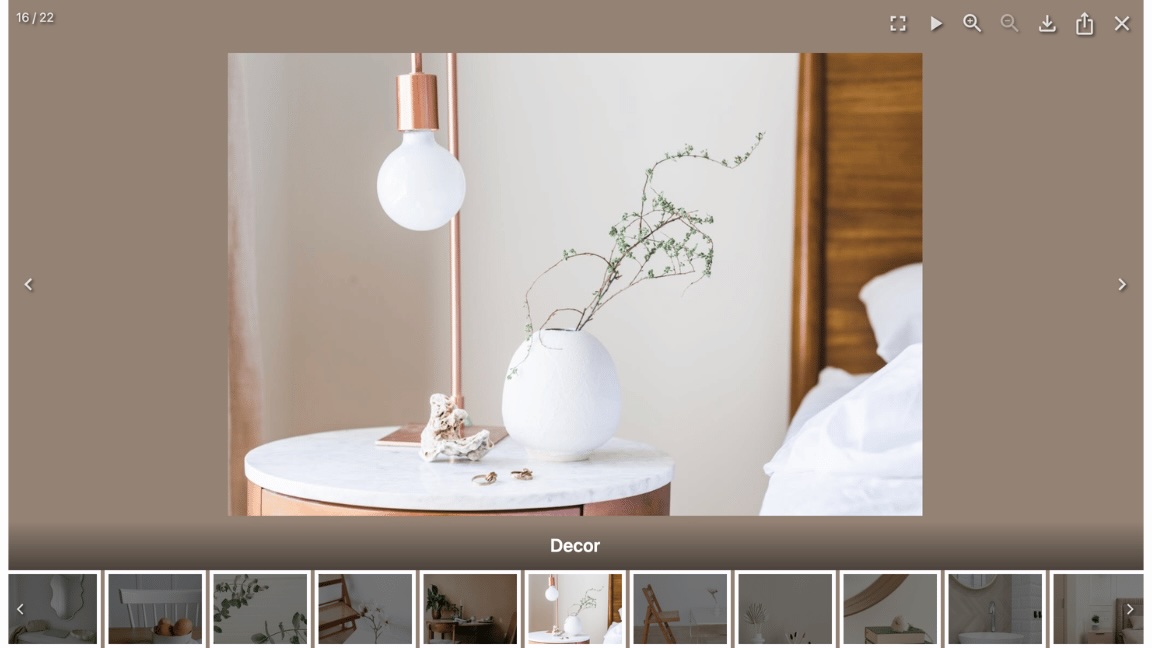
- Lightbox Experience: Display images in a modern lightbox with fullscreen mode, navigation, captions, filmstrip, sharing, deep linking, and keyboard support.
- Flexible Image Sources: Create galleries from the Media Library, Uploads, Posts, Pages, Videos, and WooCommerce Products.
- Mobile-First & Performance Optimized: Responsive galleries, lazy loading, and optimized rendering ensure fast loading on every device.
- Builder Integration: Works seamlessly with Gutenberg, Elementor, Divi, Bricks, Beaver Builder, and WPBakery.
- Dynamic Galleries: Automatically generate galleries from your latest posts or WooCommerce products that update as your content grows.
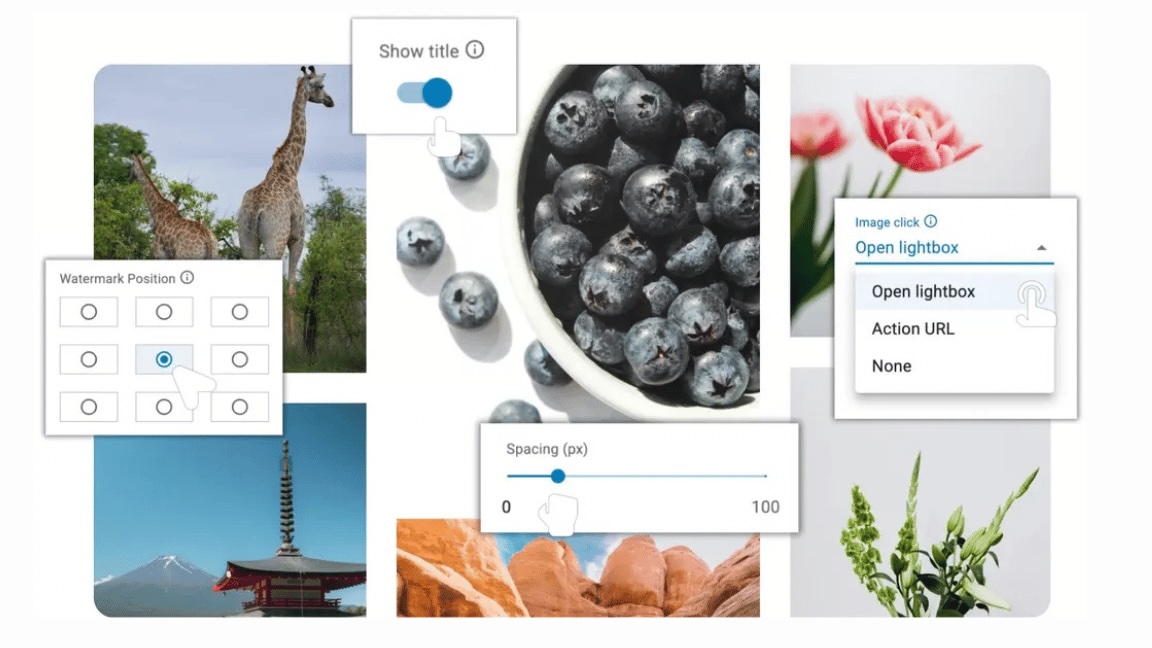
- Advanced Gallery Customization: Easily adjust spacing, padding, border radius, image size, titles, pagination, hover effects, and click actions without writing CSS.
- Upgrade to PRO: Unlock 55+ professionally designed templates, AI automation, watermark protection, WooCommerce enhancements, Custom CSS, White Label, and priority support.
Tutoriales populares de Re Gallery
Ver los cambios directamente en la vista previa en directo
Arrastrar y soltar imágenes para cambiar el orden
Cómo cambiar el tipo de paginación
Cómo editar el título de la imagen
Cómo editar la carátula de un vídeo
Añadir galería con Gutenberg
Añadir galería con Elementor
Añadir galería con Divi Builder
Añadir galería con WPBakery Page Builder
Añadir galería con Beaver Builder
Añadir galería con Bricks Builder
Cómo utilizar Playground
Cómo utilizar las plantillas prediseñadas
Cómo establecer la acción de clic en la imagen
Cómo crear una galería dinámica a partir de tus últimas entradas
Cómo utilizar la IA para automatizar títulos, descripciones y texto alternativo en las galerías de WordPress
🥇 Plantillas prediseñadas PRO
Ahorra tiempo con nuestras plantillas prediseñadas personalizables y consigue no sólo un diseño listo para usar, sino también una solución creativa para actualizar la galería de fotos y las presentaciones de imágenes de tu sitio web. Estas plantillas son perfectas para crear galerías bonitas y adaptables. Rápido, fácil y profesional: ¡empieza con una galería de imágenes amigables con SEO que mejore el atractivo visual de tu sitio web y la experiencia del usuario!
🔗 ¡Mira las plantillas pre-diseñadas Pro!
🛍️ Integración con productos de WooCommerce
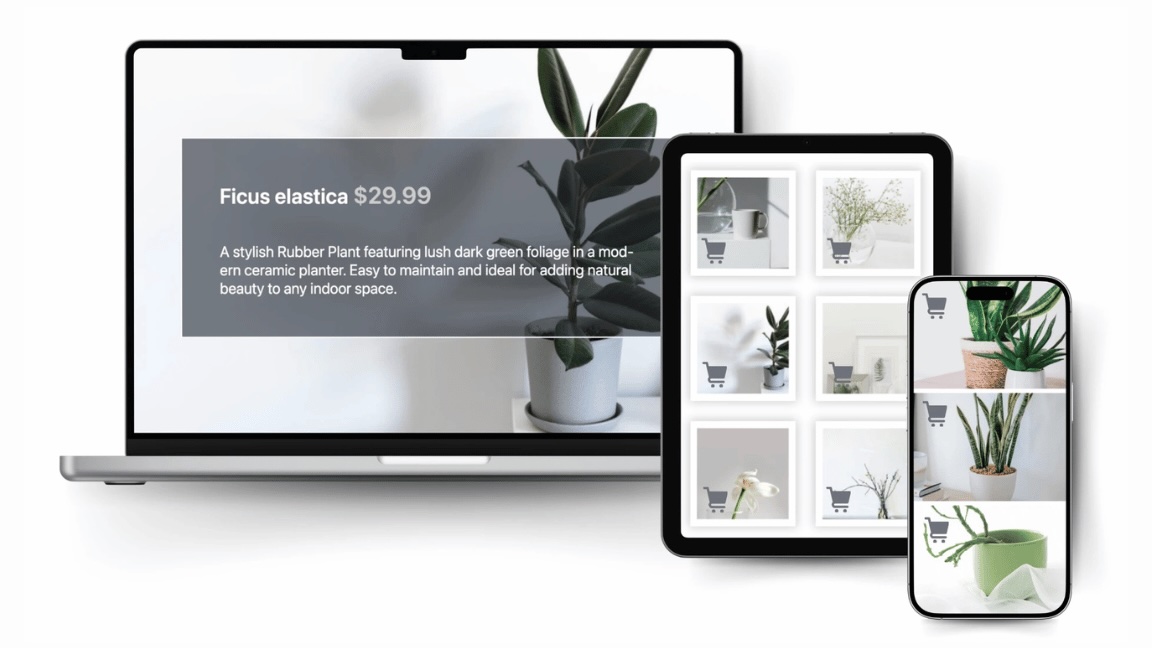
Muestra tus productos de WooCommerce en galerías personalizables y atractivas con Re Gallery. Extrae automáticamente imágenes, títulos y precios de tus productos para crear diseños visuales que aumentan la interacción y potencian las ventas, ¡sin necesidad de configuraciones manuales!
👉 Upgrade to Re Gallery PRO and create a smarter, faster photo gallery today.
Importante˙
Si tienes alguna pregunta, sugerencia o si has encontrado un fallo, consulta nuestro foro de soporte.
Encuentra el código fuente
The plugin contains wp-gallery.js minified JavaScript file which is a build result of the following React application.
This repository contains the unpacked JavaScript portion of the plugin. You can use this open-source React application to modify the plugin’s JS component.
Capturas








Instalación
Instala nuestro plugin Re Gallery optimizado para SEO directamente desde el repositorio de plugins de WordPress. Se integra a la perfección con tu sitio para una experiencia de usuario fluida.
Para instalar, ve a tu escritorio de WordPress, haz clic en ‘Plugins’ y selecciona ‘Añadir nuevo’. Busca nuestro plugin Re Gallery, haz clic en ‘Instalar ahora’ y, después de la instalación, activa el plugin. Ahora podrás personalizar fácilmente y añadir galerías impresionantes a tu sitio web.
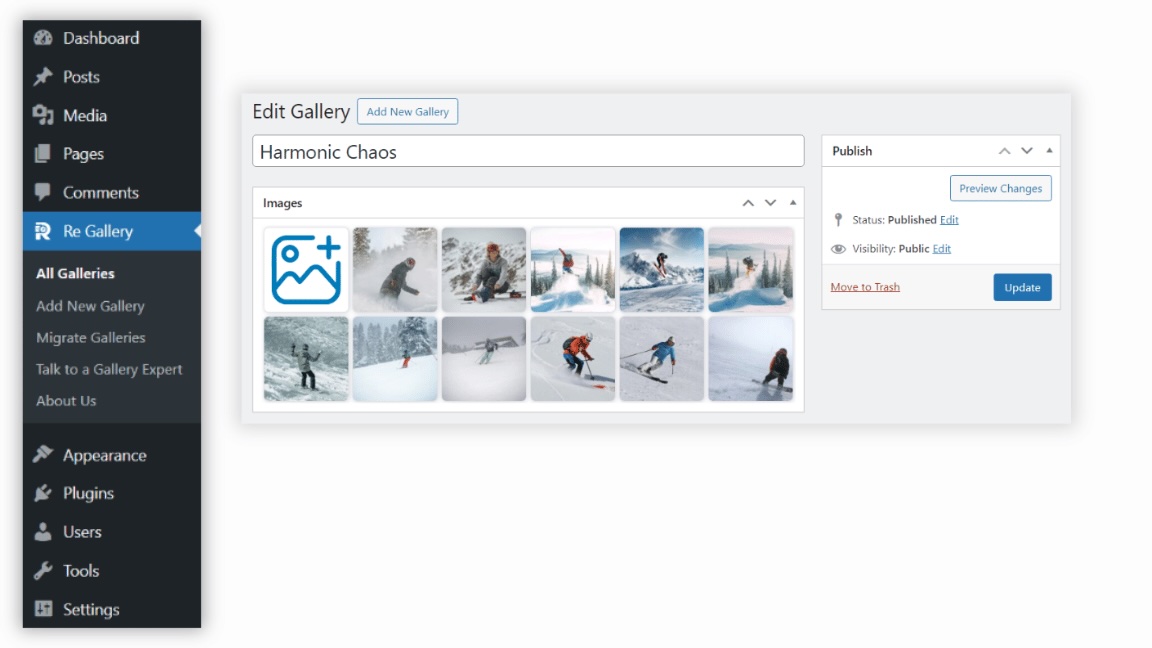
Empieza desde cero con un intuitivo botón de ‘Añadir nuevo’, que te guiará a través del proceso de creación de la galería.
¡Personaliza tu sitio web fácilmente! Solo sube imágenes con el cargador de medios estándar de WordPress y dales el estilo que desees.
FAQ
-
¿Qué es el plugin de galería de fotos Re Gallery?
-
Re Gallery is a fast, responsive WordPress photo gallery plugin that lets you create image galleries with 11 gallery layouts, AI-powered image SEO, live preview, and drag-and-drop editing. It works with Gutenberg, Elementor, Divi, Bricks, Beaver Builder, WPBakery, and WooCommerce.
-
Do I need an account or external AI service?
-
No. Re Gallery includes built-in AI that works directly inside WordPress. There is no OpenAI account to create, no external registration, and no separate AI plugin required.
-
¿Está optimizado el plugin de galería de WordPress Re Gallery para dispositivos móviles?
-
Sí, Re Gallery está completamente optimizado para móviles. Todas las galerías de fotos adaptables se ajustan automáticamente para adaptarse a cualquier tamaño de pantalla, garantizando una experiencia de usuario fluida en móviles, tabletas y ordenadores de escritorio. Las vistas de galería como mosaico, justificado, cuadrícula/miniaturas, tarjetas, carrusel, cubo, blog y diapositivas están diseñadas para ser completamente adaptables, lo que hace que Re Gallery sea perfecto para crear sitios de WordPress amigables con móviles.
-
Does Re Gallery generate AI image captions?
-
Re Gallery’s built-in AI automatically generates image titles, descriptions, and alt text based on the image itself — no manual typing required. Every AI-generated caption is fully editable afterward, and the results are also accessibility-friendly, giving screen readers meaningful alt text instead of blank or generic labels.
-
Why use AI for image SEO?
-
Writing alt text and image descriptions manually can take hours on large galleries. Re Gallery automatically generates SEO-friendly titles, alt text, captions, and descriptions directly inside WordPress, helping improve accessibility and search visibility while saving time.
-
Can I create WooCommerce product galleries?
-
Yes. Re Gallery can automatically build galleries from WooCommerce products, including product images, titles, prices, and links. This makes it easy to showcase products in responsive galleries without manually adding every image.
-
Which gallery layouts are available?
-
Re Gallery es compatible con múltiples diseños de galería, incluyendo:
- Vista en cuadrícula: Presenta tu galería de fotos con miniaturas a las que poder hacer clic, que abren versiones más grandes de las imágenes.
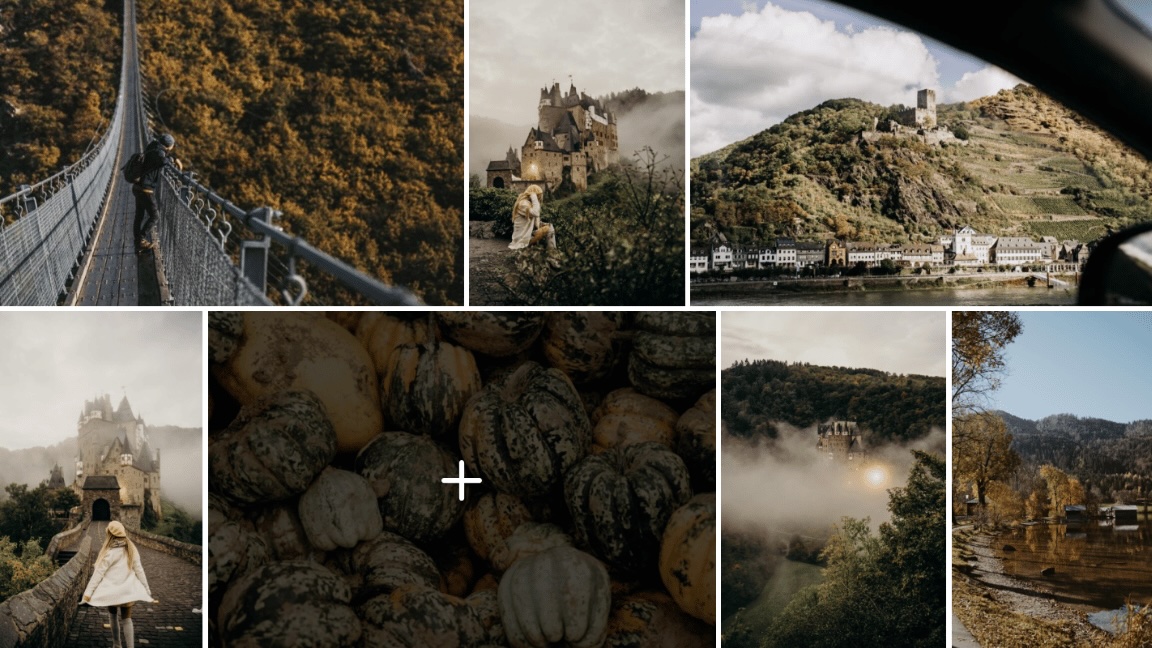
- Vista de mosaico: Crea galerías visualmente atractivas con imágenes dispuestas en un hermoso patrón de mosaico.
- Vista de mosaico: Muestra tus imágenes en una disposición de mosaico dinámica que se ajusta sin problemas a diferentes tamaños de pantalla.
- Vista justificada: Organiza tus imágenes en filas horizontales limpias de igual altura, ajustando automáticamente los anchos para mantener la alineación.
- Vista de carrusel: Muestra tus imágenes de manera hermosa con transiciones suaves, ajustes personalizables y modo de pantalla completa.
- Vista de cubo: Una galería de fotos en 3D con un diseño de cubo interactivo y rotatorio. Ideal para mostrar imágenes de una manera única.
- Vista carrusel: Muestra múltiples imágenes en un desplazamiento horizontal, perfecto para exhibir fotos relacionadas en un espacio compacto.
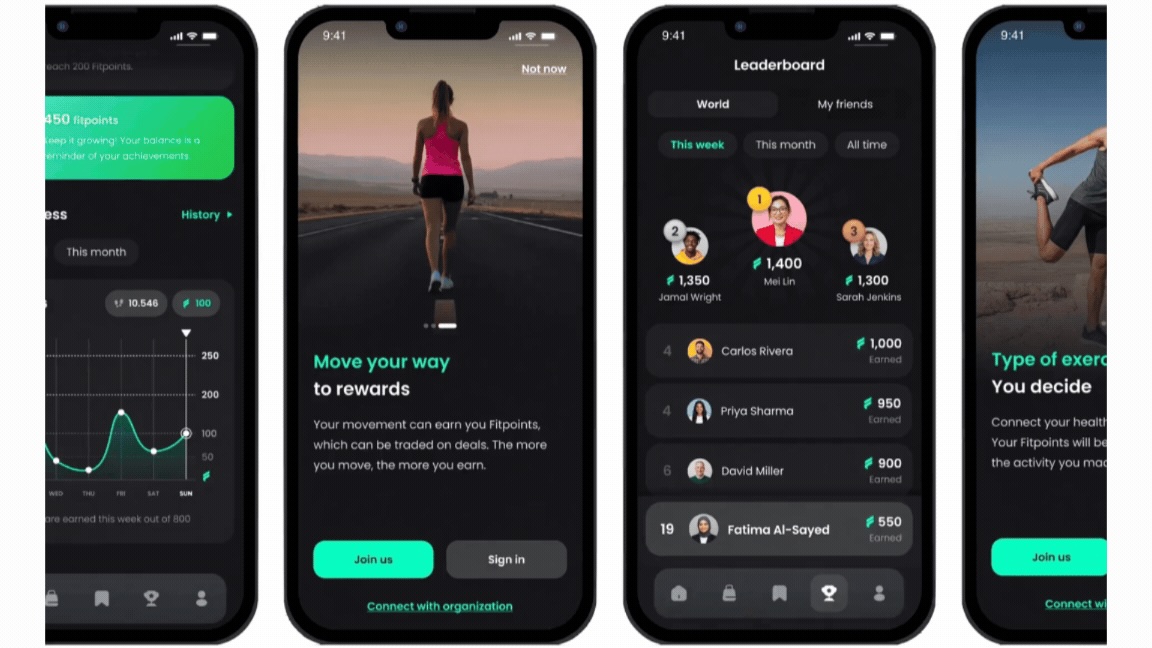
- Vista de tarjetas: Cada elemento se coloca en una tarjeta distinta, lo que facilita a los usuarios explorar varios medios de un vistazo.
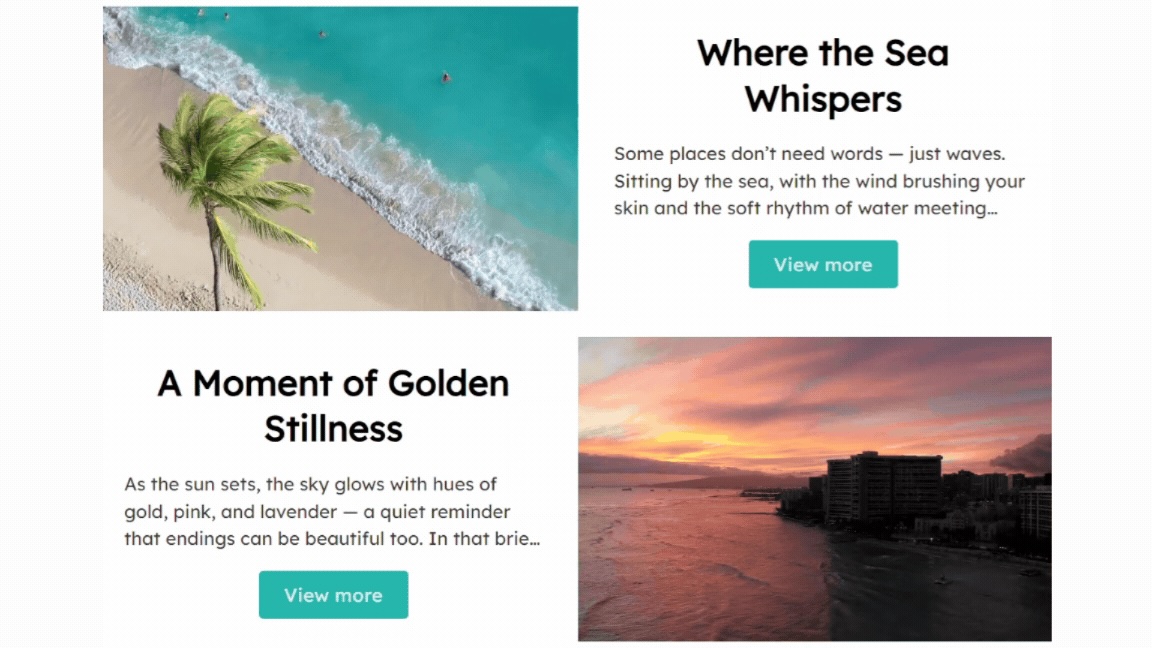
- Vista blog: Muestra tus imágenes en un diseño apilado verticalmente, similar a las entradas de un blog, que suele incluir leyendas o descripciones.
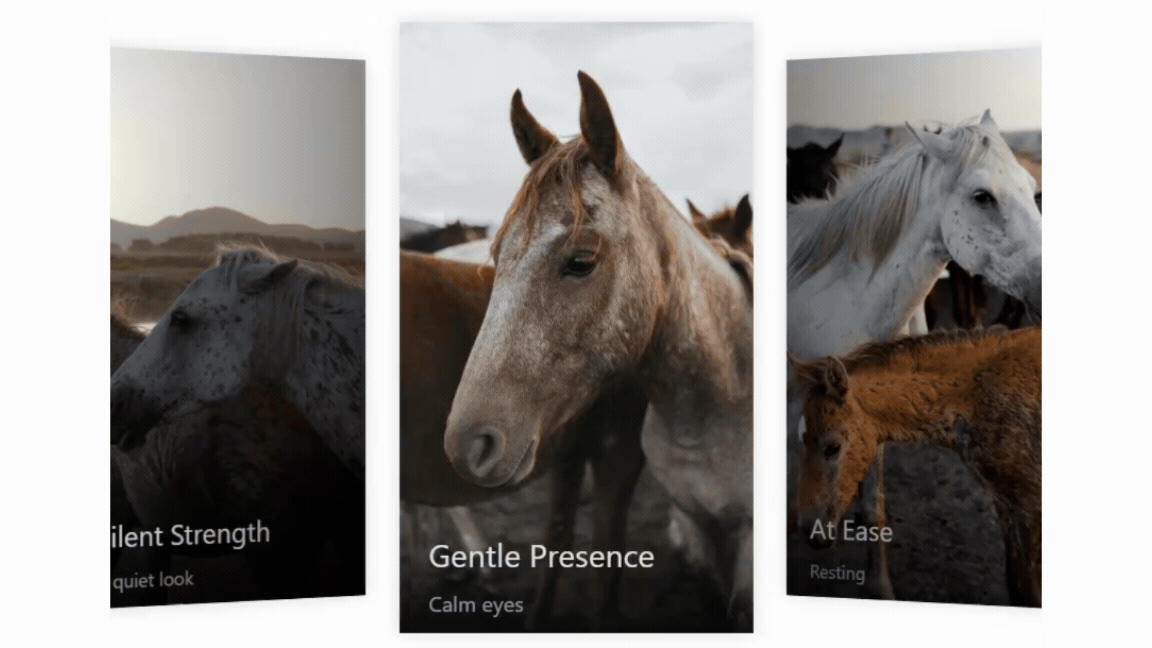
- Coverflow view: Showcase your images in an interactive, horizontal flow with a centered focus image and angled side previews, creating a sleek 3D browsing experience.
- Vista de desplazamiento: Muestra tu contenido en un escaparate de desplazamiento continuo y fluido de varias filas, que resalta más elementos a la vez, creando una experiencia de navegación dinámica y atractiva.
Todas las vistas son completamente adaptables y optimizadas para móviles. Además de estas estructuras, Re Gallery ofrece características como demostración en vivo, leyendas de imágenes generadas por IA, integración de galerías de fotos de WooCommerce, plantillas de galería pre-diseñadas y estilos de galería personalizables para ayudarte a crear galerías de fotos profesionales y atractivas en WordPress.
-
Does Re Gallery support portfolio and album layouts?
-
Yes. Re Gallery’s Grid, Cards, Blog, and Masonry layouts work well as photo albums or portfolio grids, and you can organize images by post, page, or WooCommerce product to build dedicated portfolio or album-style pages.
-
Can I migrate my existing galleries to Re Gallery?
-
Yes — Re Gallery includes a built-in migration tool that imports existing galleries from FooGallery, Envira Gallery, Gutenberg Gallery, and Photo Gallery by 10Web, so you don’t have to rebuild your galleries manually.
-
¿Puede el plugin de galería de fotos Re Gallery mostrar archivos de video además de fotos?
-
Sí, Re Gallery te permite mostrar tanto vídeos como fotos juntos en una galería. Puedes combinar fácilmente imágenes y vídeos para crear galerías dinámicas y atractivas que sean adaptables. Además, se integra sin problemas con las entradas y páginas de WordPress, lo que te permite mostrar galerías de medios de manera dinámica en tu sitio.
-
Is there a free trial of Re Gallery PRO?
-
Yes. Every new installation includes a free 7-day trial of Re Gallery PRO, giving you access to premium features such as 55+ gallery templates, AI-powered image SEO, WooCommerce integration, watermark protection, and more. No credit card or payment information is required to start the trial.
-
¿Qué sucede con mis galerías cuando vence mi plan del plugin Re Gallery?
-
If your Re Gallery plugin plan expires, your galleries will continue to function normally on your WordPress site. You simply lose access to PRO features, future updates, and premium support until you renew your license.
Reseñas


Colaboradores y desarrolladores
«Photo Gallery by Re Gallery: Responsive Image Gallery with AI SEO» es un software de código abierto. Las siguientes personas han colaborado con este plugin.
Colaboradores


«Photo Gallery by Re Gallery: Responsive Image Gallery with AI SEO» está traducido en 3 idiomas. Gracias a los traductores por sus contribuciones.
Traduce «Photo Gallery by Re Gallery: Responsive Image Gallery with AI SEO» a tu idioma.
¿Interesado en el desarrollo?
Revisa el código , echa un vistazo al repositorio SVN o suscríbete al registro de desarrollo por RSS.
Registro de cambios
1.20.17
Updated: 14.10.2026
- Added: Unified floating gallery panel for page builders (Gutenberg, Elementor, Divi 4, Divi 5, Bricks, Beaver Builder, WPBakery): select or create a gallery, manage media and edit all settings in one place while the canvas preview updates live.
- Improved: Gallery settings auto-save from the builder panel.
- Improved: Placeholder in builder canvases until a gallery is selected.
- Fixed: Deleted galleries left broken instances on pages that embedded them; they now render nothing and show the placeholder in editors.
1.20.16
Updated: 10.10.2026
- Added: Per-media crop-position picker with nine focal-point positions in the image and video edit modal.
1.20.15
Updated: 17.09.2026
- Added: Auto-height and vertical alignment settings for Grid layout.
- Improved: Preserved line breaks in media captions and descriptions across gallery layouts.
- Improved: Overlay hover animation.
1.20.14
Updated: 25.08.2026
- Added: Maximum row count option for titles and captions.
- Added: Image Title as an additional title source, allowing the post title to differ from the image title in post, page, and product galleries. The same option is available for captions, alt text, and descriptions.
1.20.13
Updated: 20.08.2026
- Fixed: Gutenberg block compatibility with WordPress 7.1.
- Fixed: Google Fonts loading while editing a gallery.
1.20.12
Updated: 11.08.2026
- Fixed: Image fitting and cropping across all gallery layouts.
1.20.11
Updated: 28.07.2026
- Improved: Accessibility for Grid, Slider, and Lightbox controls.
- Fixed: Play icon for video covers on Slider layout and lightbox filmstrip.
- Fixed: Small image stretching in the Slider filmstrip.
- Removed: Warning notification displayed after changing options following a template import.
1.20.10
Updated: 21.07.2026
- Added: Scroller layout to the Templates filter list.
- Fixed: Title, caption, description generation for videos.
- Fixed: The Free Templates category is no longer shown for Pro users.
- Fixed: Images smaller than their container are no longer stretched.
- Fixed: An issue affecting the Scroller layout in certain cases.
1.20.9
Updated: 14.07.2026
- Improved: Preserved line breaks in item descriptions.
- Improved: Each deactivation reason now supports custom notes.
1.20.8
Updated: 02.07.2026
- Added: Push hover effect.
1.20.7
Updated: 16.06.2026
- Added: Navigation controls for thumbnails in Slider Layout and Lightbox.
- Improved: Active thumbnail highlighting in the thumbnail navigation of Slider Layout and Lightbox.
- Fixed: Control description alignment when using the Typography Alignment option in Slider Layout and Lightbox.
- Fixed: Custom CSS section disappearing from the gallery edit page.
- Fixed: Adding galleries with the Divi 5 Builder.
- Fixed: Counter overlay title positioning when the title position is set to Above in Slider Layout and Lightbox.
- Fixed: Title overlay controls when the title position is set to Top and alignment is set to Right in Lightbox.
1.20.6
Updated: 10.06.2026
- Improved: Automatically detect and use the website language when generating text with AI.
1.20.5
Updated: 09.06.2026
- Fixed: XSS vulnerability.
- Fixed: Styling issues in Gutenberg and Bricks Builder options panel.
1.20.4
Updated: 03.06.2026
- Fixed: Compatibility issue with the WordPress Widgets screen that could trigger a JavaScript error and prevent widgets from loading.
1.20.3
Updated: 02.06.2026
- Fixed: Compatibility issue with Divi 5.
1.20.2
Updated: 25.05.2026
- Added: Bulk AI generation section for images and videos content.
- Improved: Edit images and videos in a custom popup instead of the Media Library.
- Improved: Display limit reached message for AI generations.
- Improved: All separate AI content generations are now based on image analysis instead of title.
- Fixed: Contact Us popup.
1.20.1
Updated: 18.05.2026
- Added: Free trial activation support for PRO features.
- Fixed: Content items visibility inconstancy.
1.20.0
Updated: 04.05.2026
- Added: Scroller layout.
- Added: Active Drift pre-built template.
- Added: Twin Flow pre-built template.
- Fixed: Templates issue in Gutenberg.
1.19.2
Updated: 29.04.2026
- Added: Automatic cover generation for uploaded videos when inserting them into the gallery.
- Fixed: Gallery update issue.
1.19.1
Updated: 27.04.2026
- Added: New tab-based settings navigation for faster access to Gallery, Content, Appearance, Lightbox, Navigation, and Protection options.
- Improved: Completely redesigned gallery settings interface with a cleaner, modernized UI for a more intuitive editing experience.
1.19.0
Updated: 20.04.2026
- Added: Coverflow layout.
- Added: Soft light hover effect.
- Added: DepthFlow pre-designed template.
1.18.11
Updated: 16.04.2026
- Added: Migration from FooGallery, Envira Gallery, Gutenberg Gallery, and Photo Gallery by 10Web.
1.18.10
Updated: 10.04.2026
- Added: Counter, Share, Download, Zoom, and Fullscreen options to Slider layout.
- Added: Yoast SEO section in gallery edit page.
- Added: Ultimate Showcase pre-built template.
- Fixed: Broken access control in REST API endpoint allowing unauthorized updates to gallery configuration.
- Fixed: Demo gallery not importing correctly in Playground.
- Fixed: Google Fonts not loading properly in some galleries.
1.18.9
Updated: 06.04.2026
- Improved: Gallery edit page now deeply adapts to the WordPress admin color scheme.
- Changed: Updated help modal.
- Fixed: Broken access control issue.
- Fixed: Error when retrieving video cover image URL when only a large image is available.
- Fixed: Issue with playing .mov video files in Slider layout and Lightbox.
- Fixed: Minor style issues.
1.18.8
Updated: 27.03.2026
- Fixed: Error when retrieving image URL if no additional image sizes were available (only original).
1.18.7
Updated: 25.03.2026
- Improved: Uses all available WordPress image sizes to load the most appropriate image for each screen and layout.
- Improved: Smarter image size selection for better performance.
- Fixed: Caption background issue when overlay text background is set to none in Mosaic, Masonry, and Justified layouts.
- Fixed: Scroll load.
- Fixed: Loading icon positioning.
1.18.6
Updated: 16.03.2026
- Added: Possibility to add a button with editable styles to Grid, Mosaic, Masonry, Justified, Slider, Cube, Carousel, and Cards layouts.
- Added: Button border options for the Blog layout.
- Fixed: Conflict with certain caching mechanisms.
- Fixed: Play/Pause button display for the Cube layout.
1.18.5
Updated: 11.03.2026
- Added: Ability to set a gallery title when inserting a gallery via the Gutenberg block.
- Added: Uniform Grid pre-built template.
- Added: Modern Grid pre-built template.
- Added: Hero Focus pre-built template.
- Added: Edge-to-Edge Rows pre-built template.
- Added: Elegant Grid pre-built template.
- Added: Studio Layout pre-built template.
- Added: Simple Slider pre-built template.
1.18.4
Updated: 04.03.2026
- Improved: Redesigned the Templates Library for better usability and navigation.
- Fixed: A broken access control vulnerability.
- Fixed: Minor vulnerabilities.
1.18.3
Updated: 26.02.2026
- Added: Motion View pre-built template.
- Improved: Removed the even-number image count restriction in the Carousel layout.
- Fixed: Divi Module rendering order issue.
- Fixed: Save gallery options on publishing post with Gutenberg editor.
- Fixed: Image and video loading animation.
- Fixed: Video hover effect in the Grid layout.
1.18.2
Updated: 23.02.2026
- Added: Video playback support for Grid, Mosaic, Masonry, and Justified layouts instead of showing video cover.
- Added: Possibility to display video cover in Blog, Carousel, Cube, and Cards layouts.
- Added: «Scroll by images count» option to the Carousel layout.
- Added: Possibility to hide pagination with specified images count.
- Added: Liquid Glass pre-built template.
- Improved: Paged pagination design on mobile devices.
- Fixed: Pagination issue in the Blog layout.
1.18.1
Updated: 16.02.2026
- Added: Right click protection.
- Added: Product Cards pre-built template.
- Added: Portfolio pre-built template.
- Added: Service Blocks pre-built template.
- Added: Detail Grid pre-built template.
- Added: CTA Cards pre-built template.
- Fixed: Lightbox no longer scrolls to the top on close.
- Fixed: Number input with empty value now saves correctly.
- Fixed: Texts no longer disappear when changing hover effects.
1.18.0
Updated: 09.02.2026
- Added: Dots as navigation with the ability to change their position, color, and size on Cube, Carousel, and Cards layouts.
- Added: Option to disable navigation on Cube, Carousel, and Cards layouts.
- Added: Option to change navigation color on Cube, Carousel, and Cards layouts.
- Added: Option to hide video controls on Cube, Carousel, and Cards layouts.
- Added: Animation speed option for slide transitions on Cube, Carousel, and Cards layouts.
- Improved: Carousel layout on mobile devices.
- Fixed: Autoplay of visible videos in Carousel layout.
- Fixed: Automatic translation of Alt texts with WPML.
- Fixed: Prevent page from scrolling to top when closing the lightbox.
- Fixed: Video titles on Cube, Carousel, Cards layouts with position top, center, bottom.
1.17.23
Updated: 02.02.2026
- Added: Swipeflow pre-built template.
- Added: Travel Agency pre-built template.
- Added: Video Cube pre-built template.
- Added: Advertisement pre-built template.
- Added: Border Hover pre-built template.
- Added: Above/Below options for Title and Caption positioning in Cube, Cards, and Carousel layouts.
- Improved: Carousel layout responsiveness.
- Improved: Text visibility on images.
- Changed: Text default options.
- Fixed: Lightbox opening issue in Gutenberg editor when switching to mobile or tablet view.
- Fixed: Load required JS/CSS files only on pages containing galleries.
1.17.22
Updated: 27.01.2026
- Added: Titles and captions support for Cube, Cards, and Carousel layouts.
- Fixed: Gallery block not initializing correctly in Gutenberg when the control panel was closed.
- Fixed: Gallery preview updating when switching between Desktop, Tablet, and Mobile in Gutenberg.
- Fixed: Grid layout style conflicts with Divi.
1.17.21
Updated: 23.01.2026
- Added: View demo and compare features links to the upgrade popup.
- Fixed: Ability to select private and protected galleries in builders.
- Fixed: Gutenberg block duplicate and copy issues.
1.17.20
Updated: 19.01.2026
- Added: Widgets to the WordPress dashboard.
- Added: Possibility to import a demo gallery.
- Fixed: Gutenberg block behavior when used as a widget.
1.17.19
Updated: 11.01.2026
- Improved: Hardened request handling and permissions validation.
- Fixed: Text position (Above/Below) not working when the Description source is set to a value other than “Description” in Slider and Lightbox.
- Fixed: Unwanted spacing between images in Slider and Lightbox.
1.17.18
Updated: 07.01.2026
- Added: Ability to book a call with a gallery expert.
- Improved: Prevent HEIC image uploads when the Imagick PHP extension is missing to avoid broken images.
- Fixed: Carousel issue when the configured image count exceeds the actual number of images.
1.17.17
Updated: 03.01.2026
- Added: Drag-and-drop support for the Carousel layout.
- Added: Image hover effects for Card, Carousel, and Cube layouts.
- Improved: Search now supports multiple keywords with whole-word matching.
- Fixed: White labeling functionality.
1.17.16
Updated: 26.12.2025
- Fixed: Warnings connected with PHP v8.2.
- Fixed: My templates issue for non-public galleries.
1.17.15
Updated: 18.12.2025
- Improved: Updated plugin branding to be consistent across the plugin header, and description.
- Improved: Sanitization and validation of inputs.
- Improved: Translators’ comments for strings with placeholders to improve localization quality.
- Fixed: Keyword repetition and overly generic wording in plugin descriptions.
- Fixed: Removed external emoji image dependency to comply with WordPress.org asset guidelines.
- Fixed: Corrected redirect handling using recommended safe redirect functions.
- Fixed: Resolved timezone-related date handling warning.
1.17.14
Updated: 16.12.2025
- Improved: Import a complete example gallery with images in WordPress Playground.
- Fixed: Conflict with caching plugins.
- Fixed: AI highlighter text and positioning.
1.17.13
Updated: 13.12.2025
- Improved: Options section is now displayed outside the gallery container in the Gutenberg editor.
- Changed: Upgrade buttons.
- Fixed: Issue with the Divi Builder.
1.17.12
Updated: 09.12.2025
- Fixed: Options section responsiveness.
1.17.11
Updated: 08.12.2025
- Added: Centered Caption pre-built template.
- Changed: Options section displayed separately from the preview.
- Fixed: JavaScript error on first load in the admin area.
1.17.10
Updated: 29.11.2025
- Fixed: Image upload issue.
1.17.9
Updated: 28.11.2025
- Added: Soft Hover pre-built template.
- Added: Overlay Fullscreen Icon hover effects.
- Added: Get Discount button to the plugins list.
- Fixed: Save options and Reset buttons styling.
1.17.8
Updated: 24.11.2025
- Fixed: Responsiveness of the Options section.
- Fixed: Layout issues in Mosaic, Masonry, and Justified views when used with Elementor on mobile.
- Fixed: The overlay icon transition in Mosaic, Masonry, and Justified views.
1.17.7
Updated: 17.11.2025
- Fixed: Pagination button height conflicts with third-party themes and plugins.
- Fixed: Text line-height issue in the lightbox and Slideshow views.
1.17.6
Updated: 11.11.2025
- Added: White labeling functionality.
1.17.5
Updated: 03.11.2025
- Added: Glide Captions pre-built template.
- Added: Text background and Invert color options to Slideshow view and Lightbox.
1.17.4
Updated: 28.10.2025
- Added: Smooth text transitions.
- Fixed: Thumbnail layout issue when column count is set to 1 and «Fill container» is enabled.
1.17.3
Updated: 22.10.2025
- Fixed: Error in builders containing a gallery.
- Fixed: Slide hover effect issue on small screens.
1.17.2
Updated: 20.10.2025
- Added: Gallery items filter functionality.
- Improved: Section headers for better visibility in options.
- Fixed: Removed unnecessary frontend call.
1.17.1
Updated: 14.10.2025
- Fixed: Drag and drop for video slides in Carousel, Cards, and Cube views.
- Fixed: Videos now automatically stop playing when changing slides in Carousel, Cards, and Cube views.
- Fixed: Swiper loop warning in Carousel view.
- Fixed: Text padding with rounded borders in Thumbnails view.
1.17.0
Updated: 06.10.2025
- Added: Possibility to display all gallery images together.
- Added: Option to add custom CSS to the gallery.
- Added: Ability to apply a non-destructive watermark to images.
- Added: Options to specify watermark position, size, and transparency.
- Fixed: Changes to options not reflected after clicking the gallery Update button.
- Fixed: Thumbnails view breaking when only the caption is enabled and its position is set to above or below.
- Fixed: Caption not visible when the title and caption have the same position and the title is disabled.
- Fixed: Fonts list issue in the Divi builder.
- Fixed: Missing pointer cursor for item titles with the Image Click action enabled.
- Fixed: Cursor pointer for titles of item with set Image click.
- Fixed: Overlay text background not removed when its option value is empty.
1.16.6
Updated: 29.09.2025
- Added: Options for item border width, color, and background color.
- Added: Overlay text background option to customize the background color of text displayed on images.
- Added: Invert color option to improve text visibility on images.
- Improved: Advanced options section for better usability.
- Fixed: Responsive padding issue for images in the Lightbox.
- Fixed: Empty fonts list and option saving issues in the Elementor editor.
1.16.5
Updated: 24.09.2025
- Added: Ability to reuse your custom templates.
1.16.4
Updated: 17.09.2025
- Fixed: Video dimensions in Cube, Carousel, Cards views.
- Fixed: Video playback issues in Cube, Carousel, and Cards views on Safari.
1.16.3
Updated: 04.09.2025
- Improved: Removed the «None» option from Text Position in Slideshow and Lightbox. Now, item title, caption, and description can be enabled/disabled separately.
- Fixed: Action URL not working with special characters in the URL.
- Fixed: Border radius in Thumbnails view.
1.16.2
Updated: 28.08.2025
- Fixed: Warning message displayed on the edit page.
1.16.1
Updated: 27.08.2025
- Fixed: Warning message appearing on gallery pages.
1.16.0
Updated: 27.08.2025
- Added: Fill container option in Thumbnails view: thumbnails now automatically resize by aspect ratio to fully fill the container.
- Added: Option to display item descriptions in Thumbnails view.
- Added: Option to show/hide item captions independently of item titles.
- Added: Separate settings section for Title & Metadata.
- Added: Option to place item title and item caption above the image.
- Added: Option to set Item URL or WooCommerce product checkout URL as the source for buttons in Blog view.
- Fixed: Styling of the error messages.
1.15.11
Updated: 18.08.2025
- Added: Option to use image author, creation date, and EXIF data as sources for title, description, and caption.
- Added: Option to set Item URL or WooCommerce product checkout URL as the source for image click action.
- Added: Options to customize pagination buttons border styles.
- Added: Option to adjust pagination buttons text size.
- Added: Option to add custom CSS classes to pagination buttons.
- Added: Option to change the «Load more» button text.
- Improved: Redirect to the Galleries page after activation.
- Improved: Default values for new galleries.
- Fixed: Title spacing issue with the button in Blog view.
1.15.10
Updated: 13.08.2025
- Added: Option to enable image counter in the lightbox.
1.15.9
Updated: 04.08.2025
- Added: Products pre-built template.
- Fixed: Title spacing issue with rounded images in Mosaic, Masonry, and Justified layouts.
- Fixed: Font family setting had no effect on captions.
1.15.8
Updated: 28.07.2025
- Added: Option to display image caption separately.
- Added: Option to set WooCommerce product price as a source for title, description, and caption.
- Added: Deep linking support for lightbox images.
- Added: Option to enable sharing functionality within the lightbox.
1.15.7
Updated: 22.07.2025
- Added: Possibility to generate image caption with AI based on the image title.
- Fixed: Disabled pointer cursor for non-clickable images in Thumbnail view.
1.15.6
Updated: 15.07.2025
- Added: Ability to choose the source of Title and Description.
1.15.5
Updated: 08.07.2025
- Added: Team pre-built template.
- Fixed: Loading icon spacing.
1.15.4
Updated: 30.06.2025
- Added: Bricks Builder element for Re Gallery.
- Fixed: Long titles and descriptions not displaying correctly in the Overlay Slideshow template.
1.15.3
Updated: 24.06.2025
- Added: Beaver Builder module for Re Gallery.
1.15.2
Updated: 18.06.2025
- Fixed: Live Preview on WP.org.
- Fixed: Issue with filmstrip image covers not displaying correctly in Slideshow and Lightbox when using Elementor.
1.15.1
Updated: 05.06.2025
- Fixed: Warning when images do not exist.
- Fixed: Prevent page from scrolling to top when closing the lightbox.
1.15.0
Updated: 29.05.2025
- Added: Justified view.
- Added: Smart Rows pre-built template.
- Added: Admin Help icon with «Contact us» popup.
- Fixed: Unwanted black overlay appearing on page load.
- Fixed: Page scroll with opened lightbox in some cases.
- Fixed: Lightbox overlay misalignment when lightbox width is not full screen.
- Fixed: Inconsistent font size for ellipsis in image titles.
1.14.0
Updated: 20.05.2025
- Added: Possibility to generate image title with AI based on the image.
- Added: WooCommerce integration with the ability to add products to the gallery.
- Added: WPBakery Page Builder element for Re Gallery.
- Added: Option to enable image title and description separately in Slideshow view.
- Added: Font size and alignment options for title and description in Slideshow view.
- Added: Description length control for Slideshow view.
- Added: Overlay Cart Icon and Plus Icon hover effects.
- Added: Image load animation.
- Added: Ability to close the lightbox by clicking on empty areas.
- Fixed: Preview reloads correctly after image metadata is updated.
1.13.0
Updated: 07.05.2025
- Added: Possibility to generate image description with AI based on the image title.
- Added: Possibility to generate image alt text with AI based on the image title for improved SEO.
- Added: Full cover image option for Slideshow view.
- Added: Option to hide gallery settings in the Gutenberg editor.
- Fixed: Options reset issue.
- Fixed: Use post excerpt as image description (if available) for dynamic posts.
- Fixed: Video icon position when lightbox is disabled.
- Fixed: Certain options not functioning when «Image Click» is set to «None» in Mosaic and Masonry views.
1.12.3
Updated: 22.04.2025
- Added: Gallery duplication functionality.
- Added: New Overlay icon option for Hover effect.
- Added: Simple Prism pre-built template.
- Fixed: Issue where not all images loaded when pagination was disabled.
- Fixed: Issue where videos in Blog view were not playing correctly on Safari.
- Fixed: Prevented unintended onload animations with enabled Hover effects.
- Fixed: Spacing issues in Prism Pattern, PolyGrid, and Hive Lens templates.
1.12.2
Updated: 16.04.2025
- Added: Ability to dynamically add posts and pages.
- Improved: Image selection in the media library now allows multiple selections without holding down the Control key.
- Fixed: Resolved an issue where the lightbox opened the incorrect image when pagination was enabled and the gallery order was customized.
- Fixed: Wrong image opening during editing image info.
1.12.1
Updated: 12.04.2025
- Fixed: Issue with selecting Blog templates.
1.12.0
Updated: 11.04.2025
- Added: Blog view.
- Added: About Us, Travel Blog pre-built templates.
1.11.1
Updated: 08.04.2025
- Improved: Lightbox loading performance.
- Improved: Images load time in Masonry and Mosaic views.
- Changed: Default values for Hover effect and Title visibility options.
- Fixed: The wrong image opens in the lightbox when the selected image is not on the first page.
1.11.0
Updated: 03.04.2025
- Added: Ability to include posts and pages in the gallery.
1.10.5
Updated: 26.03.2025
- Improved: Gallery loading performance for faster page load times.
- Fixed: Style conflicts affecting Lightbox and slideshow control buttons when used with third-party plugins and themes.
1.10.4
Updated: 18.03.2025
- Added: Logic for displaying admin notices in the dashboard.
1.10.3
Updated: 12.03.2025
- Fixed: Compatibility issue with the LiteSpeed Cache plugin.
- Fixed: CSS conflicts with the Divi builder.
1.10.2
Updated: 09.03.2025
- Added: Option to set an action URL for image clicks.
- Added: Ability to enable Lightbox for Slideshow, Cube, Carousel, and Cards views.
- Improved: Faster loading time.
- Fixed: Issue with multiple Cube, Carousel, and Cards galleries on the same page.
- Fixed: Edit images section now appears in Gutenberg for already selected galleries.
1.10.1
Updated: 04.03.2025
- Fixed: Options reset issue when selecting the «Default template».
1.10.0
Updated: 26.02.2025
- Added: Focus Frame pre-built template.
- Added: Ability to create galleries and add images directly from the Gutenberg editor.
- Added: Help section in the gallery edit page to guide users on publishing the gallery.
1.9.20
Updated: 19.02.2025
- Added: Flicker Frame pre-built template.
- Improved: Overall load time for better performance.
- Fixed: Issues with multiple galleries in Divi builder.
- Fixed: Block preview in Gutenberg.
1.9.19
Updated: 14.02.2025
- Added: Testimonial Gallery pre-built template.
- Fixed: JavaScript error in the Gutenberg editor.
- Fixed: PHP notice and JavaScript error in the Divi builder.
- Fixed: JavaScript error when no gallery is selected in the Elementor widget.
- Fixed: Script inclusion issue on the page after removing the gallery widget from the Elementor.
- Fixed: Extra space appearing when there is no data to display.
- Fixed: Close button for the Preview template video popup.
1.9.18
Updated: 10.02.2025
- Added: Digital Shop, Spotlight Ad, Infinite Scroll pre-built templates.
- Fixed: Issue with Divi Builder.
- Fixed: Cards view overlapping issue in some cases.
1.9.17
Updated: 03.02.2025
- Added: Blinds Slider pre-built template.
1.9.16
Updated: 29.01.2025
- Added: Overlay Slideshow pre-built template.
- Fixed: Conflicts with cache plugins.
- Fixed: Prevented third-party plugin/theme notices from displaying on the plugin’s admin pages.
1.9.15
Updated: 24.01.2025
- Added: Media Catalog pre-built template.
- Fixed: Gallery type remains unchanged on Reset.
1.9.14
Updated: 15.01.2025
- Added: Tooltip to the templates list for newly added galleries.
- Added: Notification for users attempting to leave an unsaved gallery.
- Improved: Prevented the new gallery page from reloading after adding images.
- Fixed: Thumbnails view container width issue in certain cases.
- Fixed: Position of slideshow control buttons in some cases.
1.9.13
Updated: 09.01.2025
- Fixed: Load gallery despite any JavaScript errors on the page.
1.9.12
Updated: 04.01.2025
- Fixed: Gallery loading issue in the admin panel.
- Fixed: Loading for Carousel, Cards and Cube views.
1.9.11
Updated: 26.12.2024
- Added: Tide Frame pre-built template.
- Fixed: Bug when switching between templates.
1.9.10
Updated: 18.12.2024
- Added: Prism Pattern, PolyGrid, Hive Lens, Dynamic Slant pre-built templates.
1.9.9
Updated: 11.12.2024
- Fixed: Removed unnecessary space at the bottom of the gallery.
1.9.8
Updated: 05.12.2024
- Added: Harmonic Chaos, Collage, Circle Grid, Display Collection, Modern Pattern, Photo Album pre-built templates.
1.9.7
Updated: 27.11.2024
- Added: A popup to specify the reason for deactivation.
- Added: Support and Rate links on the plugins page.
- Fixed: Issue with saving the Zoom In/Out hover effect option.
1.9.6
Updated: 21.11.2024
- Fixed: Notifications in the Gutenberg editor.
- Fixed: Warning when switching between templates.
1.9.5
Updated: 13.11.2024
- Added: Option to use the theme’s default font family for titles and descriptions.
- Fixed: Automatically delete all options associated with the gallery when the gallery is removed.
1.9.4
Updated: 07.11.2024
- Fixed: Resolved error occurring when saving gallery in specific cases.
- Fixed: Removed unnecessary shadow on lightbox buttons for certain themes.
- Fixed: Disabled the Additional CSS Class(es) option in Gutenberg.
1.9.3
Updated: 30.10.2024
- Added: Container padding option for Thumbnails, Mosaic and Masonry views.
1.9.2
Updated: 22.10.2024
- Fixed: An issue where the plugin unintentionally changed the website’s font.
1.9.1
Updated: 15.10.2024
- Fixed: Preview issue in the Gutenberg editor on Firefox.
1.9.0
Updated: 07.10.2024
- Added: Cards view.
- Fixed: Template reset in the Carousel view.
1.8.4
Updated: 01.10.2024
- Added: Gallery sorting options.
1.8.3
Updated: 25.09.2024
- Fixed: Carousel pre-built templates.
1.8.2
Updated: 17.09.2024
- Improved: Image responsiveness in the Carousel view.
- Improved: Image responsiveness in the Cube view.
- Improved: Initial load time in the Cube view.
- Improved: Responsiveness of the Types section.
1.8.1
Updated: 11.09.2024
- Improved: Minimized requests.
- Improved: The first load in the Carousel view.
- Fixed: Play/pause in the Carousel view.
1.8.0
Updated: 04.09.2024
- Added: Carousel view.
…
1.0.0
Updated: 14.03.2024
- Initial version.