
Descripción
SiteOrigin Page Builder es una potente interfaz de creación de contenido, reconocible al instante y sorprendentemente diferente. SiteOrigin Page Builder facilita la creación de contenido responsivo basado en columnas usando los widgets que conoces y amas. Tu contenido se adaptará con precisión a todos los dispositivos móviles, asegurando que tu sitio esté preparado para móviles. Más información en SiteOrigin.
Hemos creado una interfaz intuitiva similar a la de WordPress. Es fácil de aprender, así que en nada de tiempo estarás creando bonitos contenidos y adaptables.
Page Builder funciona con los widgets estándar de WordPress, por lo que siempre encontrarás el widget que necesitas. Hemos creado el SiteOrigin Widgets Bundle para ofrecerte los widgets más comunes, y con la gran cantidad de plugins que existen, siempre encontrarás el widget que necesitas.
Listo para usarse en cualquier lugar
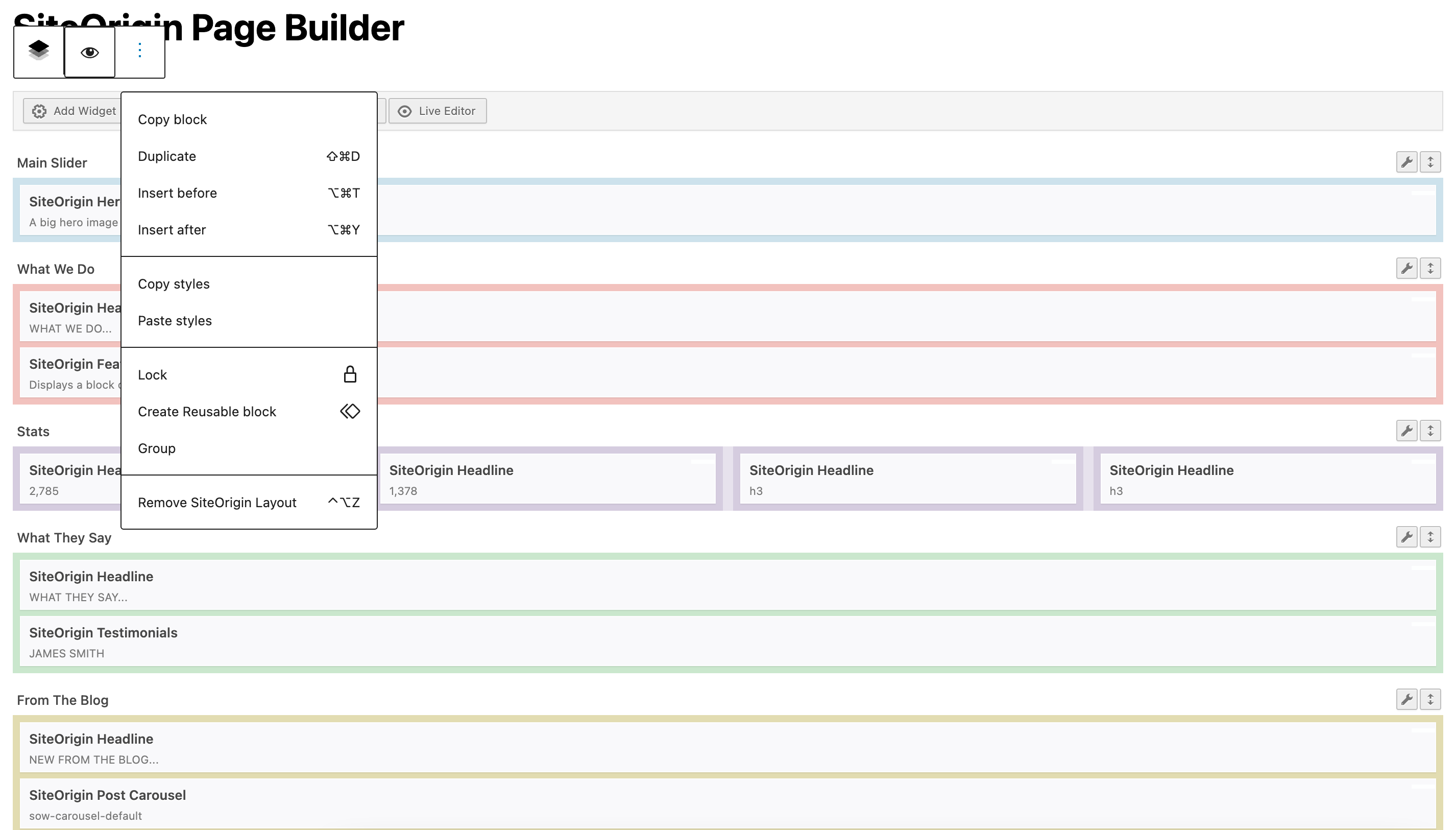
Elige tu editor; Page Builder está listo para usarse en cualquier lugar. Construye en la interfaz tradicional de Page Builder o inserta un diseño de Page Builder en el editor de bloques. Inserta el SiteOrigin Layout Widget en las áreas de widgets de la barra lateral y el pie de página, o usa el SiteOrigin Layout Block en las áreas de widgets basadas en bloques.
Funciona con tu tema
Page Builder te da libertad total para elegir cualquier tema WordPress que quieras. No hay ningún compromiso con tema o desarrollador alguno. La ventaja es que eres libre de cambiar de tema tan a menudo como quieras. Tu contenido siempre irá contigo.
También temeos algunos fantásticos temas gratuitos que funcionan genial con Page Builder.
No se necesita código
La sencilla interfaz de arrastrar y soltar de Page Builder implica que nunca necesitarás escribir ni una sola línea de código. Page Builder genera todo el código altamente eficaz por ti.
Edición en directo
Page Builder es compatible con la edición en directo. Esta herramienta te permite ver tu contenido y modificar widgets en tiempo real. Es el modo más rápido de ajustar tu contenido de manera rápida y sencilla.
Navegador de historial
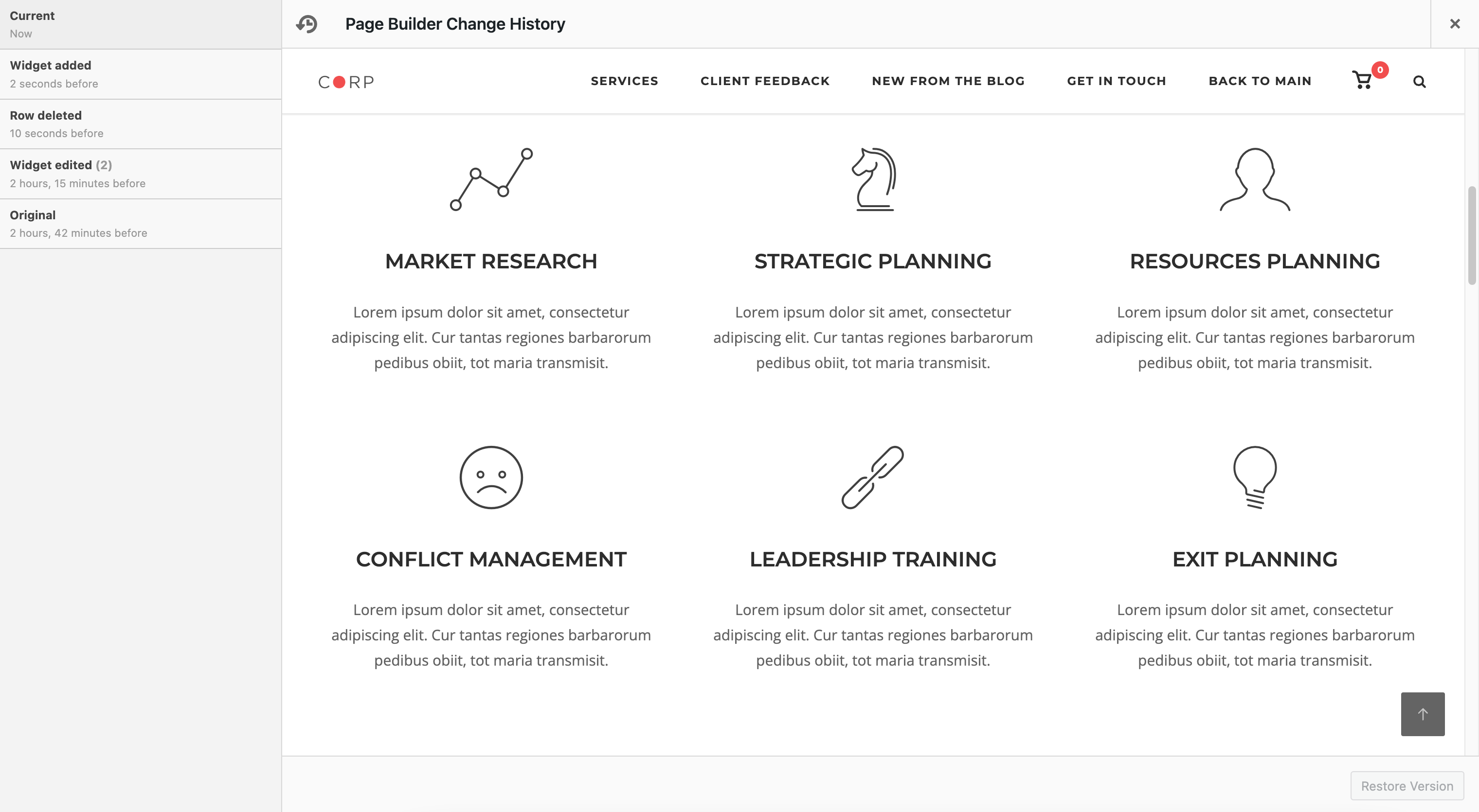
Esta herramienta te permite revertir y rehacer cambios. Te da la libertad de experimentar con distintos diseños y contenido sin el miedo a romper tu contenido.
Estilos de fila, celda y widget
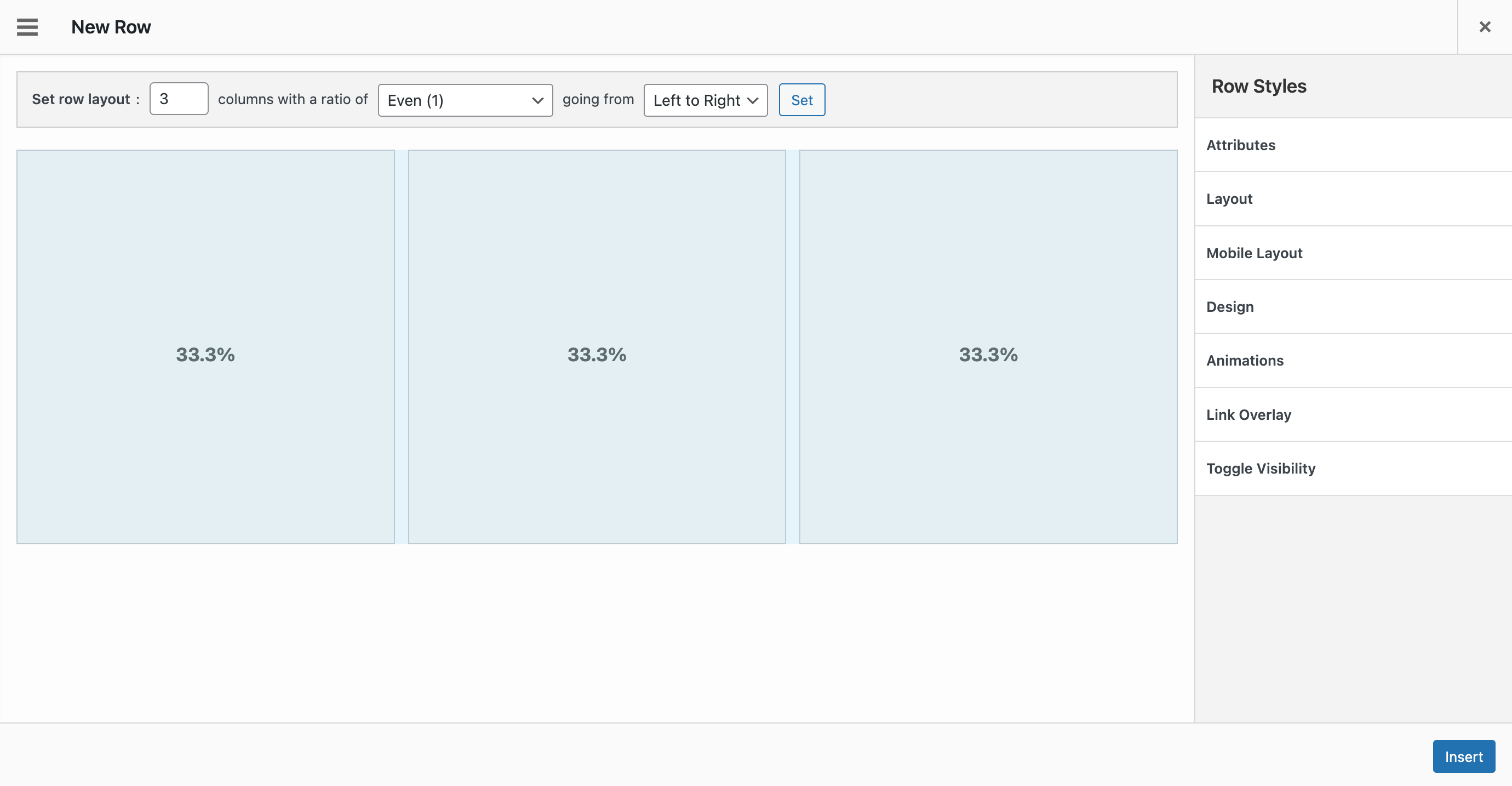
Los estilos de fila y los widgets te dan todo el control que necesitas para hacer que tu contenido sea único por si mismo. Cambia atributos como rellenos, colores de fondo y espacio entre columnas. También puedes introducir CSS personalizado y clases CSS si necesitas incluso un control aún más preciso.
Enfocado en el rendimiento
Hemos creado un framework ligero, centrado en tamaños de página reducidos y tiempos de carga rápidos. Page Builder es compatible con Autoptimize y todos los demás plugins de rendimiento importantes.
Optimizado para SEO
Page Builder utiliza las mejores prácticas modernas de SEO y se integra perfectamente con todos los principales plugins de SEO, incluyendo Yoast SEO y Rank Math.
Es gratis y siempre lo será
Page Builder es nuestro compromiso con la democratización de la creación de contenidos. Como WordPress, Page Builder es, y será, siempre libre. Seguiremos apoyándolo y desarrollándolo tantos años como sea posible. A partir de aquí solo queda mejorarlo.
Preparado para accesibilidad
Page Builder es accesible. Navega con la tecla Tab por todos los campos del formulario y los ajustes, y realiza cambios sin necesidad de un ratón.
Desarrollo activo
SiteOrigin lleva creando herramientas mágicas para tu sitio web de WordPress desde 2011. Page Builder se desarrolla activamente con nuevas funciones y mejoras interesantes cada mes. Sigue la actualidad en el repositorio de GitHub de Page Builder.
Lee la documentación para desarrolladores de Page Builder si quieres desarrollar para Page Builder.
Documentación
La documentación está disponible en SiteOrigin.
Soporte
Ofrecemos soporte gratuito en los foros de soporte de SiteOrigin.
SiteOrigin Premium
SiteOrigin Premium mejora Page Builder by SiteOrigin, el SiteOrigin Widgets Bundle y todos los temas de SiteOrigin con una amplia variedad de funciones y ajustes adicionales. Lleva tus diseños al siguiente nivel con las extensiones de SiteOrigin Premium.
SiteOrigin Premium incluye acceso a nuestro servicio de soporte profesional por correo electrónico, perfecto para esos momentos en los que necesitas soporte técnico rápido y eficaz. Estamos disponibles para ayudarte en todo lo que podamos.
Capturas



Bloques
Este plugin proporciona 1 bloque.
- SiteOrigin Layout
FAQ
¿Cómo instalo Page Builder?
Ve a Plugins > Añadir nuevo en WordPress. Busca «SiteOrigin Page Builder» usando el campo en la parte superior derecha de la página. Alternativamente, instala manualmente el archivo ZIP del plugin desde Plugins > Añadir nuevo > Subir plugin. Si quieres instalar Page Builder manualmente y usas Safari, desactiva la función de descompresión automática de Safari en Safari > Preferencias antes de descargar.
¿Es Page Builder compatible con mi tema?
Page Builder es compatible con todos los temas estandarizados de WordPress. En SiteOrigin.com hay disponible una lista seleccionada con integración mejorada de Page Builder.
¿Puedo usar Page Builder con el editor de bloques de WordPress?
Sí, puedes insertar SiteOrigin Layout Block en el editor de bloques. Si tienes instalado SiteOrigin Widgets Bundle, también está disponible un SiteOrigin Widget Block para usar en el editor de bloques.
¿Funciona Page Builder con tipos de entrada personalizados?
Page Builder se puede activar para todos los tipos de entrada desde Ajustes > Page Builder > General > Tipos de entrada.
¿Funciona Page Builder con plugins y widgets de terceros?
Page Builder es compatible con la gran mayoría de plugins y widgets de terceros. Si encuentras algún problema de compatibilidad, infórmanos a través de nuestro foro de soporte gratuito o, si tienes una licencia activa de SiteOrigin Premium, directamente por correo electrónico.
¿Tiene Page Builder una versión Pro?
SiteOrigin ofrece un único plugin premium que mejora y amplía Page Builder, el Widgets Bundle, SiteOrigin CSS y todos nuestros temas gratuitos. Obtén más información sobre SiteOrigin Premium y las potentes extensiones que ofrece.
Reseñas


Colaboradores y desarrolladores
«Page Builder by SiteOrigin» es un software de código abierto. Las siguientes personas han colaborado con este plugin.
Colaboradores


«Page Builder by SiteOrigin» está traducido en 36 idiomas. Gracias a los traductores por sus contribuciones.
Traduce «Page Builder by SiteOrigin» a tu idioma.
¿Interesado en el desarrollo?
Revisa el código , echa un vistazo al repositorio SVN o suscríbete al registro de desarrollo por RSS.
Registro de cambios
2.37.0 – 04 October 2026
- Layouts: Validated the layout structure before an ability update, and standardized the identifiers used in generated CSS selectors so unusual values can’t affect page styling.
- Layouts: Limited direct changes to stored layout data to users who can post unfiltered HTML, to harden against stored cross-site scripting.
- Settings: Fixed a PHP warning on every page when a theme declares Page Builder support without settings.
- Admin: Refreshed the SiteOrigin Premium suggestions and added the Landing Page, Custom Layouts, Lightbox Builder, Custom Palette and Page Background Addons.
- Developer: Added the
siteorigin_panels_layout_update_pre_writefilter, which can stop asiteorigin-panels/layout-updatewrite before it is stored, and made the layout abilities available to MCP clients.
2.36.1 – 18 September 2026
- Builder: Fixed a widget being dropped from the layout when it was dragged into a different row or column.
- Builder: Kept the stored layout when it fails to load in the editor. The builder locks with a notice, and updating the page no longer replaces the layout with an incomplete one.
- Builder: Refused to save malformed layout data, so a bad submission never clears the stored layout.
- Styles: Removed empty row, cell, and widget styles on save, so layouts affected by an earlier version of the SiteOrigin Premium Toggle Visibility addon load again.
- Block Editor: Fixed row and widget sorting, the media picker, dialog control styling, and list markers inside the block editor canvas.
- Layout Block: Kept ampersands in widget query strings when saved by users without the unfiltered HTML capability.
- Copy Content: Shortcode handling for the post content mirror now lives in the Widgets Bundle Editor widget. The global shortcode change tested in 2.36.1-beta.2 is not in this release.
- Sidebars Emulator: Stripped the WPML URL prefix rather than the language code, so emulated sidebars register on sites with custom language directories.
- Polylang: Hardened how translation term data is read.
- Developer: Registered the
siteorigin-panels/layout-getability as read-only, so it is called with GET and advertised as non-mutating. - Updated the WordPress Tested up to tag to 7.1.
2.36.0 – 04 August 2026
- Import: Limited how many times an uploaded layout file is decoded, and rejected uploads that don’t contain a valid layout.
- Import: Prevented errors when filtered layout data isn’t in the expected format.
- Layout Block: Fixed embeds, iframes, and other advanced content not displaying for logged out visitors. Affected pages recover automatically with no need to re-save.
- Layout Block: Standardized the layout identifier used in generated markup and CSS selectors so unusual values can’t affect page styling.
- Layout Block: Prevented errors when a Layout Block contains unexpected layout data.
- Layout Block: Reduced the empty state message size in the block editor.
- Styles: Preserved stored row, cell, and widget styles when no style fields are registered for the request, preventing style loss on save.
- Developer: Added a read-only layouts REST route, the
siteorigin-panels/layout-getandsiteorigin-panels/layout-updateabilities, and thesiteorigin_panels_ai_layout_loadedaction, allowing addons to read and update Page Builder layouts.
2.35.0 – 15 July 2026
- Layout Block: Strengthened save-time security so widget content is verified when saved and rendered from a trusted copy, keeping embeds and other advanced content intact for all visitors.
- Layout Block: Extended the same save-time verification to reusable blocks and block-based widget areas.
- Recommended alongside Widgets Bundle 1.74.0 or later for full compatibility.
2.34.5 – 01 July 2026
- Embedded Video: Preserved the stored video value on save when unchanged, so untouched widgets are no longer rewritten.
2.34.4 – 25 June 2026
- Lazy Load: Skipped lazy-load tagging on the style wrapper when an overlay is present to prevent duplicate images.
- Visual Styles: Matched color picker controls to 28px for consistent sizing.
- Restored post globals after admin and preview renders to prevent loop variables leaking into the page.
- Always sanitize widget data on save to harden against stored cross-site scripting.
2.34.3 – 22 May 2026
- Style Fields: Restored input and select sizing in Page Builder style settings.
2.34.2 – 20 May 2026
- Code Tab: Fixed the widget dialog font family regression.
- Customizer: Fixed dialog font family scoping to prevent Dashicons conflicts.
- Layout Block: Fixed column resizing crashes and inflated row minimum heights in iframe-based editors.
- Yoast SEO: Improved sitemap image handling to respect Yoast image filters.
- Updated the WordPress Tested up to tag to 7.0.
2.34.1 – 15 April 2026
- Copy Content: Fixed slug corruption during save caused by slug uniqueness filters.
- Ditty: Added compatibility to prevent UI conflicts on Page Builder admin screens.
- Events Manager: Fixed publish status regression in the compatibility layer.
- Layout Block: Added iframe support for the WordPress 7 block editor.
- Layout Block: Fixed context menu rendering inside the block editor iframe.
- Layout Block: Fixed inline save persistence.
- Layout Block: Fixed toolbar focus rendering and selection ring overlap.
- Layout Block: Fixed dialog and block styling for WordPress 7.
- WooCommerce: Improved Shop page context guard to prevent content handling regressions.
- Fixed admin control sizing for WordPress 7.
- Fixed iOS scrolling issue with full-width rows by using
overflow-x: clip. - Fixed last row bottom spacing.
- Fixed row preview percentage alignment.
- Improved admin asset conflict handling for compatibility modules.
2.34.0 – 21 February 2026
- ACF: Improved widget compatibility for array return format.
- AIOSEO, Layout Block: Prevented the AIOSEO SiteOrigin integration from loading in the Layout Block editor.
- Events Manager: Fixed query context handling and duplication processing to prevent duplicate output and preserve Page Builder data.
- Security: Hardened post loop template resolution to prevent local file inclusion risks.
- WooCommerce: Prevented Shop page content from leaking into Terms and Conditions content rendering.
- Added a setting to display empty columns with backgrounds in responsive layouts.
2.33.5 – 07 January 2026
- Added contextual menu action hooks for row and widget menus.
2.33.4 – 03 December 2025
- Updated Tested up to tag.
2.33.3 – 07 October 2025
- Accessibility: Improved the screen-reader-only helper to prevent visible text flashes.
- Builder Widget: Refreshed panels data when opening nested dialogs to avoid unexpected change notices.
- Localization: Corrected escaping in admin settings and widget field templates so translated labels render as expected.
- Select2: Prevented duplicate script registration and raised the dropdown z-index to keep the picker usable in dialogs.
2.33.2 – 02 September 2025
- Livemesh Compat: Added SiteOrigin Widgets compatibility.
- Added Blueprint.json for WP.org Live Preview functionality.
- Build Config: Updated WordPress.org asset exclusion path.
2.33.1 – 31 July 2025
- Layout Directory: Fixed pagination and search functionality.
- Layouts: Fixed an issue with cloning layouts.
- Layouts: Improved security by checking nonce earlier when fetching prebuilt layouts.
2.33.0 – 29 July 2025
- Layout Directory: Added category and niche filtering, search functionality, and pagination support.
- Mode Switcher: Hidden when parent dialog exists for cleaner interface.
- WPML: Updated configuration for improved compatibility.
2.32.1 – 29 June 2025
- Mode Switcher: Restored mobile CSS hide functionality for improved responsive behavior.
- Mode Switcher: Removed legacy CSS and moved .so-mode to .so-toolbar for cleaner structure.
- Widget Dialog: Removed focus delay and improved default field handling for better user experience.
- Fixed button secondary color scheme inheritance for consistent styling.
- Fixed widget editable title class for proper functionality.
- Resolved LESS linting issues for improved code quality.
2.32.0 – 13 June 2025
- Background Image: Added Alt Text setting for improved accessibility.
- Layout Block: Added additional PanelsData check and prevented potential JavaScript null quirk.
- Layout Builder: Fixed potential object.keys issue when removing all blocks.
- Polylang: Prevented undefined sync warning.
- Improved security with enhanced parameter sanitization across admin features.
- Code Quality: Updated WordPress PHP Coding Standards compliance.
2.31.8 – 12 May 2025
- Border Styles: Improved handling of multiple border values.
- Multi-select: Fixed type error in field handling.
- Polylang: Improved compatibility with WPML by loading translation features only when needed.
- Code Quality: Updated PHPCS configuration.
2.31.7 – 01 May 2025
- Fixed an issue with encoded quotes when editing widget titles.
- Resolved Select2 CSS not outputting correctly.
2.31.6 – 19 April 2025
- Import: Closed all containers in imported layouts to ensure consistent layout rendering.
2.31.5 – 26 February 2025
- Improved Legacy Bundled Widget handling.
- Removed
wp_targeted_link_relfrom preview generation. - Added
siteorigin_panels_compat_events_managerfilter to disable Events Manager compatibility.
2.31.4 – 02 February 2025
- Added Compatibility for Events Manager.
- AIOSEO: Loaded plugin widgets.
- Refactored SEO plugin compatibility and restored Yoast Block Editor content parsing.
- Layout Directory: Resolved incorrect empty search after search query.
- WPML: Adjusted editor labels for the WPML 4.7 release.
2.31.3 – 20 December 2024
- WPML: Improved compatibility by excluding
panels_datafield from automatic translation handling. - Prebuilt Layouts: Added text/html to accepted mime types for layout exports.
- Added compatibility with Popup Maker to ensure correct layout rendering in popups.
- Row Labels: Improved handling and display consistency.
2.31.2 – 14 December 2024
- Improved post type handling.
- Select2: Improved input alignment.
2.31.1 – 11 December 2024
- Layouts Block: Prevented double toolbar when in development mode.
- Improved row, cell, and widget attribute handling.
2.31.0 – 22 November 2024
- Styles Fields: Added
multi-select. - Admin Interface: Styling improvements to the Edit Row modal.
- Layouts Block: General styling improvements and fixes.
2.30.0 – 26 October 2024
- Image Overlay: Prevent iOS fixed background display issues.
- Styles Settings: Converted Border Thickness to a multi-measurement field.
- Styles Settings: Ensured color picker field and clear button are on a dedicated line.
2.29.22 – 30 September 2024
- Layout Block: Removed content filter attributes from the front-end.
2.29.21 – 17 September 2024
- Prebuilt Local Layouts: Resolved a potential error.
- Prebuilt Local Layouts: Restricted layout files to JSON.
2.29.20 – 08 August 2024
- Rank Math: Resolved content analysis issue when multiple blocks in use.
2.29.19 – 21 July 2024
- Further improvements for attribute name handling.
- Layout Directory: Resolved an issue with fetching page two.
2.29.18 – 29 June 2024
- Improved attribute name handling.
- Layout Block: Improved preview updating.
- Widget Groups: Resolved a potential
TypeError. - Vantage Compatibility: Resolved a potential
TypeError.
2.29.17 – 15 June 2024
- Layout Builder: Default the modal icon to «Cog».
- Layouts Block: Added an additional check for clearing potential block errors.
- Row Overlays: Resolved a potential Column/Widget video content overlap.
- Row Cell Preview: Adjusted the percentage symbol placement.
- Updated escaping functions to use translatable versions where needed.
- Updated SiteOrigin Installer.
- Number Style Field: Added min/max support.
2.29.16 – 13 May 2024
- Adjusted Add Widget modal sidebar link order and display.
- Restored WP Events Manager compatibility.
- Resolved fallback shortcode decoding issue.
- Added Layout Directory caching for better performance.
- Increased required PHP version to
7.0.0. - Developer: Improved
panelsOptionstranslation handling.
2.29.15 – 27 April 2024
- Layout Block: Further improvements to preview functionality and performance.
- Admin Area: Update to ensure Classic Editor notice is translatable.
2.29.14 – 26 April 2024
- Layout Block: Restored preview functionality.
2.29.13 – 21 April 2024
- Rank Math SEO Compatibility: Resolved dependency error.
2.29.12 – 19 April 2024
- Layout Block: Improved preview.
- Layout Block: Fix repeated rendering when switching to editor.
- Layout Block: Restored data integration for SEO content analysis.
- Post Content Widget: Added «Content» option.
2.29.11 – 31 March 2024
- Post Content Widget: Fixed post featured image output.
- Post Content Widget: Remove unused content and improved title output.
- Block-Based Widgets Editor: Resolved JavaScript error.
- Legacy PB Widgets: Resolved lessphp notices.
2.29.10 – 29 March 2024
- SiteOrigin Layout Block: Update to prevent a potential issue during rendering and saving.
- Legacy Widgets: Update to resolve styles not outputting correctly.
- Excerpt Generation: Update to prevent potential warnings. Expanded the list of supported widgets.
- Recommended Widgets: Update to ensure the tab doesn’t display if there are no widgets to recommend.
- Resolved column preset sizes display issue.
- Sortable: Update to prevent third-party plugins from misaligning text.
2.29.9 – 23 March 2024
- Layouts: Resolved import error.
- Inline CSS Generation: Resolved inline CSS potentially printing on the site front-end.
- Block Editor: Removed redundant shortcode fallback.
2.29.8 – 19 March 2024
- Post Loop: Update to allow HTML formatting in the widget title.
2.29.7 – 18 March 2024
- ACF: Added gallery field support.
- Resolved a potential layout import error.
- Inline Styles: Aligned widget margin value output with non-inline value output.
- Updated the SiteOrigin Installer submodule.
- Added additional data sanitization.
2.29.6 – 05 March 2024
- Added a dismiss button to the Classic Editor notice in the admin panel.
- Improved saving functionality of the Layouts Block with server-side validation for post types, enhanced rendering, block sanitization methods, and improved functionality for locating layout blocks.
- Ensured that errors are not processed and returned as part of the layout in the Layouts Block.
2.29.5 – 16 February 2024
- Media Style: Adjust border color to match other fields.
- Background Overlay: Added
border-radiussupport. - Border Radius: Added a context class for additional styling.
- CSS Output Location: Added Block Editor support.
- Inline CSS Styles: Update to apply widget margin directly to the widget.
2.29.4 – 19 January 2024
- Added compatibility with Pagelayer Templates. The panels filter is selectively enabled or disabled based on template usage.
- Prevented the row overlay from covering widget contents by adjusting CSS rules in
front-flex.less. - Developer: Added
siteorigin_panels_datafilter. Allows for the filtering of$panels_datawhengenerate_cssis run.
2.29.3 – 03 January 2024
- Vantage Theme: Account for unmigrated legacy row layouts.
- Toggle style field accessibility improvements.
- Save mode accessibility improvements.
- Live Editor Redirection: Resolve PHP 8 warning and deprecated notice.
- Color Field: Minor border color adjustment.
- Removed legacy content cache cleanup.
2.29.2 – 03 January 2024
- Vantage Theme: Prevented a type error if empty rows are present.
2.29.1 – 01 January 2024
- Vantage Theme: Prevented a potential Full Width Stretched display issue when no padding is set.