
Descripción
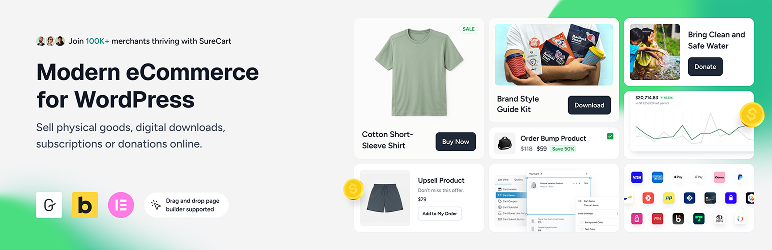
¡La nueva forma de vender cualquier cosa en WordPress!
★★★★★
El comercio electrónico en WordPress ha evolucionado, y las herramientas también.
SureCart aporta un enfoque moderno e intuitivo a la venta en línea. Es ligero, flexible y está diseñado para funcionar a la perfección con tu configuración actual de WordPress.
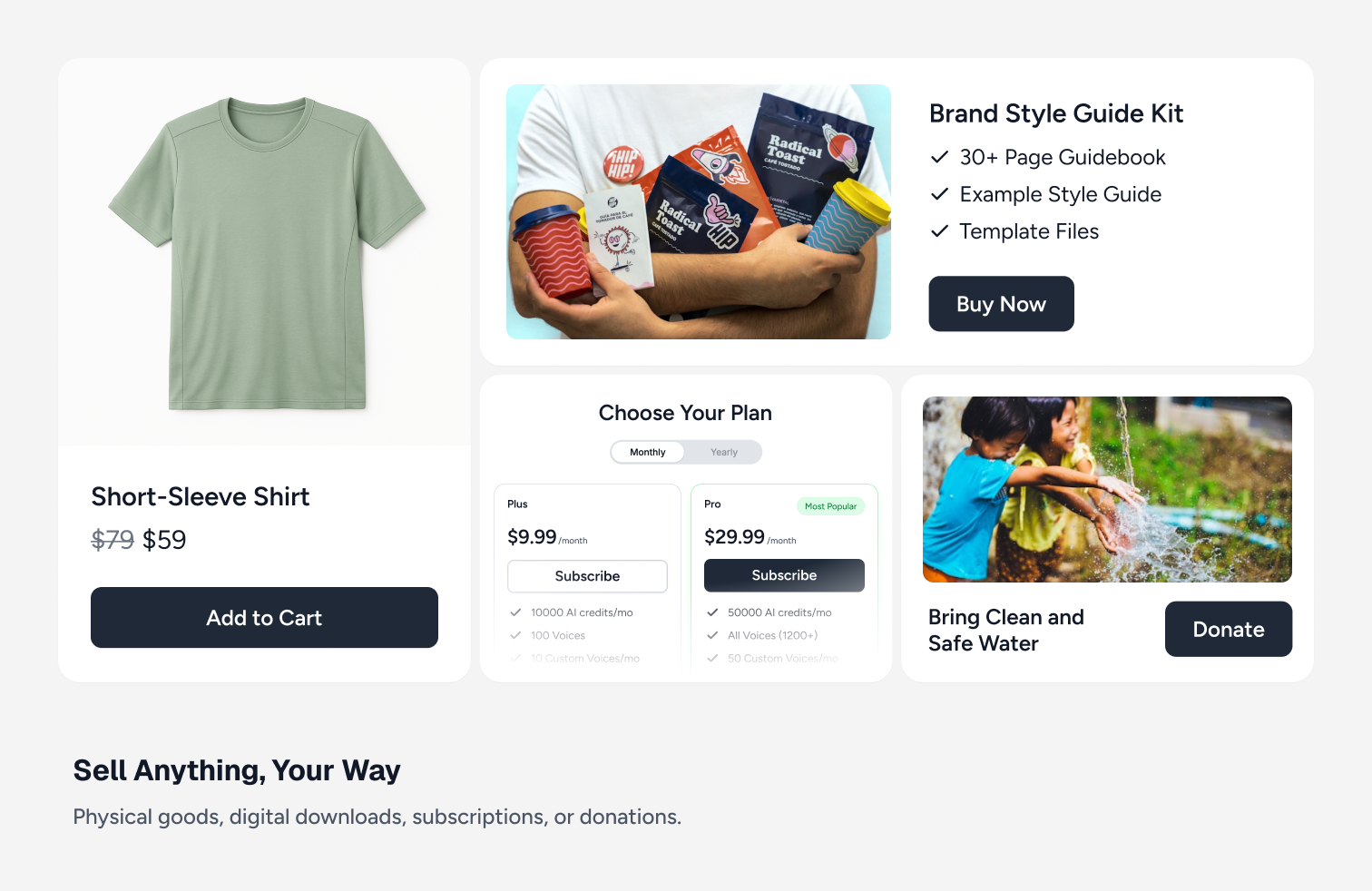
Tanto si vendes productos digitales, suscripciones, servicios o productos físicos, puedes lanzar una tienda totalmente funcional sin complicaciones.
Novedades | Blog | Documentación | Tutoriales en vídeo | Obtener ayuda | Comunidad
Empieza con una tienda completamente gratuita
Con el plan gratuito de SureCart, puedes crear una tienda con todas las funcionalidades principales: productos ilimitados, personalización flexible del checkout, soporte de suscripciones y potentes características integradas, sin necesidad de una pila de complementos.
Escala cuando estés listo. Sin actualizaciones forzadas. Sin sobrecarga innecesaria.
¿Qué hace diferente a SureCart?
SureCart se creó para ofrecer a los usuarios de WordPress una alternativa moderna a los plugins de comercio electrónico tradicionales.
La mayoría de las soluciones de comercio electrónico para WordPress se ejecutan completamente dentro de tu sitio web. A medida que las tiendas crecen, esto puede provocar problemas de rendimiento, sobrecarga de la base de datos, conflictos de plugins y complicaciones con la caché.
SureCart adopta un enfoque fundamentalmente diferente.
SureCart consta de dos partes: el plugin y la plataforma. El plugin conecta tu sitio WordPress con la plataforma SureCart, un motor de comercio electrónico basado en la nube diseñado específicamente para gestionar pagos, suscripciones, impuestos y el procesamiento del checkout a gran escala.
En lugar de cargar todo el procesamiento del comercio electrónico en tu sitio web, SureCart maneja las operaciones pesadas en su propia infraestructura. Esto reduce la carga de tu servidor, mejora la fiabilidad y minimiza los conflictos con temas, sistemas de caché u otros plugins.
Gracias a esta arquitectura, obtienes:
- Una huella de WordPress más ligera
- Menos sobrecarga de la base de datos
- Menos conflictos de plugins
- Compatibilidad con sistemas de caché
- Seguridad integrada, copias de seguridad y gestión de la infraestructura
El resultado es una experiencia de comercio electrónico más fluida, con menos sobrecarga técnica y menos partes móviles que gestionar.
¿Para quién es SureCart?
Cada año enviamos una encuesta a todos nuestros usuarios, así que aquí están los resultados de 2025-26 sobre quién está usando SureCart.
- Empresas basadas en suscripciones: SureCart es ideal para entrenadores, creadores de cursos, sitios de membresía y empresas SaaS que dependen de ingresos recurrentes y necesitan una potente gestión de suscripciones con herramientas de retención integradas.
- Empresas basadas en servicios: perfecto para agencias web, bufetes de abogados y negocios locales que cobran mediante suscripciones, planes de pago a plazos o comisiones de configuración únicas con facturación flexible integrada directamente en el checkout.
- Creadores y desarrolladores de productos digitales: diseñado para vender libros electrónicos, imprimibles, activos creativos y descargas digitales, y cada vez más confiable para los desarrolladores de software de WordPress que aprovechan el sistema de licencias integrado de SureCart.
- Tiendas de productos físicos: excelente para comerciantes que quieren una forma sencilla de lanzar una tienda en línea, gestionar pedidos y cumplimiento, y aumentar el valor medio del pedido con la recuperación de carritos abandonados, mejoras de pedido y ventas adicionales posteriores a la compra integradas.
- Agencias y autónomos: en lugar de rechazar proyectos de comercio electrónico por su complejidad, las agencias aceptan con confianza más clientes de tiendas en línea. SureCart simplifica la configuración y la gestión continua, y a sus clientes les encanta la experiencia.
- Organizaciones sin ánimo de lucro y recaudadores de fondos: ideal para organizaciones benéficas y causas que necesitan formularios de donación flexibles y, al mismo tiempo, la capacidad de vender merchandising, entradas para eventos u otros productos, todo desde una experiencia de checkout unificada.
Escaparate tradicional
¿Quieres añadir una tienda en línea tradicional a tus sitios web?
Aquí es donde tienes una página de tienda para mostrar todos tus productos, páginas de producto, carrito y luego el checkout.
SureCart tiene todas las características para vender productos de esta manera en tu sitio web. Estas incluyen variaciones de productos, colecciones de productos, cupones, seguimiento de inventario, cálculos de envío, cumplimiento de productos, devoluciones de productos y área de cliente.
Opciones de precios de productos (ahora con precios dinámicos)
SureCart te ofrece un control de precios flexible y centrado en la conversión sin duplicar productos ni crear flujos de checkout complejos.
En lugar de limitarte a un precio por producto, puedes asociar varias opciones de precio a un mismo producto y dejar que los clientes elijan lo que mejor les funcione.
Puedes ofrecer:
- Pagos únicos
- Pagos de suscripción (diario, semanal, mensual, anual, etc.)
- Planes de pago a plazos
- Pruebas gratuitas
- Pruebas de pago
- Comisiones de configuración
- Descuentos de configuración
- «Pon tu propio precio»
Precios dinámicos (nuevo)
SureCart también incluye precios dinámicos integrados, que permiten que los precios se ajusten automáticamente en el checkout según condiciones reales.
Puedes:
- Aplicar descuentos cuando el subtotal del carrito supera un umbral
- Añadir comisiones condicionales según el rol del usuario o el tipo de cliente
- Ofrecer descuentos por volumen o cantidad
- Recompensar a los clientes conectados con precios especiales
- Ejecutar ofertas tipo «llévate uno, llévate otro gratis» sin duplicar productos
Los precios se actualizan al instante durante el proceso de finalizar compra, justo donde se toman las decisiones de compra.
Esto facilita el aumento del valor medio del pedido (AOV), recompensar a los clientes leales y ejecutar promociones más inteligentes sin añadir plugins adicionales.
Gestión avanzada de suscripciones y retención para WordPress
Vender una suscripción es la parte fácil. Gestionar las renovaciones, reducir la rotación y maximizar el valor de por vida es donde realmente crecen los negocios de suscripción.
SureCart va más allá de los pagos recurrentes básicos, ofreciéndote herramientas integradas para gestionar y retener activamente a los suscriptores, no solo para cobrar pagos.
Configuración flexible de suscripciones
Con SureCart, puedes:
- Crear intervalos de facturación flexibles (diario, semanal, mensual, anual o personalizado)
- Ofrecer pruebas gratuitas y pruebas de pago
- Añadir comisiones de configuración o descuentos de configuración
- Crear pagos de suscripción al estilo de plazos
- Aplicar reglas de precios dinámicos a productos de suscripción
- Ofrecer múltiples opciones de precio en un solo producto de suscripción
Reducir la cancelación por pagos fallidos
Una de las principales causas de la pérdida de suscriptores son los pagos fallidos. SureCart incluye una gestión de cobros integrada que:
- Reintenta automáticamente los pagos fallidos
- Envía recordatorios avanzados de prepago
- Notifica a los clientes sobre problemas de pago
- Ayuda a recuperar ingresos que de otro modo se perderían
Esto ayuda a mantener activos a los suscriptores sin necesidad de extensiones de terceros.
Reducir las cancelaciones voluntarias
La segunda causa principal de cancelación es que los suscriptores decidan darse de baja. La característica Subscription Saver de SureCart ayuda a reducir las cancelaciones y te ofrece información sobre por qué los clientes se van.
Puedes:
- Ofrecer rutas de actualización o degradación con prorrateo automático
- Permitir a los clientes pausar suscripciones en lugar de cancelarlas
- Reactivar suscripciones canceladas
- Permitir a los clientes cambiar sus métodos de pago
- Permitir cambios en las fechas de facturación
- Ofrecer gestión de autoservicio a través de paneles de cliente
En lugar de forzar cancelaciones, se ofrecen a los clientes opciones flexibles que mantienen el flujo de ingresos.
Gestión integrada sin extensiones adicionales
Muchas configuraciones de WordPress requieren múltiples extensiones para gestionar las suscripciones eficazmente. SureCart incluye la lógica de suscripciones, herramientas de retención y avisos por correo electrónico de forma nativa.
Como SureCart está basado en la nube e impulsado por API, el procesamiento de suscripciones se maneja de forma fiable sin añadir una gran carga de procesamiento a tu sitio de WordPress.
Esto te da un mayor control sobre la experiencia del suscriptor, la retención y los ingresos periódicos, todo desde una única plataforma.
La mejor alternativa a WooCommerce
¡SureCart es la alternativa a WooCommerce que los usuarios de WordPress han estado pidiendo!
Respetamos profundamente a WooCommerce y cómo ha allanado el camino para añadir una tienda en línea a WordPress. Pero no es ideal para todo el mundo.
Te costaría 2849 $ al año, por tienda, en complementos de WooCommerce para obtener las mismas características que SureCart ofrece de serie. Y tu tienda sería más propensa a conflictos de plugins, vulnerabilidades de seguridad, actualizaciones constantes necesarias para cada plugin y un sitio web potencialmente más lento.
(Estas son las razones que nos han contado los comerciantes de SureCart que cambiaron desde WooCommerce)
Hay casos en los que usar WooCommerce puede ser la única opción para tu tienda debido a su amplio ecosistema de complementos de pago y pasarelas de pago si tienes requisitos muy específicos.
Aquí es donde el enfoque de SureCart es diferente. Todo está integrado, no se necesita ningún complemento. Todo se hace más fácil, tu sitio funcionará más rápido, estamos ahí para apoyarte, nunca estás solo.
Características de SureCart
Estas son solo algunas de las características clave que los usuarios de SureCart adoran.
-
Múltiples procesadores de pago, checkout rápido con ApplePay y GooglePay:
Conéctate fácilmente a Stripe, PayPal, Razorpay y Mollie con soporte para más de 135 monedas, más de 45 países y docenas de métodos de pago, como tarjetas, monederos electrónicos, débitos bancarios y más. Puedes usar varios procesadores en un mismo formulario de checkout. Además, puedes aceptar opcionalmente las opciones de checkout rápido de ApplePay o GooglePay. -
Opciones de pago potentes:
Pagos únicos, suscripciones, suscripciones con pruebas gratuitas, comisiones de configuración, planes de pago (a plazos), paga lo que quieras, donaciones. SureCart cubre la mayoría de las formas en las que puedes querer cobrar, todo incluido de forma gratuita. -
El sistema de pagos de suscripciones más completo:
Las suscripciones son mucho más que simplemente volver a facturar en un intervalo. El motor de suscripciones de SureCart no tiene igual. Con nuestras amplias opciones de pago de suscripciones, puedes vender tus suscripciones como quieras. Pero SureCart va más allá de otras plataformas de comercio electrónico al ofrecer actualizaciones o degradaciones prorrateadas. Así que, si ofreces una suscripción mensual o anual y tu comprador quiere actualizarla, SureCart puede prorratear la actualización. -
Reseñas de productos integradas
SureCart incluye un sistema nativo de reseñas de productos para que puedas recopilar y mostrar comentarios verificados de clientes sin necesidad de instalar un plugin de reseñas adicional. Puedes habilitar las calificaciones con estrellas junto con los comentarios escritos, moderar y aprobar las reseñas, y mostrarlas directamente en las páginas de productos y de pago. Las reseñas se gestionan desde tu panel de control de SureCart y se integran perfectamente con tus productos y opciones de precios, lo que ayuda a generar confianza en el punto de venta sin añadir plugins ni complejidad. -
Precios dinámicos
SureCart incluye precios dinámicos integrados para que puedas ajustar automáticamente los precios al finalizar la compra en función de condiciones reales, sin necesidad de duplicar productos ni crear reglas de cupones complejas. Puedes aplicar descuentos o cuotas según el subtotal del carrito, la cantidad de productos, el tipo de cliente, el perfil de usuario u otras condiciones del proceso de pago, y los precios se actualizan al instante justo donde se toman las decisiones de compra. Los precios dinámicos funcionan a la perfección con pagos únicos y productos de suscripción, lo que te da más flexibilidad para aumentar el valor medio del pedido y lanzar promociones más inteligentes sin añadir plugins adicionales. -
Mejoras de pedido y embudos de venta adicional:
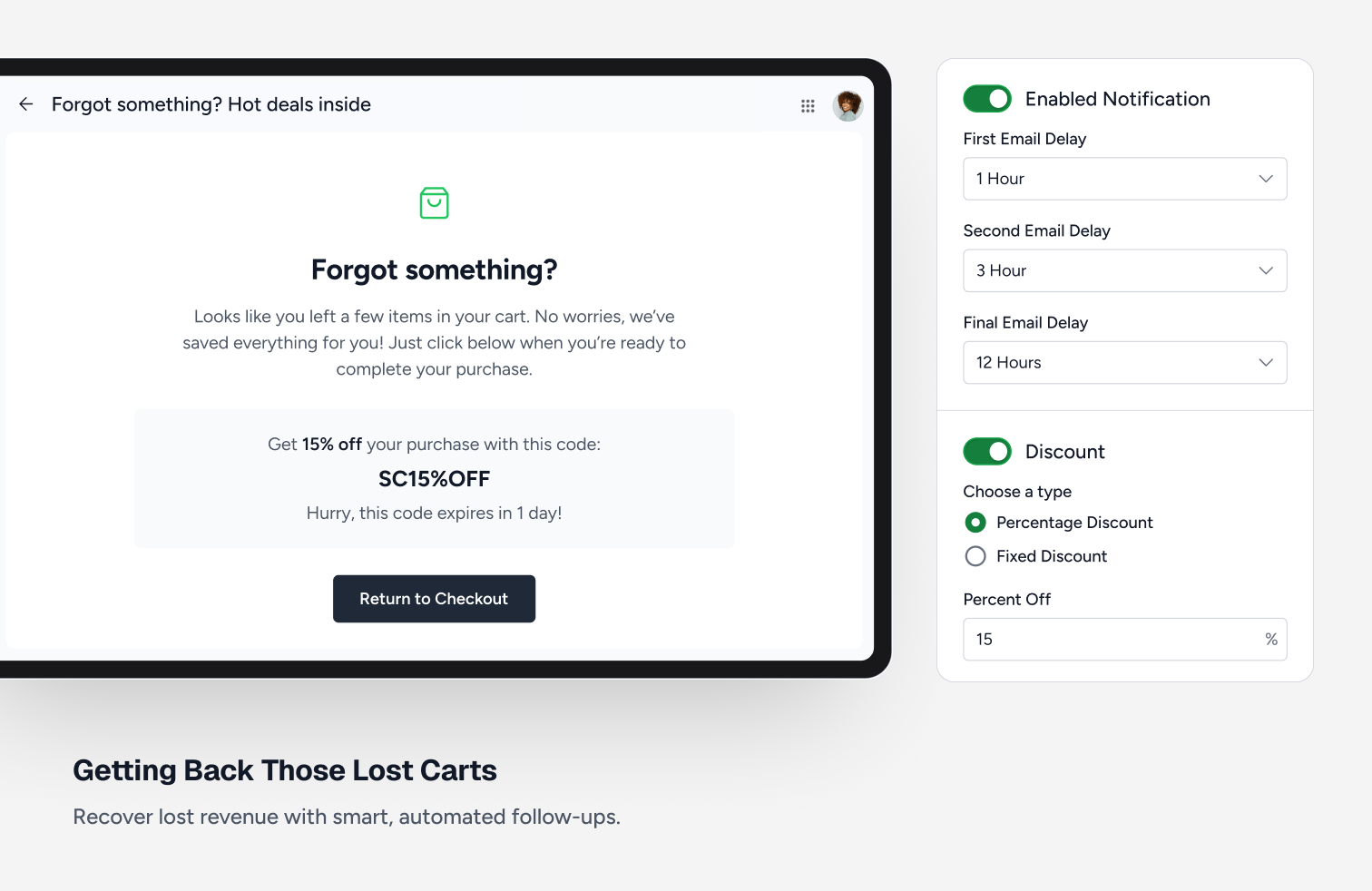
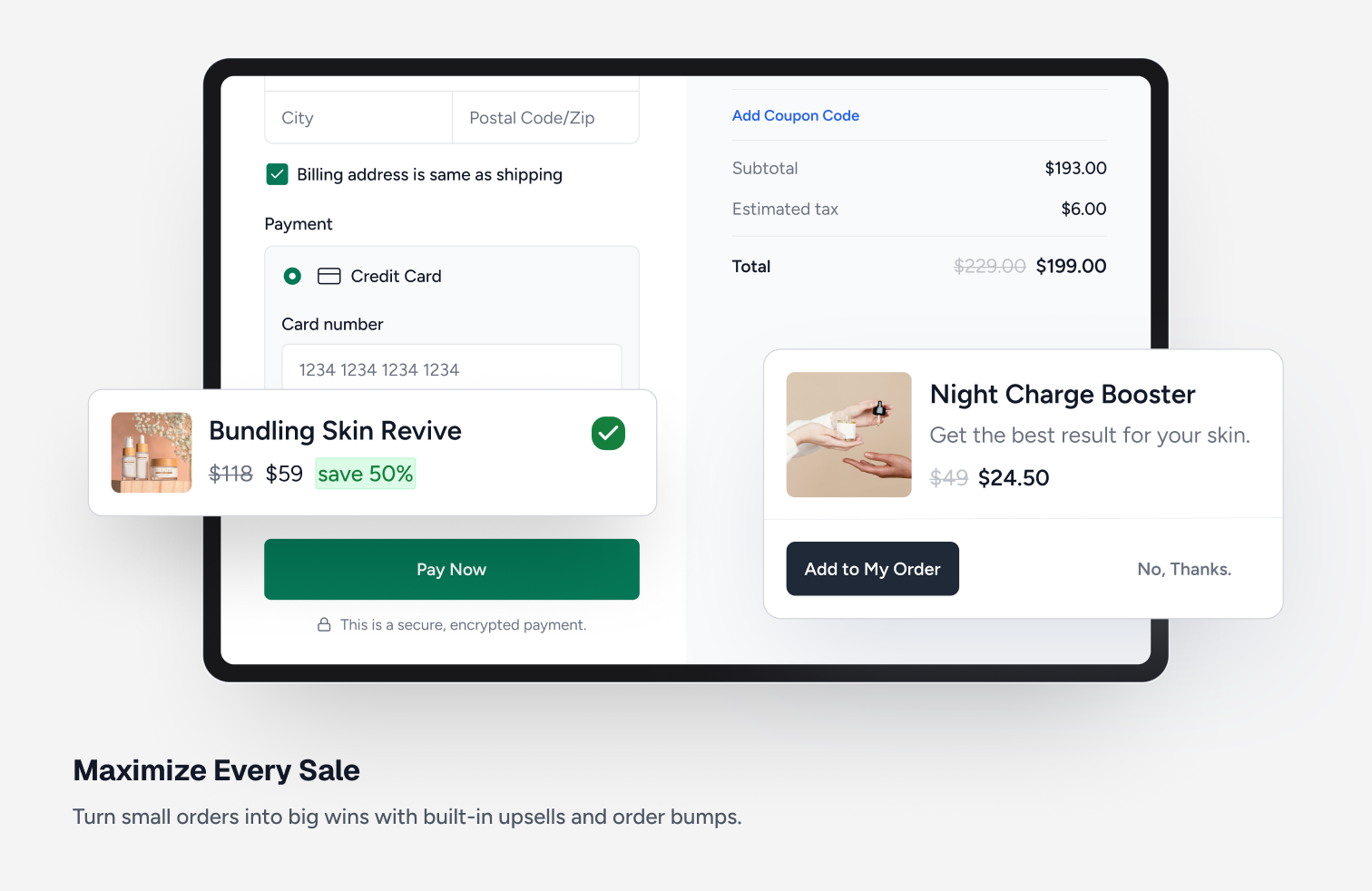
Los comerciantes de SureCart tienen tiendas más rentables gracias a un conjunto completo de características de optimización de ingresos. Genera más ingresos con mejoras de pedido con un solo clic, ventas adicionales con un solo clic posteriores a la compra y recuperación de carritos abandonados. -
Plataforma de afiliados:
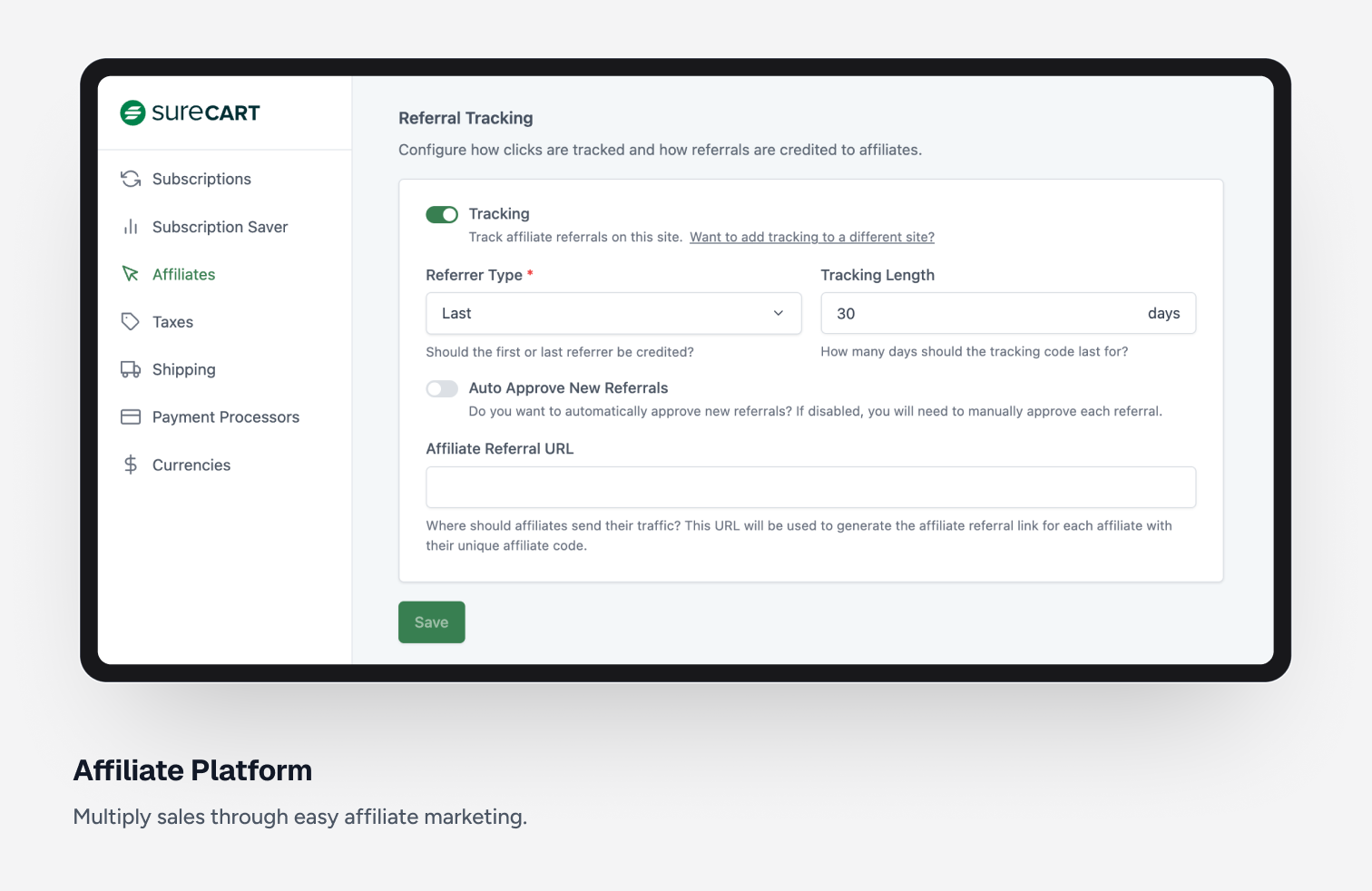
Genera más ventas añadiendo un programa de afiliados. Lanza un programa de afiliados fácilmente en solo unos minutos. Puedes personalizar cada aspecto de tu programa de afiliados, incluyendo comisiones de por vida, tarifas de afiliado personalizadas, cupones de afiliado y más. -
Área de cliente de autoservicio (actualizaciones y degradaciones de suscripciones):
Con nuestra área de cliente altamente personalizable, puedes tener control total sobre lo que un cliente ve y puede hacer. Por ejemplo, puedes permitir que tus clientes cambien sus datos personales, su contraseña, accedan a descargas digitales seguras, actualicen las tarjetas de crédito registradas, actualicen una suscripción o la degraden. Todo con una experiencia de usuario moderna y atractiva. -
Experiencia de compra personalizable:
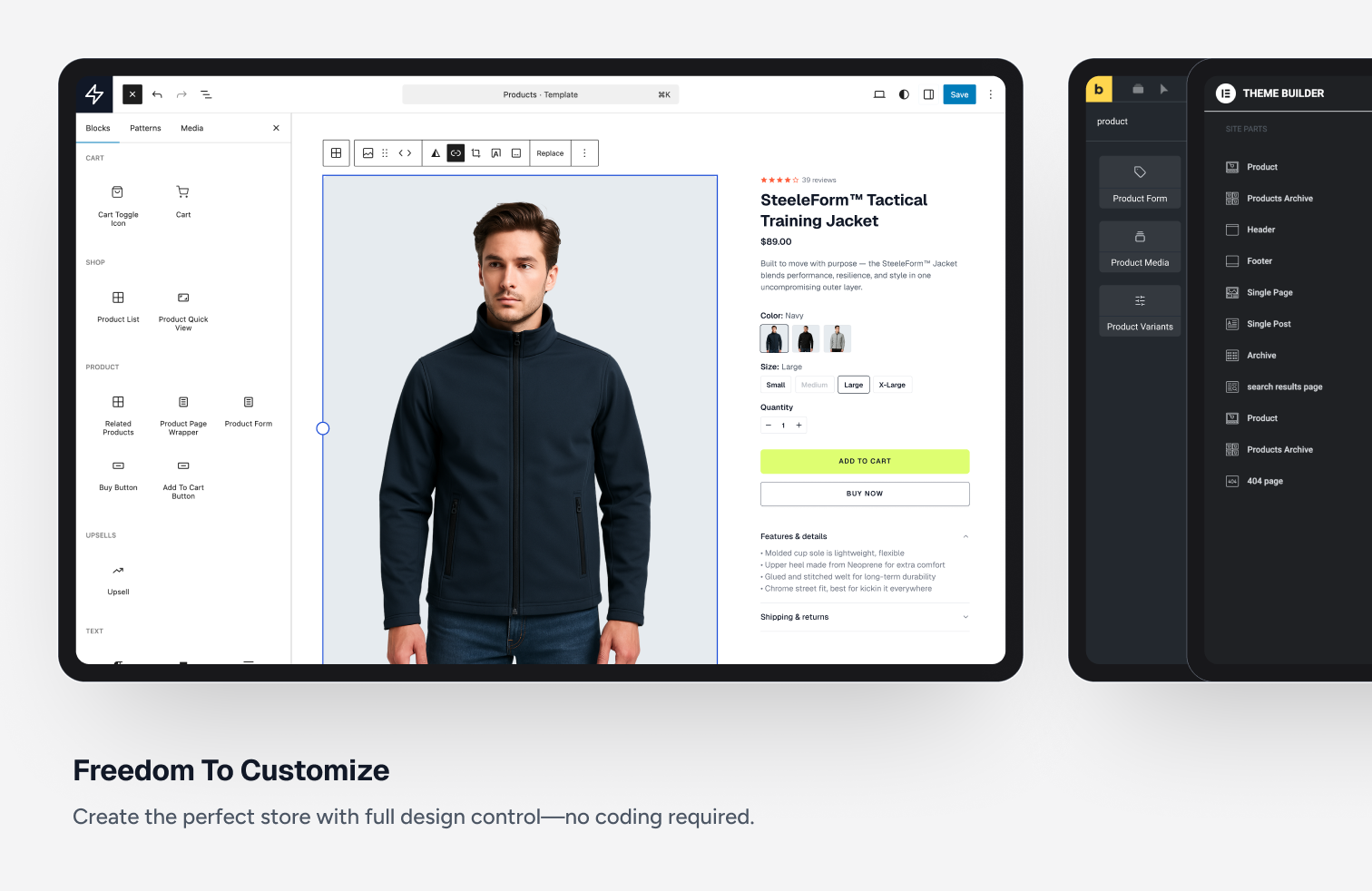
Personaliza las páginas de producto, las páginas de tienda, el carrito y el panel de cliente con un editor intuitivo y potente de arrastrar y soltar que utiliza el editor de bloques de WordPress. -
Constructor de formularios de checkout flexible:
Crea un formulario de checkout completamente personalizado. De hecho, crea tantos como quieras. No hay otra plataforma de comercio electrónico con tanta capacidad de personalización. Simplemente arrastra y suelta campos, selectores de precio, selectores de donación, casillas de verificación y otras partes para crear el formulario de checkout perfecto. -
Descuentos con cupones:
Incentivar a los compradores con un descuento con cupón es una excelente manera de aumentar las ventas. Puedes crear fácilmente cupones ilimitados y también añadir cupones automáticamente con un parámetro en la URL. -
Entrega segura de archivos digitales:
¿Vendes descargas digitales? Puede ser software, imprimibles, libros electrónicos, lo que sea, y SureCart puede entregarlo de forma segura a tus compradores. -
Carrito deslizable:
Si quieres vender tus productos o servicios usando un carrito tradicional que permita a los compradores añadir artículos y luego pasar al checkout, te encantará el carrito deslizable, bonito y ultrarrápido de SureCart. -
Cumplimiento total con la UE:
Si eres un comerciante con sede en la UE, sabes que hay requisitos muy estrictos en cuanto al IVA, cómo mostrar los precios con el IVA incluido, qué información debe figurar en las facturas, cómo deben numerarse las facturas, etc. SureCart te cubre. -
Integra y automatiza:
La parte más importante de una plataforma de comercio electrónico es cómo se integra con otros plugins y plataformas externas. SureCart ofrece integraciones con muchos plugins de WordPress, para que puedas usar SureCart para todo tu comercio electrónico. -
Escalado sin problemas:
Con otros plugins de comercio electrónico, si recibes una afluencia de compradores para esa gran oferta o promoción, a menos que tengas un alojamiento potente y costoso, tu sitio web será lento o, peor aún, se bloqueará. Como SureCart está basado en una plataforma, cuando recibes una afluencia de nuevos compradores, no tienes que preocuparte porque nosotros nos encargamos del escalado por ti. -
Cálculos de IVA e impuestos sobre las ventas en tiempo real:
Otras plataformas de comercio electrónico te permiten integrarte con servicios de cálculo de impuestos costosos, que suelen costar 50 $ al mes o más. No con SureCart: estamos totalmente integrados con TaxJar y pagamos nosotros los cálculos, así que tú no tienes que hacerlo. Y la configuración es muy sencilla.
Integraciones de SureCart
Recomendado
- OttoKit
- SureDash
- SureMembers
- Astra
- Starter Templates
Analíticas
- Google Analytics
- Facebook Pixel
- Analytics WP
- Conversion Bridge
- Independent Analytics
- Kadence Insights
Automatización
- OttoKit
- Bit Flows
- Zapier
- WPFusion
- Bit Integrations
- Flowmattic
- Integrately
- Omnisend
- Pabbly Connect
- Thrive Automator
- viaSocket
Reservas y eventos
- LatePoint
- Pie Calendar
Comunidad / red
- SureDash
- BuddyBoss
- GamiPress
- Omnisend
Cursos y aprendizaje en línea
- SureDash
- LearnDash
- LifterLMS
- Masteriyo
- TutorLMS
Gestión de datos
- WP Ultimate CSV Importer
Diseño y tema
- Astra
- Bricks Builder
- Starter Templates
- Editor de bloques (Gutenberg)
- Kadence Cloud
- Meta Box
- Advanced Custom Fields
- JetEngine
- Elementor
- Spectra Website Builder
- Divi Builder
- Beaver Builder
- Thrive Architect
- Oxygen Builder
Temas
SureCart funciona con cualquier tema, incluyendo:
- Astra Theme
- Avada
- Blocksy
- Divi Theme
- Flatsome
- GeneratePress
- Kadence Theme
- Neve
- OceanWP
- Spectra One Theme
Membresía
- SureMembers
- MemberPress
Otras integraciones
- Presto Player
- AffiliateWP
Integraciones con OttoKit
SureCart también se integra con OttoKit, que es como Zapier para WordPress. OttoKit se integra con más de 500 aplicaciones y servicios. Para integrarte con ellos, tendrás que añadir el plugin OttoKit a tu sitio web:
- ActiveCampaign
- ConvertKit
- FluentCRM
- Google Sheets
- GoHighLevel
- Klaviyo
- MailChimp
- MailGun
- Restrict Content Pro
- SendinBlue
- Slack
- The Events Calendar
- Twilio
- Webhooks
- Zoom
- Ver la lista completa
Únete al grupo de Facebook de SureCart
Únete a nuestra comunidad en Facebook: aprende los trucos y técnicas que otros usuarios de SureCart están usando para hacer crecer su negocio. Además, obtén información privilegiada sobre las próximas versiones de características.
¿Quieres contribuir al plugin?
Ahora puedes contribuir al plugin en Github: Plugin SureCart para WordPress en Github
Capturas

Bloques
Este plugin proporciona 170 bloques.
- Order Bump Title Display the order bump product title.
- Selected Price Scratch Amount Displays the currently selected price scratch amount.
- Star Rating Display the product average rating stars.
- Next Display the product pagination next.
- Sticky purchase Display the sticky purchase.
- Input Display the product quantity input
- Line item scratch amount Display the product line item scratch amount.
- Checkbox Display the filter checkbox.
- Filter (Dropdown) Display the product filter.
- Numbers Display the product pagination numbers.
- Image Display the product image.
- Line item variant Display the product line item variant, or the included items when the product is a bundle.
- Sort (Radio Group) Display the Product List Sort Radio Group.
- Order Bump Pagination Pagination controls for order bumps.
- Previous Display the product pagination previous.
- Sidebar Display the product list sidebar.
- Price Amount Displays amount of a price.
- Checkbox Display the product review filter checkbox.
- Icon Display an icon from the SureCart icon library.
- Decrease Quantity Display the product quantity input decrease
- Line Item Title Display the product line item title.
- Review Form Submit Button Provide a submit button for the product review form.
- Product Media A container to display the product media
- Selected Price Fees Displays the currently selected price fees.
- Cart Items The cart items
- Cart Toggle Icon The cart menu icon that shows your cart quantity.
- Order Bump Add Button Button to add the order bump to cart.
- Order Bump Next Navigate to the next page of order bumps.
- Product Note Allow customers to add a note to the product
- Label Display the product list filter tags label
- Review Title Displays the title of a product review.
- Applied Filters Display the applied filters.
- Applied Filters Display the product review applied filters.
- Template Display the sort radio group template.
- Cart Display SureCart slide out cart
- Product Review Form Display the product review form.
- Cart Subtotal Display the cart subtotal
- Selected Price Amount Displays the currently selected price or variant amount.
- Next Display the product review pagination next.
- Quick Add Button Display the product quick add to cart button.
- Label Display the product review list filter tags label
- Selected Variant Display Displays the currently selected variant of a product.
- Reviews Count Displays the total reviews count for the product.
- Order Bumps Display recommended order bumps in the cart.
- Tag Display the product review filter tag.
- Template Displays products list.
- Template Display the review filter checkboxes.
- Review Form Rating Provide a star rating input for product reviews.
- Product Title Display the product title.
- Tag Display the filter tag.
- Average Rating Displays the average product rating value.
- Cart Items The slide-out cart items
- Sale Badge Display a badge if the product is currently on sale
- Control Display the product quantity control
- Sidebar Toggle Button Display the product list sidebar toggle.
- Cart Bump Line Item Display the cart bump line item
- Cart Submit Button The cart submit button
- Product List Display a list of products.
- Cart Header Display a cart header
- Product Buy Button Display the product buy button.
- Review Breakdown Displays a breakdown of product reviews by star rating.
- Pagination Display the product pagination.
- Template Display the filter checkboxes.
- Review Content Displays the content of a product review.
- Review Content Display the product reviews content
- Line item interval Display the product line item interval.
- Close Cart Button Display the close cart button.
- Review Form Close Button Display the product review form close button.
- Product Template Container Display the Product Template Container.
- Radio Display the sort radio.
- Price Interval Displays the price interval.
- Sort (Dropdown) Display the product sort.
- Product Review Summary Display the product review summary.
- Floating Cart Icon The cart icon that shows your cart quantity.
- Price Displays the price of a product with a choice of options.
- Line item price name Display the product line item price name.
- Order Bump Description Display the order bump description.
- Product Quick Add Display the product quick add button.
- Filter Checkboxes Display the product list filter checkboxes.
- Template Display the filter tags.
- Product Selected Variant Image Shows the image for the currently selected product variant.
- Line item note Display the product line item note.
- Product Description Display the product description.
- Filter Checkboxes Display the product review list filter checkboxes.
- Cart Message Display a custom message in the cart
- Order Bump Amount Display the order bump price.
- Price Trial Displays trial of a price.
- Cart Submit Button The cart submit button
- Line item fees Display the product line item fees.
- Price Name Displays the name of a price.
- Review Date Displays the date of a product review.
- Price Scratch Amount Displays scratch amount of a price.
- Review Rating Stars Displays the rating given by the reviewer for a product review using stars.
- Tag A product collection tag for a product.
- Reviewer Name Displays the name of the reviewer for a product review.
- Price Display the static product price.
- Template Display the filter tags.
- Product Quantity Display the product quantity selector
- Pagination Display the product review pagination.
- Scratch Price Display the product scratch price.
- Numbers Display the product review pagination numbers.
- Product Form Display product form.
- Line Item Image Display the product line item image.
- Pill Displays a product variant choice as a pill.
- Label Display the product review list filter checkboxes label.
- Selected Price Custom Amount Displays the currently selected price custom amount.
- Variants Selector Display product variants as pills selector.
- Template Displays product review template
- Line item quantity Display the product line item quantity.
- Price Selector Displays possible choices for product prices.
- Cart Subtotal Display the cart subtotal
- Sidebar Toggle Button Display the product review list sidebar toggle.
- Cart Coupon Display a coupon form in the cart
- Line item details Collapsible container for the line item's extra details (variant, bundle items, note) shown under a cart line item.
- Order Bump Scratch Amount Display the order bump original price (strikethrough).
- Line item status Display the product line item status.
- Related Products Display a list of products related to the current product.
- Line item amount Display the product line item amount.
- Write a Review Button A button to open the product review form.
- Line item remove Display the product line item remove.
- Order Bump Previous Navigate to the previous page of order bumps.
- Collection Tags Displays collection selectors for a product.
- Selected Price Trial Displays the currently selected price trial.
- Label Display the product list filter checkboxes label.
- Product Review List Display a list of product reviews.
- Line item trial Display the product line item trial.
- Currency Switcher Display a currency switcher dropdown.
- Clear All Display the product list filter tags clear all link.
- Review Form Title Provide a title input field for product reviews.
- Review Verified Badge Displays a verified badge for a product review.
- Cart Items Count Display the number of items in the cart.
- Content Display the product list content.
- Label Display the product list sort radio group label
- Selected Price Interval Displays the currently selected price interval.
- Cart Subtotal Amount Display the cart subtotal amount
- No reviews Contains the block elements used to render content when no reviews are found.
- Order Bump Image Display the order bump product image.
- Previous Display the product review pagination previous.
- Buy Buttons Displays product buy and add to cart buttons
- Order Bump Discount Badge Display the order bump discount badge.
- Clear All Display the product review list filter tags clear all link.
- Content Display the product reviews.
- Increase Quantity Display the product quantity input increase
- Order Bump CTA Display the order bump call to action text.
- No products Contains the block elements used to render content when no products are found.
- Review Form Content Provide a content textarea field for product reviews.
- Close Display the product quick add close button.
- Cart Subtotal Scratch Amount Display the cart subtotal scratch amount (original price before discount).
- Sidebar Display the product review list sidebar with filters.
- Search Display the product search.
- Price Setup Fee Displays the setup fee of a price.
- Order Bump Template Template for rendering each order bump item.
- Customer Dashboard Button Display a button to link the user to their customer dashboard.
- Text Field Displays a form text input field. This is saved with the order as additional metadata.
- Cart Menu Icon The cart menu icon that shows your cart quantity.
- Coupon Display a coupon form.
- Logout Button Display a logout button.
- Divider Displays a divider.
- Buy Button Display a button to immediately redirect to the checkout page with the product in the cart.
- Cart Coupon Display a coupon form in the cart.
- Add To Cart Button Display a button to add a specific price to the cart.
- Product Cart Button Add a buy now or add to cart button.
- Session Info Display information for a specific session.
- Customer Dashboard Page Displays the users customer dashboard tab.
- Customer Dashboard Displays the users customer dashboard.
- Tabbed Customer Dashboard Displays the users customer dashboard.
- Button Display a checkout form button.
- Confirmation Template for the review confirmation content. Shown when editing the confirmation.
- Form Template for the review form content. Shown when editing the form.
- Form Displays a form.
Instalación
- Sube la carpeta de SureCart al directorio /wp-content/plugins/
- Activa el plugin SureCart a través del menú «Plugins» en WordPress
FAQ
-
¿Por qué necesito una cuenta en SureCart.com?
-
SureCart consta de dos partes: la plataforma y el plugin. Para que el plugin funcione, debe estar vinculado a tu cuenta en la plataforma.
-
¿Qué procesadores de pago puedo usar?
-
SureCart admite actualmente el procesamiento de pagos a través de Stripe, PayPal, Razorpay y Mollie, con soporte para más de 135 monedas, más de 45 países y docenas de métodos de pago, como tarjetas, monederos electrónicos, débitos bancarios y más.
-
¿Ralentizará SureCart mi sitio web?
-
Gracias al enfoque innovador de SureCart en cuanto al rendimiento, todas las tareas que normalmente ralentizarían tu sitio web se descargan a nuestra plataforma, lo que garantiza que la velocidad de carga de tu sitio web sea excelente.
-
¿Es SureCart totalmente traducible?
-
Sí, todas las cadenas de texto de SureCart se pueden traducir y con el tiempo esperamos ofrecer más traducciones de serie.
-
¿Funcionará SureCart con mi tema?
-
SureCart funciona con todos los temas de WordPress. Dado que hay más de 10 000 temas de WordPress disponibles, puede haber casos en los que tengas que establecer un estilo de botón o cambiar algún espaciado. Hemos asegurado la perfección desde el primer momento con los temas más utilizados. Si encuentras algún problema, no dudes en ponerte en contacto con nosotros.
-
¿Dónde puedo solicitar nuevas características de SureCart?
-
La mejor manera es solicitar características a través de nuestro sitio web dedicado. Puedes votar a favor de las solicitudes de características que ya se hayan realizado.
-
¿Cuáles son las comisiones del comercio electrónico?
-
SureCart ofrece múltiples procesadores de pago y cada uno cobra comisiones diferentes que pueden variar según sus precios. En el plan de lanzamiento, puedes conectarte a tu procesador de pagos, y ellos te cobrarán las comisiones de procesamiento y habrá una comisión por transacción del 1,9 %. Esta comisión se destina al soporte de nuestros usuarios gratuitos. Esto se explica en nuestro documento Entendiendo las comisiones, que contiene un desglose completo de cómo funciona.
-
¿Dónde puedo encontrar la documentación completa?
-
Tenemos una amplia base de conocimientos aquí https://surecart.com/docs/
-
¿Dónde puedo pedir ayuda con mi tienda en línea?
-
Puedes enviar un tique de soporte a través del foro de soporte en cualquier momento. También puedes solicitar ayuda a través de nuestra mesa de soporte.
-
¿Cómo migro desde WooCommerce?
-
SureCart puede importar tus productos, clientes y suscripciones activas de Stripe. Tenemos documentación al respecto aquí https://surecart.com/docs/migrate-to-surecart/
-
¿Puedo configurar un programa de afiliados?
-
SureCart incluye una plataforma de afiliados completa integrada. No es necesario comprar e integrar una herramienta de terceros; solo tienes que activar la plataforma de afiliados nativa.
-
¿Puedo ofrecer a mis clientes facturas en PDF descargables?
-
SureCart incluye un área de cliente en tu sitio web donde tus clientes pueden ver todos sus pedidos y descargar facturas y recibos en PDF que puedes personalizar para ellos.
-
¿Requiere SureCart WooCommerce?
-
SureCart es un plugin de comercio electrónico, pagos y suscripciones independiente y no necesita otros plugins de pago o de comercio electrónico, como WooCommerce o Easy Digital Downloads, para funcionar.
-
¿Puedo personalizar el formulario de checkout?
-
Sí, el formulario de checkout se puede personalizar con nuestro constructor visual. Puedes cambiar el orden de los campos del formulario, eliminar campos que no sean necesarios y también añadir campos adicionales al formulario, como entradas, casillas de verificación, botones de opción y más. Incluso puedes añadir contenedores condicionales.
-
¿Es accesible SureCart?
-
La accesibilidad es una prioridad absoluta para todo el equipo que desarrolla SureCart. Como sabes, la accesibilidad es una tarea de mejora continua. Nuestros equipos de desarrollo y control de calidad están formados en las mejores prácticas de accesibilidad y diseñan y prueban cada nueva característica con la accesibilidad en mente. Si encuentras algún problema excepcional, queremos saberlo y priorizaremos su resolución. Ponte en contacto con nosotros a través de nuestro sitio web.
Reseñas


Colaboradores y desarrolladores
«SureCart – Ecommerce Made Easy For Selling Physical Products, Digital Downloads, Subscriptions, Donations, & Payments» es un software de código abierto. Las siguientes personas han colaborado con este plugin.
Colaboradores


«SureCart – Ecommerce Made Easy For Selling Physical Products, Digital Downloads, Subscriptions, Donations, & Payments» está traducido en 3 idiomas. Gracias a los traductores por sus contribuciones.
¿Interesado en el desarrollo?
Revisa el código , echa un vistazo al repositorio SVN o suscríbete al registro de desarrollo por RSS.
Registro de cambios
4.9.0 – September 23rd, 2026
- New: Bulk shipping labels — pick multiple orders under Orders Shipping Labels, compare rates, and buy labels in one go.
- New: «Start With a Complete Site» onboarding option to preview and import a ready-made SureCart starter template.
- New: Checkout, orders, invoices, and subscriptions show each tax rate on its own line when a region stacks taxes (e.g. Canadian GST + PST).
- New: Tax overrides can carry a custom Tax Label (e.g. «GST + PST») shown at checkout and on receipts.
- New: «Limit Location Capture To» setting asks only buyers in the countries you pick for their location.
- New: First-party integrations with WP Rocket, Perfmatters, and SiteGround Optimizer — SureCart registers the cache and delay-JS exclusions they need.
- Improvement: Affiliate click tracking now runs through your own site, so ad blockers no longer drop clicks.
- Improvement: Customer-facing «invoice» wording is now «receipt» where the downloaded document is a receipt.
- Improvement: Tax ID placeholder now names the expected type for the selected zone (e.g. «Enter EU VAT»).
- Improvement: Dynamic pricing rules now warn when a Geo Address Country rule targets a country location capture will not collect.
- Fix: Instant Checkout
/buy/pages treated as the blog index, giving SEO plugins the wrong canonical, robots, and duplicate Open Graph tags. - Fix: Product review pagination disabled state, and unfilled rating stars rendering incorrectly.
- Fix: Payout batch creation was left on the legacy admin screen — it now opens in the modern admin, from an «Add Payout Batch» button on the Payouts list.
- Fix: Shippo labels ignoring the selected «Label file type» when buying a label unless Re-quote was clicked first.
- Fix: Hardened batch permission checks so users can only read batches and batch operations they are allowed to see.
4.8.0 – September 15th, 2026
- New: Added the modern DataViews list experience to the rest of the SureCart admin pages.
- New: Fully client-side, SPA-like navigation across the SureCart admin.
- New: Product integrations list now has an edit action and a richer view.
- Improvement: Print the JS translation catalog once per page instead of once per block handle (~150 copies down to 1), fixing a blank block editor on WP 7.1 (Chromium).
- Fix: Checkout only requires a phone number for physical products when shipping actually needs one, instead of always.
- Fix: Collection sync now adopts an existing unlinked term instead of failing when a collection term creation collides with it.
- Fix:
sc_product_mediashortcode rendering a placeholder instead of the WP media library gallery when passing an id. - Fix: Price input fields ignoring the site locale and only accepting a dot as the decimal separator.
- Fix: PayPal’s Credit Card option losing its button or reverting to the regular PayPal button after a checkout field change like email or address.
- Fix: Product page migration wrapping WooCommerce’s
single-productblock template, corrupting product pages on hybrid WooCommerce/SureCart sites.
4.7.3 – September 9th, 2026
- Improvement: Faster block registration using a build-time metadata manifest.
- Fix: Shop page and Quick View load time on stores with many product variants, cutting it from 20-30s to a few seconds.
- Fix: SureCart disabling LiteSpeed Cache’s page caching site-wide.
- Fix: Address autocomplete reversing the street name and house number order for countries that write them in that order.
- Fix: Cancelling or editing a subscription that no longer exists now shows a «Not found» message on the customer dashboard instead of a fatal error.
- Fix: Hardened product integrations against user-role privilege escalation (props to TurboNexic of PatchStack).
- Fix: Hardened subscription, order, and license activation permission checks.
- Fix: PayPal button reloading on every checkout field change.
4.7.2 – September 3rd, 2026
- Fix: Product image unclickable in the Shop page product list when the image sits inside a Cover block.
4.7.1 – September 2nd, 2026
- New: Variant Pills and Buy Buttons blocks can now be added inside a Product List, so shoppers can pick a variant and add to cart without leaving the list.
- New: «Product List with Variants» block pattern, built with the new Variant Pills and Buy Buttons support.
- New: Native «Duplicate» row action for checkout forms, cloning a form as a new draft.
- New: Order fulfillment timeline now shows the package a purchased shipping label was rated against (carrier package, saved template, or custom size).
- Fix: Upsell Funnel and Order Bump price picker omitting valid prices on products with more than ~20 prices.
- Fix: Product page migration silently stripping
<style>tags and CSS backslash escapes from customized product templates on every plugin update. - Fix: Shipping provider status now shows the actual reason (not connected, disabled, or wrong mode) instead of a generic «disconnected or disabled» message.
- Fix: Checkout location-based pricing not recalculating until the shopper interacted with the form after geo coordinates resolved.
- Fix: Long product notes breaking the order line item layout on both the storefront and admin order screens.
- Fix: Checkout address focus ring clipped on country and street line selects.
4.7.0 – August 25th, 2026
- New: Ship orders from the fulfillment drawer — get live Shippo rates, buy a label, and track the package.
- New: Warehouse management under Settings Shipping for managing ship-from addresses.
- New: «Live carrier rates» shipping rate type quotes real-time carrier rates at checkout from your connected Shippo account, with separate test/live mode support.
- New: Customers see shipment tracking and status on their dashboard order page as soon as a label is purchased.
- Improvement: Address autocomplete now uses Google’s Places Autocomplete API instead of Text Search, returning street addresses instead of businesses and billing each search as a single session.
- Fix: UK address autocomplete now picks the correct city and building/street line for addresses without a street number.
- Fix: Hardened account creation at checkout confirmation to prevent an unauthenticated request from creating a WordPress user account (props to Jakub Herman).
4.6.6 – August 21st, 2026
- Fix: Some product blocks showing «This block has encountered an error and cannot be previewed» in the editor on WordPress 7.1.
4.6.5 – August 20th, 2026
- Improvement: Compatibility with WordPress 7.1.
- Fix: Customer dashboard showing a «not found» error for a plan whose product had been moved back to draft.
4.6.4 – August 18th, 2026
- New: Admin notice when the site’s WordPress version is below the minimum SureCart requires.
- New: Developer filters to customize the checkout success redirect and to turn off Google tracking.
- Fix: Bundle Quick Add on the shop page skipping variant selection.
- Fix: Quick Add button in Bricks and Elementor showing the loading spinner on every button instead of the clicked one.
- Fix: Single image product media collapsing to 1px.
- Fix: Toast messages appearing behind WordPress popovers and dropdowns.
- Fix: Unknown email at checkout returning a 500 error instead of a proper not-found response.
- Fix: Dark 3px borders on some elements caused by the new WordPress 7.0 border styles.
- Fix: Customer dashboard back link not using the customized «back home» text for screen readers.
- Fix: Shop page crash when a filter URL was requested with a single value instead of a list, which search bots often do.
4.6.3 – August 5th, 2026
- Fix: Issue where some address fields were not being required when google autocomplete is connected.
- Fix: Issue with product thumbnail settings sometimes not applying on Elementor and Bricks.
- Fix: Hardened access controls (props to Jakub Herman)
- Fix: Hardened security of WooCommerce imports (props to TurboNexic of PatchStack)
4.6.2 – 27 de julio de 2026
- Corrección: la barra lateral de WP no se podía desplazar en la nueva vista de lista de productos en pantallas más pequeñas.
- Corrección: fallo en el bloque al seleccionar productos en formularios de checkout en algunos casos.
4.6.1 – 22 de julio de 2026
- Corrección: el importe base del artículo del paquete no se conservaba al editarlo desde el cajón de artículos del paquete.
4.6.0 – July 21st, 2026
- New: Product Bundles let you combine multiple products, prices, and variants into a single purchasable package.
- Improvement: Sync checkout verification code cooldown to platform to prevent multiple emails.
- Improvement: Harden security of plugin.
- Change: Login prompt at checkout now defaults to «off» instead of «on».
4.5.1 – July 14th, 2026
- Fix: Fix version number in modern view popup.
4.5.0 – July 14th, 2026
- New: Admin products and collections list UI. A faster, more powerful editing experience.
- New: Geo address capture and country dynamic pricing, enabling Purchase Power Parity type prices.
- New: EU Helper plugin listed on integrations page, with 1-click activation.
- Fix: Some missing translation textdomains.
- Fix: Stacking issue with 6 digit login on smaller mobile devices.
- Fix: PHP warning in collection helper function.
4.4.2 – July 1st, 2026
- New: SureCart MCP now allows filtering of orders, customers, and subscriptions with advanced rule-based conditions.
- Improvement: Better compatibility with caching plugins and hosts by keeping dynamic pages like checkout from being cached and served stale.
- Improvement: The checkout Order Bumps block now matches the cart version, with a full styled preview in the editor and a «Hide added items» option so customers aren’t offered products already in their order.
- Improvement: The feedback survey now only appears on the SureCart Dashboard and Settings screens instead of across all SureCart admin pages.
- Improvement: Faster WooCommerce importing removing duplicate background queries from WooCommerce import status checks.
- Fix: Checkout Country and State dropdowns accessiblity issue.
- Fix: Facebook (Meta) Pixel now dedupes purchase events that handles and edge case where purchases can be doubled in some instances.
- Fix: Block editor no longer fails to load pages containing SureCart blocks on some sites (such as those using certain plugins or starter templates).
- Fix: Site menus and navigation no longer break on the front end for logged-in users on some themes (such as Astra Pro) due to a script conflict on checkout pages.
- Fix: Customer portal now shows the product’s downloads on the download detail page when a purchased variant has downloads enabled but no files of its own.
- Fix: Shop search and filters no longer close unexpectedly on some Android devices when the on-screen keyboard opens.
- Fix: Checkout order summary styling — the «Summary» heading no longer wraps mid-word with dual-currency prices, and trial fee and description text can now be styled with custom CSS.
- Fix: Removed a PHP 8.4 deprecation notice.
4.4.1 – June 16th, 2026
- Fix: Billing email sometimes not being sent to Stripe when logged-in customers complete checkout.
4.4.0 – June 9th, 2026
- New: Auto prompt login at checkout.
- New: Login with access code at checkout.
- New: Improve order bump design at checkout.
- New: Allow creating invoices with custom amounts (name your own price).
- Improvement: Product shortcodes now accept product_id to reference a product.
- Fix: Quantity input background color missing on product page.
- Fix: Fatal error on product pages on PHP 8+ with themes that pass image attributes as a string (e.g. Enfold).
- Fix: Checkout error with the Japan postal code field due to an invalid validation pattern.
- Fix: «Write a Review» button throwing an error when used on non-product pages.
- Fix: «Write a Review» button appearing invisible on the frontend with some classic themes.
4.3.3 – May 27th, 2026
- Fix: Issue with «Redeem By» date in admin being interpreted by browser timezone instead of server.
- Fix: Minor security issue (Props to PatchStack).
- Fix: Issue where admin product edit page can be blank for some users during upgrade in specific caching settings.
4.3.2 – May 21st, 2026
- Fix: Issue with nps service error when a plugin enumerates registered assets.
- Fix: Minor security issue.
- Fix: Subscription saver modal issues in dark mode.
4.3.1 – May 15th, 2026
- Fix: Issue with product review button not working if placed outside product review form context.
4.3.0 – May 14th, 2026
- New: Import products from WooCommerce.
- Improvement: Add price condition to conditional form block.
- Improvement: Ability to enable SureCart WordPress capabilities without needing to install the MCP plugin.
- Fix: Security issue (props to Wordfence).
- Fix: RTL issue with sidebar on the customer dashboard.
- Fix: Search field on shop page loses border radius on hover in some cases.
- Fix: Country auto-detect missing in sc-compact-address (already present on full address).
- Fix: PHP warning in register_block_type_from_metadata in debug mode.
- Fix: «Write a review» button border radius not applying.
- Fix: Layout shift issue with cart bag icon in some cases.
- Fix: Variant stock does not trigger out-of-stock state when parent tracking is disabled.
- Fix: Overflow when viewing affiliates with long email addresses.
- Fix: Validation message unclear when saving notification settings without a store address.
4.2.3 – May 6th, 2026
- Improvement: Add Razorpay UPI payment method for recurring (subscription) checkouts.
- Fix: Minor security issue (props to Patchstack).
- Fix: Issue with PayPal SDK throwing error when site has bare language code.
4.2.2 – April 30th, 2026
- Fix: Issue with not being able to edit deprecated tabbed customer dashboard.
4.2.1 – April 27th, 2026
- Fix: Z-index issue with address suggestion dropdown sometimes appearing behind city/state fields.
- Fix: Security issue with shop worker role (props to Tenable for reporting it responsibly to our team).
- Fix: Issue where upsell variants sometimes receives the first variant instead of the selected one.
- Fix: Conflict where product urls could redirect to attachment page if slugs match.
- Fix: Default translation of «This is a secure, encrypted payment».
4.2.0 – April 21st, 2026
- New: Address autocomplete — Google Maps-powered suggestions at checkout that auto-fill city, state, postal code, and country as customers type.
- New: Variant downloads — override parent product files on a per-variant basis so each variant can ship its own downloads and licensing.
- New: MCP Server — dedicated settings page to connect AI clients (Claude, Cursor, VS Code, Continue, and more) to your store.
- Improvement: Improved query performance of shop pages.
- Improvement: Much faster settings page navigation. Tabs no longer require full page reloads.
- Improvement: Moved the Learn page to its own standalone admin page.
- Fix: Quantity selector width issue on certain Safari versions.
- Fix: Product review form dialog could sometimes block the cart/buy buttons.
- Fix: Alignment issue with tags in the customer dashboard.
- Fix: PayPal locale issue where buttons could render in the user’s browser language instead of the site language.
- Fix: Edge case with translating amount off in some languages leading to error.
- Fix: Issue with TutorLMS caching WP_Error which can cause issues displaying prices on course pages.
4.1.1 – April 8th, 2026
- New: SureCart Abilities API for AI-powered store management.
- New: Product review shortcodes for use in all page builders or different page contexts.
- Improvement: Checkout and dashboard blocks migrated to v3 compatibility.
- Improvement: WordPress 7.0 compatibility and deprecation fixes.
- Improvement: Model serialization now supports getAttribute filter.
- Improvement: Added an optional in-plugin feedback survey to make it easier for users to share their experience and help shape future improvements.
- Fix: Dashboard analytics date and timezone calculation issues.
- Fix: UX issue in latest version of Safari version 26.4.
- Fix: Translation locale handling so SureCart now uses the correct language by context.
- Fix: Brand color picker showing blank swatch and misaligned popover on newer WordPress versions.
4.1.0 – March 24th, 2026
- New: Learn section on settings page to help with onboarding and setup.
- New: Shipping parcels creation for shipping with standardized boxes.
- Improvement: Add «Review Product» buttons to customer dashboard order view screen.
- Improvement: Select specific products, prices, coupons, promotions for autofee instead of just name matching.
- Fix: Edge case where order detail page crash when product image has dominant color metadata.
- Fix: Don’t add pointer cursor to summary block if its not collapsible.
4.0.3 – March 12th, 2026
- New: Dark mode brand settings for store logo and theme colors.
- New: Cart subtotal scratch amount block for displaying strikethrough discount on cart.
- Improvement: Automatic cache plugin compatibility for LiteSpeed, W3 Total Cache, and other popular caching plugins.
- Improvement: Product form block migration to v3 style compatibility.
- Improvement: Add filter hook for model getAttribute method for better extensibility.
- Improvement: Send billing details to Stripe for improved Radar fraud detection.
- Fix: Integration list not scrolling when there are many integrations.
- Fix: Search filter being cleared when selecting a collection on product list page.
- Fix: Product list context error when products data is undefined.
- Fix: Shortcodes not being processed in template part rendering.
- Fix: Security fix for form shortcode to prevent unauthorized content disclosure.
4.0.2 – March 5th, 2026
- Fix: Product review form was not opening in version 4.0.1.
4.0.1 – March 2nd, 2026
- New: Support for multiple referral URLs in the affiliate portal.
- New: Display customer name and email on the edit subscription page.
- Improvement: Screenreader and accessibility improvements for cart, checkout, and product list.
- Improvement: Quantity input styling and width options.
- Improvement: Better Razorpay display when it’s the only payment gateway.
- Fix: Postal code validation not working correctly for certain countries.
- Fix: PHP fatal error when running WP-CLI commands.
- Fix: Tutor LMS integration error during enrollment.
- Fix: Collections menu item not working correctly in WordPress menus.
4.0.0 – February 25th, 2026
- New: Product Reviews — Let customers leave star ratings and written reviews on your products. Learn More
- New: Product and variant dimensions for shipping.
- New: Additional php and javascript filters on customer dashboard.
- Fix: Issue with default country selector dropdown getting clipped in admin.
- Fix: Added additional security checks to payout make processing endpoints.
3.20.1 – February 16th, 2026
- Fix: Issue where razorpay was sometimes not getting selected at checkout if it’s the only processor.
- Fix: Issue with order bump labels in admin being slightly misaligned.
- Fix: Instant Checkout page requests could fail when strict type checks were applied to the server request URI.
3.20.0 – February 12th, 2026
- New: Slide out cart order bumps.
- New: Ability to reschedule existing subscription reminders when setting changes.
- Improvement: Additional styling options for checkout submit button.
3.19.2 – February 5th, 2026
- Change: Allow currency switching for active stores through settings page.
3.19.1 – February 5th, 2026
- Fix: Issue with line item images not appearing in some cases.
3.19.0 – February 4th, 2026
- New: Razorpay payment processor for India.
- Improvement: Dedicated documentation for Lightspeed caching.
- Improvement: Ability to edit order metadata on order administration screen.
- Improvement: Update customer deletion warning to more accurately describe the asynchronous timeline for deleting related data.
- Improvement: Move many blocks from v2 to v3 block API.
- Improvement: Update total installment payments wording to be more accurate in the case of coupons or discounts.
- Fix: Issue with incorrect currency for customer dashboard when updating Name Your Own Price.
- Fix: Multicurrency overflow issue on full-site editing themes.
- Fix: Shipping zone summary crashing for some countries due to country code mismatch.
3.18.0 – January 28th, 2026
- New: Dynamic Pricing. Automatically apply fees or discounts based on checkout conditions like user role, cart total, products, customer type and more.
- New: Improved test mode indicator on checkout with quick switching between test and live modes.
- New: Admins can now update affiliate email address and profile information on their behalf.
- Improvement: Reorganized admin menu with new Promotions section for better navigation.
- Improvement: Pagination support for promotion codes when you have more than 100 codes.
- Improvement: Option to show line items count in the slide-out cart.
- Fix: Better initial dark mode support for cart drawer background and count badge.
- Fix: Bricks Cart Toggle Icon not rendering custom SVG icons properly if no SVG was initially selected.
- Fix: Order metadata sometimes incorrectly including merchant’s details when editing from admin.
- Fix: Account transient storage format causing issues with certain cache configurations.
3.17.6 – January 21st, 2026
- Fix: SVG icons not rendering in the editor.
- Fix: Order confirmation shortcode not rendering on the frontend.
3.17.5 – January 7th, 2026
- New: Option to make VAT & Tax ID field required on checkout.
- New: Add a filter to customise the countries list selection for Shipping, Billing & Compact Address settings.
- Improvement: Added offset support for related product list block.
- Improvement: Refactored variant pills blocks for better performance and optimization.
- Fix: Disallow changing renewal date when subscription is past due.
- Fix: Resolved a TypeError that could occur when releasing sync locks on sites using certain object cache systems.
3.17.4 – January 5th, 2026
- Improvement: Pass noindex headers when currency parameters are present to prevent unintended indexing by Yoast, AIOSEO, SEOPress, and The SEO Framework.
- Improvement: Provisional account product seeder enhancements and related improvements.
- Fix: Price Selector Block in the editor occasionally loading cached products.
- Fix: Issue with Product List bulk deletion causing problems with background sync.
3.17.3 – December 29th, 2025
- Fix: Issue with dashboard not loading if integration category is missing.
- Fix: Default country not able to be selected for address block at checkout.
- Fix: Issue with multiple related products pagination on the same page.
- Fix: Show past due subscriptions in customer dashboard.
3.17.2 – December 17th, 2025
- Improvement: Add link to github repository.
- Improvement: Include composer.json in released version to share more about used packages.
- Fix: Some missing translation textdomains and invalid variable translations.
3.17.1 – December 16th, 2025
- Improvement: More specific error messages for address inputs that have the wrong format.
- Fix: Issue with cart menu icon not rendering in WordPress 6.9 when used as a shortcode.
- Fix: Quantity «Out of stock» modal on checkout page to properly account for variants.
- Fix: Add validation to make sure stores cannot be created if site name is 2 letters or less.
- Fix: Missing space in tax included settings for GST tax included.
3.17.0 – December 8th, 2025
- New: Product variant overrides. Customize variants with custom tax, shipping, weights, purchase limits and more.
- New: Limit shipping to specific ZIP/postal codes, code ranges, or partial matches of codes.
- New: Autoplay and loop options for product page video.
- New: Order admin product list by name, cataloged_at.
- Change: Updated address components for better internationalization.
- Improvement: Clean up error keys to avoid duplicates.
- Fix: Issue with loading icon not appearing on bricks add to cart.
- Fix: Min/Max validation issue with bricks name your own price.
- Fix: Issue where user role was not removed in some cases during plan downgrade.
- Fix: Ensure filter urls have noindex when Rankmath or SureRank plugins may not be outputting canonical tag correctly.
- Fix: Issue with Google trying to crawl menu cart button due to missing role.
- Fix: Don’t clear existing login cookies upon login to prevent issues where webservers will serve headers out of order.
- Fix: Issue with Bricks not loading shortcode javascript files since WordPress 6.9 performance update.
3.16.8 – December 3rd, 2025
- Fix: Resolved internal errors on Dashboard with WordPress 6.9 compatibility.
3.16.7 – December 1st, 2025
- New: Internal product and collection seeding feature.
- Fix: WordPress 6.9 compatibility.
- Fix: Small Bricks css compatibility script was sometimes loading on non-Bricks themes.
3.16.6 – November 18th, 2025
- Fix: Revert previous Stripe change as they are rolling out a fix on their end.
3.16.5 – November 18th, 2025
- Fix: Issue with Stripe payment element not loading for non-recurring payments due to remote API change.
3.16.4 – November 10th, 2025
- New: Ability to bulk delete customers.
- Fix: Issue where a user wants to override menu order on products.
- Fix: Product search does not work inside product list sidebar.
- Fix: Issue with FSE themes where the «Edit Template» button takes you to the default template instead of the assigned one.
- Fix: Issue with the block variants block not rendering properly on the upsell edit UI.
- Fix: Issue where attribute-related error messages were not being prioritized over specific error code messages.
- Fix: Incorrect download file quantity on customer dashboard if more than 20 downloads.
3.16.3 – October 30th, 2025
- Change: Allow up to 300 variants per product.
- Fix: Issue with Elementor form selection module not appearing when only the free version of Elementor is installed.
- Fix: Error with product list shortcode when multiple collection IDs are passed.
- Fix: Manual payment methods not appearing on the customer dashboard «Add Payment Methods» page.
- Fix: Recurring commissions with AffiliateWP when a free trial becomes active.
- Fix: Issue where tax override could not be set to 0%.
3.16.2 – October 27th, 2025
- Fix: Issue with dashboard charts not using correct currency.
3.16.1 – October 24th, 2025
- Fix: Issue with single product media getting squished on instant checkout page.
3.16.0 – October 23rd, 2025
- New: Refreshed admin dashboard page.
- New: Admin toolbar content edit quicklinks.
- New: Edit order metadata on admin.
- Fix: Issue with quick add popup in Avada theme.
- Fix: Add extra validation for currency switcher block.
- Fix: Extra markup on product quick add admin UI.
3.15.5 – October 22nd, 2025
- Improvement: Add php filter to disable setting first price choice by default.
- Improvement: Do not use «grab» cursor for video media.
- Fix: Disputes incorrectly showing for manual payment methods.
- Fix: Various edge cases with product, prices, customer dropdowns in admin.
- Fix: Resubscribe button not opening popup after merchant cancels subscription manual payment method.
- Fix: PHP error on collections page if collections page was not re-saved.
3.15.4 – October 8th, 2025
- Fix: Issue with downloads not being able to be listed by customers with more restricted capabilities.
3.15.3 – October 7th, 2025
- Improvement: Increase automatic video poster quality generation.
- Fix: Paginate download on customer dashboard if more than 20 downloads.
- Fix: Issue with deleted WordPress media not able to be removed from product backend.
3.15.2 – October 3rd, 2025
- Fix: Auto-height issue with single media blocks.
3.15.1 – October 1st, 2025
- Improvement: Improve message when customer has reached purchase limit of a product.
- Fix: Media thumbnail badges on admin appear under the image.
- Fix: RankMath adding unnecessary link in sitemap.
- Fix: Issue with Etch backend showing floating cart icon.
- Fix: Badge overlap in integrations section when integration is disabled.
3.15.0 – September 30th, 2025
- New: Product page video media.
- New: Upsell replacement behavior.
- New: Show disputes in admin pages.
- New: Improved UI for assigning variants to product media.
- Improvement: Pass noindex headers with currency parameters due to issues with some SEO plugins indexing these queries.
- Improvement: Reposition help widget on index pages to not interfere with pagination.
- Improvement: Better wording when restoring payment plans.
- Improvement: Change «Edit Template» to «Edit Product Template» on product page admin UI to be more clear.
- Fix: Issue in Safari with Quick Add popup animation.
- Fix: Issue when updating customer’s tax identifier from the order admin page.
- Fix: Issue with Elementor where the «out of stock» label was not displaying a custom label on the front-end.
- Fix: Missing space in resubscribe confirmation message.
3.14.0 – September 15th, 2025
- New: Quick add functionality for product lists.
- New: Line item notes on product pages and invoices.
- New: Quick links in admin toolbar to create new products, invoices and coupons.
- Improvement: Move template selection/edit UI to dedicated metabox.
- Improvement: Add quick list to affiliate reports in clicks, payouts, referrals pages.
3.13.4 – September 11th, 2025
- Fix: Revert admin icons change as it was breaking product pages for some themes.
3.13.3 – September 11th, 2025
- Fix: Issue with MemberPress access sync if there are multiple Memberships with same price & product.
- Fix: Issue with some admin icons not loading when all blocks in editor are v3.
- Fix: Calculation display issue for upsells with tax-inclusive pricing which puts total above the discounted amount.
3.13.2 – September 2nd, 2025
- Improvement: Add «Restart installment plan on completion» setting for contract-based subscriptions.
- Improvement: Enhanced Shop SureCart Accountant role permissions for better access control and financial management.
- Improvement: Update claim banner on settings page for unclaimed stores.
- Improvement: Add new Product Content element for Bricks Builder to display designer content properly.
- Improvement: Status badge text refined to “Cancelling” for a cleaner and more consistent UI.
- Fix: Resolved Stripe «Invalid value for stripe.confirmPayment()» error that occurred in some cases.
- Fix: «Edit with Bricks» / «Edit with WordPress» setting not working on product page.
- Fix: Issue with PayPal payment method button loading when free trial …