
Descripción
WP Multilang es un plugin multi-idioma para WordPress.
Translations of post types, taxonomies, meta fields, options, text fields in miltimedia files, menus, titles and text fields in widgets.
Inicio | Ayuda & soporte técnico | Documentación | Características Premium
Nuevas características del plugin WP Multilang
- Compatible con editores de sitio completo y con temas basados en bloques
- Compatible con widgets de bloque
- Permite tener diferentes imágenes destacadas para cada idioma.
- Support Smart Custom Fields Plugin
- Auto Translation ( available in premium version ) – View Tutorial
- Support URL Slug Translation ( available in premium version ) – View Tutorial
- Support Base Translation ( available in premium version ) – View Tutorial
- Export and import content in XLIFF or xml format to translate outside
- Activate Multilingual Support for Post Types
- Support Auto URL Slug Translation ( available in premium version ) – View Tutorial
Características del plugin WP Multilang
- 100% gratis.
- Traducción en PHP.
- Compatible con REST.
- Support configuration for translate multidimensional arrays in options, meta fields, post content.
- Compatibilidad con multisitio.
- Compatible con WordPress en sub-carpeta.
- Elementos de menú, entradas, términos, widgets y comentarios separados por idioma.
- Many filters for dynamic applying translation settings.
- No se duplican entradas, términos, menús o widgets.
- Sin sub-dominios para la versión de cada idioma.
- Ninguna tabla adicional en la base de datos.
- Possibility set many languages with one localization. For example, for localization in the region.
- Posibilidad de establecer una configuración regional personalizada para html (Si está instalada la configuración regional en_US, puedes establecer otras como: en, en-UK, en-AU etc. sin la instalación de otra localización)
- Posibilidad para añadir nuevos idiomas para cualquier usuario con la capacidad
manage_options. - Existe el perfil «Traductor» para editar entradas, términos. No puede publicar o borrar.
- No hay límites por idiomas o por posibilidades.
Plugins compatibles con WP Multilang
- Elementor ( disponible en versión premium ) – Ver Tutorial
- Maquetador Divi ( available in premium version ) – Ver tutorial
- Bricks Builder ( available in premium version ) – View Tutorial
- ACF, ACF Pro
- WooCommerce
- WooCommerce Customizer
- Gutenberg
- Yoast SEO
- SEOPress
- Contact Form 7 (added mail tag [_language] for send user language in mail)
- WPBakery Visual Composer
- Page Builder by SiteOrigin
- NextGEN Gallery
- All in One SEO Pack
- MailChimp for WordPress
- Newsletter
- Maps Builder
- Max Mega Menu
- MasterSlider
- WP-PageNavi
- BuddyPress
- Meta Slider
- TablePress
- Download Monitor (Redefine plantillas para enlaces en tu tema y traduce los textos de los enlaces)
- Better Search
- Rank Math SEO (gracias a @pratikmts)
- WPGraphQL (Add lang to the query parameters in URL. Eg: lang=en)
- Smart Custom Fields
- Team – Team Members Showcase Plugin
- Schema & Structured Data for WP & AMP
- Forminator Forms
- Gravity Forms
- Ultimate Member Form
- Oxygen Builder ( available in premium version )
- Internal Link Juicer
- Strong Testimonials
- Fluent Forms
- Gamipress
- PublishPress Authors
- Autolinks Manager
Advance Woocommerce Support
- Envía correos electrónicos en el idioma elegido por el cliente
- Compatibilidad con API REST
- Import and export products in customer’s selected language
- Translate products (simple products, variable products, grouped products), categories, tags, global attributes
- Cart synchronization across multiple languages
Gestiona los ajustes de traducción via json.
Add in the root of your theme or plugin file wpm-config.json.
Sample configurations can be viewed in config files in folder ‘configs’ in root the plugin.
Configuration is updated after switching theme, enable or update any plugins.
The plugin has filters for dynamic application configuration for translate.
For turn off translation, set null into the desired configuration.
For example, you must turn off translation for a post type post.
There are two ways:
-
En json.
Crea en la raíz del tema o plugin un ficherowpm-config.jsoncon:
{
«post_types»: {
«post»: null
}
} -
A través del filtro.
Añadir en functions.php
add_filter( ‘wpm_post_post_config’, ‘__return_null’ );
Para activar la traducción, pasa un array vacío en php array() o un objeto vacío en json {}.
Supports translation multidimensional array of options, meta fields and post_content.
Supports the removal of established localizations.
Supports translation via GET parameter. Add in the GET parameter lang code desired language.
Supports clean database of translations when removing the plugin. Translations are only removed from the built-in tables.
Supports import term translations from qTranslate(by Soft79).
Supports automatically redirect to the user’s browser language, if he visits for the first time.
Ideal para desarrolladores.
Para mostrar el conmutador de idioma en cualquier lugar añadir al código de tu plantilla if ( function_exists ( 'wpm_language_switcher' ) ) wpm_language_switcher ();
La función acepta dos parámetros:
$type – ‘list’, ‘dropdown’, ‘select’. Por defecto – ‘list’.
$show – ‘flag’, ‘name’, ‘both’. Por defecto – ‘both’.
O usando el shortcode wpm_lang_switcher. Acepta dos parámetros no necesarios ‘tipo’ y ‘mostrar’.
Características disponibles para traducción:
wpm_translate_url( $url, $language = » ); – traduce url
wpm_translate_string( $string, $language = » ); – traduce una cadena multilenguaje
wpm_translate_value( $value, $language = » ); – traduce array multidimensional con cadenas multilingües
Update translation occurs at PHP. Therefore plugin has high adaptability, compatibility and easily integrates with other plugins. This is what distinguishes it among similar.
Available translation html tags by JS for strings what do not have WP filters before output.
Añade tus etiquetas en la configuración:
"admin_html_tags": {
    "admin_screen_id": {
      "attribute": [
        "selector"
      ]
    }
}
Donde:
admin_screen_id – id de la pantalla admin.
attribute – atributo que necesita ser traducido. Disponible ‘text’ – para traducir el nodo texto, ‘value’ – para traducir los valores del formulario. U otro atributo de etiqueta como ‘title’, ‘alt’.
selector – selector css de la etiqueta necesaria para la búsqueda. Cada selector es un nuevo item de array.
Si necesitas añadir una traducción para un array multidimensional de elementos repetidos puedes usar la etiqueta ‘wpm_each’ para establecer la configuración para cada elemento del array.
Por ejemplo, añade configuración por cada elemento ‘title’ en un el campo array del custom post:
"post_fields": {
    "custom_field": {
      "wpm_each": {
        "title": {}
      }
    }
}
For set translation uses the syntax:
[:en]Donec vitae orci sed dolor[:de]Cras risus ipsum faucibus ut[:]
Añadido shortcode para traducir texto en cualquier lugar:
[wpm_translate][:en]Donec vitae orci sed dolor[:de]Cras risus ipsum faucibus ut[:][wpm_translate]
If You translate text in established language, add lang parameter:
[wpm_translate lang=»de»][:en]Donec vitae orci sed dolor[:de]Cras risus ipsum faucibus ut[:][wpm_translate]
Compatible con traducción de sintaxis de qTranslate, qTranslate-X, WPGlobus etc.
Compatible with REST-API.
Support transfer the required translation through option lang in the GET request to REST.
Has the ability to keep recording the target language through the transmission parameter lang in the request.
Migración de qTranslate-X
- Antes de instalar/desinstalar, haz una copia de seguridad de la base de datos.
- Desactiva qTranslate-X.
- Instala y activa WP Multilang.
- Crea en el directorio raíz de tu tema un fichero ‘wpm-config.json’.
- Add all needed post types, taxonomies, options, fields to ‘wpm-config.json’. Setting from qTranslate-X not importing.
- Importar nombres de términos de qTranslate.
- Comprueba que todo está bien.
- Si todo está bien, elimina qTranslate-X. Si no, haz capturas de pantalla de los errores, restaura la base de datos desde la copia de seguridad y añade el problema en el soporte con las capturas de pantalla y la descripción de los errores.
Advertencia
No es compatible con:
– WP Maintenance
Problemas conocidos
La función ‘get_page_by_title’ no funciona, porque en el campo de título están los títulos almacenados para todos los idiomas. Usa la función ‘wpm_get_page_by_title( $title )’ como solución.
NOTA: Debido a que los plugins tienen diferentes formas de almacenar datos, WP Multilang no es compatible con todos los plugins listos para usar (en su mayoría constructores de páginas). Esto puede provocar que los textos no se puedan traducir o las traducciones no se guarden. La mayoría de estos problemas se pueden resolver usando las opciones de integración (wpm-config.json o filtros) de WP Multilang.
Por favor, prueba WP Multilang en un entorno de pruebas antes de activarlo en un sitio existente en producción y ¡haz siempre una copia de seguridad antes de activarlo!
Inicio | Ayuda & Soporte Técnico | Documentación | Premium
Support
We try our best to provide support on WordPress.org forums. However, We have a special community support where you can ask us questions and get help about your WP Multilang related questions. Delivering a good user experience means a lot to us and so we try our best to reply each and every question that gets asked.
Informes de fallos
Los informes de fallos para WP Multilang son bienvenidos en nuestro repositorio en GitHub. Ten en cuenta que GitHub no es un foro de soporte, y que las incidencias que no estén debidamente calificadas como fallos se cerrarán.
Capturas
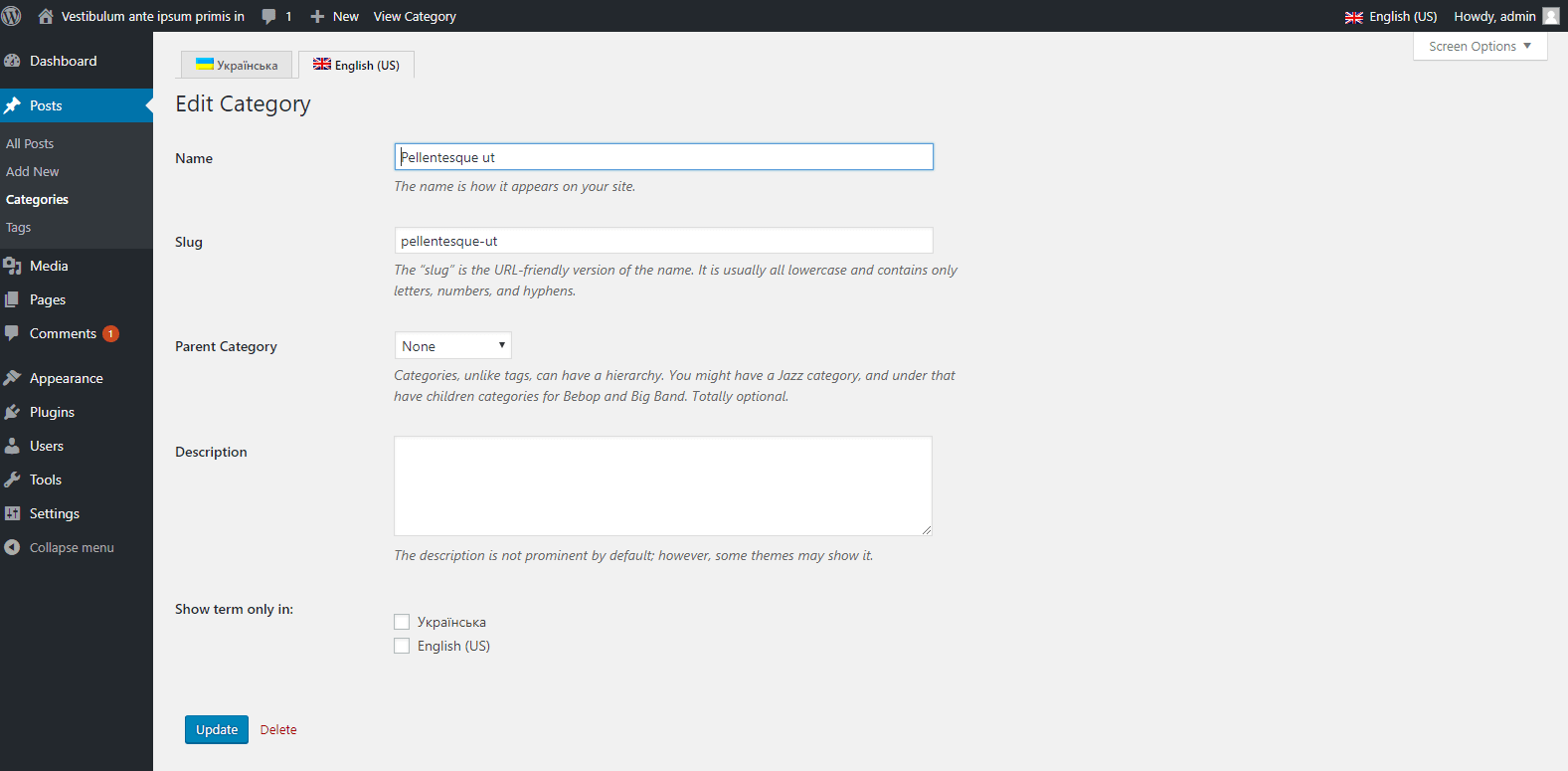
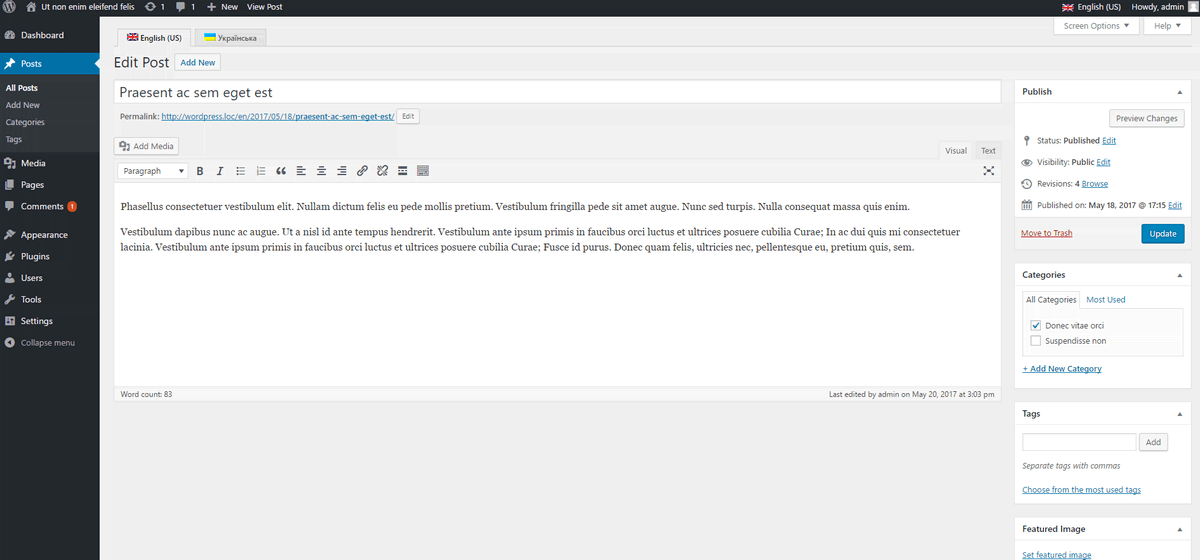
Bloques
Este plugin proporciona 1 bloque.
- Language Switcher Example block scaffolded with Create Block tool.
Instalación
- Sube los archivos del plugin al directorio
>/wp-content/plugins/wp-multilang, o instala el plugin directamente en la pantalla de plugins de WordPress. - Activa el plugin a través de la pantalla «Plugins» en WordPress.
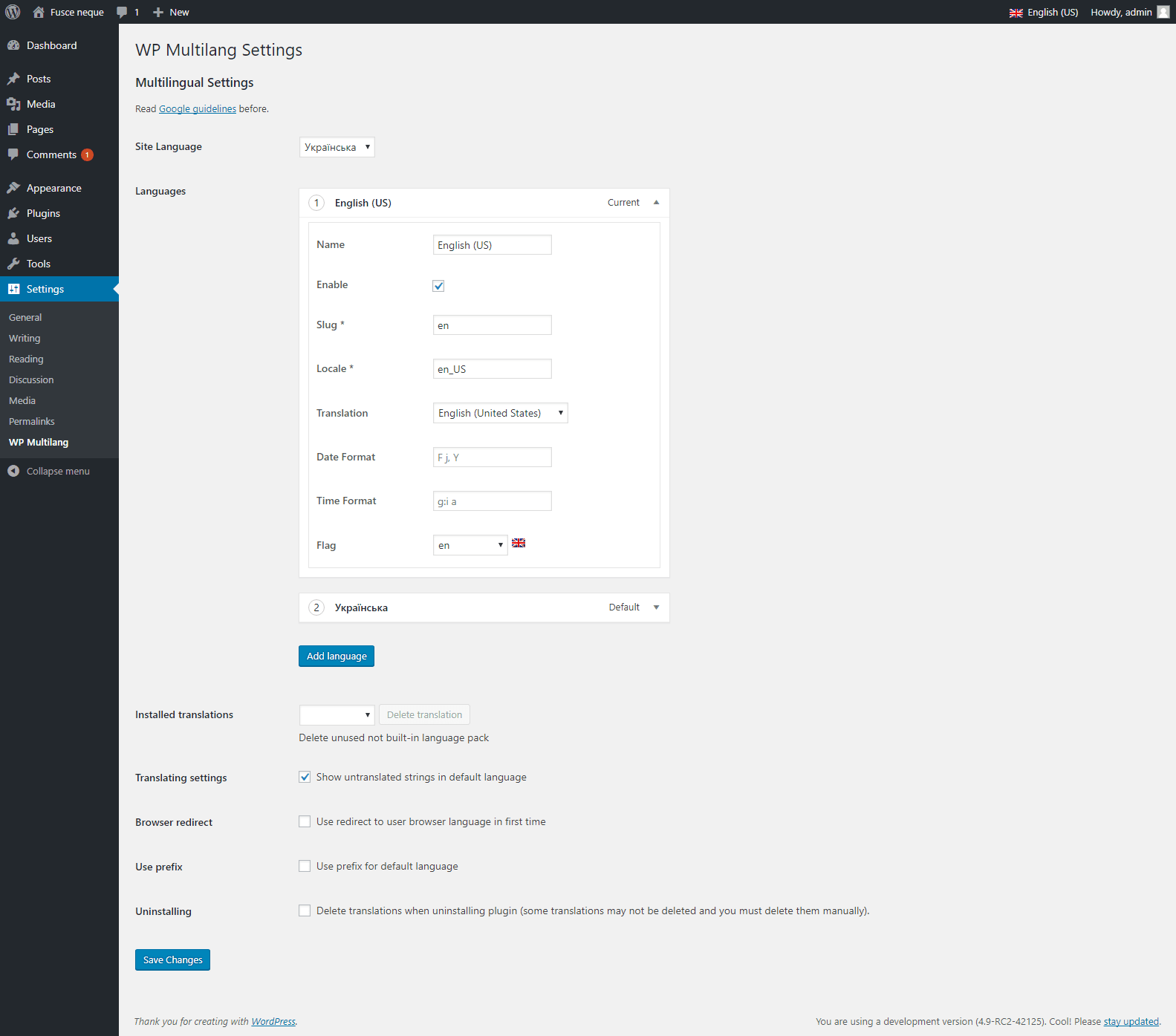
- Configura los idiomas en la Página de Ajustes de WP Multilang.
FAQ
-
I add new translation, but it rewrite another translation on different language.
-
If you have opened several browser tabs for editing this post in different languages, translation will be saved for the language that you opened last.
Reseñas


Colaboradores y desarrolladores
«WP Multilang – Plugin de traducción y multi-idioma.» es un software de código abierto. Las siguientes personas han colaborado con este plugin.
Colaboradores
«WP Multilang – Plugin de traducción y multi-idioma.» está traducido en 10 idiomas. Gracias a los traductores por sus contribuciones.
Traduce «WP Multilang – Plugin de traducción y multi-idioma.» a tu idioma.
¿Interesado en el desarrollo?
Revisa el código , echa un vistazo al repositorio SVN o suscríbete al registro de desarrollo por RSS.
Registro de cambios
2.4.33
- Feature: Added compatibility with a BasePress module plugin #213
- Feature: Added compatibility with Frontend Post Submission Manager lite plugin #235
- Fixed: Translations are overwritten by default language when editing multiple translations in Gutenberg #277
- Tested: Tested with wordpress version 7.0 #278
- Fixed: Language switcher design issue after updating to wordpress 7.1 #279
2.4.32
- Feature: Added Compatibility With Autolink Manager #232
- Feature: Added Compatibility With PublishPress Authors #233
- Feature: Added Compatibility With Gamipress #234
- Enhancement: Ultimate Member compatibility improvement $237
- Fixed: Vulnerability fix reported by wordfence #272
- Feature: Product type compatibility with Qodeum theme #275
2.4.31
- Fixed: Backslashes lost upon saving different language in custom HTML editor #267
- Fixed: Yoast global settings not saving values per language #271
- Enhancement: Improve Post Content Rendering and HTML Entity Handling #272
2.4.30
- Feature: Need to add DeepL AI Integration #257
- Fixed: Language switcher compatibility with wordpress 7.0 #264
- Feature: Added compaitbility with YMC Filter plugin #266
- Fixed: Duplicate content creating in post/page using Divi #268
- Enhancement: Added support to Secure Custom Fields #269
2.4.29
- Fixed: With WooCommerce storefront theme customization #252
- Fixed: issue with Gutslider #253
- Feature: Need to add compatibility with custom post type #256
- Feature: Added compatibility with fluent form #261
2.4.28
- Feature: Added a Compatibility With Strong Testimonials #238
- Enhancement: Add Welsh Flag #250
- Fixed: ACF Fields saving issue with key #254
- Feature: Added compatibility with bricks builder #255
- Tested: Tested with wordpress version 7.0 #259
2.4.27
- Fixed: other language content is not updating in Elementor #215
- Enhancement: Issue with ACF blocks #218
- Feature: Added compatibility with the Internal Link Juicer plugin #219
- Feature: Added Xliff file support for Oxygen Builder #242
- Enhancement: Fixed bbPress forum translation issue #244
- Fixed: Undefined index notice in update_description method #249
2.4.26
- Feature: Added OpenAI Integration for Automatic Neural Network Translation #207
- Feature: Allow override to be configurable in Auto translate #223
- Feature: Added compatibility with oxygen builder #227
- Fixed: WooCommerce products marked for single language still appear in other language archives (AUTO-DRAFT/empty titles) #229
- Feature: Added compatibility with TownPress theme custom post types #230
2.4.25
- Fixed: Other language content is not updating in Elementor #215
- Fixed: Promotion Banner BFCM #221
- Fixed: Yoast SEO meta tags not translating #225
2.4.24
- Added: Promotion Banner BFCM #221
- Added: OpenAI Integration for Automatic Neural Network Translation #207
- fixed: Wrong url was added in switcher #220
- Tested: WordPress version upto 6.9.
2.4.23
- feature Compatibility Ultimate Member Forms #208
- fixed Error while adding ACF pro repeater fields #209
- fixed Critical error while translation #217
2.4.22
- enhancement Fixed woocommerce attribute translation issue for third language #175
- fixed Auto Translate style issue on product taxanomies/terms #196
- enhancement Added re-translate option for taxonomies #197
- feature Added an option to exclude page/post from auto translation #200 (Pro)
- fixed Featured image issue on block editor #203
2.4.21
- fixed Rankmath title translation improvement #177
- fixed Flag translation issue on products #185
- fixed Memory size limit improvement #189
- feature XLIFF export compatibility with ACF fields on post/pages #190
- feature Added Bulk Translation Option for Tag and Categories #191
- fixed Retranslation issue with Elementor pages #192
- fixed Code improvement for duplicate queries #194
2.4.20
- feature Compatibility with SEOpress #170
- feature Auto url slug translation #171
- fixed Divi builder content translation improvement #173
- fixed Conflict with latest pro 1.12 version #178
- feature Added option to retranslate #180
- fixed Yoast default title issue #181
- feature Added support for exporting and importing content in XLIFF or XML format for pages #182
- fixed Code improvement for custom post taxonomy description #183
2.4.19.1
- fixed Vulnerability fix reported by patchstack
2.4.19
- fixed Code-profiler plugin execution time issue #149
- fixed Woocommerce settings translation improvement #161
- feature Compatibility with ACF Pro Pages Option #162
- fixed Conflict issue with pinnacle theme #163
- fixed Code improvement of translation #164
- fixed Compatibility with WordPress 6.8 and updated readme.txt #165
- feature Added compatibility with Cyr-To-Lat plugin #169
El registro de cambios completo está disponible en GitHub.