

Descripción
El creador de visitas virtuales y visor de panorámicas de 360º n.º 1 para WordPress
WPVR es un creador de recorridos virtuales gratuito que te ayuda a construir recorridos inmersivos en 360 VR en minutos.
Crea recorridos virtuales interactivos en 360° y visores de panorama directamente en WordPress. Construye recorridos para propiedades inmobiliarias, hoteles, salas de exposición y experiencias inmersivas en 360 usando fotos panorámicas, sin necesidad de programar ni de un SaaS externo.
🌟 ¿Por qué utilizar WPVR?
WPVR incluye todas las funciones necesarias para crear un recorrido virtual gratuito por tu cuenta; todo lo que necesitas es una imagen panorámica de 360° para empezar.
Pásate a la versión Pro: ¡consigue un 20 % de descuento!
Documentación | Tutoriales en vídeo | Guías | Obtén WPVR Gratuito | Obtén WPVR Pro 💎
WPVR cuenta con un maquetador de recorridos virtuales sencillo y fácil de usar, especialmente pensado para el sector inmobiliario, diseñado para que puedas crear recorridos virtuales rápidamente, incluso sin tener conocimientos técnicos.
De hecho, ¡puedes crear un recorrido virtual gratuito en menos de 5 minutos!
¡Echa un vistazo a algunos de los increíbles recorridos virtuales creados con WPVR!
- Recorrido virtual inmobiliario
- Galería de arte virtual
- Recorrido virtual de un hotel
- Concesionario de coches virtual
- Recorrido virtual de un pub/bar
Aquí puedes ofrecer un recorrido virtual atractivo de la propiedad con puntos interactivos para que resulte más realista y emocionante. Y hay mucho más.
👉 Ofrece una experiencia virtual de 360°
El recorrido virtual permitirá a los usuarios explorar en todas las direcciones, con una visión de 360 grados. En el caso de una vivienda, puedes permitir que los usuarios se desplacen de una habitación a otra y examinen cada detalle con facilidad. Además, puedes activar el giroscopio para que los usuarios de dispositivos móviles disfruten de una visita casi realista.
👉 Coloca puntos de acceso interactivos
Utiliza puntos de acceso en los que las personas puedan hacer clic para obtener información adicional a través de información emergente, imágenes, vídeos o audio, para que los visitantes puedan resolver sus dudas y despertar su interés.
👉 Fácil de destacar tu marca
Coloca fácilmente el logotipo de tu marca y la información de contacto en tu recorrido virtual. Además, personaliza los colores de los botones de control para que coincidan con tu marca.
Ya se trate de un recorrido virtual de una propiedad inmobiliaria, un hotel o incluso un museo, esto hará que los clientes potenciales interesados se pongan en contacto contigo con más frecuencia.
👉 Optimiza para consultas y reservas
Coloca formularios de reserva o formularios de consulta genéricos en un punto de acceso (quizás en la recepción del recorrido) o en un botón de llamada a la acción debajo del recorrido. Permite que los clientes potenciales se pongan en contacto contigo en cuanto estén listos.
👉 Haz que el visitante se sienta bienvenido
Coloca un mini vídeo de bienvenida y añade música de fondo relajante para que el visitante se sienta optimista y valorado desde el primer momento.
En definitiva, ofrece una experiencia que tus clientes potenciales no olvidarán.
🌟 Crea un recorrido virtual gratuito en solo 3 sencillos pasos 🌟
WPVR hace que la creación de recorridos virtuales sea muy fácil.
Todo lo que necesitas son varias imágenes panorámicas de 360° para cubrir diferentes habitaciones, rincones o lugares.
A continuación, puedes seguir estos 3 sencillos pasos para crear un recorrido VR de 360° gratuito en un abrir y cerrar de ojos:
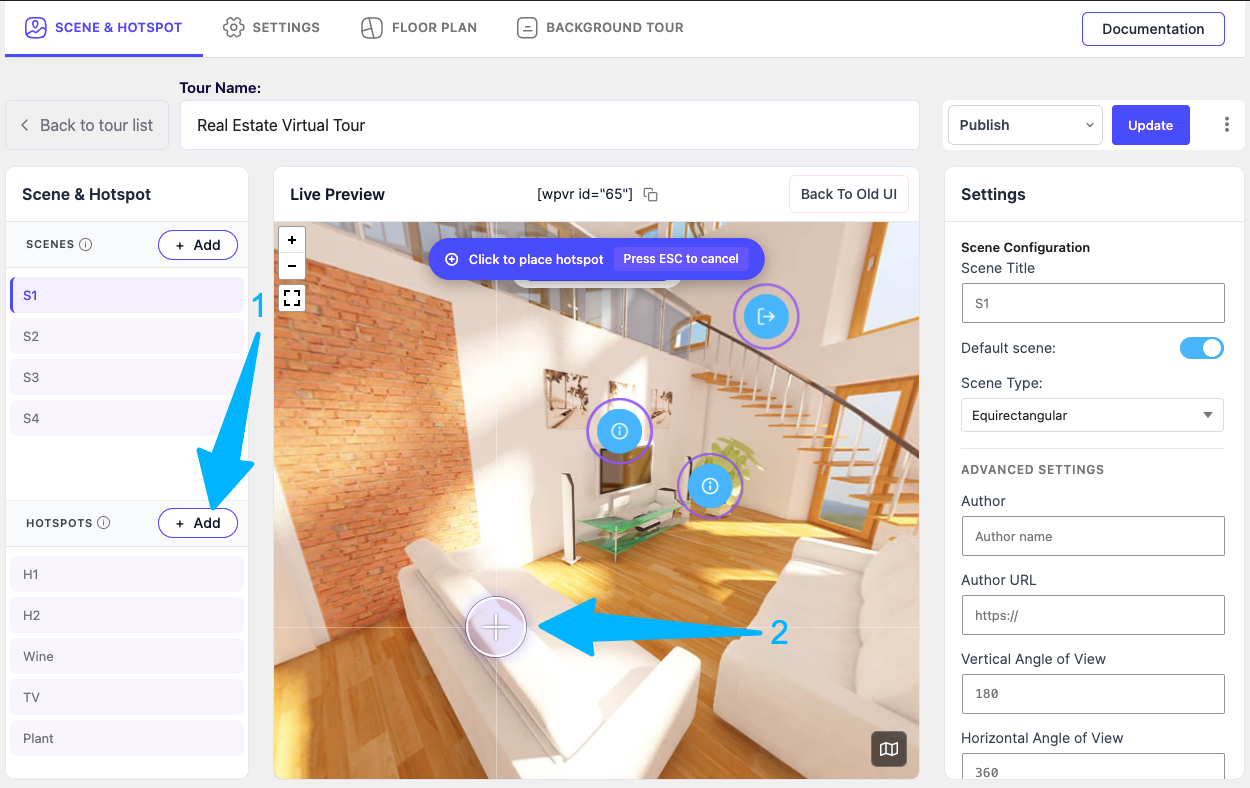
- Sube las imágenes a WPVR y se convertirán en vistas panorámicas de 360°.
- Conéctalos entre sí para facilitar la navegación.
- Coloca puntos de acceso para proporcionar información sobre tu ubicación.
Y ya está todo listo. Ahora puedes publicarlo y colocarlo en cualquier página de tu sitio web.
Ya está, acabas de convertir fotos 360º en un recorrido virtual, ¡totalmente gratis!
Tus visitantes pueden moverse dentro del recorrido virtual de la propiedad o avanzar y retroceder, obtener información adicional a través de los puntos de acceso y vivir una experiencia similar a una visita real.
En la versión gratuita (sí, un creador de visitas virtuales gratuito), puedes conectar hasta 5 escenas y colocar hasta 5 puntos de interés en cada una de ellas.
Para un número ilimitado de escenas y puntos de acceso, considera utilizar WPVR Pro 💎
También puedes añadir Transiciones de escena (PRO) para que el viaje sea más emocionante.
Todo lo que necesitas para crear recorridos virtuales que enganchen y conviertan
WPVR incluye varias funciones para hacer que los recorridos virtuales sean más atractivos y estén optimizados para la conversión.
En pocas palabras, no es solo una herramienta para presumir, sino también una solución para ayudarte a conseguir clientes reales interesados en solicitar información, realizar reservas y ponerse en contacto contigo para negociar.
🔮 Recorridos virtuales de alta calidad con múltiples escenas 🔮
Supongamos que quieres mostrar una propiedad con 3 dormitorios, 2 baños, una cocina, salón, balcones o incluso un patio trasero. Solo tienes que tomar imágenes panorámicas de 360° de cada espacio y dejar que WPVR las convierta en un único recorrido virtual.
Seguramente te preocupe la calidad – una imagen panorámica realista de 360° requiere una alta resolución, de más de 3000 × 1500 píxeles.
Con WPVR, puedes desactivar la compresión de WordPress y utilizar cualquier imagen de alta calidad (JPEG, PNG, WebP) para crear recorridos de realidad virtual de 360° de forma gratuita sin perder calidad.
🔮 Utiliza puntos de acceso interactivos para responder preguntas y conectar con los clientes potenciales 🔮
Durante una visita real, las personas quieren explorar y hacer preguntas; tu creador de recorridos virtuales puede hacer lo mismo.
También puedes utilizar puntos de acceso interactivos con control total a través del editor HTML/editor WYSIWYG para añadir cualquier contenido que desees.
Puedes mejorar tu recorrido virtual con:
➤ Información emergente: muestra información rápida cuando los visitantes pasan el cursor sobre un objeto.
➤ Descripciones: permite que las personas hagan clic para ver más detalles. Por ejemplo, describe la comodidad de una cama de hotel.
➤ Imágenes o GIFs: muestra imágenes más claras si algo no resulta evidente.
➤ Vídeos: utiliza clips cortos para explicar funciones en lugar de texto.
➤ Audio: reproduce audio pregrabado para guiar a los visitantes como si fuera una persona real.
Consejo Pro: Piensa en las preguntas o puntos destacados que los visitantes podrían querer. Añádelos como puntos de acceso.
También puedes añadir botones para enlazar a formularios o páginas externas, como formularios de reserva o de consulta.
Ofrecemos asistencia directa para las reservas.
Extra: Tendrás acceso a más de 900 iconos personalizados que podrás utilizar como puntos interactivos para que la experiencia resulte más significativa. Además, podrás añadir colores personalizados (Pro) o animaciones de ondas (Pro) para captar la atención de los usuarios.
P.D.: Si quieres, también puedes añadir tus propios iconos personalizados utilizando fragmentos de código. (Aquí te explicamos cómo.)
🔮 Coloca tus recorridos virtuales en cualquier lugar de tu página web sin complicaciones 🔮
Una vez que tu recorrido virtual esté listo, puedes insertarlo en cualquier lugar mediante un código corto, independientemente del tema que utilices.
También es compatible con los maquetadores de páginas más populares:
- Widget de recorrido virtual para Elementor.
- Bloque de recorrido virtual para Gutenberg.
- Módulo de panorama VR 360 para Divi.
- Elemento de recorrido virtual para Oxygen.
- Elemento de recorrido virtual para Visual Composer.
También puedes publicar tus recorridos virtuales con protección por contraseña por si quieres ofrecer acceso privado (quizás de pago).
🔮 Plano de planta virtual interactivo para una orientación significativa (Pro) 🔮
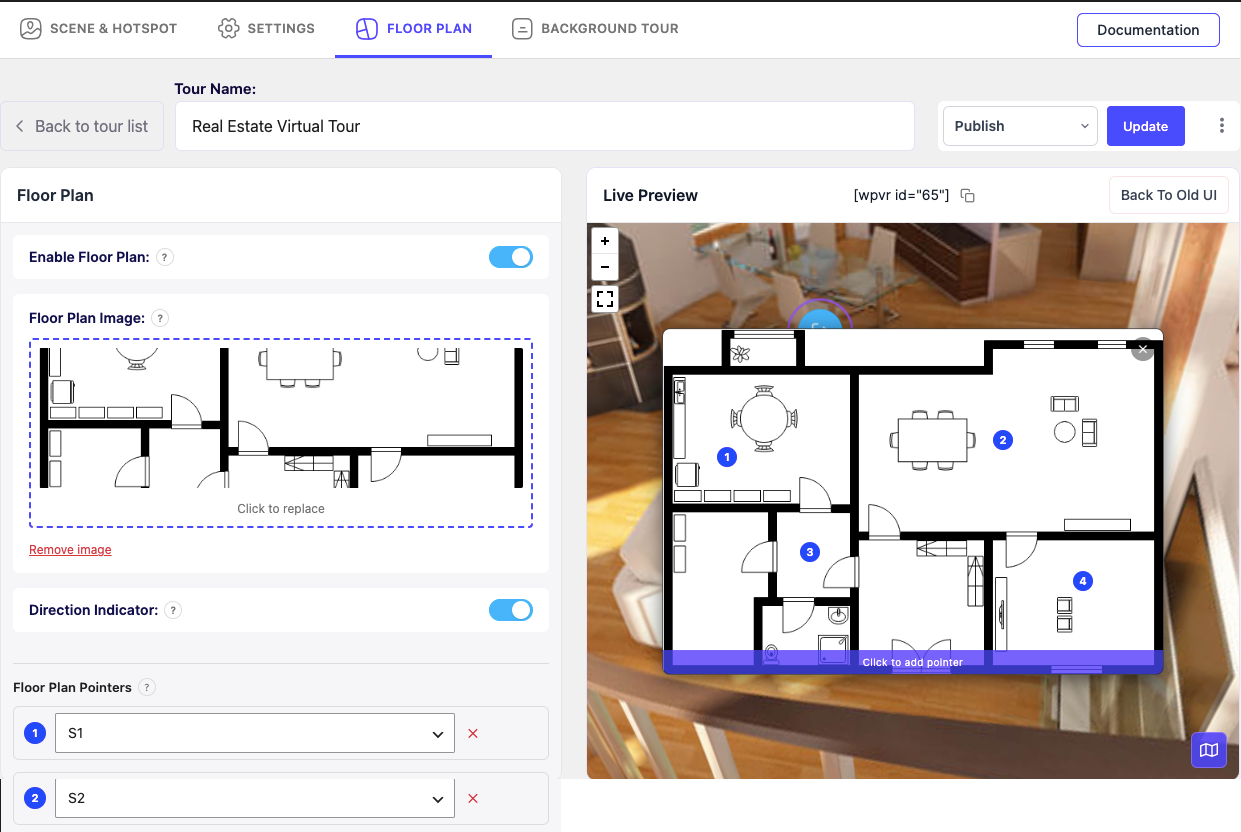
Una de las principales características de WPVR es su función de plano de planta, muy popular entre los agentes inmobiliarios y las agencias inmobiliarias.
Puedes añadir un plano de planta inmobiliario a tu recorrido virtual con punteros en los que se puede hacer clic, lo que permite a los visitantes navegar por la propiedad y comprender su distribución para tomar mejores decisiones.
Más información sobre el uso del plano de planta virtual interactivo por si quieres ofrecer acceso privado (quizás de pago).
🔮 Comparte tu recorrido virtual en redes sociales mediante enlace o código QR (Pro) 🔮
Con WPVR, puedes compartir tus recorridos virtuales de 360° al instante mediante un enlace o código QR, perfecto para redes sociales, correo electrónico o uso compartido directo sin necesidad de una página web.
🔮 Reproductor de vídeo 360 para WordPress 🔮
Además de crear recorridos virtuales con imágenes panorámicas de 360°, también puedes utilizar WPVR como reproductor de vídeo de 360° en tu sitio web.
🔮 Compatibilidad con Cardboard y cascos VR para una experiencia inmersiva completa (Pro) 🔮
Puedes activar el modo «Gafas de realidad virtual» para que los visitantes puedan utilizar Google Cardboard o unas gafas de realidad virtual y disfrutar de una experiencia del recorrido virtual más realista.
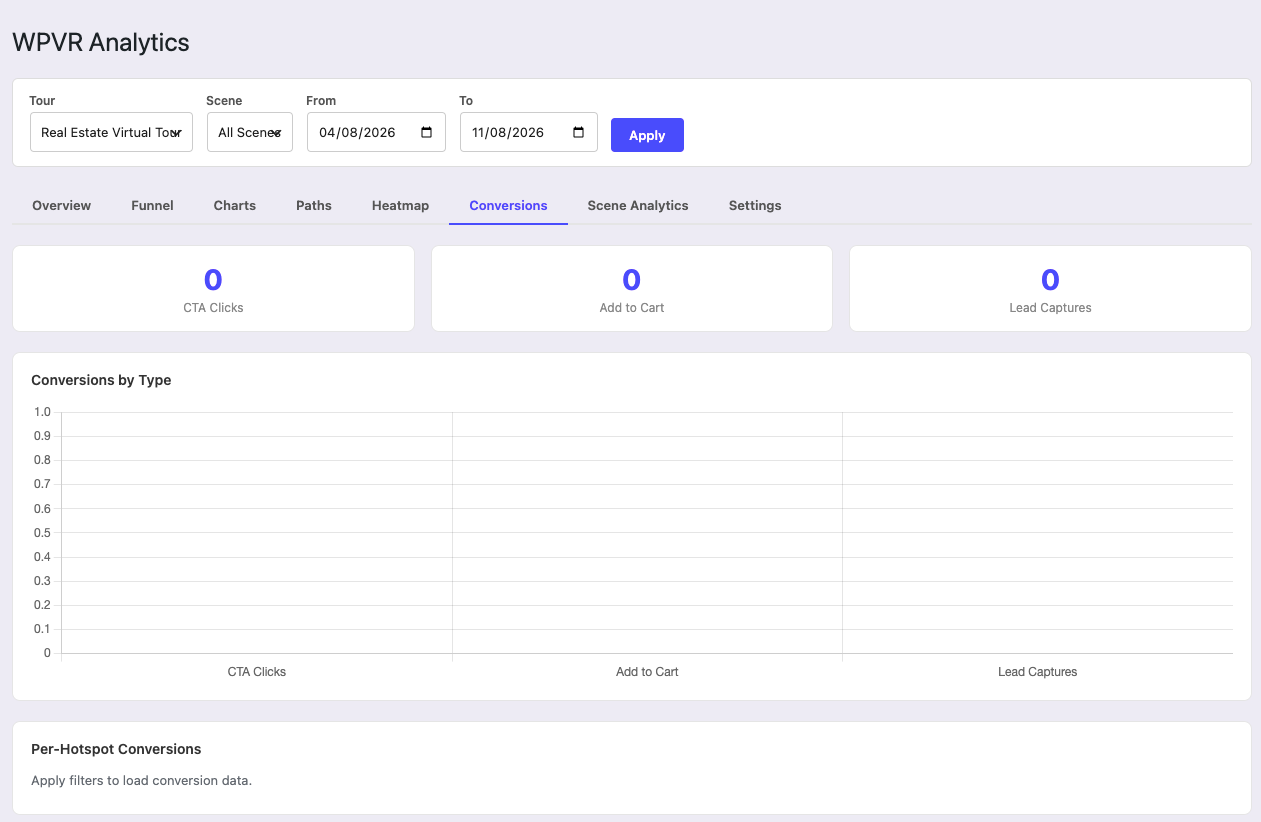
🔮 Compatibilidad con análisis de WPVR (Pro) 🔮
Además de todas esas opciones interactivas, también puedes ver análisis para ayudarte a tomar decisiones empresariales.
📈 Realiza un seguimiento de las visualizaciones de los recorridos
🔥 Supervisa los clics en los puntos de acceso
🗓️ Filtra por período de tiempo
🔮 Enfoque VR primero para móviles 🔮
Este creador de recorridos virtuales se ha diseñado desde el principio pensando en los teléfonos móviles. Todos los recorridos virtuales que crees serán totalmente adaptables y estarán optimizadas para cargarse rápidamente en los móviles.
🌟 ¿Quién debería utilizar WP VR? 🌟
Cualquier negocio que tengas, si te ofrece alguna ventaja al mostrar tu ubicación o espacio a los clientes potenciales, puedes utilizar WPVR.
Si formas parte de alguno de los siguientes sectores, WPVR puede ser tu creador de recorridos virtuales de referencia:
- Sector inmobiliario
- Escuelas y universidades (Recorridos virtuales por el campus 🏫)
- Hoteles y complejos turísticos
- Restaurantes.
- Viajes/turismo.
- Museos.
- Galerías de arte y exposiciones.
- Concesionarios de coches.
- Salas de exposición de muebles.
- Tiendas de ropa.
- Tiendas de comestibles y comercios minoristas.
- Bares/pubs.
👉 Echa un vistazo a los recorridos virtuales para diferentes sectores creados con WPVR: ¡Échales un vistazo ahora!
Para tener más control a la hora de crear un recorrido virtual, conoce la versión Premium.
FUNCIONES GRATUITAS
- Un número ilimitado de recorridos VR panorámicos de 360°
- Compatibilidad con vídeos de 360° (videos autoalojados, de Youtube y Vimeo).
- Recorridos virtuales a pantalla completa.
- Compatibilidad con gafas VR para recorridos en vídeo.
- Compatibilidad con códigos cortos.
- Compatibilidad con bloques de Gutenberg.
- Compatibilidad con widgets de Elementor.
- Compatible con imágenes webp
- Vista previa en vivo del recorrido en el backend.
- Imagen de vista previa del recorrido.
- Función de carga automática del recorrido.
- Animación de transición de escenas.
- Recorrido privado y protegido por contraseña
- Rotación automática con control de velocidad.
- Dirección de rotación automática, control de pausa y parada.
- Botones de control básicos (acercar, alejar y pantalla completa).
- Control de arrastre con el ratón en el recorrido virtual.
- Acercar y alejar con la rueda del ratón en el recorrido virtual.
- Acercar y alejar con los botones del teclado «+» y «-».
- Añadir múltiples escenas y puntos de acceso.
- Punto de acceso de tipo escena para conectar escenas.
- Puntos de acceso de tipo información para proporcionar información.
- Opción de contenido al pasar el cursor y al hacer clic para los puntos de acceso.
- Incrustar textos, vídeos, imágenes, GIFs y enlaces a sitios web en los puntos de acceso.
- Personalización de puntos de acceso con CSS personalizado.
- Etiqueta de recorrido de ancho completo.
- Etiqueta de radio para el borde redondeado del recorrido.
- Compatibilidad con multisitio.
- Compatibilidad con roles de usuario de WordPress (editores y autores).
- Opción para desactivar FontAwesome.
- Desactivar el gestor de imágenes grandes por defecto de WordPress.
- Controlar que los recursos del plugin se carguen solo en páginas/entradas específicas.
- Activar aviso en la vista pública para visitantes móviles.
- Opción de redimensionamiento de medios para móviles.
- Opción de retroceso de versión del plugin.
- Recorrido protegido por contraseña.
- Soporte desde el foro de ayuda.
FUNCIONES PREMIUM
- Todas las funciones gratuitas.
- Panorama VR 360 ilimitado (escenas).
- Puntos de acceso ilimitados.
- Publica recorridos en cualquier lugar (complemento de inserción).
- Complemento de WooCommerce para puntos de acceso.
- Productos de WooCommerce: añadir al carrito.
- Galería de escenas (galería de imágenes panorámicas).
- Compatibilidad con gafas VR/Cardboard.
- Compatibilidad con plano de planta.
- Vídeo explicativo.
- Audio de fondo
- Reproducción automática, bucle y pausa en los recorridos virtuales
- Compatibilidad con giroscopio para realidad virtual (dispositivos móviles).
- Compatibilidad con gafas VR para recorridos en vídeo.
- Más de 900 iconos premium para puntos de acceso.
- Compatibilidad con colores RGB para los puntos de acceso.
- Panorama parcial/panorama para móviles.
- Compatibilidad con Google Street View.
- Compatibilidad con imágenes cubemap.
- Importar y exportar recorridos virtuales.
- Ajustes de zoom personalizados para las imágenes de 360°.
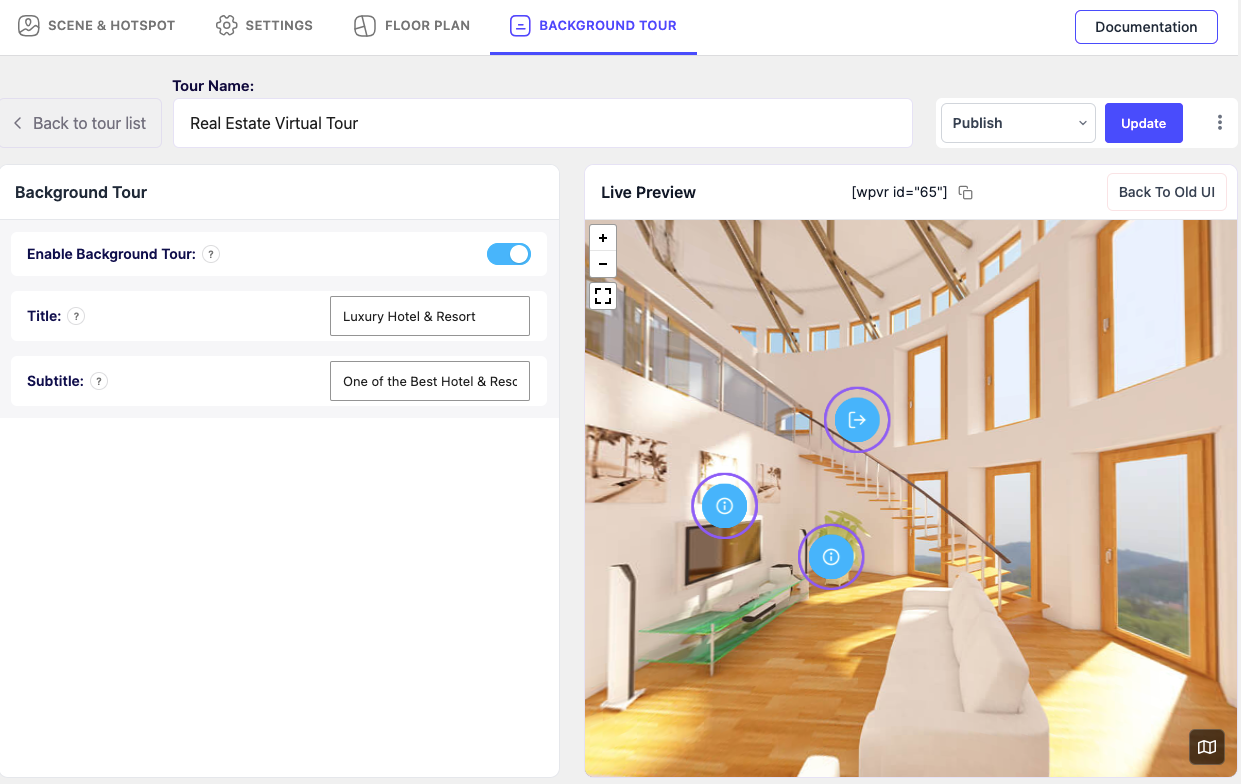
- Visor de panorama 360 de fondo.
- Complemento de Fluent Forms.
- Logotipo y descripción de la empresa (marca blanca).
- Duplicar recorridos con un solo clic.
- Control de la vista horizontal y vertical de 360°.
- Punto de carga personalizado (cara) para las vistas de 360°.
- Título de la escena, nombre del autor y URL.
- Brújula en pantalla para el modo de visualización de imágenes de 360°.
- Compartir directamente en redes sociales.
- Comparte recorridos virtuales con un código QR.
- Soporte prioritario.
👉 Actualizar a la versión Pro ✨
Tenemos muchas más funciones increíbles planificadas. Echa un vistazo a nuestra hoja de ruta de desarrollo.
Próximas funciones
- Botón de formulario de contacto/opción de reserva.
- Narración de historias.
- Integración con Mail Mint para la generación de clientes potenciales.
Privacidad y recopilación de datos
WP VR incluye un módulo de seguimiento de uso opcional y voluntario impulsado por el SDK de telemetría de Linno para ayudarnos a solucionar problemas más rápido y mejorar el rendimiento del plugin, la estabilidad de las funciones y la experiencia general del usuario.
Qué datos recopilamos (solo si aceptas)
WP VR no recopila ningún dato por defecto.
Si autorizas explícitamente la recopilación de datos a través del mensaje de consentimiento de telemetría de Linno, el plugin puede recopilar los siguientes datos de telemetría:
– Versión de WordPress
– Versión de PHP
– Versión del plugin WP VR
– Tema activo y plugins activos (solo los nombres)
– Ajustes del plugin no sensibles relacionados con recorridos, escenas y puntos de acceso
– Uso de funciones y visualizaciones de páginas dentro del plugin
– Dirección de correo electrónico del administrador del sitio
No se recopilan datos sin tu confirmación explícita.
Cómo y por qué se utilizan los datos
Los datos recopilados se utilizan únicamente para:
– Diagnosticar y resolver problemas técnicos de forma eficiente
– Comprender cómo se utilizan las funciones de WP VR
– Mejorar la estabilidad del plugin, la representación de los recorridos VR y el rendimiento de las funciones
– Mejorar la experiencia general del usuario
La recopilación y el procesamiento de datos se gestionan a través del SDK de telemetría de Linno.
Consentimiento, control y servicios de terceros
WP VR no recopila ningún dato por defecto.
Tanto el SDK de telemetría de Linno como las analíticas de OpenPanel son estrictamente opcionales:
– El SDK de telemetría de Linno no recopila eventos de analítica a menos que autorices explícitamente el seguimiento.
– El seguimiento de OpenPanel se inicia solo después de que el administrador haya aceptado la recopilación de datos de telemetría.
– Puedes desactivarlo en cualquier momento, lo que detiene inmediatamente toda recopilación de datos posterior.
– La integración del SDK de telemetría de Linno no comienza a recopilar datos inmediatamente bajo ninguna circunstancia.
Servicios de terceros utilizados para análisis opcionales:
- Linno Telemetry SDK – https://github.com/CODEREXLTD/linno-telemetry
- OpenPanel (solo después de aceptar la telemetría) – https://openpanel.dev/privacy
Puedes revisar cómo Linno Telemetry y OpenPanel recopilan y utilizan los datos a través de sus respectivas políticas de privacidad.
Eliminación de datos
Si has aceptado anteriormente y deseas que se eliminen tus datos, puedes solicitar su eliminación poniéndote en contacto con nosotros en support@rextheme.com.
Servicios externos
Este plugin se conecta a una API externa (showcase.rextheme.com) para obtener plantillas de recorridos virtuales ya creadas. Esto es necesario para que los usuarios puedan generar rápidamente una visita virtual mediante el asistente de configuración, en función del sector que hayan seleccionado.
Cuando un usuario utiliza el asistente de configuración para crear un recorrido a partir de una plantilla, se envía una solicitud que contiene el ID de la plantilla correspondiente al sector seleccionado. Durante este proceso no se transmiten datos personales del usuario.
Este servicio es proporcionado por «RexTheme»: Condiciones de uso, Política de privacidad.
Código fuente
Este plugin utiliza Webpack para compilar JavaScript y CSS. Para cumplir con las directrices de WordPress.org, se incluyen en este paquete el código fuente sin compilar (carpetas src) y los archivos de configuración (package.json, webpack.config.js). Para compilar, ejecuta npm install y npm run build en el directorio raíz del plugin. Los códigos fuente de las bibliotecas de terceros (videojs-vr, tether) están disponibles junto con sus archivos distribuidos o a través de nuestras dependencias de npm.
Capturas
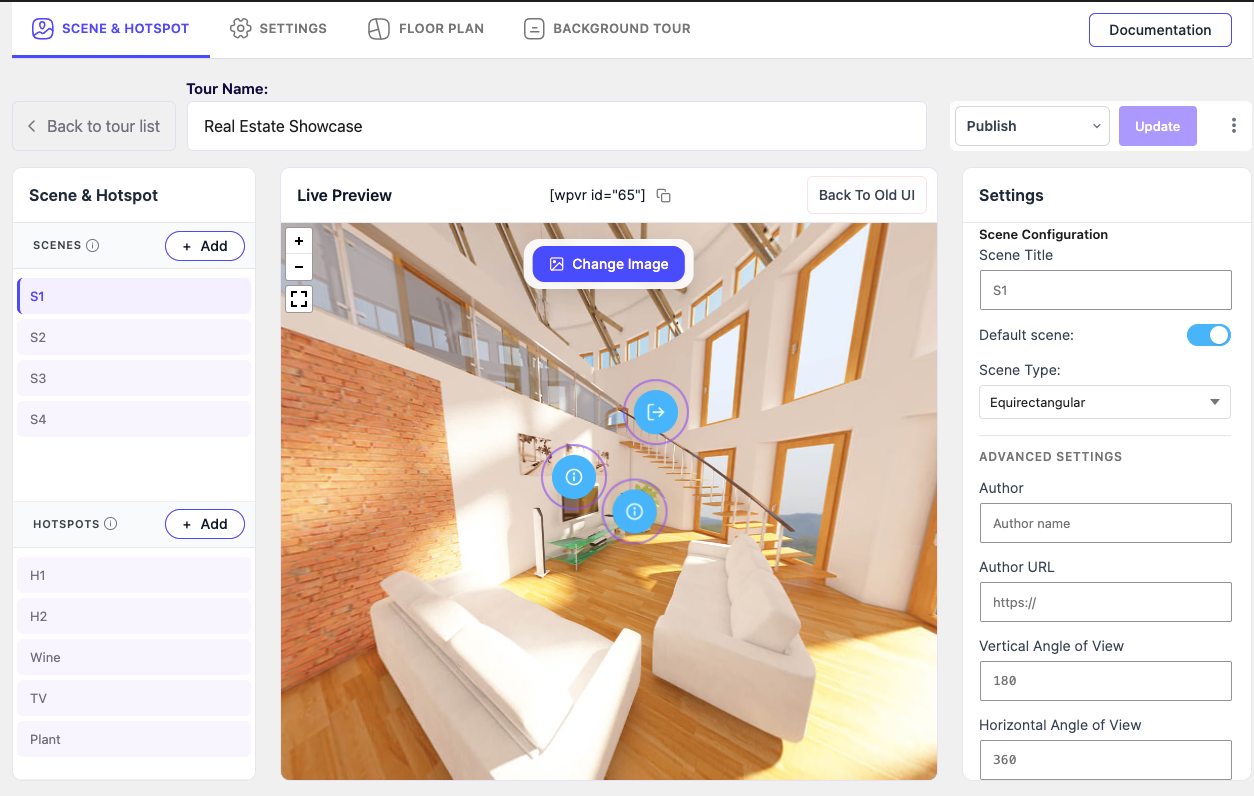
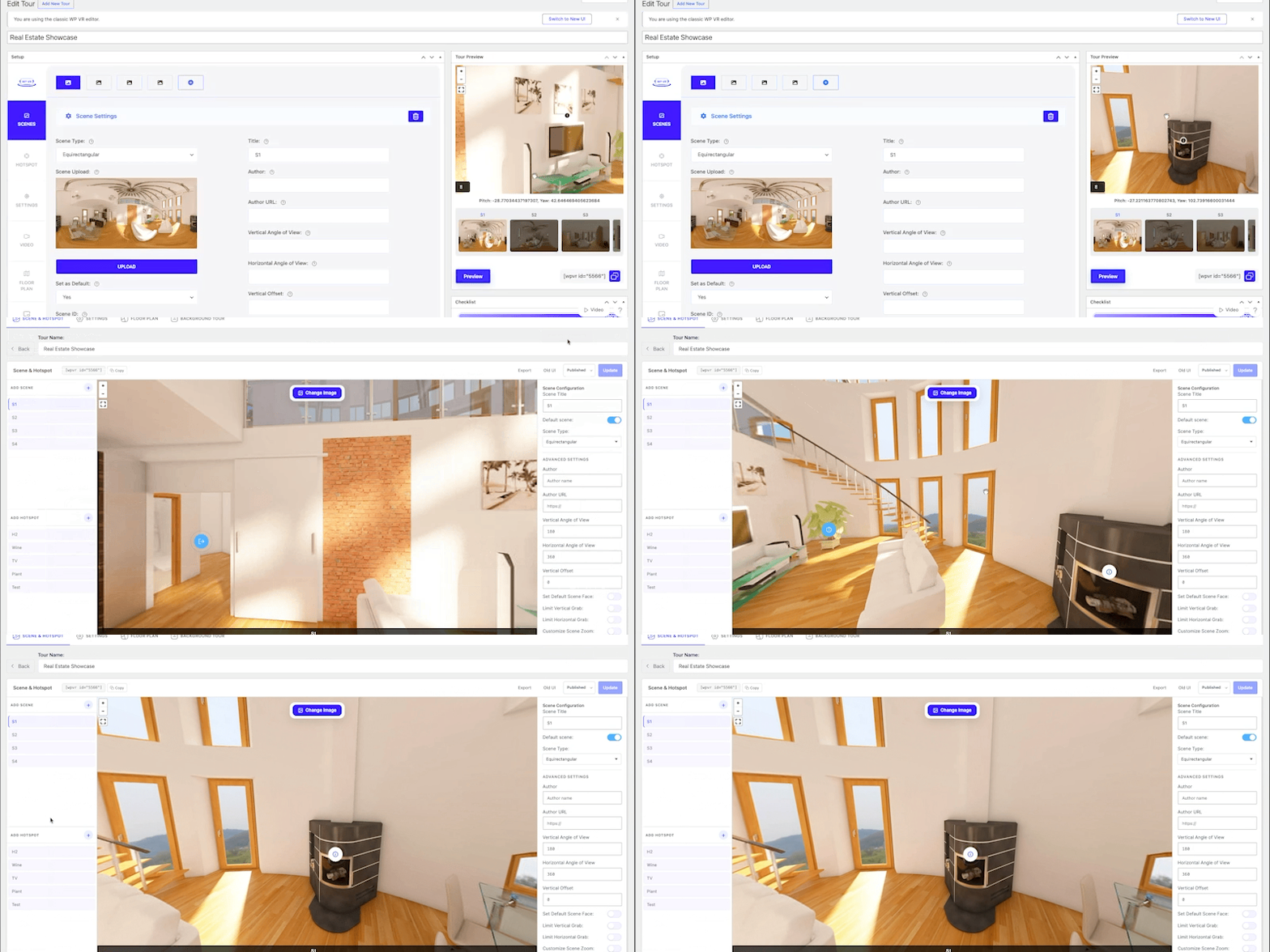
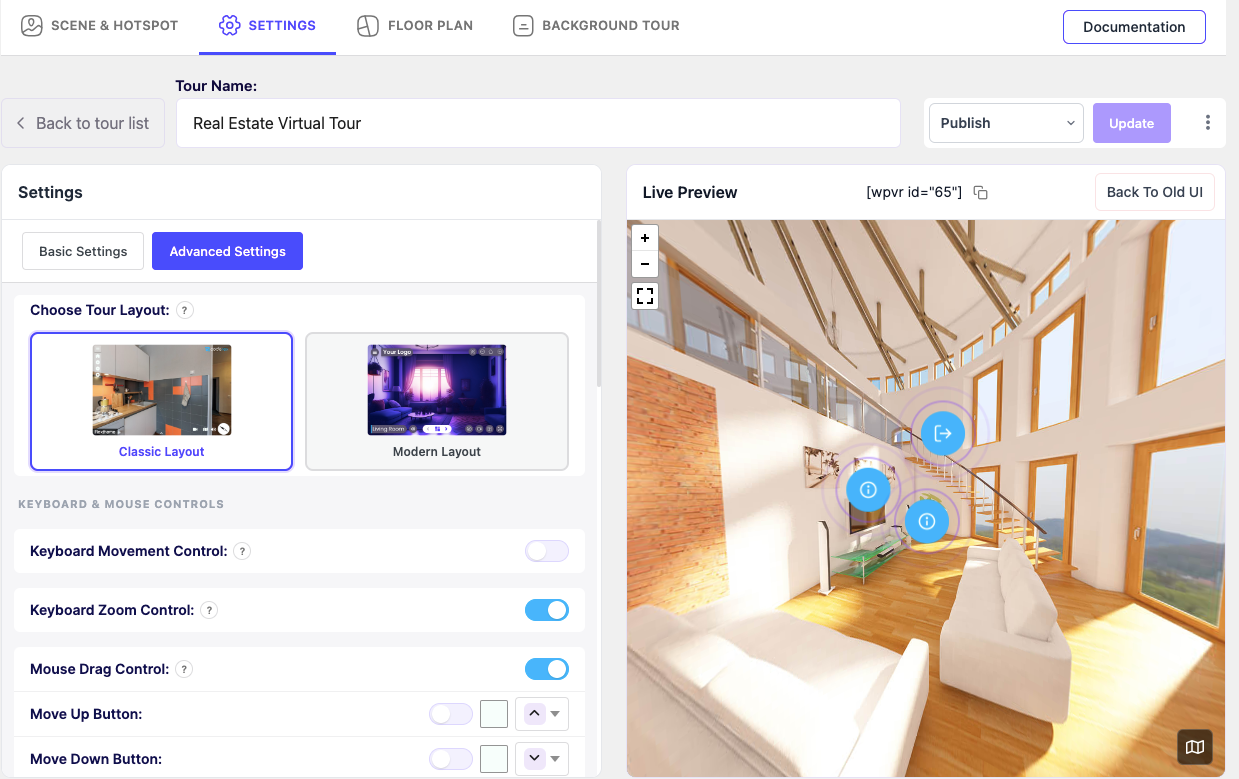
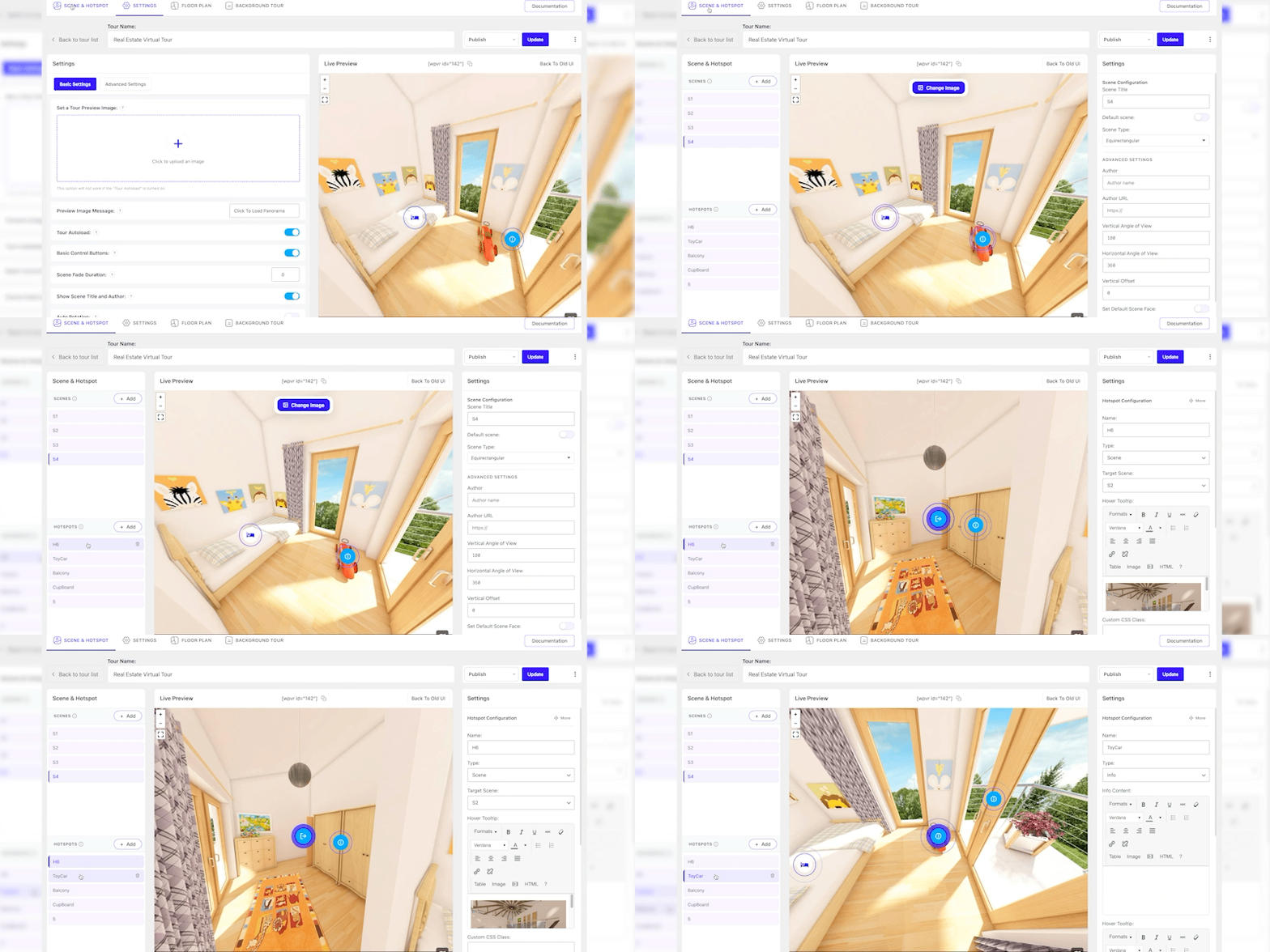

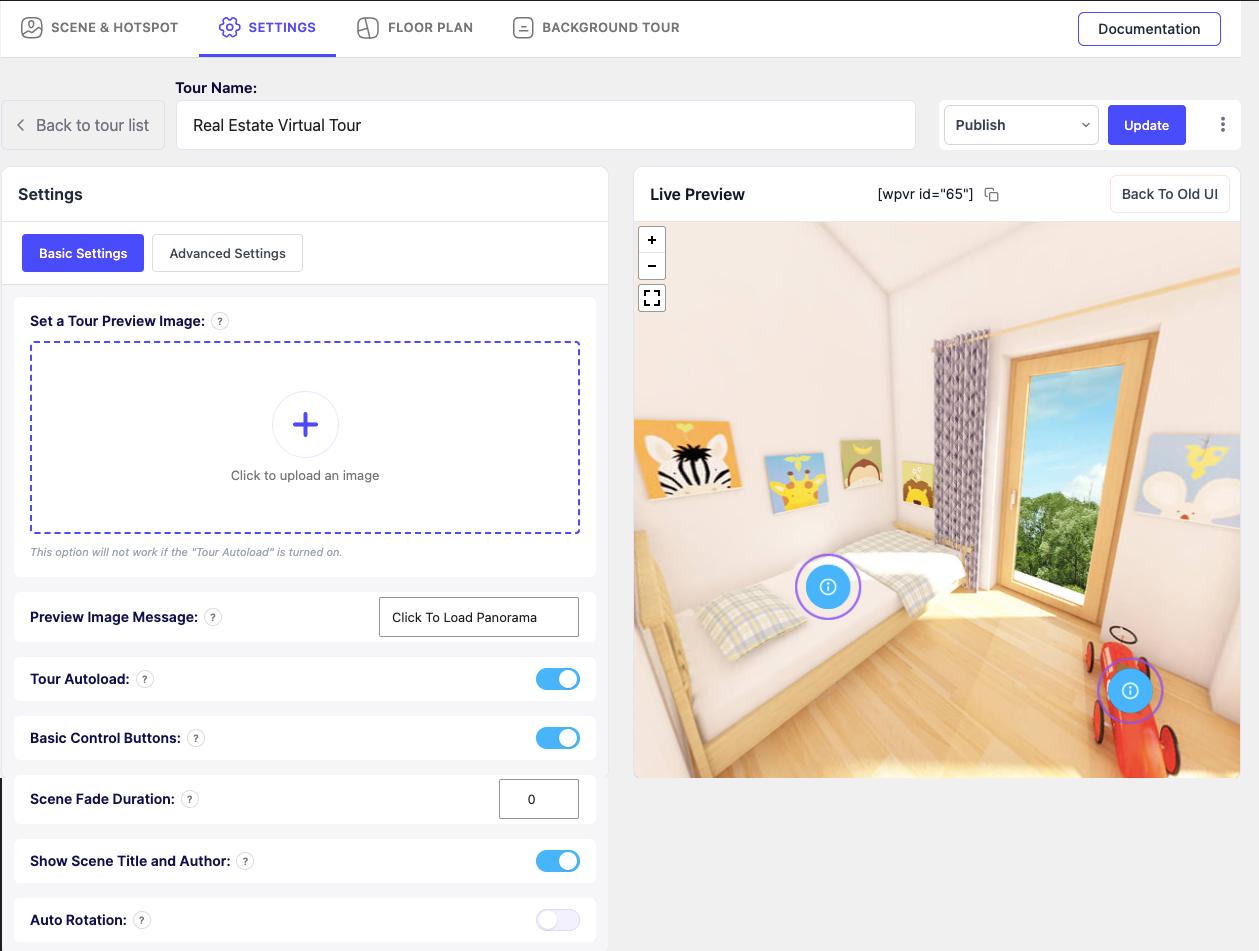

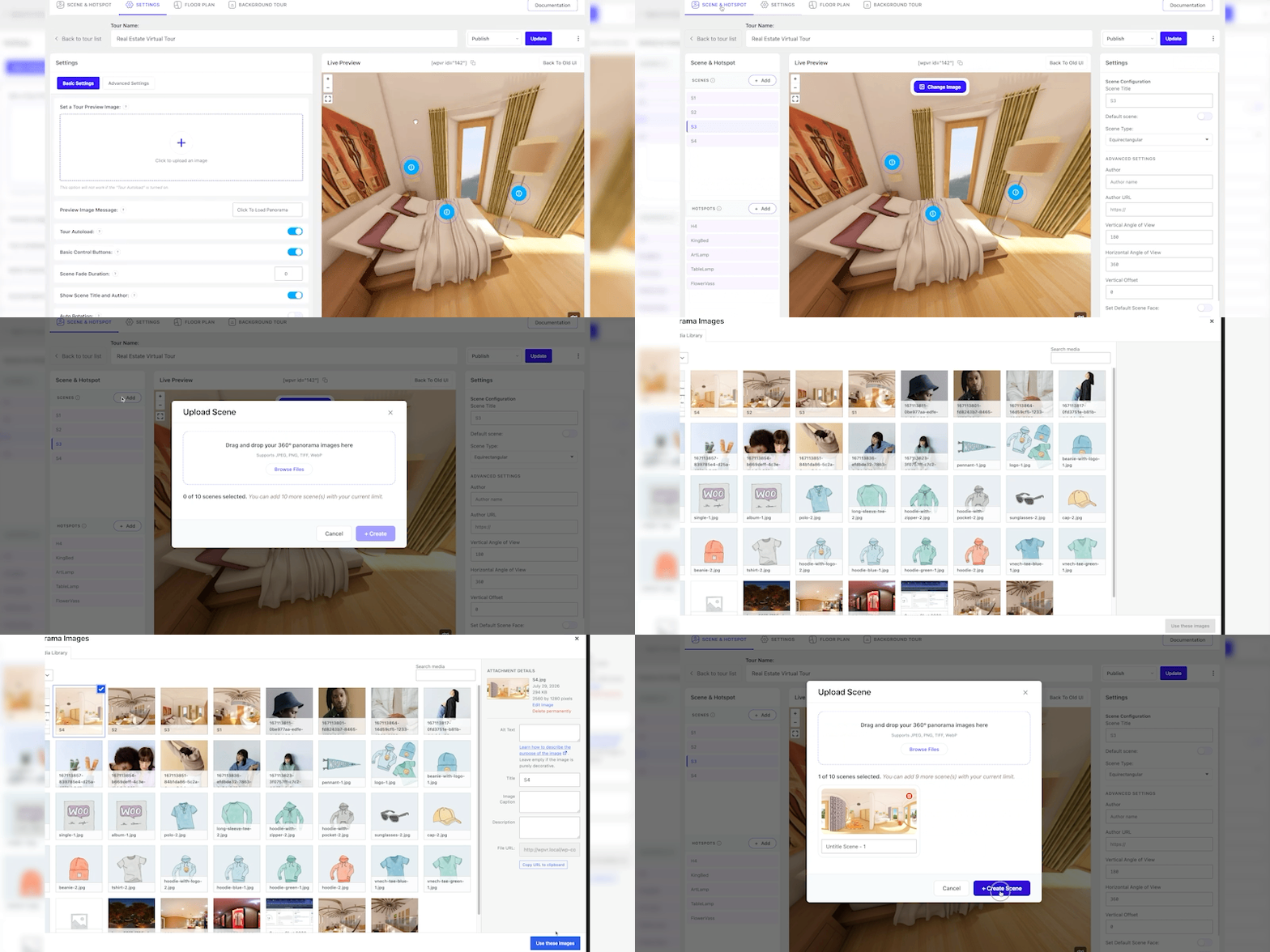
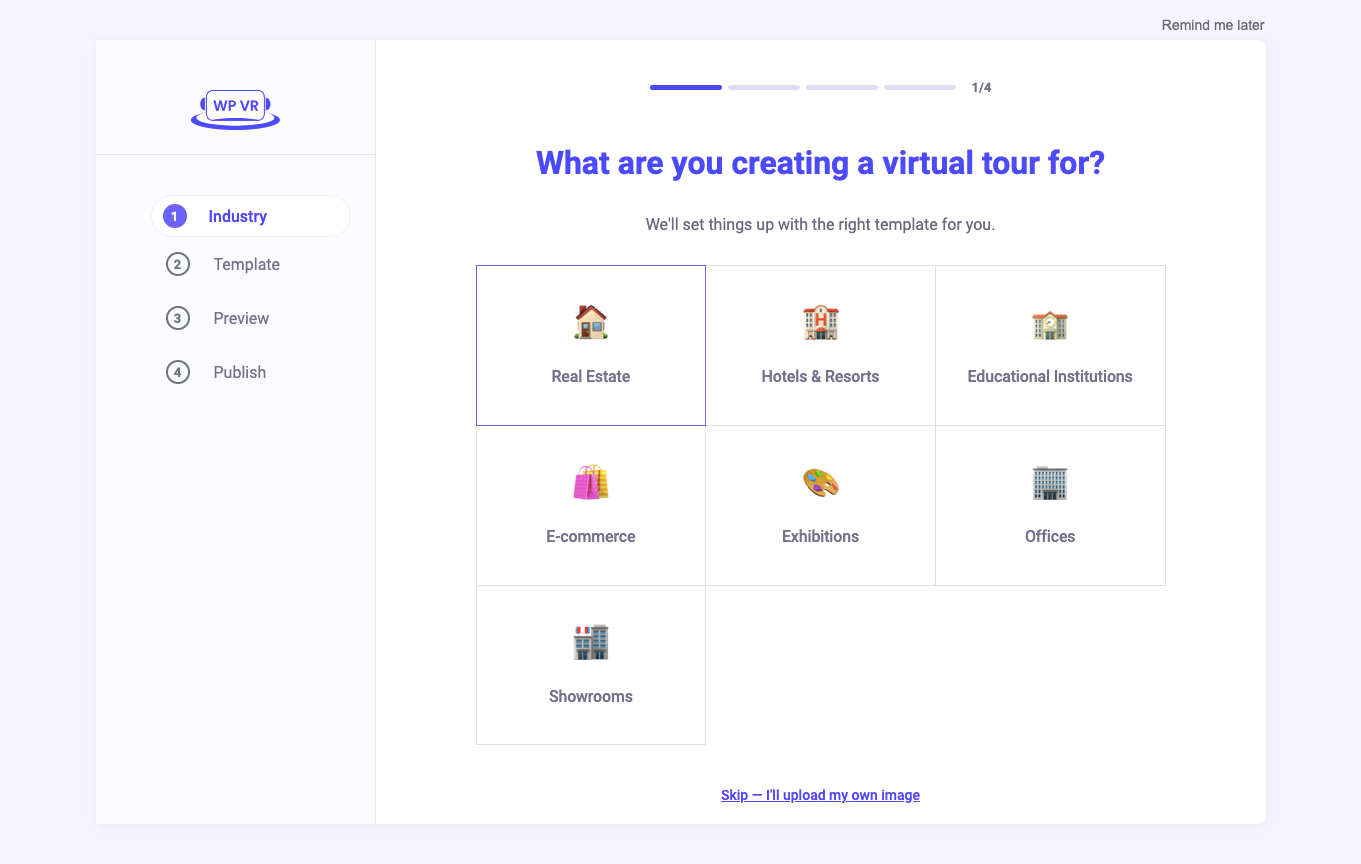
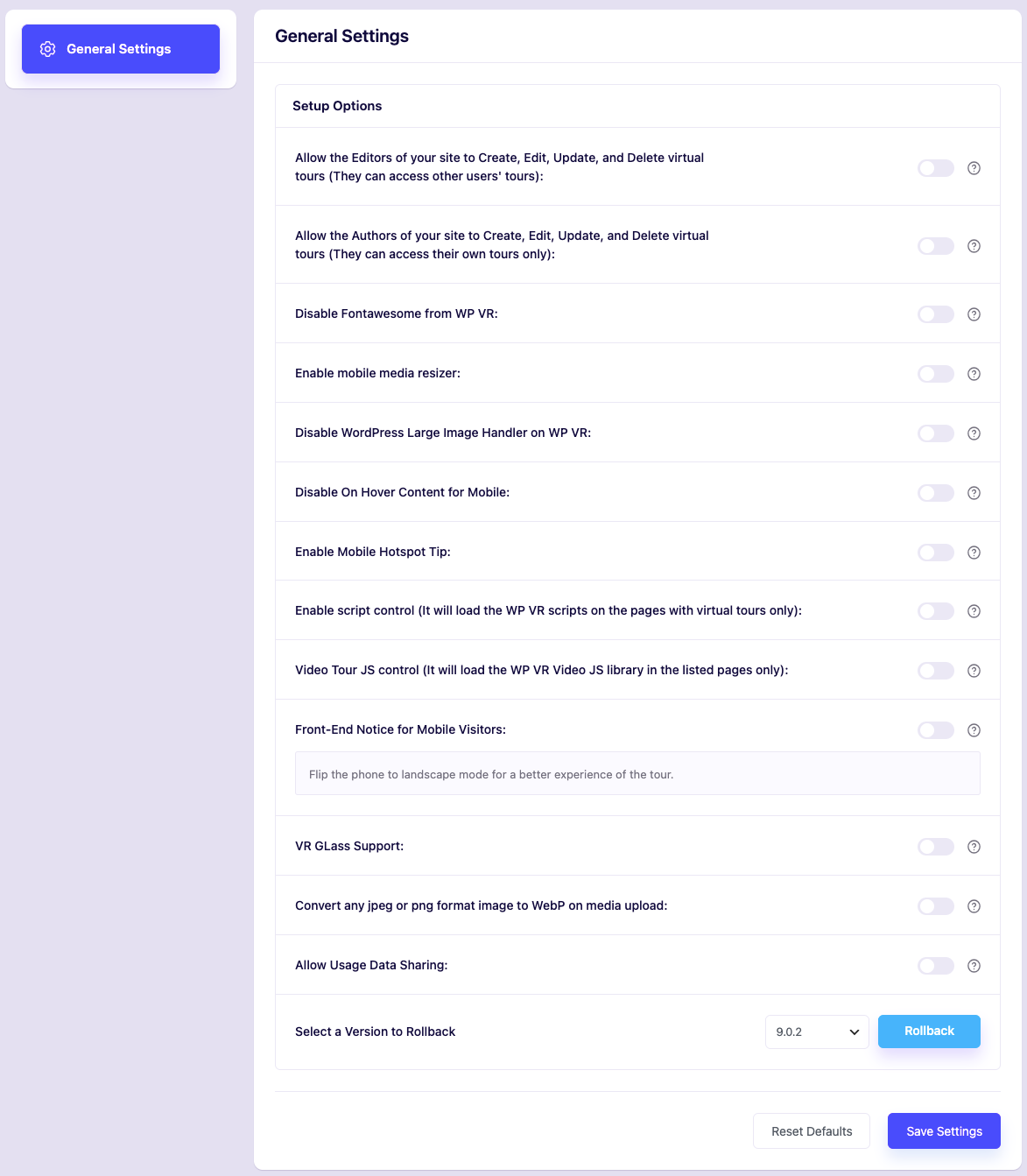
Bloques
Este plugin proporciona 1 bloque.
- WPVR Tour
Instalación
- Sube WPVR al directorio /wp-content/plugins/
- Activa el plugin a través del menú «Plugins» en WordPress
- Sigue el asistente de configuración para configurar el plugin
FAQ
-
1. ¿Es WPVR completamente gratuito? ¿Hay alguna limitación?
-
WPVR ofrece una versión gratuita totalmente funcional. El plugin gratuito te permite crear recorridos virtuales ilimitados, con hasta 5 escenas por recorrido y 5 puntos de acceso por escena. Esto es suficiente para una casa o apartamento compacto.
Puedes actualizar a Pro para obtener escenas ilimitadas, puntos de acceso ilimitados, planos virtuales y características avanzadas.
-
2. ¿Necesito alguna habilidad de programación o técnica para construir mi primer recorrido?
-
En absoluto. No tienes que tocar ni una sola línea de código. Solo sube tus fotos 360, conecta tus habitaciones y coloca algunos puntos de acceso en los que se pueda hacer clic desde un sencillo panel de control.
Probablemente tendrás tu primer recorrido en vivo en menos de cinco minutos.
-
3. ¿Por qué debería añadir un recorrido virtual a mi anuncio de propiedad en lugar de solo fotos?
-
Tus fotos solo muestran una única instantánea, pero un recorrido permite a tus compradores recorrer todo tu espacio a su propio ritmo.
Pueden explorar cada habitación sin reservar una visita, de modo que cuando te contacten, ya están realmente interesados.
Ahorras tiempo y tu anuncio destaca entre todos los que siguen publicando fotos planas.
-
4. ¿Cómo creo un recorrido virtual? ¿Subo fotos usando una aplicación o grabo un vídeo? ¿Cuál es el proceso?
-
Tendrás que subir una panorámica 360 y el plugin la convertirá en un recorrido virtual 360.
Para una casa, puedes capturar fotos 360 de cada habitación usando un teléfono inteligente o iPhone con aplicaciones específicas.
Y si quieres un aspecto más limpio y profesional, usa una cámara 360 (por ejemplo, Ricoh Theta, Insta360, GoPro MAX).
Intenta mantener tus fotos en alta resolución (más de 3000×1500 píxeles) para que cada habitación se vea nítida.
Una vez que tengas las fotos, las subes a WPVR y las conectas mediante puntos de acceso para crear un recorrido virtual inmersivo.
-
5. ¿Cómo conecto varias habitaciones para que los visitantes puedan recorrer mi propiedad?
-
Puedes enlazar escenas usando «puntos de acceso de tipo escena». Simplemente coloca un punto de acceso cerca de una puerta o entrada en la habitación A y establece su destino como habitación B.
Los visitantes que hagan clic en el punto de acceso navegarán directamente a la siguiente habitación.
-
6. ¿Pueden los compradores enviar consultas o reservar visitas dentro de mi recorrido?
-
Sí, puedes adjuntar formularios de reserva, formularios de captación de clientes potenciales o botones de contacto directamente en tu recorrido virtual, lo que permite a los posibles clientes contactarte al instante.
-
7. ¿Puedo añadir un plano virtual interactivo a mis recorridos inmobiliarios?
-
Sí. Con WPVR Pro, puedes subir una imagen de plano 2D y colocar punteros interactivos sobre ella.
Al hacer clic en un puntero del plano, el espectador es transportado inmediatamente a esa habitación específica de tu recorrido 360.
-
8. ¿Puedo hacer coincidir los iconos de los puntos de acceso con mi marca?
-
Sí, puedes dar estilo a tus puntos de acceso para que se ajusten a tu imagen, e incluso usar CSS personalizado para tener control total.
La versión gratuita te ofrece opciones de iconos sólidas, y Pro añade una biblioteca de más de 900 iconos premium además de colores personalizados. En cualquier caso, tus marcadores se mantienen limpios y fáciles de ver para los visitantes.
-
9. ¿Puedo insertar un recorrido en vídeo 360° en lugar de fotos panorámicas?
-
Sí, también puedes usar WPVR como reproductor de vídeo 360, y está incluido de forma gratuita. Puedes alojar el vídeo tú mismo o obtenerlo de YouTube y Vimeo.
Si tienes vídeos de 360° grabados, empieza a usarlos cuanto antes.
-
10. ¿Funciona WPVR con constructores de páginas (Elementor, Gutenberg, Divi) y temas de inmobiliarias?
-
Sí. WPVR incluye widgets y bloques dedicados para Elementor, Gutenberg, Divi, Oxygen y Visual Composer.
También puedes insertar recorridos en cualquier página, plantillas de listado o campos personalizados usando shortcodes estándar.
-
Sí. En dispositivos móviles, WPVR es compatible con la navegación por giroscopio. A medida que los usuarios mueven sus teléfonos inteligentes, la vista de 360° se desplaza en tiempo real para ofrecer una experiencia de recorrido realista.
-
12. ¿Puede un plugin de caché u optimización romper mi recorrido?
-
Puede ocurrir, ya que la caché agresiva o la optimización de archivos a veces bloquean los scripts que necesita tu recorrido.
Si tu recorrido falla, simplemente excluye los recursos de WP VR de tus ajustes de caché o minificación. Una vez que limpies la caché, debería cargar sin problemas.
-
13. ¿Puedo permitir que los usuarios de mi sitio creen recorridos virtuales?
-
Solo puedes permitir que los usuarios de la administración, como administradores, editores y autores de tu sitio, creen recorridos virtuales.
- Los administradores y editores tendrán acceso a todos los recorridos virtuales del sitio para modificarlos, actualizarlos y borrarlos.
- Los autores solo pueden acceder a sus propios recorridos y modificarlos, actualizarlos o eliminarlos.
- Los administradores pueden eliminar el acceso de los autores y editores en cualquier momento.
-
14. ¿Cómo puedo informar sobre errores de seguridad?
-
Puedes informar sobre problemas de seguridad a través del programa de divulgación de vulnerabilidades de Patchstack.
El equipo de Patchstack revisará y gestionará el problema. Notificar una vulnerabilidad de seguridad.
Reseñas


Colaboradores y desarrolladores
«WPVR – 360 Panorama viewer and Virtual Tour Builder for WordPress» es un software de código abierto. Las siguientes personas han colaborado con este plugin.
Colaboradores


«WPVR – 360 Panorama viewer and Virtual Tour Builder for WordPress» está traducido en 6 idiomas. Gracias a los traductores por sus contribuciones.
Traduce «WPVR – 360 Panorama viewer and Virtual Tour Builder for WordPress» a tu idioma.
¿Interesado en el desarrollo?
Revisa el código , echa un vistazo al repositorio SVN o suscríbete al registro de desarrollo por RSS.
Registro de cambios
WPVR (gratuito)
9.1.4 (2026-10-02)
- Fix: Added missing alternative text (alt attribute) to the floor plan image for accessibility (WCAG) compliance.
- Fix: Improved floor plan pointer data handling and attribute escaping.
9.1.3 (2026-09-17)
- Security Fix: Resolved broken access control, authorization bypasses, and stored XSS vulnerabilities in the setup wizard, tour file import, and REST API endpoints.
- Fix: Restored Fluent Forms and WooCommerce product hotspot types in the modern tour editor.
- Enhancement: Added searchable dropdown with live search and request cancellation for selecting Fluent Forms and WooCommerce products in hotspot configuration.
- Fix: Improved Fluent Forms script handling, layout styling, and dynamic form re-initialization inside tour scenes.
- Fix: Resolved issue where scene numbering counter failed to reset after deleting scenes in the creation modal.
- Fix: Corrected typo in default scene name across translation strings.
9.1.2 (2026-09-15)
- Fix: Restored embed and social share functionality for virtual tours in the new UI (feature parity with legacy UI).
- Fix: Resolved embedded tour rendering issue (black screen) when tour loaded via the embed iframe.
- Fix: Improved tour type detection, hotspot rendering, and data validation across legacy and API services.
9.1.1 (2026-09-08)
- Fix: Resolved issue where tours created with the new UI failed to render when embedded.
- Fix: Improved tour type detection and state synchronization across legacy and REST API services.
- Fix: Prevented WordPress wptexturize and content filters from corrupting tour inline scripts.
- Fix: Resolved container ID conflicts and script errors when embedding multiple tour instances on the same page.
- Fix: Resolved hotspot click and modal popup display issues across different content formats.
- Fix: Added safe fallbacks to prevent PHP undefined key warnings in scene and hotspot data validation.
9.1.0 (2026-09-03)
- New: Added Breakdance page builder integration with dedicated WPVR block support.
- New: Added 360-degree video tour support with Video.js and VideoJS-VR integration in the modern tour editor and frontend.
- Fix: Resolved self-hosted 360-degree video dragging and touch navigation issues with robust deferred initialization.
- Fix: Resolved Gutenberg block inline script corruption caused by wptexturize modifying operators in the content filter.
- Fix: Improved video tour metadata handling, state synchronization, and toggle logic between UI modes and editor.
9.0.3 (2026-09-01)
- Security Fix: Enforced object-level authorization (BOLA) checks on tour REST API and AJAX endpoints so users can no longer read, edit, or delete tours they don’t own.
- Security Fix: Restricted the UI mode toggle endpoint to administrators only.
- Security Fix: Sanitized hotspot content (including FluentForm hotspots) on both server and client sides to prevent stored XSS.
9.0.2 (2026-08-28)
- Fix: Resolved
wpvrhotspot is not definederror when caching and JavaScript deferral plugins (Autoptimize, WP Rocket, LiteSpeed Cache) are active. - Fix: Ensured frontend scripts and styles are reliably enqueued across Gutenberg blocks and page builder widgets.
- Fix: Resolved fatal error on
update.phpduring plugin updates. - Fix: Resolved mobile touch dragging and swipe navigation dropping or getting interrupted on mobile browsers.
- Fix: Ensured tour navigation controls (mouse drag, zoom, and keyboard movement) remain properly enabled by default on the Free tier.
- Fix: Corrected keyboard movement control setting mapping in the tour editor.
9.0.1 (20-08-2026)
- Fix: Fix mouse drag & drop issue.
- Fix: Unexpected variable warning.
9.0.0 (2026-08-20)
- Nuevo: presentamos la nueva interfaz de usuario de WPVR para una experiencia de creación de recorridos más rápida e intuitiva.
- New: Added keyboard accessibility to improve tour navigation and interaction.
- New: Added an imported tour indicator for easier identification of imported tours.
- New: Added smart warning diagnostics to help identify and resolve errors.
- Bug Fix: Prevented hotspots from overlapping panorama controls, keeping controls visible and accessible.
- Corregido: los tipos de enlaces de puntos de acceso ahora abren sus destinos configurados correctamente.
- Corregido: mejorado el rendimiento del cambio de imágenes en la sección de vista previa.
- Corregido: se han solucionado los problemas de diseño y alineación en el maquetador de recorridos de escritorio.
- Corregido: se han eliminado las advertencias inesperadas de las pantallas de administración de WordPress.
- Corregido: se han solucionado los problemas de acceso y renderizado de las escenas protegidas por contraseña.
8.5.79 (13-08-2026)
- Corregido: los recorridos que usan
width="embed"conservan su diseño a pantalla completa y sus botones de control. - Mejora: mejorar la velocidad de carga de los recorridos en el backend.
8.5.78 (12-08-2026)
- Corrección: Resuelve los conflictos de procesamiento de los iconos de FontAwesome con los temas activos y añade una función dinámica para vaciar la caché de scripts en Pannellum.
- Mejora: añadida una insignia de estado «Importado» en la tabla de lista de recorridos de administración (pantalla de todos los recorridos) para los recorridos creados mediante importación.
8.5.77 (30-07-2026)
- Corregido: incidencia del recorrido en vídeo de Vimeo resuelta tanto para la vista previa como para la parte pública.
- Corregido: evitar entradas duplicadas de imágenes en la galería de medios de la puesta en marcha.
8.5.76 (2026-07-06)
- Corrección: la imagen panorámica ahora se carga correctamente cuando XHR está bloqueado por el WAF o la protección contra enlaces externos
- Corrección: se ha eliminado la llamada innecesaria a stripslashes() en el análisis JSON de panodata
- Corrección: se ha resuelto la referencia obsoleta a panoImage en el lector de metadatos XMP asíncrono
8.5.75 (2026-06-11)
- Corrección: se ha restaurado la compatibilidad de las pestañas de WPVR Pro para el plano de planta, el recorrido de fondo y Street View cuando WPVR Pro v6.7.4 está activo con una licencia válida.
8.5.74 (2026-06-04)
- Corrección: mejora del soporte táctil para vídeos de 360° y la alternativa para iPhone
8.5.73 (2026-05-20)
- Corrección: el arrastre táctil en móviles ya no desplaza la página y ahora es compatible con la navegación vertical VR fluida.
- Compatibilidad: WordPress 7
8.5.72 (2026-05-13)
- Novedad: compatibilidad con el maquetador de páginas Goodlayers
- Corrección: problema de renderizado del código corto
- Corrección: compatibilidad con el maquetador Breakdance
8.5.71 (2026-05-07)
- Corrección de errores: problema de renderizado del recorrido en Elementor, DIVI y Oxygen
8.5.70 (2026-05-05)
- Mejora: se ha añadido un conmutador para controlar la visibilidad de la información emergente de los puntos de acceso en móviles con una lógica de visualización basada en la interacción
- Mejora: WP VR ahora carga los recursos de forma condicional para evitar un impacto global en el rendimiento
- Corrección de errores: la carga automática del recorrido ya no se restablece al actualizar el mensaje de la imagen de vista previa
- Corrección de errores: se ha desactivado la activación del contenido de los puntos de acceso al pasar el cursor en móviles al mantener pulsado cuando está desactivado en los ajustes
- Corrección de errores: se ha restringido la visibilidad del menú de análisis de WPVR y se ha eliminado el acceso independiente para el rol de Editor
- Corrección de errores: la reproducción automática, el bucle y el arrastre de 360° de Vimeo ahora funcionan correctamente en WPVR
- Corrección de errores: se ha resuelto la visualización incorrecta de la lista de verificación en el modo de edición del backend para los recorridos publicados de WPVR Street View
- Corrección de errores: se ha resuelto el problema de arrastre de vídeos de 360°
8.5.69 (2026-04-24)
- mejora: razones de la encuesta de desactivación específicas de VR con una experiencia de usuario modal mejorada
8.5.68 (2026-04-23)
- Mejora: se han optimizado los pasos de configuración inicial existentes para una mejor usabilidad
- Novedad: se ha añadido un recorrido guiado para los nuevos usuarios
- Novedad: se ha añadido una opción para activar/desactivar el consentimiento desde los ajustes
8.5.67 (2026-04-17)
- Novedad: se han añadido superposiciones de vista previa de funciones Pro y un banner de actualización fijo
- Mejora: se ha reestructurado la telemetría en un único evento al guardar el recorrido
- Corrección de errores: se ha mejorado la lógica de la interfaz de administración y la captura de coordenadas de los puntos de acceso
8.5.66 (2026-04-15)
- Corrección de errores: la ventana emergente para móviles ahora se muestra solo en las páginas de recorridos
8.5.65 (2026-04-10)
- Mejora: añadir un botón de llamada a la acción con el texto «Desarrollado por»
8.5.65 (2026-04-10)
- Mejora: añadir un botón de llamada a la acción con el texto «Desarrollado por»
8.5.64 (2026-04-02)
- Mejora: actualizar la telemetría
8.5.63 (2026-03-27)
- Mejora: interfaz de usuario y experiencia de usuario en la configuración inicial
8.5.62 (2026-03-16)
- Mejora: actualizar el banner de notificación para Eid-Ul-fitr
8.5.61 (2026-03-12)
- Mejora: configuración inicial de WPVR
- Corrección de errores: se han corregido las cargas lentas de página causadas por getimagesize() al realizar solicitudes de bucle HTTP durante el redimensionamiento de medios para móviles
👉 Visita para ver el registro de cambios completo de la versión gratuita