

Descripción
Reproductor de vídeo para WordPress diseñado para reproducción e interacción dinámica
FluentPlayer es un reproductor de vídeo y audio nativo de WordPress rápido que hace más que incrustar un archivo. Un espectador puede rellenar un formulario o suscribirse sin salir del vídeo, porque FluentPlayer está construido dentro del mismo ecosistema Fluent que Fluent Forms, FluentCRM y FluentCommunity.
Live Demo | User Guide | Features | Get Support | Official Fluent Community
Desde un simple vídeo autohospedado hasta una lección con un formulario de registro o una superposición de captura de clientes potenciales, FluentPlayer puede cubrir prácticamente todas tus necesidades de vídeo.
Powerful Features Available in the Free Version
- Reproducción de vídeo autohospedado, YouTube, Vimeo y audio
- Capa nativa de Fluent Forms para formularios dentro del vídeo
- Email capture layer
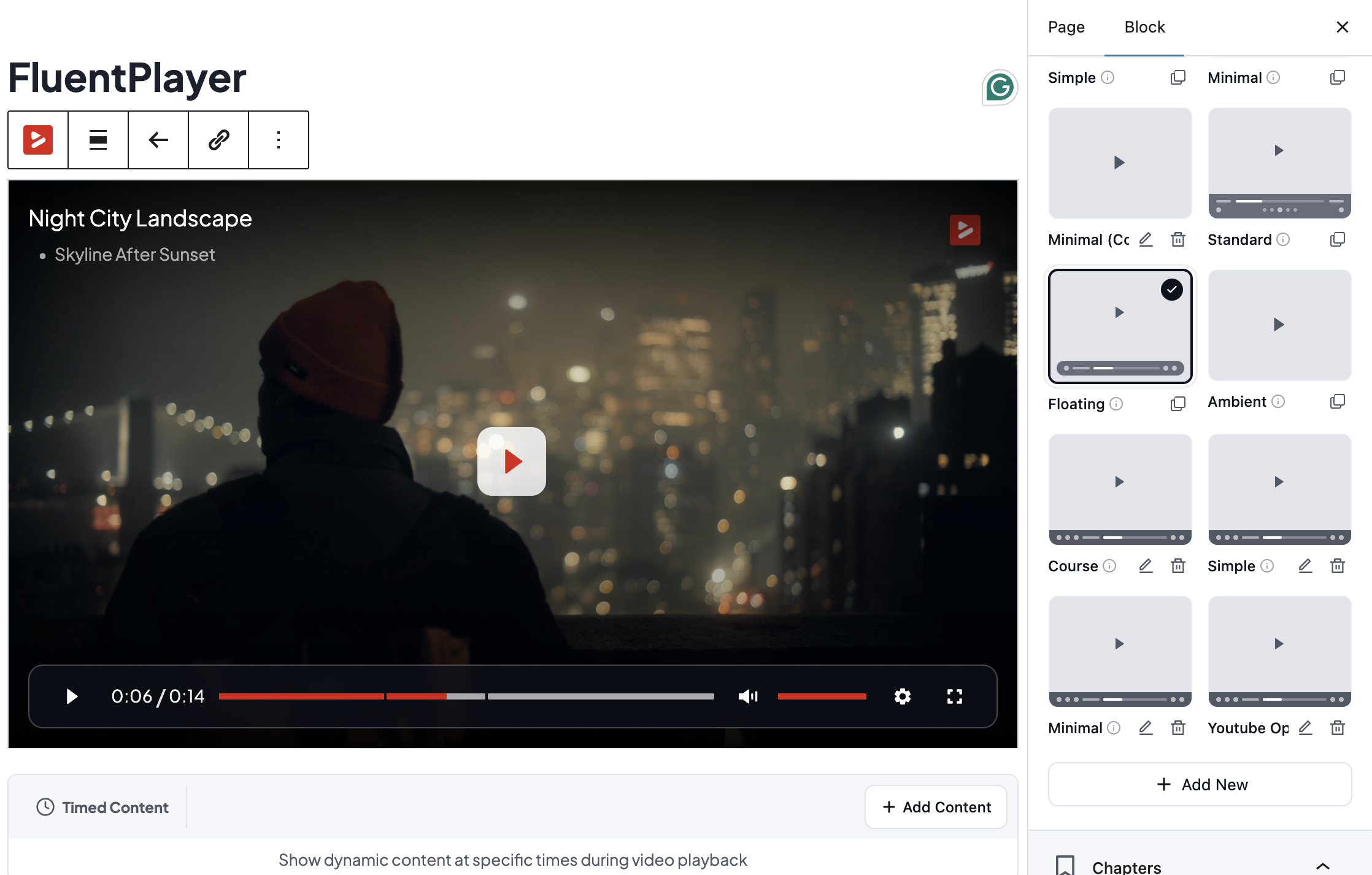
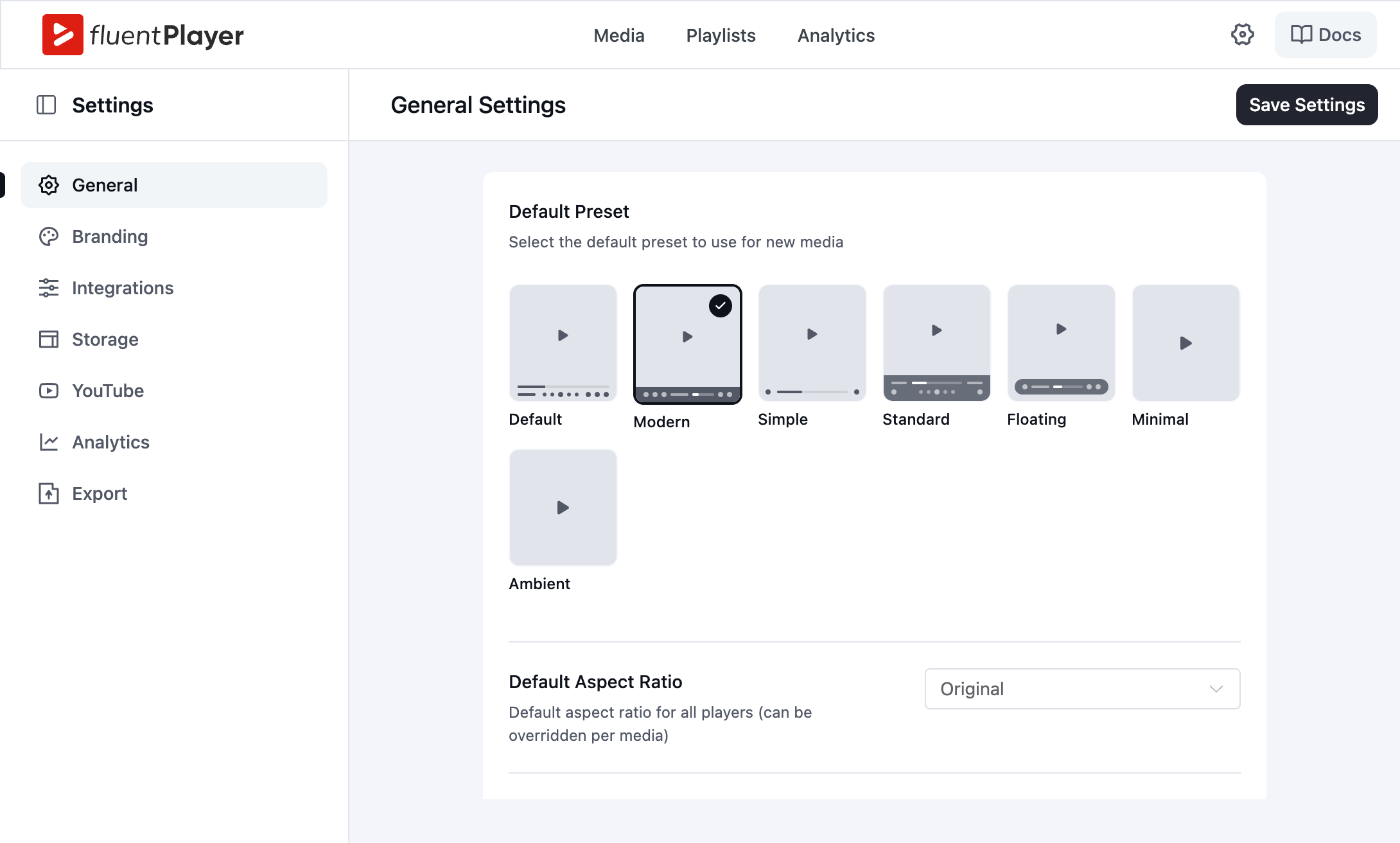
- Player presets: Default, Modern, Simple, Minimal, Standard, Floating
- Picture-in-Picture (HTML5)
- Inline mobile playback
- Reproducción automática
- Control de velocidad
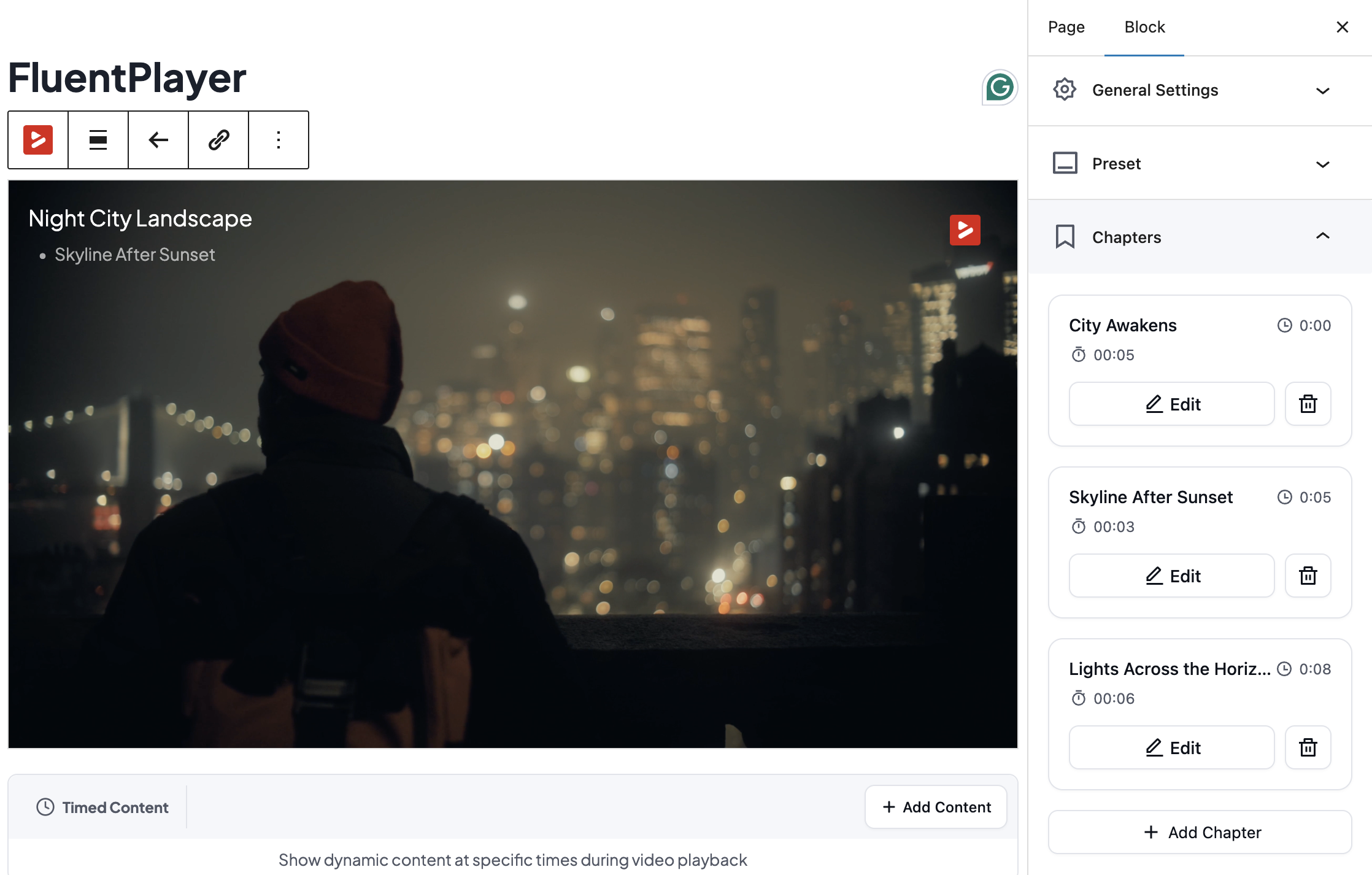
- Capítulos de vídeo
- Cambio de idioma
- Control de rendimiento de la estrategia de carga
- Control de relación de aspecto
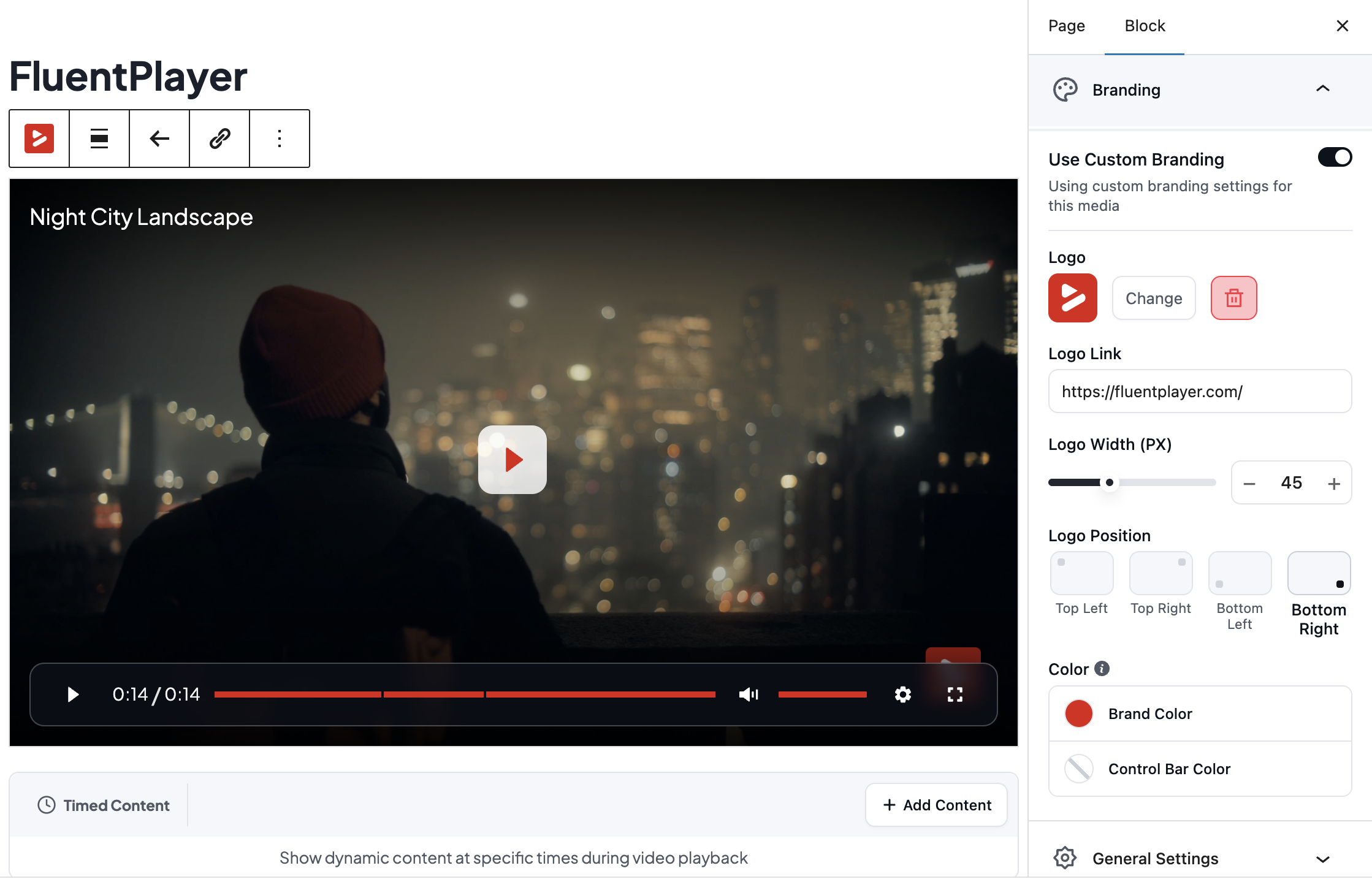
- Marca personalizada (logotipo, color de marca, color de la barra de control)
- Imagen de miniatura personalizada (imagen de póster)
- Superposición de título
- Shortcodes for classic editor and page builders
- Bloque nativo de Gutenberg
Features Available in the Pro Version
- Analítica de vídeo (visualizaciones, tiempo de visualización, tasa de finalización, retención de audiencia, desglose por dispositivo y ubicación)
- Banners de CTA, puntos de acceso, capas publicitarias y capas de shortcode
- Reglas condicionales para capas
- Contenido temporizado
- Subtítulos personalizados
- Importación de subtítulos de YouTube
- Listas de reproducción de vídeo con personalización de diseño y apariencia
- Etiquetado de medios
- Customizable player presets
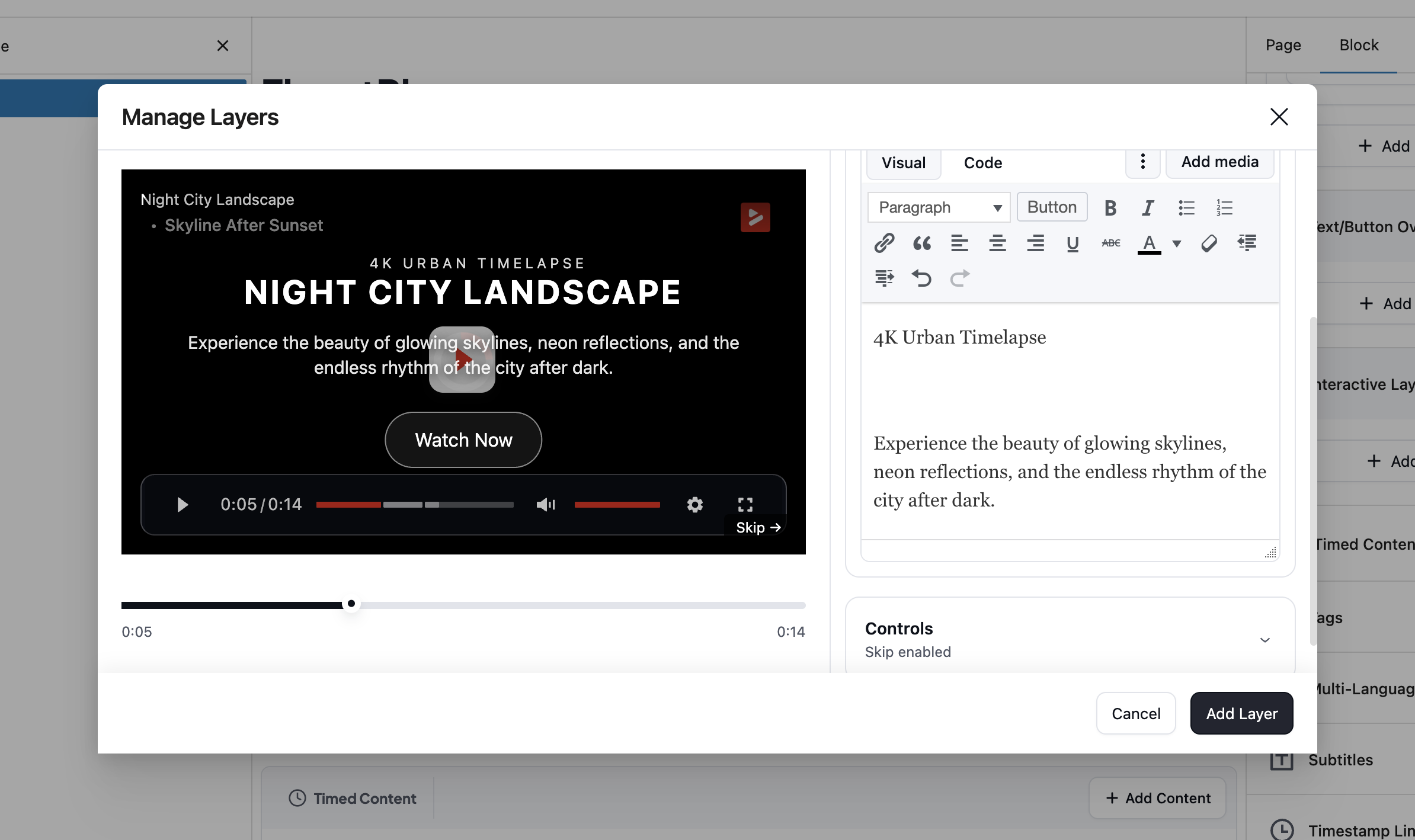
- Superposiciones de texto y botones
- Recordar posición de reproducción
- BunnyCDN Stream, BunnyCDN Storage, Mux, external URLs, and HLS streaming
- Compatibilidad con AJAX
Diseñado para la velocidad
FluentPlayer is optimized to load fast and stay out of the way of your page speed. The Load Strategy setting controls when the player script loads, so a video below the fold does not block your first paint. This matters more than it sounds: a slow-loading video player drags down every page it sits on.
Capas interactivas
Every interactive element in FluentPlayer is a layer you place at a specific point in the video, not a fixed page element. The free version includes a Fluent Forms layer and an email capture layer. Pro adds CTA banners, hotspots, ad layers, and shortcode layers, each with its own display rules: show a layer once a viewer reaches a timestamp, hide it after a set duration. This keeps every prompt relevant to what is happening on screen instead of interrupting the video at a generic moment.
Capa nativa de Fluent Forms (gratuita)
La mayor diferencia de FluentPlayer con otros reproductores de vídeo es la capa de formulario. En lugar de enviar a un espectador a una página separada para suscribirse, registrarse o pagar, el formulario aparece directamente dentro del reproductor en el momento que elijas.
Debido a que Fluent Forms es compatible con campos de pago, la misma capa en el vídeo puede tomar un pago. Un espectador puede comprar un curso, pagar por una plaza en un webinar o completar un registro de pago sin salir nunca del vídeo. El envío fluye directamente a FluentCRM, donde puede activar una automatización.
Integración nativa con FluentCRM (gratuita)
FluentCRM y FluentPlayer están creados por WPManageNinja, y ese origen compartido es lo que hace que esta integración sea diferente de una conexión estándar de plugins. Cuando un espectador rellena un formulario de captura en un vídeo, sus datos se envían directamente a FluentCRM en tiempo real a las listas o etiquetas preferidas, sin puente de terceros, sin importación manual y sin retraso de sincronización.
Para las empresas que gestionan contactos dentro de WordPress, esto mantiene todo el proceso en un solo lugar. El vídeo, el formulario de captura y el CRM funcionan desde el mismo núcleo, lo que significa que cada cliente potencial que genera el contenido está disponible de inmediato para actuar.
Contenido temporizado (Pro)
Timed Content is unique to FluentPlayer. It renders a WordPress block region below the player that changes as the video plays. You set a time range, and the content for that range appears in sync. Any WordPress block works there, including a Fluent Forms form, a button, or a text block timed to a specific moment in the video.
Reproducir cualquier fuente de vídeo
Disponible en la versión gratuita
- Vídeo autohospedado desde tu biblioteca de medios
- YouTube
- Vimeo
- Archivos de audio
Disponible en la versión Pro
- BunnyCDN Stream
- Almacenamiento BunnyCDN
- Mux
- HLS Streaming
Player Presets and Custom Branding
Elige entre los preajustes incluidos: Por defecto, Moderno, Simple, Minimalista, Estándar y Flotante. Configura tu logo, el color de la marca y el color de la barra de control, elige una imagen de póster y añade una superposición de título, todo en la versión gratuita. La versión Pro añade un nuevo preajuste Ambient, preajustes totalmente personalizables, superposiciones de texto y botones, y una opción para recordar la posición de reproducción que reanuda un vídeo largo donde el espectador lo dejó.
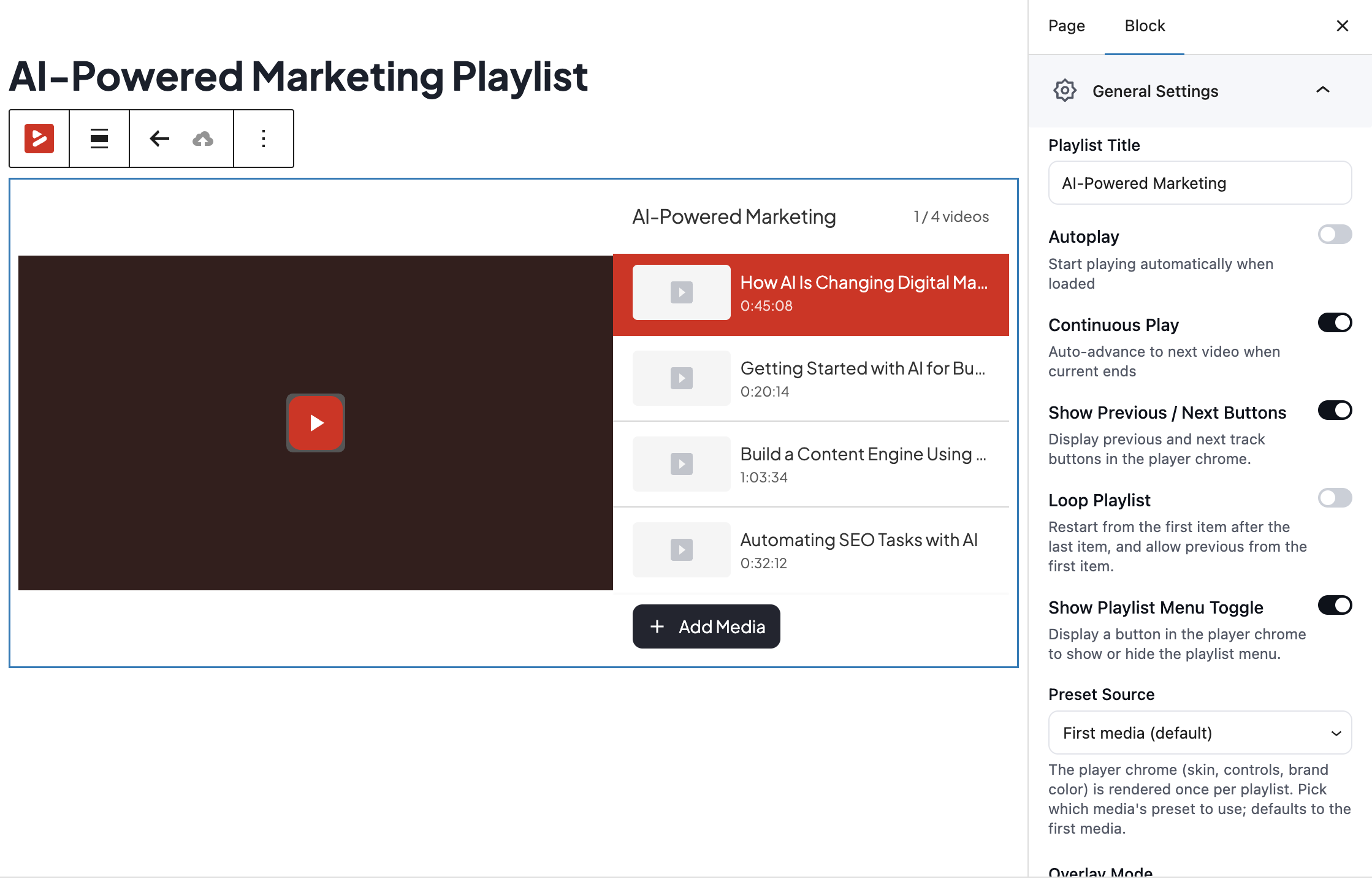
Listas de reproducción de vídeo (Pro)
Agrupa vídeos en una lista de reproducción con un diseño estándar o de cuadrícula, y luego personaliza el color, el borde, la tipografía y la sombra de la caja para que coincidan con tu sitio. El etiquetado de medios mantiene organizada una gran biblioteca de vídeos a medida que crece.
Analítica de vídeo (Pro)
Descubre lo que tus espectadores hacen realmente, no solo que un vídeo se ha reproducido. El Escritorio de análisis de la versión Pro muestra las reproducciones, los espectadores únicos, el tiempo medio de visionado y la tasa de finalización por vídeo, además de un gráfico de retención de audiencia que muestra el segundo exacto en el que los espectadores abandonan. También obtienes espectadores nuevos frente a recurrentes, los vídeos más vistos, los usuarios principales, la distribución por dispositivos y el desglose por ubicación, todo almacenado en tu propia base de datos de WordPress.
Compatibilidad con el editor de bloques y shortcodes
Añade el bloque FluentPlayer en el editor de bloques de WordPress, elige tu fuente y publica. Sin código. Para el editor clásico y los maquetadores de páginas, cada reproductor también genera un shortcode.
Integración con FluentCommunity (gratuita)
FluentCommunity es parte del mismo conjunto de productos de WPManageNinja que FluentPlayer, por lo que la conexión es más profunda que una integración típica de terceros. Las incrustaciones de vídeo funcionan de forma nativa dentro de los espacios de la comunidad, con toda la funcionalidad del reproductor intacta, y los miembros ven el contenido, siguen rutas de aprendizaje y acceden a material restringido sin salir nunca de la comunidad.
Para los negocios de membresía y los creadores de cursos que construyen sobre WordPress, esto significa que el contenido de vídeo y la comunidad funcionan como un solo sistema en lugar de dos plataformas parcheadas. Los miembros que nunca salen del entorno tienen más probabilidades de mantenerse comprometidos, volver y completar lo que empezaron.
Reglas condicionales para capas (Pro)
Muestra la capa adecuada al espectador adecuado. Las reglas condicionales te permiten decidir quién ve una capa en lugar de mostrar el mismo formulario u oferta a todo el mundo. Cada capa tiene su propio panel de condiciones donde construyes reglas con una configuración sencilla de campo, operador y valor, la misma lógica que conoces de Fluent Forms. Coincide con cualquier regla o con todas.
Puedes mostrar u ocultar una capa según:
- Whether the viewer is logged in
- Si el espectador es un contacto de FluentCRM
- Si el espectador tiene una etiqueta específica de FluentCRM
- Si el espectador está en una lista específica de FluentCRM
- Si el espectador ya ha enviado su correo electrónico
- Un parámetro de consulta de URL, coincidente por clave y valor
- Si una capa ya se ha visto
- Si una capa se ha completado
Un visitante que llega por primera vez ve el formulario de captura de correo electrónico, mientras que un contacto conocido de FluentCRM se lo salta y recibe una oferta de un curso. Un espectador que llega desde un enlace de una campaña ve una capa asociada a esa campaña, y un espectador que ya ha enviado su correo electrónico nunca vuelve a ver el mismo formulario.
Integrations and Add-ons Available in the Free Version
- Fluent Forms para formularios dentro del vídeo, incluidos campos de registro
- FluentCRM para enviar los contactos capturados directamente a tu CRM y activar automatizaciones
- FluentCommunity para vídeos de cursos, comunidad y membresía
Integraciones disponibles en la versión Pro
- Mailchimp
- Webhooks
- Google Analytics
- BunnyCDN
- Mux
¿Por qué un reproductor de vídeo autohospedado para WordPress?
Los servicios de vídeo alojados cobran una cuota mensual, limitan tu ancho de banda y guardan los datos de tus espectadores en su plataforma. FluentPlayer mantiene el vídeo, el reproductor y la interacción en tu propio dominio y en tu propia base de datos. Tú eres el propietario de los datos, controlas la experiencia y no hay coste por visualización ni por asiento.
Consulta la documentación
FluentPlayer tiene documentación paso a paso. A continuación se enumeran algunas páginas esenciales:
- Comenzar con FluentPlayer
- Adding a Email Capture Overlay to a Video
- Cómo añadir una CTA y una barra de acciones
- Descripción general de visualización e incrustación
- Cómo personalizar tu reproductor
Otros plugins del equipo Fluent
- Fluent Forms – Constructor de formularios por arrastrar y soltar para WordPress
- FluentCRM – Email Marketing, Newsletter, and Automation Plugin for WordPress
- FluentCommunity – Red social, comunidad y LMS completos
- FluentBooking – El mejor plugin de programación para WordPress
- FluentBoards – Gestión de proyectos y tareas, tablero Kanban y colaboración en equipo
- Fluent Support – WordPress Helpdesk and Customer Support Ticket Plugin
- FluentSMTP – El plugin SMTP y SES más avanzado para WordPress
- FluentCart – Una nueva era de comercio electrónico con WordPress
- FluentAffiliate – Affiliate Program Management Suite, Affiliates Manager
Desarrollo
Código fuente de FluentPlayer, rastreador de incidencias y colaboraciones: https://github.com/WPManageNinja/fluent-player
Capturas




Bloques
Este plugin proporciona 1 bloque.
- Media
Instalación
Esta sección describe cómo instalar el plugin y ponerlo en funcionamiento.
- Sube los archivos del plugin al directorio
/wp-content/plugins/fluentplayer, o instala el plugin directamente a través de la pantalla de plugins de WordPress. - Activa el plugin a través de la pantalla «Plugins» en WordPress.
- Usa la pantalla
FluentPlayerAjustespara configurar el plugin. - Añade un vídeo usando el bloque FluentPlayer en el editor de bloques, o el shortcode en el editor clásico.
FAQ
-
¿Es FluentPlayer gratuito?
-
Sí. La versión gratuita incluye el reproductor, múltiples preajustes, fuentes de vídeo autohospedado, YouTube, Vimeo y audio, Picture-in-Picture, capítulos de vídeo, marca personalizada, captura de correo electrónico y una capa nativa de Fluent Forms. La versión Pro añade alojamiento en BunnyCDN y Mux, listas de reproducción, contenido programado, subtítulos, más capas interactivas y análisis de vídeo.
-
¿Puedo capturar clientes potenciales o recopilar correos electrónicos desde mis vídeos?
-
Sí, en la versión gratuita. Una capa nativa de Fluent Forms y un campo de captura de correo electrónico aparecen sobre el vídeo en el momento que configures. Los contactos capturados pueden sincronizarse con FluentCRM e iniciar una automatización.
-
¿Con qué fuentes de vídeo es compatible FluentPlayer?
-
Vídeo autohospedado, YouTube, Vimeo y audio en la versión gratuita. BunnyCDN Stream, BunnyCDN Storage, Mux, URL externas y streaming HLS en la versión Pro.
-
¿Ralentizará FluentPlayer mi sitio web?
-
No. El ajuste de estrategia de carga controla cuándo se carga el reproductor, para que puedas cargar de forma diferida los vídeos que quedan debajo del pliegue y mantener rápido el procesado inicial de tu página.
-
¿Es compatible FluentPlayer con el editor de bloques y los maquetadores de páginas?
-
Sí. FluentPlayer ofrece un bloque nativo de Gutenberg, y cada reproductor también genera un shortcode para el editor clásico y los maquetadores de páginas.
-
¿Es FluentPlayer compatible con subtítulos y varios idiomas?
-
La versión Pro es compatible con subtítulos. El cambio de idioma de la interfaz del reproductor está incluido en la versión gratuita.
-
¿Puedo migrar mis vídeos desde otro plugin de reproductor?
-
Sí. FluentPlayer incluye una migración con un solo clic que importa tus vídeos existentes para que no tengas que reconstruirlos manualmente.
-
Quiero informar de un fallo, ¿dónde lo informo?
-
Puedes obtener soporte en nuestro hilo de soporte oficial en wpmanageninja.com/support-tickets.
Reseñas


Colaboradores y desarrolladores
«FluentPlayer – Video Player With Forms & Lead Capture» es un software de código abierto. Las siguientes personas han colaborado con este plugin.
Colaboradores


«FluentPlayer – Video Player With Forms & Lead Capture» está traducido en 1 idioma. Gracias a los traductores por sus contribuciones.
Traduce «FluentPlayer – Video Player With Forms & Lead Capture» a tu idioma.
¿Interesado en el desarrollo?
Revisa el código , echa un vistazo al repositorio SVN o suscríbete al registro de desarrollo por RSS.
Registro de cambios
1.4.0 (Date: August 26, 2026)
- Feature: Vimeo provider — privacy mode, quality and playback-speed menus, and chapters
- Feature: Single Playback settings — starting one player pauses or keep playing every other player on the page (on by default)
- Feature: Deferred third-party embeds — YouTube and Vimeo players do not initialize the provider or send tracking requests until they’re released, via the fluent_player/defer_player filter (for cookie-consent and privacy workflows)
- Feature: Muted Preview autoplay mode — the video autoplays muted loops with no analytics, layers, or resume running
- Improvement: Presto Player migration now maps Muted Autoplay Preview settings
- Improvement: Compatible with WordPress 7.1 — removed the deprecated block-editor control usage that logged warnings on every editor loaded
- Improvement: The block editor and media picker no longer run one database query per private media item
- Improvement: Public media pages can be switched off with the fluent_player/media_pages_enabled filter
- Improvement: Autoplay with sound recovers muted when the browser blocks it, instead of freezing on the first frame
- Security: Tightened permission checks and stripped credentials from block editor and player output
- Fix: Resume position is saved on pause, tab switch, and single-page-app teardown, so progress is no longer lost
- Fix: The same media placed twice on a page now renders two working players instead of one
- Fix: YouTube branding no longer appears over the block editor preview, and portrait Shorts no longer zoom
- Fix: Vimeo qualities the video cannot actually deliver are removed from the menu instead of silently failing
- Fix: FluentCommunity lesson pages regain full player behavior, including analytics
- Fix: Block editor styles are scoped so they no longer leak into core WordPress admin UI
- Fix: The media and playlist list tables keep their pagination controls after choosing a large page size, and remember your page and page size
1.3.1 (Date: July 28, 2026)
- Improvement: Player assets are cache-busted after a plugin update, so browsers load the new version instead of a stale one
- Fix: Playback resumes where you left off for fluent community
- Fix: The Bunny Stream CDN token is forwarded to editor preview segments, so protected media preview correctly in the editor
- Fix: Fluent Player shortcodes now render inside the Breakdance builder canvas
- Fix: YouTube and Vimeo embeds keep their referrer
- Fix: The Divi and Elementor builder media and playlist pickers work again, and wp-admin typography issue in builder canvas
1.3.0 (Date: July 22, 2026)
- Feature: Add any media by pasting a URL — the provider is detected automatically, and same-site upload URLs resolve to their library attachment
- Feature: Configurable media shortcode — playback-override attributes and an optional dynamic source (id is no longer required)
- Feature: Elementor widgets for the player and playlist, with full block-parity player settings
- Feature: Divi 5 Visual Builder modules for the player and playlist
- Feature: Audio playback support for CDN media providers
- Feature: Editors can now author media, layers, and presets (previously admin-only); adjustable via the fluent_player/authoring_capability filter
- Feature: FluentCRM integration — watched milestones and layer interactions are tracked and logged to the contact timeline
- Feature: Private media now play wherever they are embedded (pages, courses) while their standalone page returns 404 and stays out of sitemaps and search — so course videos are never publicly exposed
- Feature: Media created from a FluentCommunity lesson defaults to Private, so it never gets a public standalone page
- Improvement: Unconfigured Pro sources collapse behind a More sources toggle, and disconnected providers link to their setup
- Improvement: YouTube posters are served as WebP for faster loading
- Improvement: The block editor player preview is lazy-loaded
- Improvement: A branded loading backdrop covers the block editor’s white boot phase
- Improvement: Cmd/Ctrl+S saves settings, and a keyboard shortcut creates new media from the admin pages
- Improvement: Locked providers are announced to assistive technology
- Improvement: The block editor media and playlist pickers are now searchable and load results in pages, so libraries beyond the first 20 items are reachable
- Improvement: FluentCRM timeline events and layer pickers now show block-editor labels (form title, provider name), and the media picker lists newest first
- Fix: Chapter files with umlauts and other non-ASCII characters render correctly in the block preview
- Fix: Audio players show all controls without scrolling
- Fix: Per-video audio normalization is saved reliably
- Fix: Overlay layers (forms, CTAs) no longer fail to appear on sites that load animation libraries such as GSAP
- Fix: Editing a media from a page or lesson where it is embedded no longer changes the media’s visibility
- Fix: The Modern preset’s mobile control bar no longer crowds the seek bar
- Fix: The Elementor and Divi builders no longer show a blank canvas for the timed-content and playlist blocks
- Fix: Portrait (9:16) YouTube Shorts fill the frame instead of being letterboxed
- Fix: Page-builder panel colors apply on the front end, and the Divi media module is selectable in the builder
1.2.0 (Date: July 8, 2026)
- Improvement: Resume playback can now be set per video, overriding the preset
- Fix: The frontend language switcher button is now clickable
- Fix: The selected hotspot icon stays visible in the picker preview
- Fix: The admin top-nav dropdown is no longer hidden behind the WordPress admin bar
- Fix: The media-select search icon no longer overlaps the input text
1.1.0 (Date: July 6, 2026)
- Feature: Use a FluentPlayer video as a FluentCommunity lesson’s feature media
- Improvement: The YouTube paused cover button now uses your brand color and hides YouTube’s default play button
- Improvement: Refined the player vignette overlay
- Improvement: Hide in-video form layers when a video plays inside a FluentCommunity lesson
- Fix: Players now re-initialize correctly when switching lessons in FluentCommunity
- Fix: The loading overlay no longer blocks clicks before the player is ready
- Fix: YouTube subscribe button styling now survives aggressive theme CSS
1.0.9 (Date: June 29, 2026)
- Feature: Customize the confirmation message shown after someone submits the email-capture form
- Feature: Set a custom color and background for the play button
- Feature: FluentCRM Double optin email support
- Feature: Bulk actions in the media list — trash, restore, and change the status of multiple items at once
- Improvement: Honor WordPress’s built-in password protection on the player — protected videos and audio now unlock right on the page
- Improvement: Honor WordPress’s native scheduling for media — set a future publish date and see a clear Scheduled status and time
- Improvement: Cleaner, more compact media list and a thumbnail with the media type shown in the title
- Improvement: Refined, more compact media editor — unified setting cards
- Improvement: Show or hide columns in the media list to fit the table to what you need
- Improvement: Redesigned player right-click menu with item icons and a refreshed look
- Improvement: Spot overlapping timed content at a glance and edit each item inline
- Improvement: Clearer permanent-delete confirmation so media isn’t removed by mistake
- Improvement: Faster-loading admin dashboard
- Security: Hardened the player’s styling output against injection
- Fix: The video preview now shows while you scrub in the layer, overlay, and chapter editors
- Fix: On-screen layers such as email capture now correctly hold keyboard focus
- Fix: Audio tracks in a mixed playlist now play in the audio player
- Fix: The playlist player now fills the available width and its menu toggle works reliably
- Fix: YouTube playback and lesson settings now work correctly inside FluentCommunity
- Fix: Restored the YouTube and Analytics toggles on the settings page
- Fix: Reliability and rate-limiting improvements for the FluentCRM double opt-in flow
- Fix: The Default Aspect Ratio option now displays correctly in settings
- Fix: Renamed «Poster Image» to «Thumbnail» in the media block for clarity
1.0.8 (Date: June 22, 2026)
- Maintenance: Internal improvements, compatibility, and stability updates
1.0.7 (Date: June 22, 2026)
- Feature: Migrate media, per-video color, thumbnails, YouTube no-cookie settings, and email submissions from Presto Player
- Feature: Update Playlist flow for the playlist block
- Feature: Back button in the media editor header
- Feature: Unsaved changes guard on the settings page
- Improvement: All Media and Settings quick links in the plugins row
- Improvement: Skeleton loaders across the settings and analytics pages
- Improvement: Sortable columns and refined visibility controls in the media and playlist tables
- Improvement: Accessibility pass across the admin — accessible names, keyboard navigation, and AA contrast
- Improvement: Throttle player time-update handlers to reduce per-frame work and improve smoothness
- Fix: Let the assigned preset control resume-playback
- Fix: Make YouTube Privacy-Enhanced Mode actually toggle the embed and poster hosts
- Fix: Load the timed-content frontend script once across all render paths
- Fix: Pro-gate the Google Analytics gtag enqueue
- Fix: Honor |fallback on contact smartcodes when no CRM contact is present
- Fix: Neutralize spreadsheet formula injection in email exports