
Descripción
Plugin SMTP de WordPress para cualquier proveedor de correo electrónico
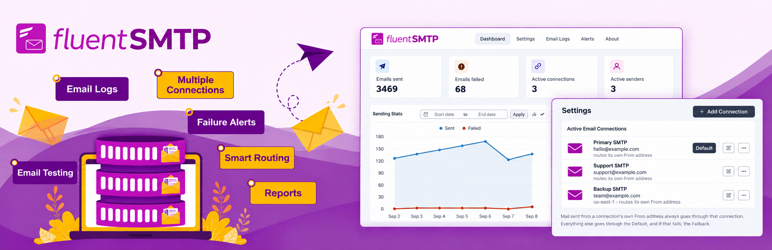
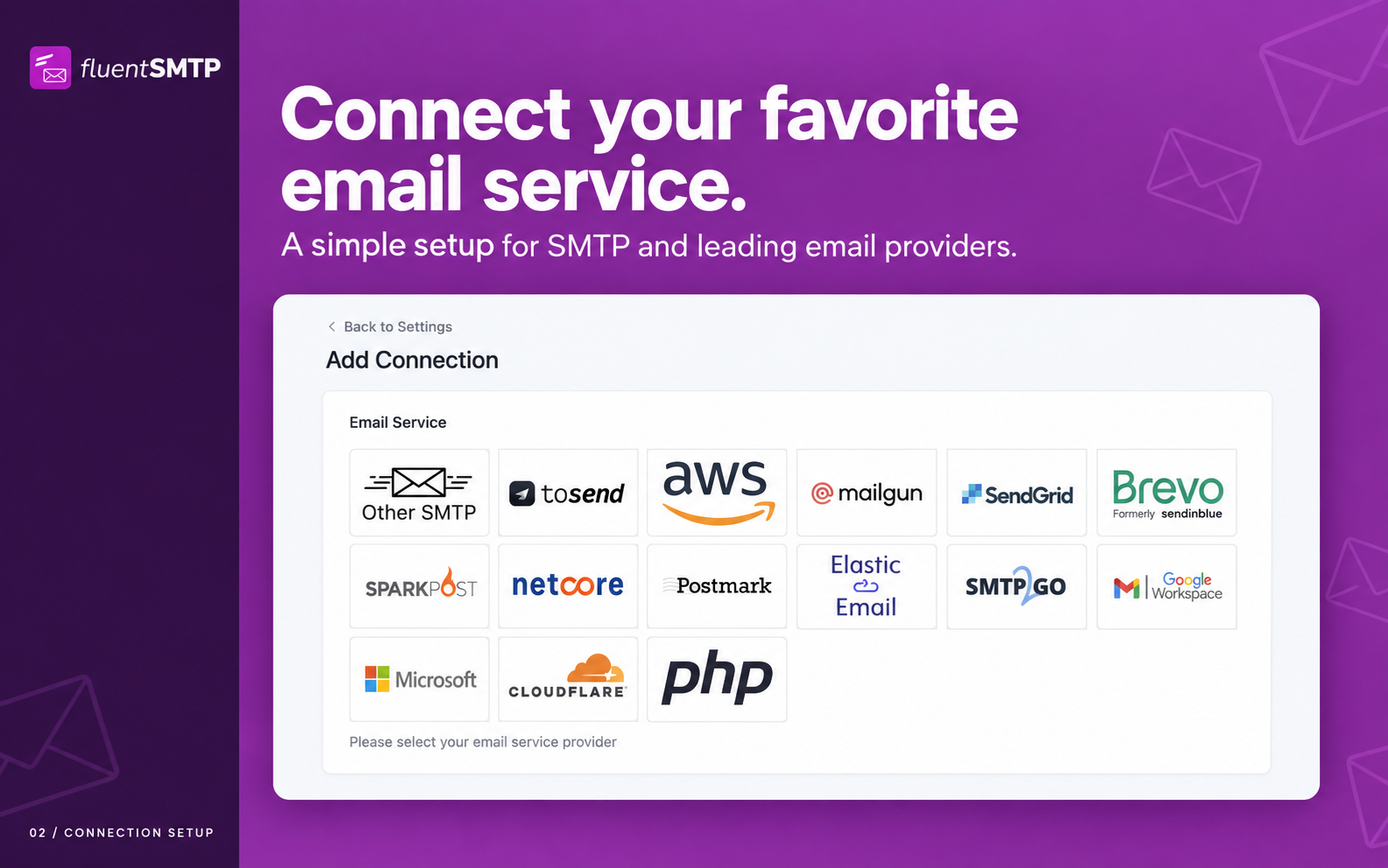
Are your WordPress emails not sending, landing in spam, or failing silently? FluentSMTP is a free WordPress SMTP plugin that fixes email deliverability by routing every wp_mail() call through the email service you choose: Gmail, Google Workspace, Amazon SES, SendGrid, Mailgun, Cloudflare Email, toSend, Postmark, Brevo (Sendinblue), SparkPost, Netcore, Elastic Email, SMTP2GO, Outlook / Office 365, Zoho, or any SMTP host.
FluentSMTP talks to each provider’s own API rather than only SMTP, so your transactional and marketing email goes out quickly and lands in the inbox. Set your From name and email, turn on email logging, add failure alerts, and route different senders to different providers, all from one screen.
Connect as many email services as you want, and FluentSMTP routes each email to the right one based on its From address.
💚 100 % gratuito para siempre: sin versión Pro, sin ventas cruzadas, sin muros de pago 💚
FluentSMTP es 100 % gratuito y de código abierto, y siempre lo será. No hay versión «pro», ni complementos premium, ni características bloqueadas, ni muro de captura de correo, ni avisos molestos de actualización, ni límites de características, ni nivel de pago. Cada integración listada arriba (Amazon SES, Gmail, Outlook, SendGrid, Mailgun, Cloudflare, toSend, Postmark, Brevo, SparkPost y el resto) está completamente disponible sin coste.
Nunca tendrás que pagar un céntimo para usar cualquier característica de FluentSMTP. Hemos hecho este compromiso como parte de nuestra participación en «Five for the Future», una iniciativa iniciada por la WordPress Foundation.
Nuestra empresa matriz WPManageNinja LLC desarrolla productos comerciales para negocios de WordPress y gestiona un negocio estable y rentable con ellos, lo que significa que FluentSMTP es nuestra forma de devolver algo a la comunidad de WordPress, no un embudo. 👉 Lee por qué es 100 % gratuito (siempre) 👈
🎉 Supported Email Service Providers and SMTP Connections
- Amazon SES (API)
- Gmail (OAuth API)
- Google Workspace (OAuth API)
- Outlook / Office 365 / Microsoft 365 (OAuth API)
- SendGrid (API)
- Mailgun (API)
- Cloudflare Email Sending (API)
- toSend (API)
- Brevo, formerly Sendinblue (API)
- Netcore, formerly Pepipost (API)
- Postmark (API)
- SparkPost (API)
- SMTP2GO (API)
- Elastic Email (API)
- Zoho Mail (SMTP)
- PHP mail()
- Any SMTP server: your web host, Gmail SMTP, Yahoo, Outlook.com, Yandex and more
- Más integraciones nativas próximamente
🎉 Características de Fluent SMTP
FluentSMTP is built for speed, reliability and scale.
- Real-time email delivery over each provider’s API
- Enrutamiento de correo electrónico a múltiples conexiones de correo electrónico
- Connect any email service provider or SMTP server
- Fallback email connection when the primary one fails
- Email logging with full headers, body and server response
- Resend any logged email to any recipient
- Detailed email reporting and charts
- Monitoreo diario del estado de las conexiones
- Failure alerts via Telegram, Slack, Discord and Pushover
- Soporte WP-CLI
- A fast, modern admin with a dark theme
Lo más importante es que este plugin es gratuito y siempre lo será.
👉 Lee por qué es 100 % gratuito (siempre) 👈
¿Cómo funciona Fluent SMTP?
Like any WP mail SMTP plugin, FluentSMTP replaces the WordPress wp_mail() function and hands every email to the service you connected, using that service’s own API where one exists, or the SMTP host, port and credentials you gave it for a plain SMTP connection. Every plugin and theme that sends email through wp_mail() is covered, with nothing to change on their side.
Registro y depuración de correos electrónicos
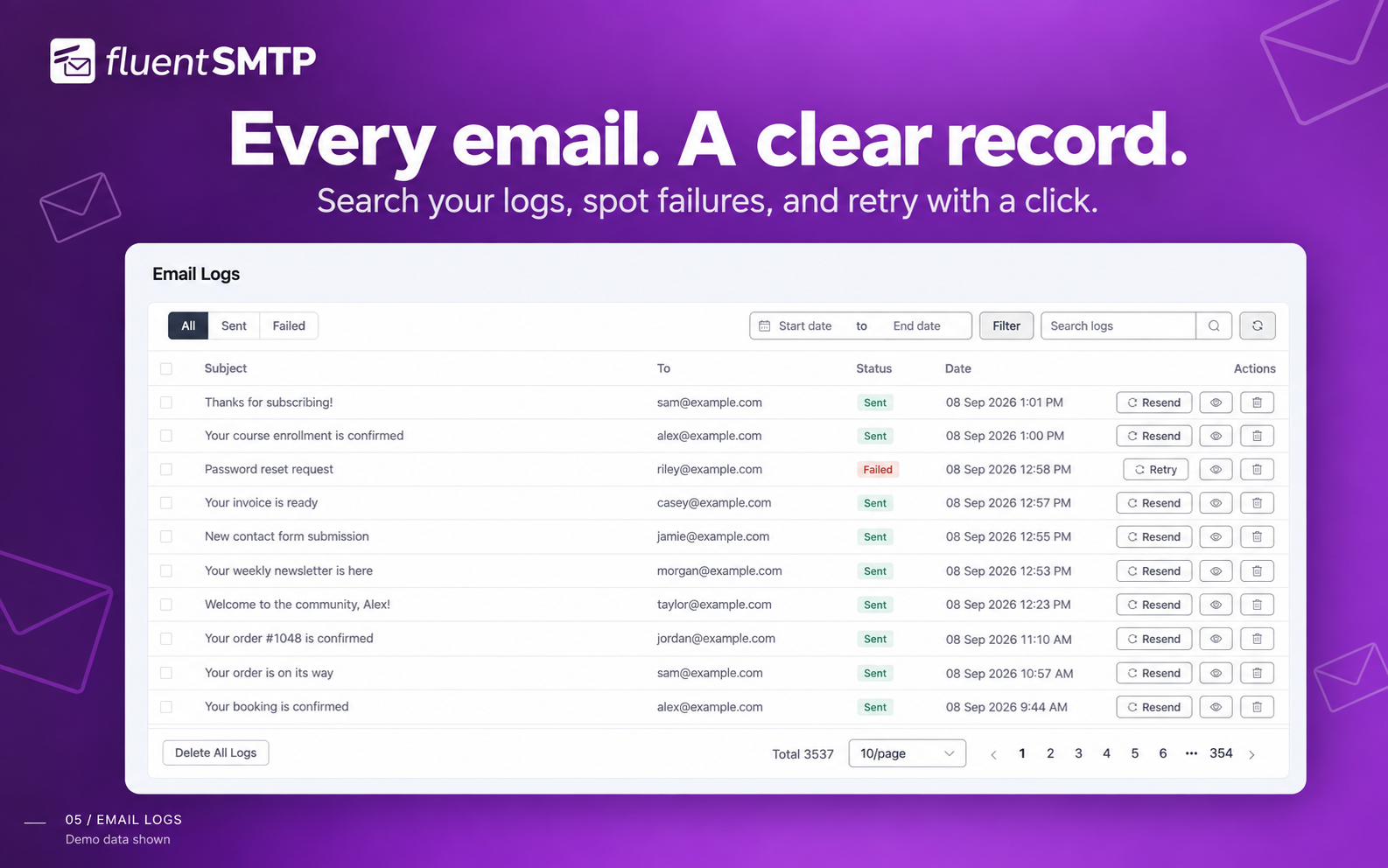
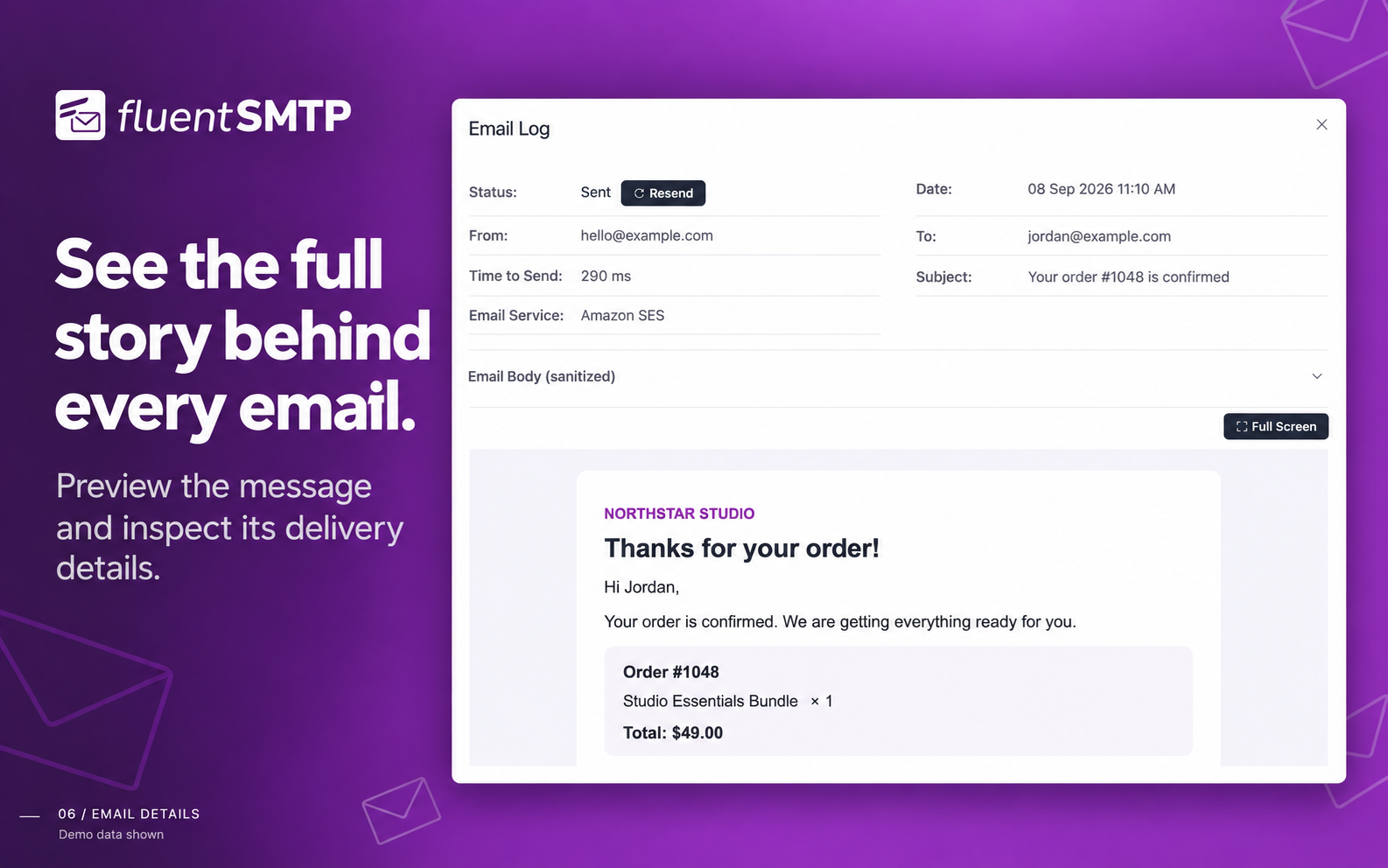
FluentSMTP logs every email your WordPress site sends, so you can check at any time what went out, what did not, and what the mail server said about it. Failed emails can be retried, and any logged email can be resent.
🎉 Amazon SES (conexión nativa con la API)
The Amazon SES connection sends your WordPress email through Amazon’s low-cost, high-deliverability infrastructure, set up in a couple of minutes. It uses Amazon’s current SES API and supports every SES region, including the EU Sovereign Cloud.
The SES client reuses its cURL connection across sends, so a burst of emails does not pay for a new handshake each time.
🎉 Gmail o Google Workspace (conexión nativa con la API)
Connect your Gmail or Google Workspace account and send WordPress email over Google’s API rather than Gmail SMTP. The connection uses OAuth, so there is no app password to create or store.
🎉 Conexión con la API de SendGrid
SendGrid runs a globally distributed sending platform, and the SendGrid API connection takes about a minute to set up.
Lee la documentación de conexión de SendGrid aquí
🎉 Conexión con la API de correo electrónico de Mailgun
Mailgun es otro de los principales proveedores de servicios de envío de correo electrónico y cuenta con la confianza de más de 225 000 empresas. Puedes confiar en su arquitectura global distribuida en la nube para enviar tus correos electrónicos de WordPress.
The Mailgun connection takes about a minute to set up, and it uses their API rather than SMTP.
Lee la documentación de conexión de Mailgun aquí
🎉 Conexión con la API de Brevo (antes Sendinblue)
Brevo es una plataforma para negocios en crecimiento y tiene un excelente servicio de correo electrónico transaccional. Atienden a más de 80.000 empresas en todo el mundo y envían millones de correos electrónicos cada día.
If you use Brevo, FluentSMTP connects to its API and sends your WordPress email through it.
Echa un vistazo a la documentación sobre la conexión de Brevo aquí
🎉 Conexión con la API de correo de Netcore (antes Pepipost)
Netcore is a complete email sending partner with a user-friendly dashboard, statistics and real-time delivery information.
The Netcore connection takes about a minute to set up, and it uses their API rather than SMTP.
Echa un vistazo a la documentación sobre la conexión a la API de Netcore aquí
🎉 Conexión con la API de correo electrónico de SparkPost
SparkPost is a reliable email sending service with detailed analytics. The SparkPost connection takes about a minute to set up.
Lee la documentación de conexión de SparkPost aquí
🎉 Conexión con la API de Postmark
Postmark es un servicio de correo electrónico transaccional muy fiable, conocido por su entrega rápida y su colocación de primera en la bandeja de entrada. FluentSMTP se conecta directamente a la API de Servidor de Postmark: pega tu Token de Servidor, elige un flujo de mensajes y tus correos transaccionales de WordPress se enviarán a través de Postmark con soporte completo para adjuntos, CC/CCO, Responder a y cabeceras personalizadas.
Lee la documentación de conexión de Postmark aquí
🎉 Conexión con la API de Elastic Email
Elastic Email handles both transactional and marketing mail, with per-message statistics in its dashboard. FluentSMTP uses their official API.
🎉 Outlook / Office 365 / Microsoft 365 API Connection
Connect your Outlook.com, Office 365 or Microsoft 365 account and send WordPress email over Microsoft’s Graph API. The connection uses OAuth2, so no password is stored on your site, and single-tenant Entra app registrations are supported.
Lee la documentación para conectar el correo electrónico de Office 365 con WordPress
🎉 Conexión con la API de correo electrónico de SMTP2GO
SMTP2GO handles both transactional and marketing mail, with per-message statistics in its dashboard. FluentSMTP uses their official API.
🎉 Conexión con la API de Cloudflare Email
Envía correos electrónicos de WordPress a través de Cloudflare Email Sending usando su API REST nativa. Si tu dominio ya está en Cloudflare, puedes enviar correo transaccional directamente desde la red periférica de Cloudflare: rápido, fiable y con SPF/DKIM/DMARC integrados. FluentSMTP maneja la forma completa de la solicitud, incluyendo adjuntos, CC/CCO, Responder a y cabeceras personalizadas. El plugin también verifica en vivo tu token API al guardar y en la pantalla de información de conexión, por lo que las configuraciones erróneas aparecen de inmediato.
🎉 Proveedor de envío de correo toSend
toSend is a modern transactional email service with a simple API, per-domain analytics, and fast delivery. FluentSMTP ships a native toSend integration: paste your API key, set a verified From address, and you’re sending in under a minute. Failed sends are logged with full payloads so you can resend or debug without leaving WordPress.
Read the toSend WordPress setup guide
🎉 Any SMTP Server
FluentSMTP works with any service that offers an SMTP connection, including your web host’s mail server, Gmail SMTP, Yahoo, Outlook.com, Zoho Mail and Yandex Mail.
Puedes establecer las siguientes opciones:
- Especifica un host SMTP.
- Especifica un puerto SMTP.
- Choose the encryption (SSL or TLS).
- Choose whether to use SMTP authentication.
- Especifica el nombre de usuario y la contraseña SMTP.
- Eso es todo 💯
Lee la documentación de conexión SMTP aquí
🚀 A Fast, Modern Admin 🚀
- Built with Vue 3 as a single-page application, with a light and a dark theme.
- A lean interface that needs no learning curve.
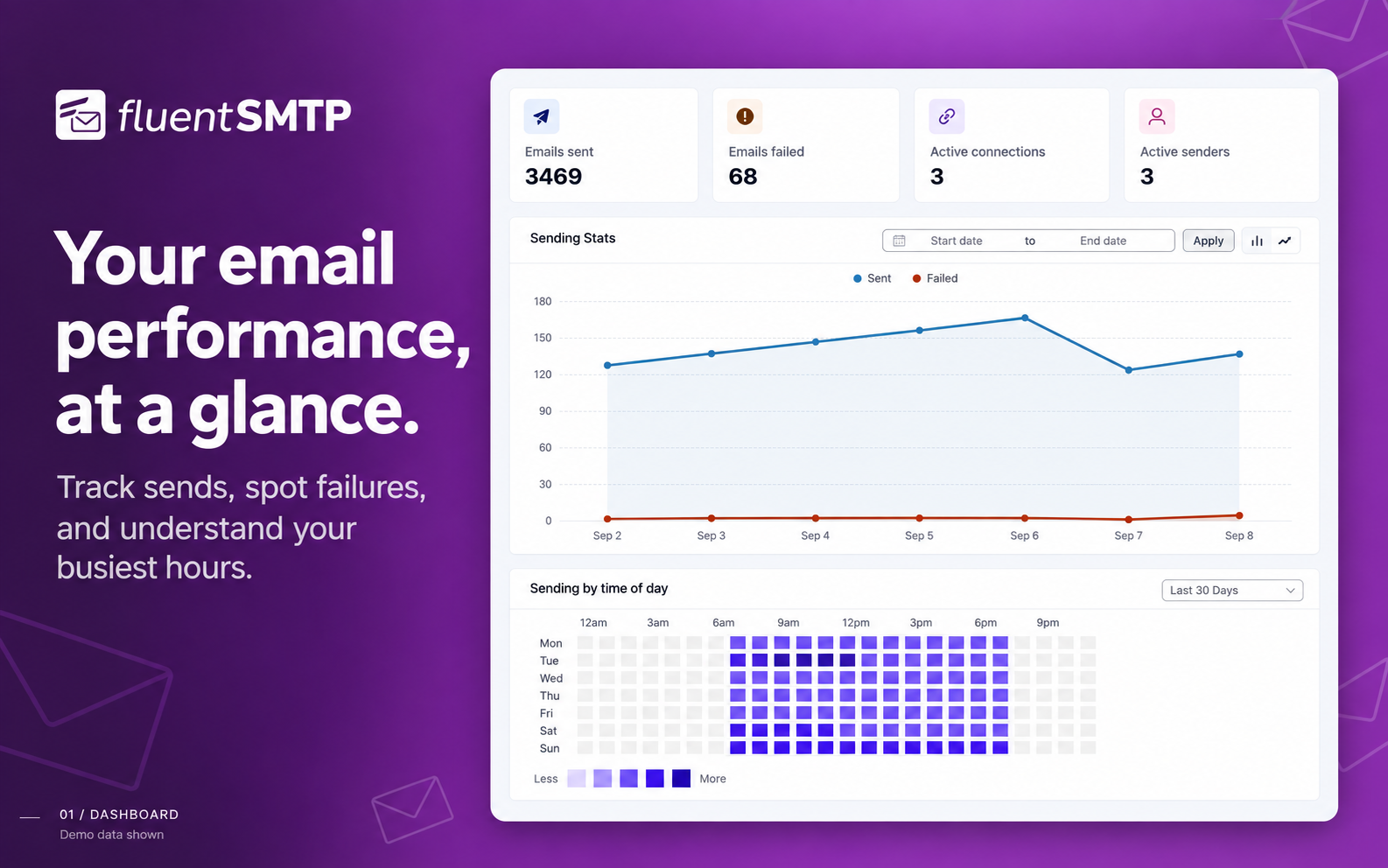
- A dashboard with charts and stats showing how your email is doing.
🚀 Enrutamiento automático de correo electrónico 🚀
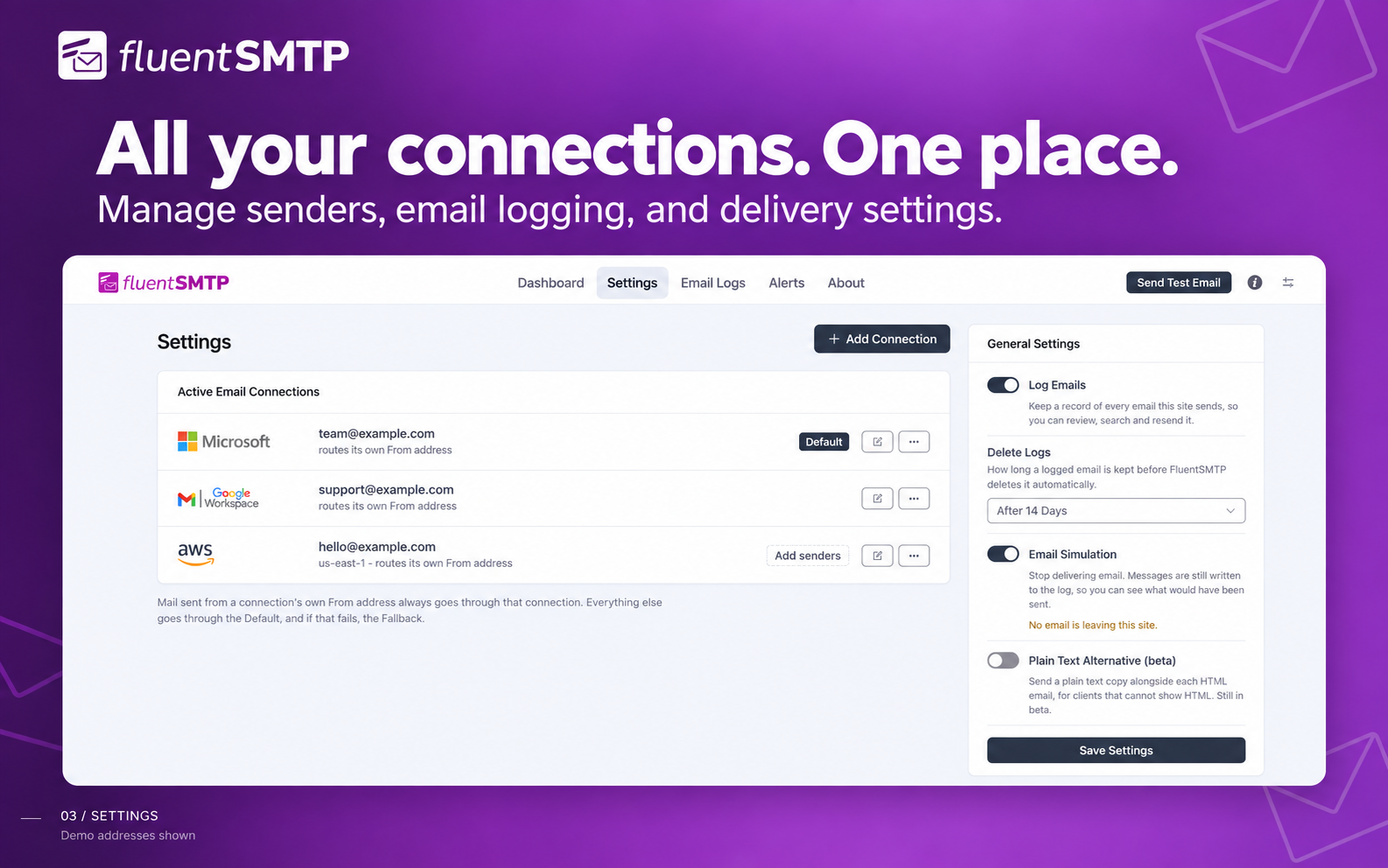
Add as many email connections as you want. FluentSMTP routes each email to the right one based on its From address.
Route your transactional emails through one connection and your marketing emails through another, or set a fallback connection that takes over when the primary one fails.
🚀 Registros de correo electrónico e informes 🚀
Want to know how much mail your site is sending, and what it is? The email log lists every email, with charts of the daily totals, and you can resend any of them at any time. It is useful for keeping a record, auditing what goes out, and debugging while you build.
You can turn logging off, in which case only failed emails are recorded. Logs live in their own database table, so your WordPress tables stay as they are.
🚀 Monitoreo del estado de las conexiones 🚀
Un token OAuth caducado o una clave API eliminada pasan desapercibidos hasta que falla el primer correo electrónico que los necesitaba. Fluent SMTP comprueba cada conexión una vez al día, muestra los fallos en el Escritorio y te avisa a través de tus canales de aviso configurados en el momento en que una conexión empieza a fallar. Solo avisan las conexiones recién rotas, por lo que un problema conocido no te molestará cada día.
🚀 Soporte WP-CLI 🚀
Gestiona FluentSMTP desde la terminal, algo que cobra importancia justo cuando los correos que necesitas son los que te dan acceso a la administración:
wp fluent-smtp test– enviar un correo electrónico de prueba a través de cualquier conexiónwp fluent-smtp health– comprobar cada conexiónwp fluent-smtp stats– recuentos de enviados y fallidoswp fluent-smtp prune-logs– limpiar registros de correo antiguos
🚀 Avisos en tiempo real sobre errores de correo electrónico a través de Telegram, Slack, Discord y Pushover 🚀
Connect Telegram, Slack, Discord or Pushover, as many as you want at once, and FluentSMTP messages you there the moment an email fails to send, so you find out before your customers do.
🚀 Seguridad 🚀
FluentSMTP is built with security and scale in mind, and gives you several ways to keep your credentials and your sending safe.
- Store your SMTP and API credentials in wp-config.php instead of the database.
- Credentials kept in the database are encrypted.
- Auto-delete old email logs after the number of days you choose.
- Connections use each provider’s API directly, over OAuth where the provider offers it, so no password needs to be stored where a token will do.
🚀 Plain-Text Version of HTML Email 🚀
FluentSMTP can convert your HTML email to plain text as it sends, and deliver both parts as a multipart message. This helps deliverability and your spam score. Turn it on in the settings.
👉 Créditos 👈
Fluent SMTP está creado por WPManageNinja LLC. Y sí, está creado por el creador de plugins populares como FluentForms, FluentCRM y Ninja Tables.
FluentSMTP is free and open source, and we will never release a pro version. That is not a feature gap: everything the plugin does is in the free version. We wrote an article about why we made it and where we are taking it.
The full source code is on GitHub, and contributions are welcome.
👉 View on GitHub 👈
Compatible con…
- Fluent Forms – El constructor de formularios más rápido
- FluentCRM – Plugin de automatización de marketing por correo electrónico, boletines y CRM para WordPress
- WooCommerce
- Elementor Forms
- Contact Form 7
- Gravity Forms
- WPForms Lite and WPForms Pro
- Forminator – Contact Form
- Ninja Forms Contact Form
- Form Maker de 10Web
- Formidable Form Builder
- GiveWP – Plugin de donaciones
- Fast Secure Contact Form
- Visual Forms Builder
- Contact Form Builder
- PlanSo Forms
- SendPress Newsletters
- WP HTML Mail
- Email Templates
- … and every other plugin that sends mail through the WordPress wp_mail() function.
Migración sencilla desde WP Mail SMTP by WPForms
Moving from WP Mail SMTP by WPForms takes a few seconds.
- Install and activate FluentSMTP on your site.
- Ve a Ajustes FluentSMTP.
- Mostrará automáticamente la configuración anterior de «WP Mail SMTP by WPForms».
- Haz clic en el botón «Importar desde WP Mail SMTP» y ya está.
- Desactiva «WP Mail SMTP by WPForms» y disfruta de FluentSMTP.
Migración con un clic desde Easy WP SMTP
Moving from Easy WP SMTP takes a few seconds.
- Install and activate FluentSMTP on your site.
- Ve a Ajustes FluentSMTP.
- It will automatically detect your existing configuration from «Easy WP SMTP».
- Haz clic en el botón «Importar desde Easy WP SMTP» y ya está.
- Desactiva «Easy WP SMTP» y disfruta de FluentSMTP.
Próximos pasos
Si te gusta este plugin, considera echar un vistazo a nuestros otros plugins:
- FluentCRM – Plugin de automatización de marketing por correo electrónico y CRM para WordPress
- Fluent Forms – El constructor de formularios para WordPress más rápido
- Plugin de mesa de ayuda y tiques de soporte al cliente para WordPress
- Ninja Tables – El mejor plugin de tablas de datos para WordPress
- Ninja Charts – El mejor plugin de gráficos para WordPress
- Paymattic – Plugin de donaciones y suscripciones de pago simple
Capturas
Instalación
- Instala Fluent SMTP a través del repositorio de plugins de WordPress.org o subiendo los archivos a tu servidor.
- Activa WP Fluent SMTP.
- Go to Settings -> FluentSMTP in the WordPress admin.
- Choose your email service provider (Amazon SES, Gmail, Outlook, SendGrid, Mailgun, Postmark, Cloudflare or any SMTP server) and follow the instructions to connect it.
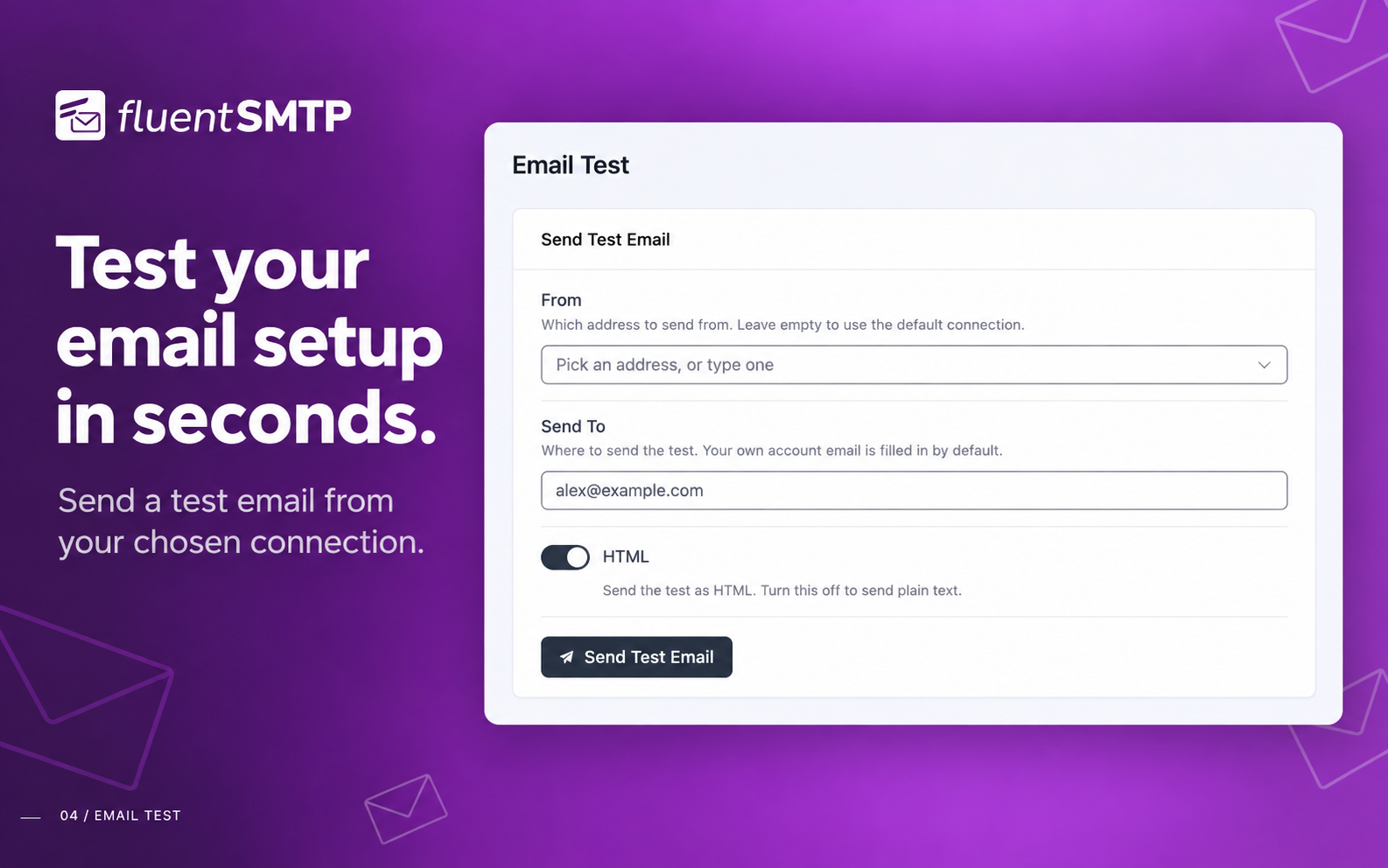
- Send a test email from the Settings screen to confirm it works.
- ¿Necesitas más ayuda? Obtén soporte con Soporte de WPManageNinja.
FAQ
-
Why are my WordPress emails not sending or going to spam?
-
By default WordPress sends email with the PHP mail() function on your web server, which is often unauthenticated, rate limited, or blocked outright by the host. Mailbox providers then reject or junk it. FluentSMTP sends your email through a proper email service or SMTP server instead, authenticated with your own domain, so it is delivered and lands in the inbox.
-
¿Puedo enviar correos electrónicos a través de SMTP desde mi sitio WordPress usando este plugin?
-
Yes. That is what the plugin is for: it takes over wp_mail() and sends through the SMTP server or email service you connect.
-
Is FluentSMTP really free?
-
Yes. There is no pro version, no paid add-on and no feature limit. Every provider and every feature is in the free plugin, and it will stay that way.
-
¿Puedo conectar la API de Amazon SES con FluentSMTP?
-
Yes. Add your SES access key and secret key, and FluentSMTP sends through the Amazon SES API rather than SMTP.
-
Can I send WordPress emails with Gmail or Google Workspace?
-
Yes. Connect your Google account with OAuth and FluentSMTP sends through the Gmail API. You can also use Gmail’s SMTP server with an app password if you prefer.
-
Can I send WordPress emails with Outlook, Office 365 or Microsoft 365?
-
Yes. Connect your Microsoft account with OAuth2 and FluentSMTP sends through Microsoft’s Graph API. Single-tenant Entra app registrations are supported.
-
¿Puedo almacenar mis credenciales del servicio de correo electrónico en el archivo wp-config.php?
-
Yes. When you create a connection you choose where its credentials are kept: in the database, or in your wp-config.php file, which is what we recommend.
-
¿Puedo enviar correos electrónicos de WordPress con SendGrid?
-
Yes. FluentSMTP connects to SendGrid over their API, which is faster than their SMTP endpoint. If you would rather use SMTP, you can set that up instead.
-
¿Puedo enviar correos electrónicos de WordPress con Mailgun?
-
Yes. FluentSMTP connects to Mailgun with an API key, which is faster than their SMTP endpoint. If you would rather use SMTP, you can set that up instead.
-
¿Puedo enviar correos electrónicos de WordPress con Sendinblue?
-
Yes. FluentSMTP connects to Brevo (formerly Sendinblue) with an API key. If you would rather use SMTP, you can set that up instead.
-
¿Puedo enviar correos electrónicos de WordPress con SparkPost?
-
Yes. FluentSMTP connects to SparkPost with an API key.
-
Can I send WordPress emails with Netcore (Pepipost)?
-
Yes. FluentSMTP connects to Netcore (formerly Pepipost) with an API key.
-
¿Puedo enviar correos electrónicos de WordPress con Cloudflare Email?
-
Sí. FluentSMTP incluye una integración nativa con Cloudflare Email Sending. Añade tu ID de cuenta de Cloudflare y un token API con permisos de envío de correo, y el plugin enviará a través de la API REST de Cloudflare (incluyendo adjuntos, CC/CCO, Responder a y cabeceras personalizadas). El dominio de envío debe estar en Cloudflare con el envío de correo activado (SPF/DKIM/DMARC publicados).
-
¿Puedo enviar los correos electrónicos de WordPress con toSend?
-
Sí. FluentSMTP tiene una integración nativa con toSend. Crea una clave API en el Escritorio de toSend, añade tu dominio de envío verificado, pega la clave en FluentSMTP y tus correos electrónicos de WordPress se entregarán a través de toSend.
-
¿Cómo sé si una de mis conexiones ha dejado de funcionar?
-
FluentSMTP comprueba cada conexión una vez al día. Si una empieza a fallar (un token OAuth caducado, una clave API revocada), se marca en el Escritorio y se envía a tus canales de aviso configurados (Telegram, Slack, Discord o Pushover). También puedes ejecutar
wp fluent-smtp healthdesde la línea de comandos en cualquier momento. -
¿Puedo usar FluentSMTP desde WP-CLI?
-
Sí.
wp fluent-smtp testenvía un correo electrónico de prueba,wp fluent-smtp healthcomprueba tus conexiones,wp fluent-smtp statsmuestra los recuentos de enviados y fallidos, ywp fluent-smtp prune-logsborra los registros antiguos. -
Soy desarrollador, ¿dónde puedo contribuir a este proyecto?
-
Please check our GitHub repository. Pull requests are welcome.
-
I found a bug. Where can I report it?
-
Por favor, envía un incidencia en nuestro portal de soporte. Si eres desarrollador, crea una incidencia en GitHub.
-
He encontrado un problema de seguridad, ¿dónde puedo informarlo?
-
Usamos Patchstack para gestionar nuestro informe de seguridad. Informa en la página de Patchstack.
Reseñas


Colaboradores y desarrolladores
«FluentSMTP – WP Mail SMTP Plugin with Amazon SES, SendGrid, Mailgun, Postmark, Cloudflare, toSend, Gmail and Any SMTP» es un software de código abierto. Las siguientes personas han colaborado con este plugin.
Colaboradores


«FluentSMTP – WP Mail SMTP Plugin with Amazon SES, SendGrid, Mailgun, Postmark, Cloudflare, toSend, Gmail and Any SMTP» está traducido en 24 idiomas. Gracias a los traductores por sus contribuciones.
¿Interesado en el desarrollo?
Revisa el código , echa un vistazo al repositorio SVN o suscríbete al registro de desarrollo por RSS.
Registro de cambios
2.4.1 (Date: Sep 27, 2026)
- Fixed Outlook / Office 365 connections failing to authorize on servers where Microsoft returned an HTML error page instead of a token
- Fixed resending or retrying a logged email dropping every Cc, Bcc and Reply-To address when there were two or more
- Fixed the email log’s To column showing serialized text for emails sent to many recipients. On existing sites, deleting all logs once widens the column
- Fixed plain-text emails losing their line breaks, and anything in angle brackets, in the email log viewer
- Fixed SparkPost sending plain-text emails as HTML, which collapsed their line breaks
- Fixed emails failing on Postmark, and names being cut short on Mailgun, SMTP2GO and SparkPost, when a recipient’s or sender’s name contains a comma (for example «Shah, Jewel»)
- Fixed a long connection error on the Settings screen hiding that connection’s Edit button and address, and the provider logos not showing on phones
- Added the Amazon SES regions Asia Pacific (Hyderabad, Jakarta, Malaysia), Europe (Zurich), Middle East (UAE), Israel (Tel Aviv) and AWS GovCloud (US-East)
- Improved translation of the test message sent by the Slack, Discord and Pushover alert channels
2.4.0 (Date: Sep 08, 2026)
- Redesigned the whole admin on the shared Fluent design system and rebuilt it on Vue 3, Element Plus and Vite
- Added a dark theme, shared with FluentCart so choosing it in one plugin chooses it in both
- Simplified the navigation to Dashboard, Settings, Email Logs, Alerts and About, with Settings and Alerts rebuilt as at-a-glance lists
- Improved the dashboard with sent, failed, connections and senders at the top, a Recent Activity panel and an Alerts & Notifications summary
- Improved the email log: one-line rows, a toolbar with all filters together, and fixes for the failed-count link, Prev/Next in the viewer, filtering on a later page and pagination on phones
- Fixed Bcc recipients never receiving an email sent over the Outlook / Office 365 connection
- Requires WordPress 6.5 or newer (was 5.5)
2.3.1 (Date: Aug 13, 2026)
- Added an optional Directory (tenant) ID for Outlook / Office 365, for single-tenant Entra app registrations that cannot accept personal Microsoft accounts
- Fixed «Could not instantiate mail function.» on the PHP mail() connection when a host or plugin selects its own transport from the
phpmailer_inithook - Fixed mail routed outside FluentSMTP being sent through the site’s own SMTP relay when a bulk sending session held a connection open
2.3.0 (Date: Aug 05, 2026)
- Added Cloudflare Email Sending Provider
- Added Recipient Picker and Resend History for Email Logs (props @faisalahammad)
- Added Daily Connection Health Check with dashboard alerts and failure notifications
- Added WP-CLI commands for test email, connection health, stats and log pruning
- Added Amazon SES EU Sovereign Cloud region (Germany, Brandenburg)
- Added send time tracking on every email log
- Added
fluent_mail/manage_capabilityfilter to change the required admin capability - Added inline image embedding for SMTP connections via the
wp_mail_embed_argsfilter - Added inline setup guides for Cloudflare and toSend
- Improved sending speed with connection reuse for Amazon SES, toSend and FluentCRM bulk sending
- Improved Email Log performance with a new database index and batched pruning
- Updated the
wp_mail()replacement to match WordPress 7.0 core - Fix: List-Unsubscribe one-click headers were encoded and ignored by mailbox providers on Amazon SES, Gmail and Outlook (props @rogerjudd)
- Fix: Ampersands in the site title showing as HTML entities in the From Name, subject and email logs (props @ikamal7)
- Fix: Outlook failures reporting a generic «Unauthorized» instead of the reason Microsoft gave (props @reikjarloekl)
- Fix: From Name losing its last character when written without a space before the angle bracket
- Fix: Weekly and monthly reports merging data across different years
- Fix: toSend Reply-To formatting and sender validation messages
- Fix: Nested array sanitization in email logs
- Security hardening across the plugin, plus UI and translation improvements
2.2.95 (Date: Dec 28, 2025)
- Added Multiple Notification Channels for Email Failure Notification
- Added Pushover Notification Support
- Added toSend Email Sending Provider
- Añadida la opción para desactivar el cifrado de las claves API
- Corregidos los problemas de compatibilidad con PHP 8.4
2.2.92 (Date: Aug 27, 2025)
- Fixed attachment handling issue with Elastic Email.
- Resolved import statement issue for SMTP2GO.
- Added PHP 8.4 support for FluentMail\App\Services\Mailer\Manager.
- Added new Amazon SES region: ap-northeast-3 (Asia Pacific – Osaka).
- Improved error handling in BaseHandler.
- Updated fallback email handling to return true on success.
- General bug fixes and performance improvements.
- Fix: Logger Resend Email respects Content-Type for HTML emails
- Styling Improvements
- Fix: Prevent redundant navigation error in Logs screen when refreshing
- Fix: Ensure Content-Type header is always logged for accurate email resends
2.2.90 (Date: Feb 07, 2025)
- Added SMTP2GO Provider
- Improved Translations
- Added name attribute to attachment files
- Security: Updated Google SDK Library to the latest version & updated JS DomPurify Library
- Fixed: Email Failed Notification Issue with Slack
- Styling Improvements
2.2.83 (Date: Nov 22, 2024)
- Fix unserialize parameter issue
2.2.82 (Date: Nov 22, 2024)
- Security: Data Un-serialization issue fixed
- Sparkpost Recipient Issue fixed
2.2.81 (Date: Oct 20, 2024)
- Security: Nonce Verification fixed for slack REQUEST (props to patchstack)
- Fixed WooCommerce Emailing Issue fixed when enabled text mode
- Fixed Translation issues
- Custom Header support for Postmark
2.2.80 (Date: July 02, 2024)
- Added Plain Text Support: Convert HTML Emails to Plain Text and send as multi-part email
- Improved Translations
- Improved Internal Code Base
2.2.73 (Date: Apr 25, 2024)
- Compatibility with PHP 8.X
- Added Day of the time sending chart
2.2.72 (Date: Mar 16, 2024)
- Compatibility with PHP 8.4
- Fix Slack Notification Issue
2.2.71 (Date: Jan 01, 2024
- Hot Fix: Fixing the issue with Input Fields
2.2.7 (Date: Jan 01, 2024)
- Added RealTime Email Failure Notification via Telegram / Slack / Discord
- Added Option to add additional email addresses for Amazon SES
- UI Improvements
2.2.6 (Date: Oct 01, 2023)
- Enable Encryption for All SMTP Connections Keys
- Migrate SendInBlue API to Brevo API
- Improved Plugin Conflict Detection and auto fix
- Fixed UI conflict with Other Plugins
2.2.5 (Date: Jul 06, 2023)
- (Security Fix) Email subject is now sanitized and escaped when preview
- Showing Server Response by default on log
- Fix http_build_query issue for latest version of PHP
- Improved UI & UX for email preview
2.2.4 (Date: Feb 04, 2023)
- Email preview is now sanitized
- you can now define
FLUENTMAIL_SIMULATE_EMAILSto simulate emails programmatically - Fixed outlook API connection issues
- Fixed inline documentation links
- UX improvements
2.2.2 (Date: Nov 11, 2022)
- Fix vendor Conflict for Google/Gmail Connection
- UI Improvement on Connection Wizard
2.2.1 (Date: Nov 08, 2022)
- Refactored Google API integration
- Fix encoding issues for Outlook API connection
- ElasticEmail Attachment issues fixed
- Fixed digest email esc_* issues
- Added contributors to the plugin’s about page.
- UI&UX Improvements
2.2.0 (Date: Aug 21, 2022)
- Added Elastic Mail API
- PHP 8.0 & 8.1 compatibility
- UI Improvements
2.1.2 (Date: July 05, 2022)
- Google/Gmail API Upgrade
- UI Improvements
2.1.1 (Date: March 12, 2022)
- Improved Email Logging Screen
- Improved UI and Settings
- Fixed auto-delete old email logs
2.1.0 (Date: October 24, 2021)
- Fix Cron Issues
- PHP 8.0 Compatibility issue fixed
- Multiple Connection UX improvement
- Ability to remove from email and name hook via filter
2.0.2 (Date: September 21, 2021)
- Fixed Scheduled Database Cleanup
- Improvement on wp_mail loading and sending emails
- Pepipost Driver Improvement
- SendGrid Driver Improvement
- SendinBlue Drive Improvement
2.0.1 (Date: July 28, 2021)
- Added Postmark API Connection
- Fix Dashboard Stat Number
- Fix Sanitization Issue
2.0.0 (Date: July 27, 2021)
- Added Outlook / Office 365 API Connection
- Improvements of Amazon SES Connection
- Ability to disable force From Email for supported connections
- Added Fallback Connection feature
- Added One-Click migration from WP Mail SMTP Plugin
- Added One-Click migration from WP Easy SMTP Plugin
- UI Improvements
- Added nonce and sanitization for connection inputs
1.2.0 (Date: May 26, 2021)
- Added Gmail and Google Workspace API Connection
- Added Built-in Docs
- UI Improvements
- PHP 8 compatibility issue fixed
- Bulk Send Emails from logs
- Added Email Simulator
- Amazon API Fix
1.1.1 (Date: April 26, 2021)
- Database Warning Issue Fixed
1.1.0 (Date: April 25, 2021)
- Fix Error Handling Issues
- DataBase Query Optimizations
- Amazon SES Connection Optimization
- UI Improvement
- VueJS loading improvements
1.0.1 (Date: January 24, 2021)
- Fix UTF-8 issues
- Sendinblue wp-config constant issue fixed
- Fallback from name issue fixed
- Search for Email Logs has been fixed
1.0.0 (Date: January 18, 2021)
- Initial Launch
- 349 git commits so far
- 698 cup of coffee (Just kidding, We lost count)
- Work of 3 Months
- Let’s Make Email Sending Easier!